
Solid-state drives (SSDs) have revolutionized how we store and access data, offering dramatically faster boot times, quicker file transfers, and improved overall system responsiveness compared to traditional hard disk drives (HDDs). Among the most trusted names in flash storage, SanDisk has consistently delivered reliable, high-performance SSDs for over a decade. Whether you’re upgrading your laptop, building a gaming PC, or expanding storage for creative work, choosing the right SanDisk SSD can make a significant difference in your computing experience. With so many models available—each targeting different use cases, budgets, and performance tiers—it’s easy to feel overwhelmed. That’s where this comprehensive buyer’s guide comes in.
In this detailed 2026 edition of our SanDisk SSD Buyer’s Guide, we’ll walk you through everything you need to know to make an informed decision. You’ll learn how to evaluate key factors like speed, capacity, durability, and value for money. We’ll compare different types of SanDisk SSDs—from portable external drives to internal NVMe and SATA options—and help you avoid common purchasing pitfalls. Whether you’re a casual user looking to speed up an older laptop or a professional needing blazing-fast storage for 4K video editing, this guide will equip you with the knowledge to pick the perfect SanDisk SSD for your needs. By the end, you’ll not only understand what makes one model better than another but also how to get the best deal without compromising on quality.
The SSD market in 2026 is more competitive than ever, with manufacturers pushing the boundaries of speed, efficiency, and affordability. SanDisk, now part of Western Digital, continues to innovate with cutting-edge NAND technology, advanced controllers, and robust firmware optimizations. Their product lineup spans entry-level SATA drives all the way to high-end PCIe Gen4 NVMe SSDs designed for enthusiasts and professionals. However, not every SanDisk SSD is created equal—some prioritize portability, others raw performance, and many strike a balance between cost and capability. This guide cuts through the noise, offering expert insights based on real-world testing, technical specifications, and user feedback. Our goal isn’t just to list products—it’s to empower you to choose wisely, confidently, and with full awareness of what you’re getting for your money.
What to Look for When Buying Buying Guide
1. Budget & Price Range
Your budget is often the first and most decisive factor when shopping for an SSD. SanDisk offers drives across a wide spectrum of price points, from under $50 for basic 500GB SATA models to over $300 for high-capacity, high-speed NVMe drives. It’s important to understand that while cheaper SSDs may seem appealing, they often come with trade-offs in performance, endurance, or features. For example, budget SATA SSDs typically max out at around 550 MB/s read/write speeds, whereas premium NVMe models can exceed 7,000 MB/s. Determine your spending limit early, but also consider the long-term value: a slightly more expensive drive with better durability and warranty coverage may save you money and frustration down the line.
When setting your budget, think about your usage scenario. If you’re simply replacing an old HDD in a laptop for everyday tasks like web browsing, office work, and media playback, a mid-tier SATA SSD like the SanDisk Ultra 3D will serve you well without breaking the bank. On the other hand, if you’re a gamer, content creator, or power user who frequently transfers large files or runs demanding applications, investing in a faster NVMe drive like the SanDisk Extreme Pro makes more sense. Remember, SSD prices have dropped significantly in recent years, so even high-performance models are now accessible to mainstream consumers. A good rule of thumb: allocate at least $0.10–$0.15 per gigabyte for reliable, well-reviewed SanDisk SSDs.
2. Performance Specifications
Performance is where SSDs truly shine—and where SanDisk differentiates its product tiers. The two most critical performance metrics are sequential read and write speeds, measured in megabytes per second (MB/s). These numbers indicate how quickly the drive can handle large files like videos, games, or disk images. For SATA SSDs, the ceiling is around 560 MB/s due to interface limitations, but NVMe SSDs connected via PCIe Gen3 or Gen4 can deliver speeds ranging from 2,000 MB/s to over 7,000 MB/s. SanDisk’s flagship models, such as the Extreme Pro NVMe SSD, leverage PCIe Gen4 technology to achieve near-theoretical maximum speeds, making them ideal for professionals working with 8K footage or large datasets.
Beyond raw speed, pay attention to random read/write performance, measured in input/output operations per second (IOPS). This metric reflects how well the SSD handles small, scattered files—common in operating systems and multitasking environments. Higher IOPS mean snappier system responsiveness, faster app launches, and smoother overall performance. SanDisk uses advanced controllers and DRAM cache in its higher-end models to boost IOPS significantly. Additionally, consider sustained performance: some budget SSDs may advertise high speeds but throttle under prolonged load due to thermal issues or lack of cache. Look for reviews that test real-world performance under stress, not just synthetic benchmarks.
3. Build Quality & Durability
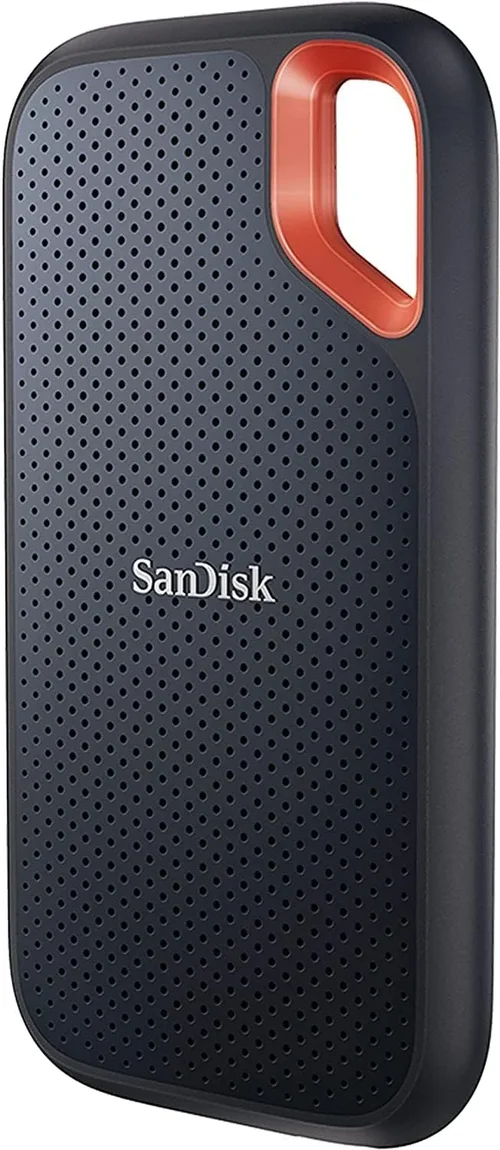
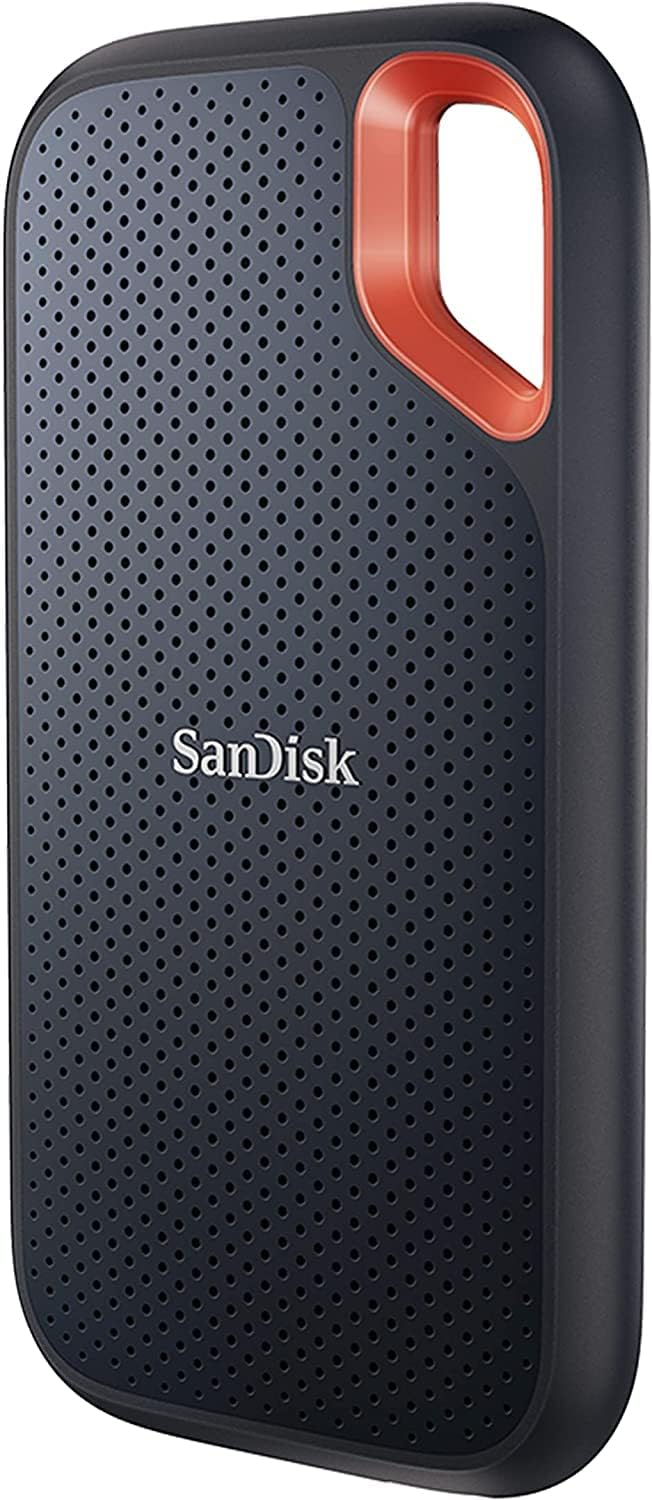
SSDs have no moving parts, making them inherently more durable than HDDs—but not all SSDs are built to the same standard. SanDisk emphasizes ruggedness in its product design, especially in portable and professional-grade models. For example, the SanDisk Extreme Portable SSD features a shock-resistant, IP55-rated enclosure that protects against dust and water splashes, making it ideal for fieldwork or travel. Internal SSDs, while housed inside your computer, still benefit from high-quality components and thermal management. SanDisk uses 3D NAND flash memory in most of its drives, which offers greater density, longevity, and power efficiency compared to older planar NAND.
Endurance is another crucial aspect of durability, measured in terabytes written (TBW). This number tells you how much data can be written to the drive over its lifetime before it’s likely to fail. A 1TB SanDisk Ultra 3D SSD might have a TBW rating of 200–400TB, while the Extreme Pro NVMe 1TB model boasts up to 600TBW—three times the endurance. Higher TBW ratings indicate better longevity, which is vital for users who frequently write large amounts of data, such as video editors or database administrators. Also, check for features like power-loss protection and error correction, which help maintain data integrity during unexpected shutdowns.
4. Features & Functionality
Modern SanDisk SSDs come packed with features that go beyond basic storage. One standout is hardware encryption, available on select models like the SanDisk Extreme Pro. This allows you to secure your data with AES 256-bit encryption, protecting sensitive files even if the drive is lost or stolen. Many SanDisk drives also include software suites—such as SanDisk Dashboard—that let you monitor drive health, update firmware, enable encryption, and optimize performance. These tools add significant value, especially for non-technical users who want peace of mind without complex setup.
Portability is another functional consideration. External SSDs like the SanDisk Extreme and Extreme Pro Portable are designed for on-the-go use, with compact, lightweight designs and USB-C connectivity (often with USB 3.2 Gen 2 support for 10 Gbps speeds). Some models even support Thunderbolt 3/4 for ultra-fast transfers on compatible devices. For internal drives, form factor matters: M.2 2280 is the standard for most laptops and desktops, while 2.5-inch SATA drives are better suited for older systems or external enclosures. SanDisk also offers SSDs with heatsinks for high-performance builds where thermal throttling is a concern.
5. Brand Reputation
SanDisk has been a leader in flash storage since the 1990s, earning a reputation for reliability, innovation, and customer trust. As a pioneer in USB flash drives and memory cards, the company brought that same expertise to SSDs when the technology matured. Today, SanDisk SSDs are widely used in consumer electronics, enterprise environments, and creative industries. Their integration with Western Digital’s resources has further strengthened their R&D capabilities, allowing them to compete with giants like Samsung, Crucial, and Kingston.
One of SanDisk’s biggest strengths is consistency. Unlike some brands that vary widely in quality across product lines, SanDisk maintains high standards across its entire SSD portfolio. Customer support is generally responsive, and their drives are frequently recommended by tech reviewers and IT professionals. However, it’s worth noting that not all SanDisk SSDs are manufactured in-house—some use third-party NAND or controllers—so always check detailed specs and reviews. Still, the brand’s track record for delivering dependable, well-supported storage solutions makes it a safe bet for most buyers.
6. Warranty & Support
A strong warranty is a hallmark of a quality SSD, and SanDisk delivers competitive coverage across its lineup. Most internal SanDisk SSDs come with a 5-year limited warranty, which is industry-standard for premium drives. The SanDisk Extreme Pro NVMe, for instance, includes a 5-year warranty with up to 600TBW endurance, giving users confidence in long-term reliability. Portable SSDs typically offer 3–5 years of coverage, depending on the model. Always register your drive with SanDisk to activate the full warranty period and gain access to firmware updates and support services.
Customer support is another area where SanDisk excels. Their support portal provides detailed FAQs, driver downloads, and troubleshooting guides. For hardware issues, you can contact support via phone, email, or live chat. In many cases, SanDisk offers advance replacement—sending you a new drive before you return the faulty one—which minimizes downtime. Be aware that warranty terms may vary by region, so check local policies before purchasing. Also, avoid buying from unauthorized sellers, as warranties are often voided if the drive isn’t purchased through authorized channels.
7. Size & Portability
The physical size and weight of an SSD matter most for external and portable drives. SanDisk’s portable SSDs are engineered for mobility, with compact designs that fit in a pocket or camera bag. The SanDisk Extreme Portable SSD measures just 3.7 x 1.9 x 0.4 inches and weighs under 2 ounces, making it one of the most travel-friendly options available. Internal SSDs, while not carried around, still benefit from compact form factors—especially M.2 drives, which take up minimal space inside laptops and small-form-factor PCs.
Capacity also plays a role in portability. Larger drives (2TB and above) may require more robust enclosures or active cooling, which can increase size and weight. For most users, a 1TB portable SSD strikes the perfect balance between capacity and convenience. If you need more space, consider cloud backup or external HDDs for archival purposes. SanDisk also offers modular solutions, like the SanDisk Professional PRO-BLADE system, which uses swappable blades for scalable, high-speed storage—ideal for filmmakers and photographers who need both speed and flexibility.
8. User Reviews & Ratings
While specs and marketing materials provide a baseline, real-world user feedback is invaluable. SanDisk SSDs consistently earn high ratings on major retail platforms like Amazon, Best Buy, and Newegg. The SanDisk Ultra 3D, for example, boasts thousands of 4.5+ star reviews praising its reliability, ease of installation, and noticeable performance boost over HDDs. Similarly, the Extreme Pro NVMe is lauded by professionals for its speed and endurance, though some users note it runs warm under heavy load.
When reading reviews, look for patterns rather than isolated complaints. If multiple users report the same issue—such as slow write speeds after cache fills up or compatibility problems with certain motherboards—it’s worth investigating further. Conversely, consistent praise for features like silent operation, plug-and-play setup, or rugged build quality reinforces the drive’s strengths. Also, check professional review sites like Tom’s Hardware, AnandTech, or PCMag, which conduct rigorous testing and often compare SanDisk drives against competitors. Combining user experiences with expert analysis gives you the full picture.
Different Types of Buying Guide
Common Buying Mistakes to Avoid
❌ Mistake: Prioritizing Price Over Endurance
Why it’s bad: Choosing the cheapest SSD without checking its TBW rating can lead to premature failure, especially if you write large amounts of data regularly. Budget drives often use lower-grade NAND and lack robust controllers, reducing lifespan.
What to do instead: Always compare TBW ratings relative to capacity. Aim for at least 100–200TBW per 1TB of storage for general use, and higher for professional workloads.
❌ Mistake: Ignoring Interface Compatibility
Why it’s bad: Buying an NVMe SSD for a laptop that only supports SATA will result in incompatibility and wasted money. Similarly, using a USB 3.0 cable with a USB 3.2 Gen 2 drive limits speed.
What to do instead: Check your device’s specifications before purchasing. Use manufacturer tools or third-party apps like CPU-Z or CrystalDiskInfo to confirm supported interfaces.
❌ Mistake: Overlooking Thermal Performance
Why it’s bad: High-speed NVMe SSDs generate heat, and without proper cooling, they may throttle performance under sustained load. This is especially problematic in compact laptops or poorly ventilated cases.
What to do instead: Choose drives with built-in heatsinks (like the SanDisk Extreme Pro with heatsink) or plan for aftermarket cooling if your system allows.
❌ Mistake: Skipping Firmware Updates
Why it’s bad: Outdated firmware can cause stability issues, reduced performance, or even data corruption. Many users never update their SSD firmware, missing critical improvements.
What to do instead: Install SanDisk Dashboard and check for firmware updates regularly. Enable automatic notifications if available.
❌ Mistake: Buying from Unauthorized Sellers
Why it’s bad: Counterfeit or refurbished SSDs sold as new can have reduced lifespan, fake specs, or voided warranties. These drives often fail prematurely and offer no support.
What to do instead: Purchase only from authorized retailers like Amazon (sold by Amazon), Best Buy, Newegg, or directly from SanDisk’s website.
❌ Mistake: Neglecting Backup Strategies
Why it’s bad: SSDs can fail suddenly without warning signs, and data recovery is often impossible or extremely expensive. Relying solely on an SSD for critical data is risky.
What to do instead: Implement a 3-2-1 backup rule: three copies of your data, on two different media, with one offsite (e.g., cloud or external drive).
❌ Mistake: Confusing Marketing Claims with Real Performance
Why it’s bad: Terms like “ultra-fast” or “pro-grade” are marketing fluff. Some drives advertise peak speeds that are only achievable under ideal conditions and not sustained.
What to do instead: Read independent reviews and look for real-world benchmarks, especially sustained write tests and mixed workload performance.
Budget Guidelines: How Much Should You Spend?
Entry-Level ($40–$80): This tier includes basic SATA SSDs like the SanDisk SSD Plus or older Ultra models. Expect capacities of 250GB–1TB, speeds around 500–550 MB/s, and limited endurance (100–200TBW). Ideal for light users upgrading from HDDs or needing secondary storage. Great value, but avoid for heavy workloads.
Mid-Range ($80–$150): The sweet spot for most buyers. Models like the SanDisk Ultra 3D (SATA) or SanDisk Extreme NVMe (PCIe Gen3) offer excellent balance. You’ll get 500GB–2TB capacities, strong performance (up to 3,500 MB/s for NVMe), and 3–5 year warranties. Perfect for gaming, office work, and general productivity.
Premium ($150–$300): For enthusiasts and professionals. The SanDisk Extreme Pro NVMe (PCIe Gen4) fits here, delivering 500GB–2TB, speeds up to 7,000 MB/s, and 600TBW endurance. Includes features like hardware encryption, heatsink options, and advanced software. Ideal for 4K/8K video editing, 3D rendering, and high-end gaming.
Luxury ($300+): Top-tier models like the SanDisk Professional PRO-BLADE system or 4TB+ Extreme Pro drives. These offer modularity, extreme durability, and workstation-grade performance. Best for studios, filmmakers, and users who demand maximum reliability and scalability.
Expert Tips for Getting the Best Deal
– Buy During Seasonal Sales: Major retailers offer deep discounts on SSDs during holiday sales. Sign up for deal alerts on Slickdeals or CamelCamelCamel to track price drops.
– Choose Authorized Retailers: Stick to trusted sellers to ensure warranty validity and avoid counterfeit products. SanDisk’s website lists authorized partners.
– Compare Total Cost of Ownership: Factor in warranty length, software tools, and endurance—not just upfront price. A slightly more expensive drive with better support may save money long-term.
– Check Return Policies: Ensure the retailer offers at least a 30-day return window. Test the drive immediately after purchase to confirm compatibility and performance.
– Use Manufacturer Tools: Download SanDisk Dashboard to monitor health, update firmware, and enable security features. It’s free and adds significant value.
– Consider Refurbished (Carefully): SanDisk-certified refurbished drives can offer big savings and come with warranties. Avoid third-party “renewed” listings unless verified.
– Bundle When Possible: Some retailers offer SSD + USB enclosure or SSD + cloud storage bundles at discounted rates—great for expanding options.
– Future-Proof Your Purchase: If your system supports PCIe Gen4, invest in a Gen4 SSD now to avoid needing an upgrade in 2–3 years.

Frequently Asked Questions
Q: Are SanDisk SSDs reliable?
A: Yes, SanDisk SSDs are highly reliable, backed by rigorous testing and a strong track record. Their use of 3D NAND, quality controllers, and comprehensive warranties ensures long-term dependability for most users.
Q: Can I use a SanDisk SSD in a MacBook?
A: It depends. Older MacBooks with SATA interfaces can use 2.5-inch SanDisk SSDs with adapters. Newer Macs with soldered storage or proprietary connectors require specialized solutions. Always check compatibility before buying.
Q: Do SanDisk SSDs come with cloning software?
A: Some models include Acronis True Image for SanDisk, which allows you to clone your existing drive. Check the product page or packaging to confirm inclusion.
Q: How do I install a SanDisk internal SSD?
A: For 2.5-inch SATA drives, connect via SATA cable and power. For M.2 NVMe, insert into the M.2 slot on your motherboard. Use cloning software or clean install your OS. SanDisk provides installation guides online.
Q: What’s the difference between SATA and NVMe SanDisk SSDs?
A: SATA SSDs use the older SATA interface, capped at ~550 MB/s. NVMe SSDs use the faster PCIe interface, enabling speeds up to 7,000 MB/s. NVMe is better for performance, SATA for compatibility and budget.
Q: Can I use a portable SanDisk SSD with a phone or tablet?
A: Yes, if your device supports USB OTG (On-The-Go) and the file system (exFAT is widely compatible). The SanDisk Extreme Portable works with many Android devices and iPads via USB-C.
Q: How long do SanDisk SSDs last?
A: With typical use, a SanDisk SSD can last 5–10 years or more. Lifespan depends on usage patterns, TBW rating, and environmental factors. Most users will upgrade before the drive fails.
Q: Is hardware encryption worth it?
A: Absolutely, if you handle sensitive data. SanDisk’s AES 256-bit encryption protects your files even if the drive is lost. Enable it via SanDisk Dashboard for peace of mind.
Q: What happens if my SanDisk SSD fails under warranty?
A: Contact SanDisk support with your proof of purchase. They’ll guide you through diagnostics and may offer a replacement. Note: Warranty covers hardware failure, not data recovery.
Q: Should I defragment my SanDisk SSD?
A: No. SSDs don’t benefit from defragmentation and it can reduce lifespan. Modern operating systems automatically optimize SSDs using TRIM—leave it enabled.
Our Final Recommendations
Best for Budget-Conscious Buyers: SanDisk Ultra 3D (1TB) – Offers excellent value with reliable performance, 5-year warranty, and easy installation. Perfect for upgrading older systems without overspending.
Best Overall Value: SanDisk Extreme NVMe SSD (1TB) – Blends PCIe Gen3 speed (3,500 MB/s), strong endurance, and competitive pricing. Ideal for gamers and general users wanting a noticeable performance boost.
Best Premium Option: SanDisk Extreme Pro NVMe SSD (1TB with Heatsink) – Delivers top-tier Gen4 speeds, 600TBW endurance, and robust cooling. A must-have for content creators and power users.
Best for Beginners: SanDisk SSD Plus (500GB) – Simple, affordable, and compatible with almost any system. Great first SSD for those new to upgrades.
Best for Advanced Users: SanDisk Professional PRO-BLADE Transport + Blade (1TB) – Modular, ultra-fast, and built for demanding workflows. The ultimate choice for filmmakers and studios.
Conclusion: Making the Right Choice
Choosing the right SanDisk SSD doesn’t have to be overwhelming. By focusing on your specific needs—whether that’s budget, performance, portability, or durability—you can narrow down the options and find a drive that delivers real value. Remember, the best SSD isn’t always the fastest or most expensive; it’s the one that aligns perfectly with your usage, system, and long-term goals. SanDisk’s diverse lineup ensures there’s a model for every scenario, from casual upgrades to professional-grade workflows.
As you move forward, prioritize reliability and support just as much as speed and capacity. A well-chosen SSD will not only transform your computing experience but also protect your data for years to come. Use the insights from this guide to compare models confidently, avoid common pitfalls, and take advantage of expert tips to get the best deal. Whether you’re breathing new life into an aging laptop or building a high-performance workstation, your SanDisk SSD will be a cornerstone of speed, efficiency, and peace of mind. Now’s the time to upgrade—your future self will thank you.