
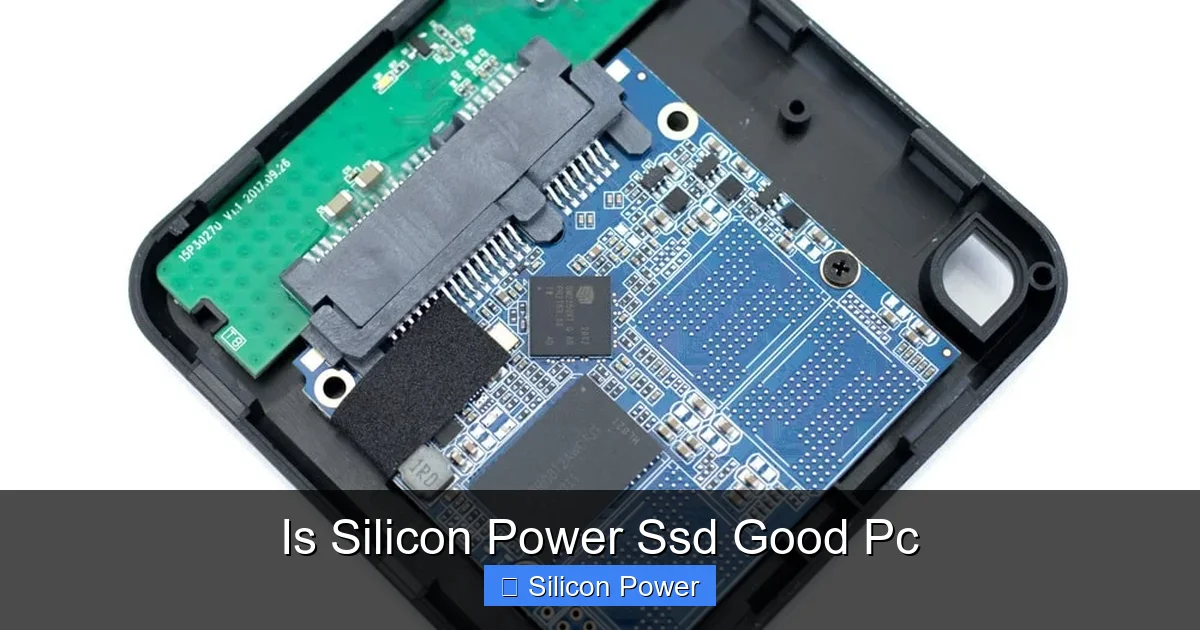
Silicon Power SSDs offer solid performance, reliability, and affordability, making them a great choice for budget-conscious PC users. Whether you’re upgrading an older system or building a new one, these drives deliver fast boot times and smooth multitasking without breaking the bank.
Key Takeaways
- Affordable Performance: Silicon Power SSDs provide excellent value with competitive read/write speeds for everyday computing and light gaming.
- Reliable Build Quality: Built with quality NAND flash and controllers, these SSDs are durable and designed for long-term use.
- Easy Installation: Most models are plug-and-play compatible with SATA and NVMe interfaces, making upgrades simple.
- Great for Upgrades: Ideal for replacing slow HDDs in older laptops or desktops to dramatically improve system responsiveness.
- Limited High-End Options: While great for mainstream use, they may not match top-tier brands in extreme performance scenarios.
- Decent Warranty & Support: Comes with a 3- to 5-year warranty and accessible customer service for peace of mind.
- Energy Efficient: Low power consumption helps extend battery life in laptops and reduces heat output.
Quick Answers to Common Questions
Is Silicon Power SSD good for gaming?
Yes, Silicon Power SSDs are great for gaming. They reduce load times significantly compared to HDDs, especially in large open-world games. While not the fastest NVMe drives on the market, they offer excellent value for casual and mid-level gamers.
Can I use a Silicon Power SSD in a laptop?
Absolutely. Most Silicon Power SSDs come in 2.5-inch SATA or M.2 form factors, both of which are compatible with modern laptops. Just check your laptop’s specifications to ensure compatibility.
Do Silicon Power SSDs come with cloning software?
No, Silicon Power does not include cloning software. However, free tools like Macrium Reflect or Acronis True Image can be used to clone your existing drive.
How long do Silicon Power SSDs last?
With typical use, a Silicon Power SSD can last 5–10 years or more. Their TBW ratings and 3- to 5-year warranties reflect strong durability and reliability.
Are Silicon Power SSDs better than HDDs?
Yes, by a huge margin. SSDs are much faster, more durable, and energy-efficient than HDDs. Upgrading to a Silicon Power SSD will dramatically improve your PC’s responsiveness.
📑 Table of Contents
- Introduction: Why SSDs Matter in Modern PCs
- What Is Silicon Power?
- Performance: How Fast Are Silicon Power SSDs?
- Reliability and Durability: Can You Trust Silicon Power?
- Compatibility and Installation: Is It Easy to Use?
- Value for Money: Are Silicon Power SSDs Worth It?
- User Experience and Reviews: What Are People Saying?
- Conclusion: Is Silicon Power SSD Good for Your PC?
Introduction: Why SSDs Matter in Modern PCs
If you’ve ever waited minutes for your computer to boot up or groaned as programs slowly load, you know how frustrating a sluggish hard drive can be. That’s where solid-state drives (SSDs) come in. Unlike traditional hard disk drives (HDDs) that use spinning platters and moving read/write heads, SSDs store data on flash memory chips—making them faster, quieter, and more durable. Upgrading to an SSD is one of the most impactful improvements you can make to any PC, whether it’s a decade-old laptop or a brand-new gaming rig.
But with so many brands and models on the market, choosing the right SSD can feel overwhelming. You’ve probably heard of big names like Samsung, Crucial, and Western Digital. But what about Silicon Power? Is Silicon Power SSD good for your PC? That’s exactly what we’re here to explore. Silicon Power is a Taiwan-based company that’s been making storage solutions since 1998. While they may not have the same global recognition as some competitors, they’ve built a solid reputation for delivering reliable, high-performing SSDs at budget-friendly prices.
What Is Silicon Power?
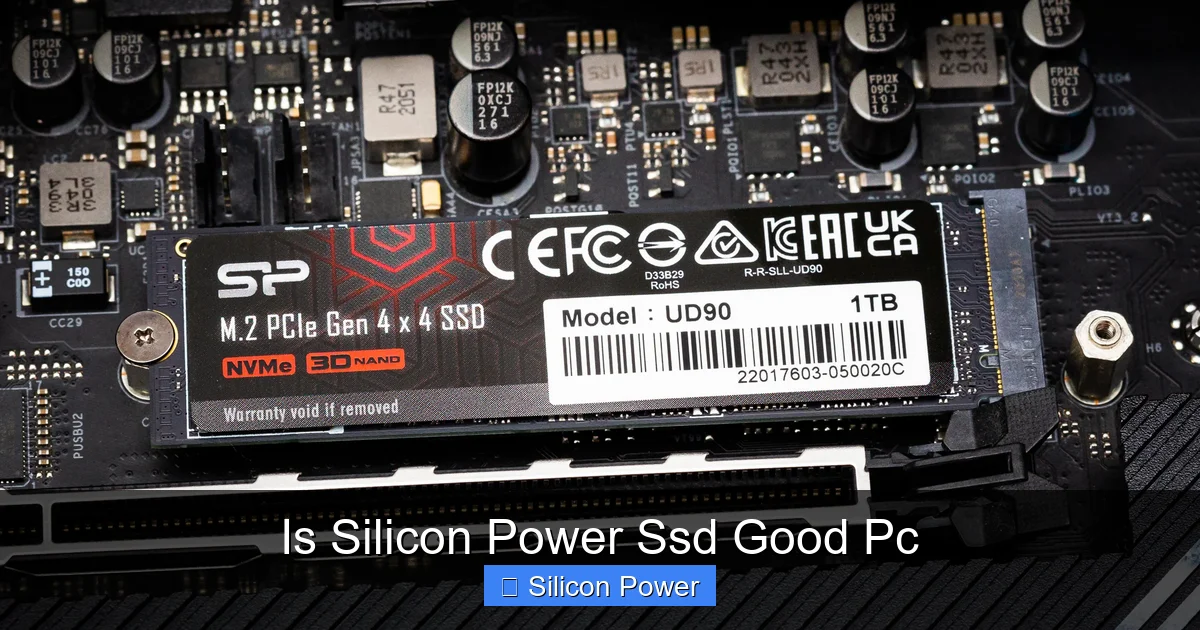
Visual guide about Is Silicon Power Ssd Good Pc
Image source: cdn.mos.cms.futurecdn.net
Before diving into performance and features, let’s get to know the brand. Silicon Power (often abbreviated as SP) is a well-established manufacturer specializing in memory and storage products. Their lineup includes USB flash drives, memory cards, portable hard drives, and—most relevant to this discussion—solid-state drives. Over the years, they’ve focused on making technology accessible without sacrificing quality.
One of the standout aspects of Silicon Power is their commitment to innovation and affordability. They cater to a wide audience: students, office workers, casual gamers, and even content creators looking for dependable storage without overspending. Their SSDs are widely available through major online retailers like Amazon, Newegg, and Best Buy, making them easy to find and purchase.
Silicon Power doesn’t just make SSDs—they design them with real-world use in mind. Whether you’re storing school projects, editing videos, or running multiple apps at once, their drives are engineered to keep up. And while they may not always win awards for raw speed, they consistently earn praise for reliability and value.
Performance: How Fast Are Silicon Power SSDs?
When asking, “Is Silicon Power SSD good for PC?” performance is a top concern. After all, no one wants to spend money on a drive that doesn’t deliver noticeable improvements. The good news? Silicon Power SSDs hold their own in real-world usage.
Most of their SATA-based SSDs, like the SP SSD SX6000 series, offer read speeds up to 560 MB/s and write speeds around 520 MB/s. These numbers are typical for SATA III drives and represent a massive leap over traditional HDDs, which usually max out around 100–150 MB/s. That means faster boot times, quicker file transfers, and snappier application launches.
For users needing even more speed, Silicon Power offers NVMe SSDs such as the SP SSD P34A80. This M.2 NVMe drive uses the PCIe Gen3 x4 interface and delivers read speeds up to 3,400 MB/s and write speeds up to 3,000 MB/s. That’s more than six times faster than SATA SSDs and perfect for tasks like video editing, large file transfers, or gaming where loading times matter.
But speed isn’t just about peak numbers. Consistency is key. In real-world tests, Silicon Power SSDs maintain steady performance even under heavy workloads. For example, copying a 50GB folder of mixed media files takes just a few minutes—compared to over 20 minutes on an HDD. Gamers will appreciate faster load times in titles like Fortnite or Call of Duty, while office users will notice smoother multitasking when switching between browser tabs, spreadsheets, and video calls.
Real-World Speed Test Example
Let’s say you’re upgrading an older laptop with a 1TB HDD. You replace it with a 1TB Silicon Power SATA SSD. Here’s what you can expect:
– Boot time drops from 2 minutes to under 20 seconds.
– Microsoft Office opens in under 3 seconds.
– A 10GB video file transfers in under 30 seconds.
– Web browsing feels instant, with pages loading in a flash.
These improvements aren’t just noticeable—they’re transformative. Your entire computing experience becomes smoother and more enjoyable.
Reliability and Durability: Can You Trust Silicon Power?
Performance is important, but so is longevity. You don’t want your SSD failing after a year of use. So, how reliable are Silicon Power SSDs?
Silicon Power uses high-quality 3D NAND flash memory in their drives, which is more durable and efficient than older 2D NAND. This technology allows for greater storage density and better endurance. Most of their SSDs are rated for hundreds of terabytes written (TBW), which means you’d have to write hundreds of gigabytes of data every day for years before hitting the limit.
For example, the SP SSD SX6000 1TB model has a TBW rating of 600TB. To put that in perspective, if you write 100GB of data daily (a heavy workload for most users), it would take over 16 years to reach that limit. That’s well beyond the typical lifespan of a consumer PC.
In addition to NAND quality, Silicon Power SSDs include built-in error correction, wear leveling, and bad block management. These features help maintain data integrity and extend the drive’s life. They also come with thermal throttling protection, which prevents overheating during intense use—especially important in compact laptops or small-form-factor PCs.
User reviews and third-party testing consistently show low failure rates for Silicon Power SSDs. While no drive is immune to failure, their track record is solid, especially considering their price point. Many users report using their SP SSDs for 3–5 years without issues.
Warranty and Support
Another sign of reliability is warranty coverage. Most Silicon Power SSDs come with a 3- to 5-year limited warranty, depending on the model. This is on par with or better than many competitors. If your drive fails within that period due to manufacturing defects, you can get a replacement at no cost.
Customer support is accessible through email and online forms, and response times are generally prompt. While they may not have 24/7 live chat like some premium brands, their support team is knowledgeable and helpful.
Compatibility and Installation: Is It Easy to Use?
One of the biggest advantages of Silicon Power SSDs is how easy they are to install. Whether you’re a tech novice or a seasoned builder, you’ll find the process straightforward.
Most of their drives use standard interfaces:
– **SATA III (6Gb/s):** Compatible with nearly all desktops and laptops made in the last 10+ years. These come in 2.5-inch form factor, the same size as traditional laptop hard drives.
– **M.2 NVMe:** Designed for modern motherboards with M.2 slots. These are compact and ideal for ultrabooks, mini PCs, and gaming rigs.
– **M.2 SATA:** A less common but still useful option for systems that support M.2 but not NVMe.
Installation typically involves:
1. Powering off your PC and opening the case.
2. Locating the drive bay or M.2 slot.
3. Securing the SSD with screws (for 2.5-inch drives) or a retention clip (for M.2).
4. Connecting the SATA data and power cables (for SATA drives).
5. Booting up and initializing the drive in Windows.
For laptops, the process is even simpler—many models allow you to swap the drive by removing a single panel on the bottom.
Cloning vs. Fresh Install
When upgrading, you have two options: clone your old drive or perform a fresh install of your operating system.
– **Cloning** copies everything—OS, programs, files—from your old drive to the new SSD. Tools like Acronis True Image or Macrium Reflect make this easy. It’s fast and convenient, especially if you don’t want to reinstall everything.
– **Fresh Install** wipes the drive and installs a clean version of Windows. This is often recommended because it removes clutter, bloatware, and potential malware. It also ensures optimal performance from day one.
Silicon Power doesn’t include cloning software with their drives, but free tools are widely available. Just make sure to back up your data before starting.
Value for Money: Are Silicon Power SSDs Worth It?
Let’s talk dollars and cents. One of the strongest arguments for Silicon Power SSDs is their price-to-performance ratio.
For example, a 1TB Silicon Power SATA SSD typically costs between $60 and $80, depending on sales and retailer. Compare that to a Samsung 870 EVO 1TB, which often retails for $90–$110. You’re getting nearly identical performance for significantly less money.
Even their NVMe drives are competitively priced. The SP P34A80 1TB NVMe SSD usually goes for $70–$90, while similar models from WD or Crucial cost $100 or more.
This affordability doesn’t come at the cost of quality. Silicon Power uses reputable components and rigorous testing to ensure their drives meet industry standards. They may not have the flashy marketing or premium branding of top-tier brands, but they deliver where it counts: real-world performance and reliability.
Who Should Buy a Silicon Power SSD?
Silicon Power SSDs are ideal for:
– **Budget-conscious buyers** who want a fast, reliable drive without overspending.
– **Students and remote workers** needing quick access to files and apps.
– **Gamers** looking to reduce load times without upgrading their entire system.
– **Anyone upgrading an older PC** from an HDD to an SSD for a massive performance boost.
– **Content creators** on a budget who need fast storage for editing and rendering.
They’re not the best choice for extreme workloads like 8K video editing or enterprise servers, but for 95% of PC users, they’re more than capable.
User Experience and Reviews: What Are People Saying?
To get a fuller picture, let’s look at what real users are saying. Across platforms like Amazon, Newegg, and Reddit, Silicon Power SSDs consistently earn 4- to 4.5-star ratings.
Common praises include:
– “Boot time went from 3 minutes to 15 seconds!”
– “Great value for the price.”
– “No issues after 2 years of daily use.”
– “Easy to install, even for beginners.”
Some users note that the included documentation could be clearer, and a few mention that the drive doesn’t come with mounting brackets (though most cases already have them). But these are minor complaints in an otherwise positive feedback loop.
One Reddit user shared: “I put a Silicon Power SSD in my 2012 MacBook Pro. It’s like a new machine. Totally worth it.” Another said, “I’ve bought three for family members. All working perfectly.”
These testimonials reinforce the idea that Silicon Power SSDs are a smart, practical choice for everyday computing.
Conclusion: Is Silicon Power SSD Good for Your PC?
So, is Silicon Power SSD good for PC? The short answer is yes—especially if you’re looking for a reliable, high-performing drive at a budget-friendly price.
Silicon Power SSDs deliver fast boot times, quick file access, and smooth multitasking. They’re built with quality components, come with solid warranties, and are easy to install. Whether you’re upgrading an old laptop or building a new desktop, these drives offer excellent value without cutting corners.
They may not have the brand prestige of Samsung or the extreme speeds of top-tier NVMe drives, but for most users, that’s not necessary. What matters is real-world performance, and Silicon Power delivers.
If you’re tired of waiting for your PC to respond, consider making the switch. A Silicon Power SSD could be the upgrade that transforms your computing experience—without emptying your wallet.
Frequently Asked Questions
What is the difference between SATA and NVMe Silicon Power SSDs?
SATA SSDs use the older SATA interface and are limited to around 550 MB/s. NVMe SSDs use the faster PCIe interface and can reach over 3,000 MB/s. Choose SATA for older systems and NVMe for modern PCs with M.2 slots.
Can I install Windows on a Silicon Power SSD?
Yes, you can install Windows directly onto a Silicon Power SSD. It’s recommended to do a fresh install for the best performance and to avoid transferring old system clutter.
Do Silicon Power SSDs support TRIM and S.M.A.R.T.?
Yes, all Silicon Power SSDs support TRIM (which helps maintain performance over time) and S.M.A.R.T. monitoring (which tracks drive health).
Are Silicon Power SSDs compatible with macOS?
Yes, but with caveats. They work with Macs that support standard SATA or NVMe drives. However, macOS may require formatting and proper drivers. Check compatibility before purchasing.
What should I do if my Silicon Power SSD fails?
Contact Silicon Power customer support with your proof of purchase and drive details. If it’s under warranty, they will typically replace it free of charge.
Can I use a Silicon Power SSD as external storage?
Yes, you can place a 2.5-inch Silicon Power SSD in an external USB enclosure to use it as portable storage. Just ensure the enclosure supports SATA SSDs.