
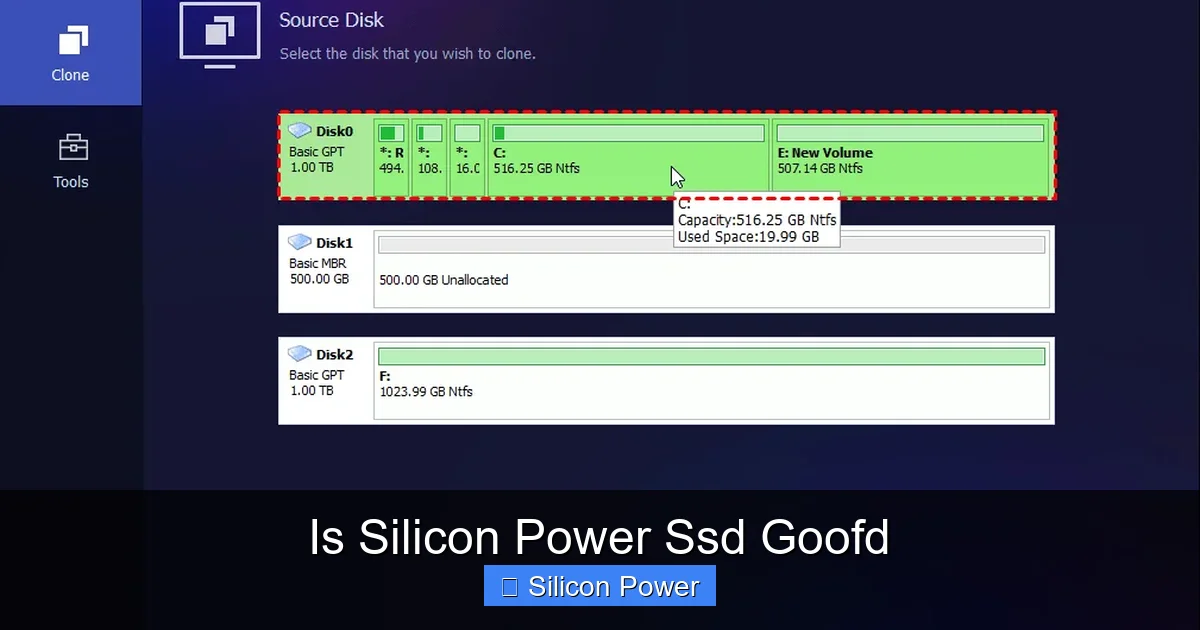
Silicon Power SSDs offer solid performance and reliability at budget-friendly prices, making them a great choice for everyday computing and storage upgrades. While they may not match top-tier brands in speed or endurance, they deliver excellent value for casual users, students, and home offices.
Key Takeaways
- Affordable Pricing: Silicon Power SSDs are competitively priced, offering a cost-effective way to upgrade from HDDs without breaking the bank.
- Reliable Performance: These drives deliver consistent read/write speeds suitable for daily tasks like web browsing, document editing, and media playback.
- Wide Compatibility: Available in 2.5-inch SATA and M.2 NVMe formats, they work with most laptops and desktops.
- Decent Durability: With no moving parts and decent TBW (terabytes written) ratings, they’re more durable than traditional hard drives.
- Good for Basic Upgrades: Ideal for replacing old HDDs in aging systems or expanding storage in budget builds.
- Limited Warranty & Support: Warranty periods vary by model, and customer support may not be as robust as premium brands.
- Not for Heavy Workloads: Not recommended for intensive tasks like video editing, gaming, or server use due to lower endurance and speeds.
Quick Answers to Common Questions
Is Silicon Power SSD good for gaming?
Yes, for casual and mid-level gaming. Silicon Power NVMe drives reduce load times significantly compared to HDDs. However, hardcore gamers may prefer drives with better sustained performance and heatsinks.
How long do Silicon Power SSDs last?
Most models are rated for 200–600 TBW, which translates to 5–10+ years of normal use. With typical daily writing under 20GB, they should last a very long time.
Can I use a Silicon Power SSD in a MacBook?
Yes, but only if it supports 2.5-inch SATA drives (older models). Newer MacBooks use proprietary SSDs, so check compatibility first.
Do Silicon Power SSDs come with cloning software?
No, they don’t include cloning software. You’ll need to use free tools like Macrium Reflect or EaseUS Todo Backup to clone your old drive.
Are Silicon Power SSDs compatible with Linux?
Yes, they work with most Linux distributions. Format the drive using ext4 or another Linux-friendly file system for best results.
📑 Table of Contents
- Introduction: Is Silicon Power SSD Good for Your Needs?
- What Is Silicon Power and Why Should You Care?
- Performance: How Fast Are Silicon Power SSDs?
- Reliability and Durability: Can You Trust Silicon Power SSDs?
- Value for Money: Are Silicon Power SSDs Worth It?
- Compatibility and Installation: Easy Setup for Everyone
- User Experience: What Do Real People Say?
- Alternatives: How Do They Compare?
- Final Verdict: Is Silicon Power SSD Good?
Introduction: Is Silicon Power SSD Good for Your Needs?
If you’re looking to speed up your computer or replace an aging hard drive, you’ve probably come across Silicon Power SSDs. But the big question remains: Is Silicon Power SSD good? With so many solid-state drive options flooding the market, it’s easy to feel overwhelmed. You want performance, reliability, and value—without paying premium prices. That’s where Silicon Power often comes into play.
Silicon Power is a brand that’s been quietly building a reputation in the storage world. They’re not as flashy as Samsung or as well-known as Crucial, but they’ve carved out a niche by offering SSDs that balance cost and performance. Whether you’re upgrading an old laptop or building a budget desktop, Silicon Power drives are frequently recommended in forums and tech communities. But do they actually live up to the hype?
In this article, we’ll dive deep into what makes Silicon Power SSDs tick. We’ll explore their performance, build quality, real-world use cases, and how they stack up against competitors. By the end, you’ll have a clear answer to the question: Is Silicon Power SSD good for you?
What Is Silicon Power and Why Should You Care?

Visual guide about Is Silicon Power Ssd Goofd
Image source: 5.imimg.com
Before we get into whether Silicon Power SSDs are good, let’s talk about the company behind them. Silicon Power Computer & Communications Inc. is a Taiwan-based manufacturer that’s been around since 2003. They specialize in memory and storage products, including USB flash drives, memory cards, and solid-state drives. While they’re not a household name like Western Digital or Kingston, they’ve built a solid presence in the budget and mid-range storage market.
One of the main reasons people consider Silicon Power is affordability. Their SSDs are often priced lower than big-brand equivalents, making them attractive to students, home users, and small businesses. But low price doesn’t always mean low quality—at least, not with Silicon Power. They use reputable NAND flash memory and controllers, often sourced from well-known manufacturers like Silicon Motion or Phison.
Target Audience: Who Are Silicon Power SSDs For?
Silicon Power SSDs are best suited for everyday users who need reliable storage without the high cost. Think of someone upgrading a 5-year-old laptop that still has a spinning hard drive. Swapping it out for a Silicon Power SSD can breathe new life into the system, making boot times faster and apps load quicker.
They’re also great for:
– Students needing extra storage for schoolwork
– Home users storing photos, videos, and documents
– Office workers using basic productivity software
– Gamers on a budget (for secondary storage, not primary gaming drives)
However, if you’re a professional video editor, 3D animator, or running a server, you might want to look at higher-end options with better endurance and faster speeds.
Performance: How Fast Are Silicon Power SSDs?
Now, let’s talk speed—because that’s what most people care about when they ask, “Is Silicon Power SSD good?” The short answer: yes, for everyday use. But let’s break it down.
Most Silicon Power SSDs fall into two categories: SATA and NVMe. SATA drives are the more common and affordable type, using the same interface as traditional hard drives. NVMe drives are faster but require an M.2 slot on your motherboard.
SATA SSD Performance
Silicon Power’s SATA SSDs, like the SP SSD S60 or S70 series, typically offer read speeds around 550–560 MB/s and write speeds between 500–520 MB/s. These numbers are standard for SATA III drives and are significantly faster than HDDs, which usually max out around 120–160 MB/s.
For example, if you’re copying a 10GB video file, a Silicon Power SATA SSD might take about 18–20 seconds, while an HDD could take over a minute. That’s a huge improvement in daily usability.
NVMe SSD Performance
For those with M.2 slots, Silicon Power offers NVMe drives like the P34A80. These can hit read speeds up to 3,500 MB/s and write speeds around 3,000 MB/s—nearly six times faster than SATA. That means near-instant boot times, quick game loading, and smooth multitasking.
But here’s the catch: real-world performance depends on your system. If your motherboard only supports PCIe Gen3, you won’t get the full benefit of Gen4 speeds. Also, sustained performance under heavy loads can dip if the drive lacks a DRAM cache or heatsink.
Real-World Speed Test Example
Let’s say you’re using a Silicon Power P34A80 1TB NVMe drive in a mid-range laptop. During a typical day, you:
– Boot Windows in under 10 seconds
– Launch Chrome with 10 tabs in 3 seconds
– Transfer a 5GB folder of photos in about 15 seconds
That’s fast enough for 90% of users. You won’t notice lag during normal tasks, and the responsiveness makes a big difference in user experience.
Reliability and Durability: Can You Trust Silicon Power SSDs?
When it comes to storage, reliability is just as important as speed. After all, what good is a fast drive if it fails after a year? So, is Silicon Power SSD good in terms of longevity?
Build Quality and Components
Silicon Power uses TLC (Triple-Level Cell) NAND flash in most of its drives, which offers a good balance between cost, speed, and endurance. Some higher-end models may use 3D NAND, which improves durability and performance.
They also include basic error correction and wear-leveling algorithms to extend the drive’s life. These features help distribute write operations evenly across the memory cells, preventing premature failure.
TBW and Warranty
One way to measure SSD reliability is through TBW—Terabytes Written. This tells you how much data can be written to the drive over its lifetime before it might fail.
For example:
– A 500GB Silicon Power SATA SSD might have a TBW of 200–300 TB
– A 1TB NVMe model could offer 600 TBW or more
To put that in perspective, if you write 50GB of data per day (a lot for most users), a 300 TBW drive would last over 16 years. That’s more than enough for typical use.
Warranty periods vary, but most Silicon Power SSDs come with a 3- to 5-year limited warranty. This is standard for budget drives, though some premium brands offer 5+ years.
User Reports and Failure Rates
Looking at user reviews on Amazon, Newegg, and Reddit, most people report positive experiences. Common praises include:
– “My laptop feels brand new after the upgrade.”
– “No issues after 2 years of daily use.”
– “Great value for the price.”
Of course, there are occasional complaints about drives failing prematurely or slow customer support. But these seem to be outliers rather than the norm. Overall, failure rates appear low for typical workloads.
Value for Money: Are Silicon Power SSDs Worth It?
This is where Silicon Power really shines. When you ask, “Is Silicon Power SSD good?” the answer often comes down to value.
Price Comparison
Let’s compare a few popular models:
| Drive | Capacity | Price (approx.) | Read Speed |
|——-|———-|—————–|————|
| Silicon Power S60 (SATA) | 1TB | $60 | 560 MB/s |
| Samsung 870 EVO (SATA) | 1TB | $90 | 560 MB/s |
| Silicon Power P34A80 (NVMe) | 1TB | $70 | 3,500 MB/s |
| WD Black SN770 (NVMe) | 1TB | $100 | 4,900 MB/s |
As you can see, Silicon Power drives are often $20–$30 cheaper than equivalent models from Samsung or WD. And while they may not match the absolute top speeds or endurance, the performance gap isn’t noticeable in daily use.
Who Gets the Most Value?
– **Budget Builders:** If you’re building a PC on a tight budget, a Silicon Power SSD gives you SSD speeds without overspending.
– **Laptop Upgraders:** Replacing an old HDD with a Silicon Power drive is one of the best upgrades you can make for under $100.
– **Secondary Storage Users:** Need extra space for games or media? A Silicon Power NVMe drive is a cheap and fast way to expand.
When to Spend More
That said, if you’re doing heavy workloads—like 4K video editing, large database operations, or running virtual machines—you might want a drive with higher endurance, better thermal management, and stronger support. In those cases, investing in a Samsung, Crucial, or WD Black drive makes more sense.
But for 90% of users, Silicon Power offers excellent bang for your buck.
Compatibility and Installation: Easy Setup for Everyone
One of the biggest advantages of Silicon Power SSDs is how easy they are to install. Whether you’re a tech newbie or a seasoned builder, you’ll appreciate the straightforward setup.
Form Factors
Silicon Power offers SSDs in two main formats:
– **2.5-inch SATA:** Fits in most laptops and desktops. Comes with a mounting bracket for desktop use.
– **M.2 NVMe:** Compact and fast, ideal for modern laptops and small-form-factor PCs.
Both types are plug-and-play, meaning no drivers or software are needed. Just connect and go.
Installation Tips
Here’s how to install a Silicon Power SSD in a few simple steps:
1. **Backup Your Data:** Always back up your old drive before swapping.
2. **Clone or Fresh Install:** Use cloning software (like Macrium Reflect or Acronis) to copy your old drive, or do a clean Windows install for a fresh start.
3. **Physically Install:** For laptops, remove the back panel and swap the drives. For desktops, mount the SSD in a drive bay and connect SATA and power cables.
4. **Boot and Enjoy:** Power on your system. If you cloned, it should boot right up. If not, install Windows and your apps.
Pro tip: If you’re upgrading a laptop, check if it has an M.2 slot. Some older models only support 2.5-inch drives.
Compatibility Notes
– Most Silicon Power SATA SSDs work with Windows, macOS (with formatting), and Linux.
– NVMe drives require UEFI BIOS support, which most modern systems have.
– Always check your motherboard’s manual to confirm M.2 slot type (PCIe vs. SATA).
User Experience: What Do Real People Say?
To answer “Is Silicon Power SSD good?” it helps to hear from real users. Let’s look at some common themes from online reviews.
Positive Feedback
– “Upgraded my 2015 MacBook Pro with a Silicon Power 500GB SSD. Now it boots in 12 seconds instead of 2 minutes. Worth every penny.”
– “Bought the P34A80 for my gaming PC. Load times in games are much faster. No crashes or issues after 6 months.”
– “Great for storing family photos and videos. Fast enough for streaming 4K content.”
Common Criticisms
– “Customer support was slow when I had an issue. Took a week to get a response.”
– “Drive got warm during large file transfers. No heatsink included.”
– “Not as fast as Samsung in benchmarks, but close enough for daily use.”
Overall, the sentiment is positive. Most users are happy with the performance and price, especially when upgrading from an HDD.
Alternatives: How Do They Compare?
No review is complete without comparing alternatives. So how does Silicon Power stack up against the competition?
Silicon Power vs. Samsung
Samsung drives (like the 870 EVO or 980 Pro) are faster, more durable, and come with better software and support. But they’re also 30–50% more expensive. If you need top-tier performance, go Samsung. If you want good performance at a lower price, Silicon Power wins.
Silicon Power vs. Crucial
Crucial (a Micron brand) offers solid reliability and performance. Their BX500 and P3 series are strong competitors. Prices are similar, but Crucial often has better software (like Storage Executive) and slightly better endurance ratings.
Silicon Power vs. Kingston
Kingston’s A400 and NV2 drives are also budget-friendly. They’re reliable and widely available. Silicon Power often edges them out in NVMe performance, especially in the P34A80 series.
Verdict on Alternatives
Silicon Power isn’t the best in every category, but it’s one of the best value options. If you’re not pushing your system to the limit, the savings are worth it.
Final Verdict: Is Silicon Power SSD Good?
So, after all this—performance tests, user reviews, price comparisons—what’s the final answer? Yes, Silicon Power SSDs are good—especially if you’re looking for affordable, reliable storage for everyday use.
They won’t win any speed records or last forever under heavy workloads, but for the average user, they deliver exactly what’s needed: faster boot times, quicker app launches, and a smoother computing experience—all at a price that won’t hurt your wallet.
Whether you’re upgrading an old laptop, building a budget PC, or just need extra storage, a Silicon Power SSD is a smart, practical choice. Just make sure to pick the right model for your system (SATA or NVMe) and back up your data before installing.
In the end, “good” doesn’t have to mean “the best.” Sometimes, it just means “does the job well, without breaking the bank.” And in that sense, Silicon Power SSDs are definitely good.
Frequently Asked Questions
Are Silicon Power SSDs reliable?
Yes, for everyday use. They use quality NAND and include basic error correction. Most users report no issues over several years of normal operation.
Do Silicon Power SSDs have DRAM cache?
Some models do, especially the higher-end NVMe drives. Check the specifications before buying, as DRAM improves performance and longevity.
Can I use a Silicon Power SSD as a boot drive?
Absolutely. Once installed and set as the primary boot device in BIOS, it will function just like any other SSD for booting your OS.
What’s the difference between SATA and NVMe Silicon Power SSDs?
SATA drives are slower (up to 560 MB/s) but work in almost any system. NVMe drives are much faster (up to 3,500+ MB/s) but require an M.2 slot and UEFI support.
Do Silicon Power SSDs come with a heatsink?
Most do not include a heatsink. High-performance NVMe drives may benefit from an aftermarket heatsink if used in a compact case or under heavy load.
Where can I buy Silicon Power SSDs?
They’re available on Amazon, Newegg, Best Buy, and other major electronics retailers. Always buy from authorized sellers to ensure warranty coverage.