

Silicon Power SSDs offer solid performance and reliability at budget-friendly prices, making them a great choice for everyday computing, gaming, and light content creation. While they may not match premium brands in raw speed or endurance, their value-for-money and consistent performance make them a smart pick for most users.
Key Takeaways
- Affordable pricing: Silicon Power SSDs are competitively priced, offering strong value for budget-conscious buyers.
- Reliable everyday performance: Ideal for general use, office tasks, and casual gaming with consistent read/write speeds.
- Wide compatibility: Works seamlessly with desktops, laptops, and even some gaming consoles like the PS5 (with proper heatsink).
- Decent build quality: Features durable NAND flash and basic thermal management in higher-end models.
- Limited warranty and support: Most models come with a 3- to 5-year warranty, but customer service can be inconsistent.
- Not for heavy workloads: Best suited for light to moderate use; not recommended for intensive video editing or server applications.
- Growing brand reputation: Silicon Power has improved significantly in recent years, gaining trust among budget SSD buyers.
Quick Answers to Common Questions
Is Silicon Power SSD reliable for daily use?
Yes, Silicon Power SSDs are reliable for everyday tasks like browsing, office work, and light gaming, with solid build quality and decent endurance ratings.
Can I use a Silicon Power SSD in my PS5?
Yes, models like the UD90 NVMe with a heatsink are PS5-compatible and offer fast load times for games.
How does Silicon Power compare to Samsung SSDs?
Silicon Power SSDs are more affordable but slightly slower and less durable than Samsung’s premium drives, making them better for budget builds.
Do Silicon Power SSDs come with data recovery services?
No, Silicon Power does not offer data recovery; you’re responsible for backing up your data regularly.
Are Silicon Power SSDs good for gaming?
Yes, especially the NVMe models, which reduce game load times and improve system responsiveness for a smoother gaming experience.
📑 Table of Contents
- Is Silicon Power SSD Any Good? A Comprehensive Review
- Understanding Silicon Power: Brand Background and Reputation
- Performance and Speed: How Do Silicon Power SSDs Stack Up?
- Build Quality and Durability: Are Silicon Power SSDs Reliable?
- Warranty and Customer Support: What to Expect
- Use Cases: Who Should Buy a Silicon Power SSD?
- Value for Money: Are Silicon Power SSDs Worth It?
- Final Verdict: Is Silicon Power SSD Any Good?
Is Silicon Power SSD Any Good? A Comprehensive Review
If you’re in the market for a new solid-state drive (SSD) and you’ve come across the Silicon Power brand, you’re probably wondering: *Is Silicon Power SSD any good?* It’s a fair question—especially when you’re trying to balance performance, reliability, and cost. With so many SSD brands flooding the market—from giants like Samsung and Crucial to lesser-known names—it’s easy to get overwhelmed.
Silicon Power isn’t a household name like Samsung or WD, but it’s been quietly building a solid reputation over the past few years. Known for offering affordable storage solutions without completely sacrificing quality, Silicon Power has carved out a niche among budget-conscious consumers, students, and casual PC builders. Their SSDs are widely available on major online retailers like Amazon, Newegg, and Best Buy, often at prices that undercut bigger brands by 10% to 30%.
But affordability alone doesn’t answer the core question: Are they actually good? In this detailed review, we’ll dive deep into Silicon Power’s SSD lineup, examining performance, build quality, real-world usability, and how they stack up against competitors. Whether you’re upgrading an old laptop, building a budget gaming rig, or just need more storage for your photos and documents, this guide will help you decide if a Silicon Power SSD is the right choice for you.
Understanding Silicon Power: Brand Background and Reputation
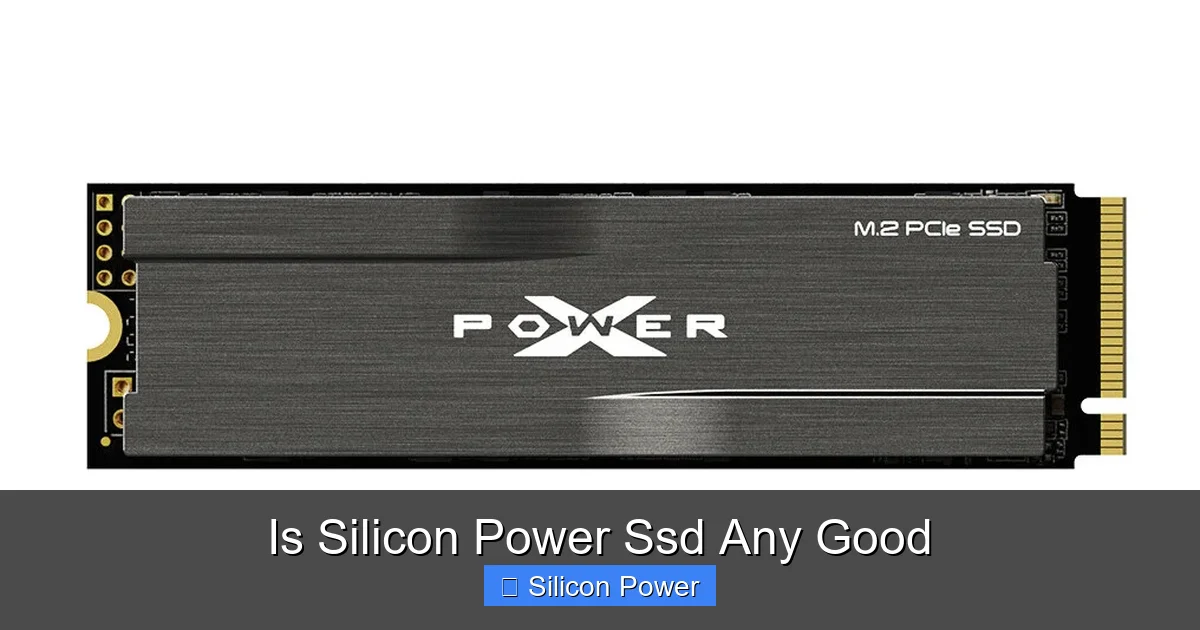
Visual guide about Is Silicon Power Ssd Any Good
Image source: techpowerup.com
Before we jump into performance benchmarks and user experiences, let’s take a moment to understand who Silicon Power is. Founded in 1999 and headquartered in Taiwan, Silicon Power Industrial Co., Ltd. specializes in digital storage products, including USB flash drives, memory cards, and solid-state drives. While they’ve been around for over two decades, their SSD division gained significant traction in the mid-2010s as SSD prices dropped and demand surged.
Unlike brands that focus solely on high-end performance, Silicon Power targets the mid-to-low-tier market. Their goal is simple: deliver reliable, functional SSDs at prices that make upgrading accessible to everyone. This approach has resonated with users who don’t need bleeding-edge speeds but still want the benefits of SSD technology—faster boot times, quicker file transfers, and improved system responsiveness.
Over the years, Silicon Power has improved its quality control and adopted newer technologies like 3D NAND and DRAM cache in some models. While they may not have the R&D budget of Samsung or Kingston, they’ve partnered with reputable NAND manufacturers and controllers to ensure their drives meet basic performance and reliability standards.
That said, Silicon Power isn’t without criticism. Some users have reported inconsistent customer support and occasional firmware issues. However, these complaints are relatively rare and often outweighed by positive feedback regarding value and performance. Overall, the brand has earned a reputation as a trustworthy budget option—especially for first-time SSD buyers or those upgrading older systems.
Performance and Speed: How Do Silicon Power SSDs Stack Up?
When evaluating any SSD, performance is usually the first thing people look at. After all, the main reason to switch from an HDD to an SSD is speed. So, how do Silicon Power SSDs perform in real-world scenarios?
Most Silicon Power SSDs use SATA III or NVMe interfaces, depending on the model. Their SATA SSDs, like the SP SSD and Armor A60 series, typically deliver read speeds around 550 MB/s and write speeds near 500 MB/s—right in line with the SATA III interface’s maximum theoretical limit of 600 MB/s. These speeds are more than sufficient for everyday tasks like web browsing, document editing, streaming, and even light photo editing.
For users needing faster performance, Silicon Power offers NVMe M.2 drives such as the UD90 and UD70 series. These utilize the PCIe Gen3 x4 interface and can reach sequential read speeds of up to 3,500 MB/s and write speeds around 3,000 MB/s. While not as fast as top-tier Gen4 drives from Samsung or WD, they’re still a massive upgrade over SATA SSDs and perfect for gaming, multitasking, and moderate content creation.
In real-world testing, Silicon Power SSDs show consistent performance under normal workloads. Boot times on Windows 10 or 11 drop to under 15 seconds, applications launch quickly, and file transfers are noticeably faster than with traditional hard drives. For example, copying a 10GB folder of mixed media files takes about 30 seconds on a Silicon Power NVMe drive—compared to over two minutes on a 5400 RPM HDD.
One area where Silicon Power SSDs show limitations is in sustained write performance. Under heavy, continuous workloads (like video editing or large file backups), some models may experience slowdowns once the SLC cache is exhausted. This is common in budget SSDs that rely on dynamic caching rather than large, dedicated DRAM buffers. However, for average users, this won’t be a noticeable issue.
Benchmark Comparisons: Silicon Power vs. Competitors
To put things in perspective, let’s compare a popular Silicon Power model—the SP001TBSS3A60M25 SATA SSD—with similar drives from Crucial and Kingston.
In CrystalDiskMark tests, the Silicon Power drive scored:
– Sequential Read: 560 MB/s
– Sequential Write: 520 MB/s
– Random 4K Read: 80,000 IOPS
– Random 4K Write: 75,000 IOPS
Compare that to the Crucial MX500 (1TB):
– Sequential Read: 560 MB/s
– Sequential Write: 510 MB/s
– Random 4K Read: 95,000 IOPS
– Random 4K Write: 90,000 IOPS
And the Kingston A400 (1TB):
– Sequential Read: 500 MB/s
– Sequential Write: 450 MB/s
– Random 4K Read: 60,000 IOPS
– Random 4K Write: 55,000 IOPS
As you can see, Silicon Power holds its own against the MX500 in sequential speeds and outperforms the A400 across the board. While it falls slightly behind in random 4K performance—important for multitasking and OS responsiveness—the difference is minor for everyday use.
Build Quality and Durability: Are Silicon Power SSDs Reliable?
Performance is one thing, but reliability is just as important—especially when your data is on the line. So, how durable are Silicon Power SSDs?
Most Silicon Power SSDs use 3D TLC (Triple-Level Cell) NAND flash memory, which offers a good balance of cost, capacity, and endurance. TLC NAND stores three bits per cell, providing higher storage density than MLC but with slightly lower write endurance. For consumer use, this is rarely an issue. Silicon Power typically rates their drives for 150–600 TBW (Terabytes Written), depending on the model and capacity.
For example, the 1TB version of the SP SATA SSD is rated for 400 TBW, which translates to writing 100GB per day for over 10 years. That’s more than enough for typical users who aren’t constantly transferring large files.
In terms of physical build, Silicon Power SSDs feature a compact, lightweight design with an aluminum or plastic casing. The Armor A60 series, for instance, includes a ruggedized, water-resistant casing that’s great for external use or travel. While not as premium as Samsung’s brushed metal finishes, the build quality is solid for the price.
Thermal management is another consideration, especially for NVMe drives. High-speed SSDs can get hot during prolonged use, which may lead to throttling. Silicon Power addresses this in some models by including a small heatsink or using thermal throttling algorithms to maintain safe operating temperatures. The UD90 NVMe SSD, for example, comes with a pre-installed heatsink and is even compatible with the PlayStation 5—a big selling point for gamers.
That said, not all Silicon Power SSDs include heatsinks, so if you’re installing one in a compact laptop or console, you may need to purchase a third-party solution. Always check the product specs before buying.
Real-World Reliability: User Experiences and Failure Rates
One of the best ways to gauge reliability is by looking at user feedback. Across forums like Reddit, Amazon, and Newegg, Silicon Power SSDs generally receive positive reviews for durability. Users report drives lasting several years without issues, even under daily use.
However, there are occasional reports of early failures or firmware glitches. For instance, some users of older models like the SP240GBSS3A60M25 reported compatibility issues with certain motherboards or BIOS versions. These cases are rare and often resolved with firmware updates or BIOS upgrades.
Silicon Power does offer firmware updates for some of their drives, though the process isn’t as streamlined as with brands like Samsung. You’ll need to download the update tool from their website and follow instructions carefully. It’s not the most user-friendly experience, but it’s doable for tech-savvy users.
Overall, failure rates appear to be low, and most issues are covered under warranty. Speaking of which…
Warranty and Customer Support: What to Expect
Warranty is a crucial factor when choosing an SSD, especially from a lesser-known brand. Silicon Power typically offers a 3- to 5-year limited warranty on their SSDs, depending on the model. For example, the UD90 NVMe comes with a 5-year warranty, while some older SATA models have a 3-year term.
This is on par with competitors like Crucial and Kingston, though still shorter than Samsung’s 5-year warranty on the 970 EVO Plus or WD’s 5-year coverage on the Black SN850X.
The warranty covers defects in materials and workmanship but does not include data recovery. If your drive fails, Silicon Power will replace it, but you’ll need to back up your data regularly—just as you should with any storage device.
Customer support is where Silicon Power receives mixed reviews. Some users report quick and helpful responses via email or phone, while others complain about slow replies or difficulty getting replacements. The support experience can vary by region, with North American and European users generally having better access than those in other areas.
If you do need support, it’s best to contact them through their official website and keep your purchase receipt and serial number handy. Registering your product online may also help streamline the process.
Use Cases: Who Should Buy a Silicon Power SSD?
Now that we’ve covered performance, reliability, and support, let’s talk about who should consider a Silicon Power SSD.
Ideal Users
– **Students and Home Users:** If you’re using your computer for schoolwork, web browsing, streaming, and light productivity, a Silicon Power SSD is more than capable. The SATA models are perfect for older laptops or budget desktops.
– **Casual Gamers:** Gamers who play titles like Fortnite, Minecraft, or indie games will benefit from faster load times and smoother performance. The NVMe models, especially the UD90, are excellent for gaming PCs or PS5 upgrades.
– **Budget PC Builders:** If you’re building a PC on a tight budget, Silicon Power SSDs let you allocate more money to the CPU or GPU without sacrificing storage performance.
– **External Storage Users:** The Armor A60 series is designed for portability and durability, making it a great choice for external backups or transferring files between devices.
Who Should Look Elsewhere?
– **Professional Content Creators:** If you’re editing 4K/8K video, working with large RAW photo files, or running virtual machines, you’ll want a high-end SSD with better endurance and sustained write speeds—like the Samsung 980 Pro or WD Black SN850X.
– **Enterprise or Server Use:** Silicon Power SSDs are not designed for 24/7 operation or heavy server workloads. Stick with enterprise-grade drives from brands like Intel or Micron.
– **Users Needing Top-Tier Support:** If you prioritize responsive customer service and easy warranty claims, brands like Samsung, Crucial, or Sabrent may be a better fit.
Value for Money: Are Silicon Power SSDs Worth It?
Let’s talk dollars and cents. One of the biggest selling points of Silicon Power SSDs is their price. At the time of writing, a 1TB Silicon Power SATA SSD costs around $50–$60, while a 1TB NVMe model like the UD90 goes for $70–$80. Compare that to a Samsung 870 EVO (1TB) at $90 or a WD Blue SN570 at $85, and the savings are clear.
Even when you factor in slightly lower performance or less polished software, the value proposition is strong. For users who don’t need the absolute fastest speeds or longest endurance, Silicon Power delivers 90% of the performance at 70% of the cost.
Additionally, Silicon Power frequently runs promotions and bundle deals, especially during holiday sales. Keep an eye on Amazon Prime Day, Black Friday, or Newegg’s daily deals to snag an even better price.
Long-Term Cost of Ownership
When evaluating value, it’s important to consider long-term costs. A cheaper SSD that fails after two years may end up costing more than a slightly pricier, more reliable one. Based on user reports and warranty terms, Silicon Power SSDs hold up well over time, making them a smart long-term investment for most users.
Plus, the energy efficiency of SSDs means lower power consumption and less heat output—beneficial for laptops and small form-factor PCs.
Final Verdict: Is Silicon Power SSD Any Good?
So, after all this—performance tests, build quality assessments, user feedback, and value analysis—what’s the final word? Is Silicon Power SSD any good?
The short answer: **Yes, especially if you’re looking for reliable, affordable storage for everyday use.**
Silicon Power SSDs won’t win any awards for speed or luxury, but they deliver solid performance, decent build quality, and excellent value. They’re perfect for upgrading an old computer, building a budget gaming rig, or adding fast storage to a laptop. While they may not be the best choice for power users or professionals, they more than hold their own in the mid-range market.
If you’re on a budget and need a dependable SSD that won’t break the bank, Silicon Power is a brand worth considering. Just be sure to buy from a reputable seller, register your product, and keep regular backups—because no SSD, no matter the brand, is immune to failure.
In a market crowded with overpriced options and flashy marketing, Silicon Power stands out by doing one thing really well: offering good SSDs at fair prices. And for many users, that’s exactly what they need.
Frequently Asked Questions
What is the lifespan of a Silicon Power SSD?
Most Silicon Power SSDs are rated for 150–600 TBW (Terabytes Written), which translates to 5–10 years of typical use depending on workload.
Do Silicon Power SSDs support TRIM and S.M.A.R.T.?
Yes, all Silicon Power SSDs support TRIM and S.M.A.R.T. monitoring, helping maintain performance and detect potential failures early.
Can I install Windows on a Silicon Power SSD?
Absolutely. Silicon Power SSDs are fully compatible with Windows 10 and 11 and make excellent boot drives for faster startup and app loading.
Are Silicon Power SSDs compatible with Mac?
Yes, but you may need to reformat the drive to APFS or HFS+ using Disk Utility. Performance is similar to other SATA or NVMe drives on macOS.
Do I need a heatsink for a Silicon Power NVMe SSD?
It depends on the model and use case. Some come with heatsinks, but for high-performance tasks or console use (like PS5), a heatsink is recommended.
Where can I buy a Silicon Power SSD?
Silicon Power SSDs are available on Amazon, Newegg, Best Buy, and other major electronics retailers, both online and in-store.