
If you’re building or upgrading a gaming PC in 2026, one of the most common—and often misunderstood—questions is whether to install your games on an SSD or an HDD. With modern titles like Starfield, Cyberpunk 2077: Phantom Liberty, and Elden Ring: Shadow of the Erdtree pushing file sizes beyond 150GB each, storage decisions have never been more critical. The drive you choose doesn’t just affect how fast a game loads—it can dramatically influence your overall gaming experience, from level transitions and texture streaming to system responsiveness and multitasking.
This comprehensive guide cuts through the noise and delivers expert-level insights into the SSD vs HDD debate specifically for gamers. Whether you’re a casual player, a competitive esports enthusiast, or a content creator who streams while gaming, understanding the trade-offs between speed, capacity, cost, and longevity is essential. We’ll explore real-world performance differences, help you balance budget constraints with performance goals, and provide actionable advice to optimize your setup. By the end of this article, you’ll know exactly where to install your games—and why.
The storage market in 2026 continues to evolve rapidly. NVMe SSDs have become mainstream, offering blistering read/write speeds that were unimaginable just a few years ago, while traditional HDDs remain a cost-effective solution for bulk storage. Meanwhile, hybrid approaches—like using an SSD for your OS and frequently played games while offloading older titles to an HDD—are gaining popularity among savvy gamers. With prices for high-capacity SSDs dropping and new technologies like PCIe 5.0 and QLC NAND shaping the landscape, now is the perfect time to make an informed decision. Let’s dive in.

What to Look for When Buying Buying Guide
1. Budget & Price Range
Your budget is the foundation of any storage decision. In 2026, the price gap between SSDs and HDDs has narrowed significantly, but it still plays a major role—especially when dealing with multi-terabyte capacities. A 1TB SATA SSD might cost around $60–$80, while a 4TB HDD can be found for under $90. However, if you’re eyeing high-performance NVMe drives (especially PCIe 4.0 or 5.0 models), prices jump considerably: a 2TB Gen4 NVMe SSD could run $150–$250, depending on brand and endurance ratings.
For budget-conscious gamers, this means making strategic choices. You might allocate your SSD budget to a smaller, faster drive (500GB–1TB) for your operating system and most-played titles, then rely on a larger HDD for archival storage. Mid-range builders often find the sweet spot with a 1TB–2TB NVMe SSD paired with a 2TB–4TB HDD. Premium users may skip HDDs entirely, investing in 4TB+ SSDs for seamless performance across all games.
2. Performance Specifications
Performance isn’t just about raw speed—it’s about how that speed translates into real-world gaming benefits. SSDs, particularly NVMe models, offer dramatically faster sequential and random read/write speeds compared to HDDs. A typical 7200 RPM HDD delivers around 80–160 MB/s, while a SATA SSD hits 500–550 MB/s. Modern NVMe SSDs, however, can exceed 3,500 MB/s (Gen3), 7,000 MB/s (Gen4), and even 12,000+ MB/s (Gen5).
But what does this mean for gaming? Faster load times are the most obvious benefit. Games installed on SSDs launch quicker, levels load almost instantly, and open-world titles like The Witcher 4 or GTA VI stream textures and assets without pop-in or stuttering. In competitive multiplayer games like Call of Duty: Modern Warfare III or Apex Legends, faster asset loading can give you a tangible edge—getting into matches sooner and reducing lag during map transitions.
Random 4K read performance is especially important for gaming, as it affects how quickly small files (like textures, scripts, and audio clips) are accessed. NVMe SSDs typically deliver 50,000–100,000+ IOPS (Input/Output Operations Per Second), while HDDs manage only 50–150 IOPS. This difference becomes glaringly apparent in games with dense environments or frequent asset streaming.
3. Build Quality & Durability
Durability matters more than many gamers realize—especially if you travel with your rig or upgrade frequently. HDDs contain moving parts (spinning platters and read/write heads), making them vulnerable to shock, vibration, and mechanical failure. Dropping an HDD while it’s running can result in catastrophic data loss. SSDs, being solid-state with no moving components, are far more resilient. They can withstand drops, temperature fluctuations, and constant read/write cycles with minimal risk.
Endurance is another key factor, measured in Terabytes Written (TBW). A mid-tier 1TB SSD might have a TBW rating of 600–800TB, meaning you could write 100GB of data daily for over 16 years before reaching its limit. Most gamers will never come close to this threshold. HDDs don’t have TBW ratings, but their lifespan is typically 3–5 years under normal use, with failure rates increasing over time.
For gamers who reinstall games frequently, mod heavily, or run benchmarks, SSDs offer peace of mind. They’re also better suited for compact builds (like mini-ITX cases) where airflow and component spacing are tight—SSDs generate less heat and take up less physical space.
4. Features & Functionality
Modern storage drives come with a range of features that go beyond basic speed and capacity. Look for SSDs with DRAM cache—this small memory chip stores mapping tables for faster data access. DRAM-less SSDs (often cheaper QLC models) can suffer from performance degradation under heavy workloads, which may affect game loading during intense sessions.
Another feature to consider is hardware encryption (like TCG Opal or AES-256), which protects your game library if your drive is lost or stolen. While not essential for most gamers, it’s a nice-to-have for privacy-conscious users. Some high-end SSDs also include thermal throttling protection, ensuring sustained performance during long gaming marathons by managing heat output.
HDDs, while simpler, often include features like rotational vibration sensors (to maintain performance in multi-drive setups) and advanced error correction. However, they lack the low-latency responsiveness that makes SSDs ideal for gaming. If your motherboard supports RAID, you can combine multiple HDDs for redundancy or speed—but this adds complexity and cost, with diminishing returns for gaming compared to a single fast SSD.
5. Brand Reputation
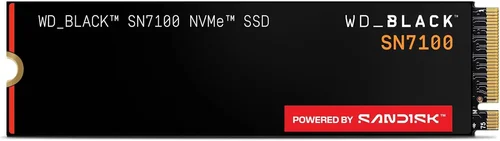
Not all drives are created equal, even within the same category. Reputable brands like Samsung, Crucial, Western Digital, Seagate, and Kingston consistently deliver reliable products with strong firmware support and consistent performance. Samsung’s 990 PRO and Crucial’s P5 Plus are top-tier NVMe options praised for their speed and endurance. Western Digital’s Black SN850X and Seagate’s FireCuda 530 are also excellent choices for high-performance gaming.
Avoid no-name or ultra-budget brands, especially for SSDs. These often use lower-quality NAND flash and lack proper firmware optimization, leading to inconsistent speeds, higher failure rates, and poor longevity. While you might save $20 upfront, the risk of data loss or drive failure isn’t worth it—especially when your game saves, mods, and screenshots are at stake.
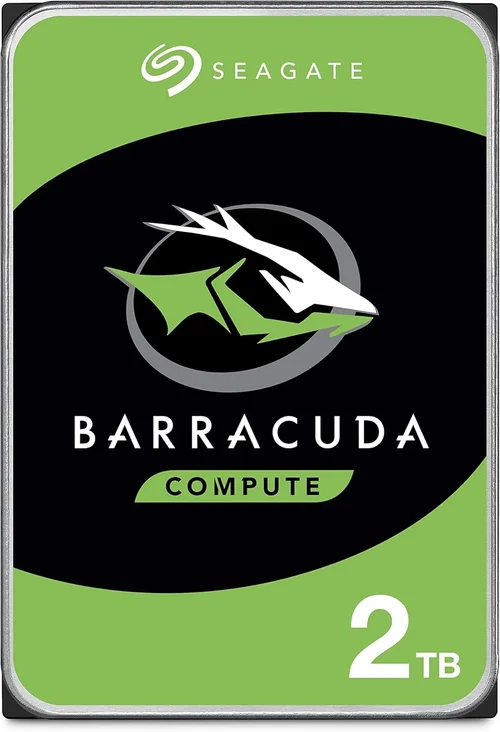
For HDDs, Seagate and Western Digital dominate the market with proven reliability. The WD Black series is popular among gamers for its performance, while Seagate’s Barracuda and IronWolf lines offer solid value. Always check user reviews and professional benchmarks before purchasing—brands can have hit-or-miss models even within their own lineups.
6. Warranty & Support
A strong warranty is a sign of manufacturer confidence. Most premium SSDs come with 5-year limited warranties, often tied to TBW limits. For example, a 1TB SSD with a 600TBW rating and 5-year warranty means the manufacturer guarantees it will last at least 5 years or until you’ve written 600TB—whichever comes first. This is more than sufficient for gaming use.
HDDs typically offer 2–5 year warranties, with enterprise-grade models sometimes extending to 5 years. However, HDD warranties often exclude damage from physical shock, so handle them carefully. When buying, register your drive with the manufacturer to activate the warranty and gain access to support tools like diagnostic software and firmware updates.
Customer support quality varies. Samsung and Crucial offer responsive support with easy RMA processes. Western Digital and Seagate have robust online resources but can be slower with replacements. Check forums and Reddit communities for real-user experiences before committing to a brand.
7. Size & Portability
Physical size matters, especially in compact builds. M.2 NVMe SSDs are tiny—about the size of a stick of gum—and plug directly into the motherboard, eliminating cables and saving space. This makes them ideal for small-form-factor PCs, laptops, and portable gaming rigs. SATA SSDs are slightly larger (2.5-inch form factor) but still much smaller than 3.5-inch HDDs.
HDDs require more space and power, needing both SATA data and power cables. In a tightly packed case, this can complicate cable management and reduce airflow. If you’re building a portable gaming setup (like a LAN party rig), an SSD-only configuration is far more practical—lighter, quieter, and more durable during transport.
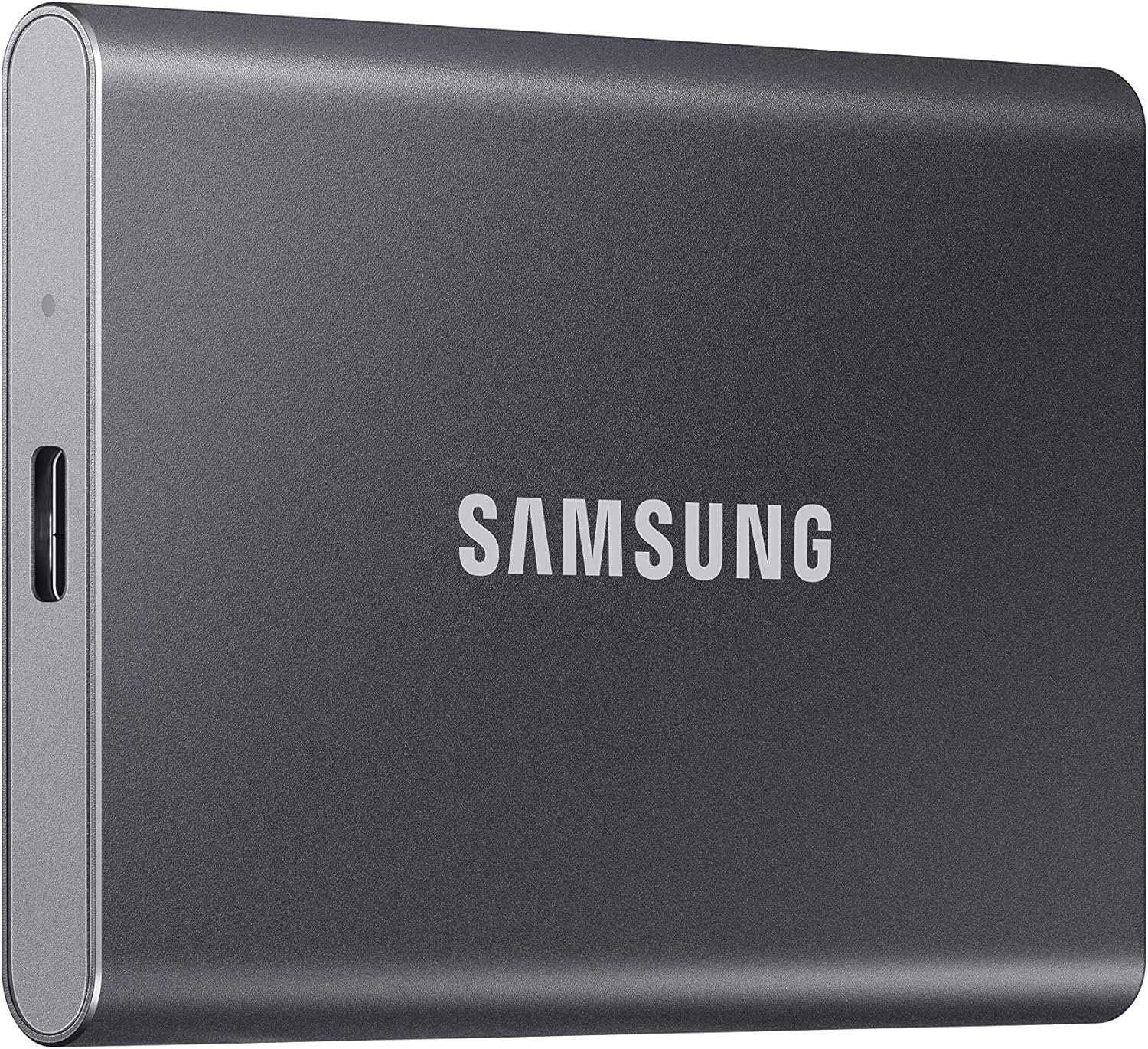
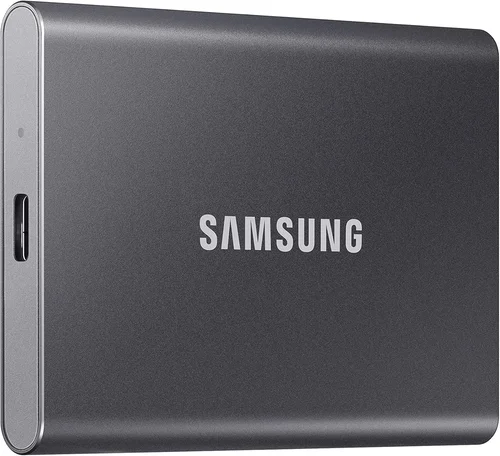
For external storage, portable SSDs (like the Samsung T7 or SanDisk Extreme) offer fast, reliable game backups and transfers. External HDDs are cheaper for bulk storage but slower and more fragile. Always use rugged enclosures if you plan to move your drive frequently.
8. User Reviews & Ratings
Never rely solely on specs—real-world user feedback is invaluable. Check reviews on Amazon, Newegg, Best Buy, and tech forums like Tom’s Hardware, Reddit (r/buildapc, r/pcmasterrace), and Linus Tech Tips. Look for patterns: if multiple users report the same issue (e.g., thermal throttling, slow write speeds, or early failure), it’s a red flag.
Pay attention to long-term reviews. A drive might perform well out of the box but degrade over months of use. User benchmarks, especially those testing game load times and in-game streaming, provide practical insights no spec sheet can match. Also, consider professional reviews from trusted sources like AnandTech, StorageReview, or GamersNexus, which conduct rigorous testing under controlled conditions.
Finally, check return policies. Even the best-reviewed drive can fail or underperform in your specific setup. Retailers like Amazon and Newegg offer hassle-free returns, while direct-from-manufacturer purchases may have stricter terms.
Different Types of Buying Guide
Common Buying Mistakes to Avoid
❌ Mistake: Installing All Games on HDD to Save Money
Why it’s bad: While HDDs are cheaper per gigabyte, installing modern games on them leads to painfully slow load times, texture pop-in, and stuttering in open-world titles. Games like Red Dead Redemption 2 or Horizon Forbidden West can take minutes to load levels on an HDD, ruining immersion and competitiveness.
What to do instead: Use an SSD for your most-played games and OS. Reserve the HDD for older titles, media, or backups. Even a 500GB SSD can hold 3–5 modern games and dramatically improve your experience.
❌ Mistake: Buying the Cheapest SSD Without Checking Endurance
Why it’s bad: Budget SSDs, especially DRAM-less QLC models, may offer high capacity at low prices but suffer from poor write performance and shorter lifespans. Under heavy use (like frequent game installs/uninstalls), they can slow down or fail prematurely.
What to do instead: Prioritize SSDs with DRAM cache and high TBW ratings. Look for TLC or MLC NAND over QLC. A slightly more expensive SSD with better endurance will last longer and perform more consistently.
❌ Mistake: Ignoring Thermal Throttling in NVMe SSDs
Why it’s bad: High-performance NVMe SSDs generate significant heat. Without proper cooling (like a heatsink), they can throttle speeds during long gaming sessions, negating their performance advantage.
What to do instead: Choose NVMe drives with built-in heatsinks or install an aftermarket one. Ensure your case has adequate airflow, especially if your M.2 slot is near the GPU.
❌ Mistake: Overlooking Compatibility
Why it’s bad: Not all motherboards support PCIe 4.0 or 5.0 NVMe SSDs. Installing a Gen4 drive in a Gen3-only slot will limit its speed. Similarly, some older systems don’t support NVMe booting.
What to do instead: Check your motherboard manual for M.2 slot specifications and BIOS support. If unsure, stick with SATA SSDs or Gen3 NVMe for broader compatibility.
❌ Mistake: Skipping Firmware Updates
Why it’s bad: Manufacturers release firmware updates to fix bugs, improve performance, and enhance compatibility. Ignoring these can leave your drive vulnerable to issues or prevent you from accessing new features.
What to do instead: Register your drive and check for firmware updates every 6–12 months. Use the manufacturer’s utility (like Samsung Magician or WD Dashboard) to apply updates safely.
❌ Mistake: Not Backing Up Game Saves
Why it’s bad: Drive failure can happen to any storage type. Losing your game progress, especially in RPGs with hundreds of hours invested, is devastating.
What to do instead: Use cloud saves (Steam Cloud, Xbox Live, etc.) or regularly back up saves to an external drive. Enable automatic backups where possible.
❌ Mistake: Buying More Capacity Than You Need
Why it’s bad: Overspending on a 4TB SSD when you only play 2–3 games at a time wastes money. Conversely, a 250GB SSD fills up fast with modern titles.
What to do instead: Audit your game library. Most gamers actively play 3–5 titles at once. A 1TB SSD is a practical sweet spot in 2026.
Budget Guidelines: How Much Should You Spend?
- Entry-Level ($50–$100): Ideal for budget builds. A 500GB SATA SSD (like the Crucial MX500) paired with a 2TB HDD offers solid performance for casual gaming. Expect load times 3–5x faster than HDD-only setups.
- Mid-Range ($100–$250): The sweet spot for most gamers. A 1TB NVMe Gen3 SSD (Samsung 980, WD Blue SN580) provides excellent speed and capacity. Add a 2TB–4TB HDD for archival storage. Perfect for 1080p/1440p gaming.
- Premium ($250–$500): For enthusiasts and high-refresh gaming. A 2TB NVMe Gen4 SSD (Samsung 990 PRO, WD Black SN850X) ensures lightning-fast loads and future-proofing. Optional: add a secondary SSD or large HDD for media.
- Luxury ($500+): Top-tier performance with 4TB+ NVMe Gen4/Gen5 SSDs. Ideal for 4K gaming, content creation, and DirectStorage-enabled titles. Brands like Sabrent, Corsair, and Seagate offer high-end models with premium features.
Expert Tips for Getting the Best Deal
- Buy during sales: Major discounts occur during Black Friday, Cyber Monday, Amazon Prime Day, and back-to-school seasons. SSD prices often drop 20–30% during these periods.
- Compare retailers: Check Amazon, Newegg, Best Buy, B&H, and direct manufacturer stores. Sometimes, bundle deals (e.g., SSD + game code) offer better value.
- Watch for open-box deals: Certified refurbished or open-box SSDs from reputable sellers can save 15–25% with full warranty coverage.
- Prioritize warranty: A longer warranty often indicates higher quality. Don’t sacrifice warranty length for a slightly lower price.
- Check return policies: Ensure you can return the drive if it’s defective or incompatible. Most retailers offer 30-day returns.
- Test before committing: Use tools like CrystalDiskMark or AS SSD to benchmark performance after installation. Compare results to advertised specs.
- Consider future upgrades: If you plan to add more storage later, choose a case and PSU that support additional drives.
- Use manufacturer tools: Utilities like Samsung Magician or Crucial Storage Executive help monitor health, update firmware, and optimize performance.

Frequently Asked Questions
Q: Does installing games on SSD improve FPS?
A: No, SSDs do not increase frame rates (FPS). FPS is determined by your GPU, CPU, and RAM. However, SSDs reduce load times, eliminate texture pop-in, and improve asset streaming, which can make gameplay feel smoother—especially in open-world games.
Q: Can I install games on an external SSD?
A: Yes, but performance depends on the connection. USB 3.2 Gen 2 (10Gbps) or Thunderbolt 3/4 external SSDs work well for gaming. Avoid USB 2.0 or slow external HDDs, as they bottleneck performance.
Q: Is NVMe worth it over SATA SSD for gaming?
A: For most gamers, the real-world difference is minimal. NVMe offers faster load times, but the gap narrows in actual gameplay. If your budget allows, go NVMe—but SATA SSDs still provide a massive upgrade over HDDs.
Q: How much SSD space do I need for gaming?
A: A 1TB SSD is recommended in 2026. It can hold your OS, a few modern games (50–150GB each), and essential apps. If you play many large titles, consider 2TB.
Q: Can I move games between SSD and HDD?
A: Yes. On Steam, use the “Move Install Folder” feature. On Epic, uninstall and reinstall to the desired drive. Some games allow manual file copying, but verify integrity afterward.
Q: Do SSDs wear out from gaming?
A: Unlikely. Modern SSDs have high endurance. Even heavy gamers won’t reach TBW limits for years. Wear leveling and over-provisioning extend lifespan.
Q: Should I defragment my SSD?
A: No. SSDs don’t benefit from defragmentation and it can reduce lifespan. Windows automatically optimizes SSDs using TRIM.
Q: What is DirectStorage?
A: A Microsoft technology that allows games to load assets directly from SSD to GPU, bypassing the CPU. It requires NVMe SSDs and Windows 11. Games like Forspoken and Ratchet & Clank: Rift Apart use it for near-instant loading.
Q: Can I use an HDD for game backups?
A: Yes. HDDs are cost-effective for storing game installers, mods, and save files. Just ensure they’re backed up regularly and stored safely.
Q: Is a hybrid drive (SSHD) a good compromise?
A: Not really. SSHDs combine a small SSD cache with an HDD, but performance gains are minimal compared to a dedicated SSD. In 2026, they’re largely obsolete for gaming.
Our Final Recommendations
- Best for Budget-Conscious Buyers: Crucial MX500 1TB SATA SSD + Seagate Barracuda 2TB HDD. Reliable, affordable, and offers a significant performance boost over HDD-only setups.
- Best Overall Value: Samsung 980 1TB NVMe Gen3 SSD. Excellent speed, durability, and price. Perfect for mainstream gaming in 2026.
- Best Premium Option: Samsung 990 PRO 2TB NVMe Gen4 SSD. Top-tier performance, ideal for high-end builds and DirectStorage games.
- Best for Beginners: WD Blue SN580 1TB NVMe SSD. Easy to install, reliable, and compatible with most systems. Great first NVMe drive.
- Best for Advanced Users: Sabrent Rocket 4 Plus 4TB NVMe Gen4 SSD. Massive capacity, blazing speeds, and built-in heatsink. Ideal for enthusiasts and content creators.
Conclusion: Making the Right Choice
The SSD vs HDD debate isn’t about choosing one over the other—it’s about using each where it shines. In 2026, SSDs are essential for gaming performance, offering faster load times, smoother gameplay, and better system responsiveness. HDDs still have a place for bulk storage, backups, and media libraries, but they should not be your primary gaming drive.
Your ideal setup depends on your budget, gaming habits, and system capabilities. For most users, a hybrid approach—SSD for active games and OS, HDD for archives—delivers the best balance of speed and capacity. If you can afford it, going SSD-only future-proofs your system and maximizes performance.
Remember: storage is one of the most impactful upgrades you can make. Don’t skimp on quality, prioritize endurance and compatibility, and always back up your data. With the insights from this guide, you’re equipped to make a smart, informed decision that enhances your gaming experience for years to come.
Now go build that dream rig—and may your load times be short and your frame rates high.