
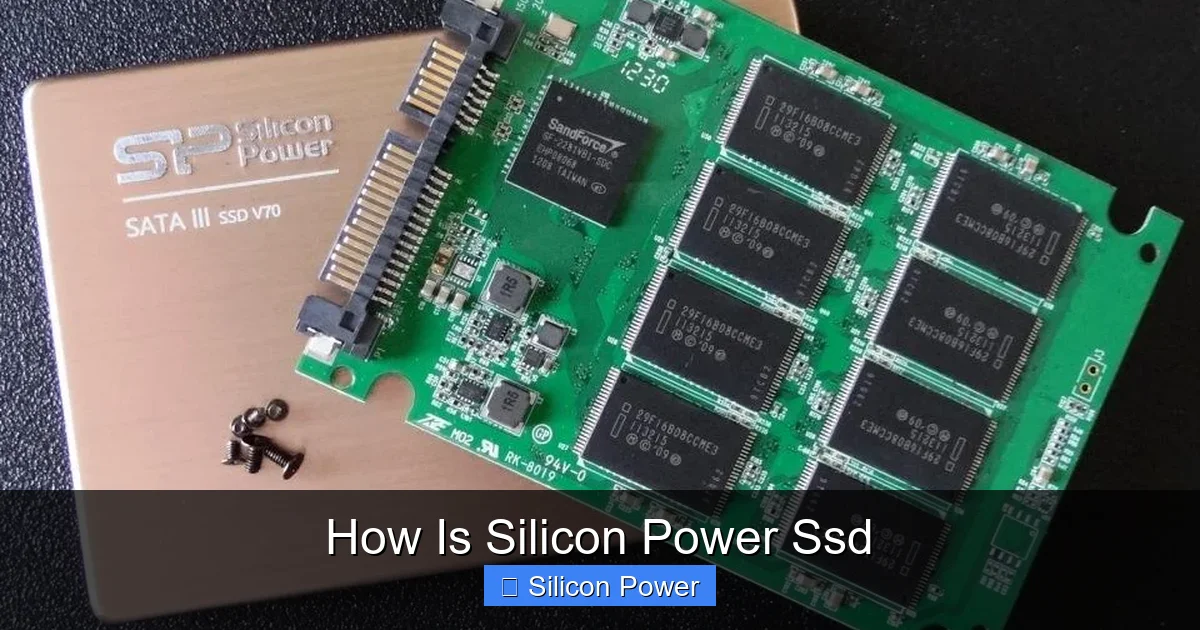
Silicon Power SSDs offer solid performance and reliability at budget-friendly prices, making them a smart choice for everyday users. Whether you’re upgrading an old laptop or building a new PC, these drives deliver fast boot times, quick file transfers, and dependable storage. With a range of models and capacities, Silicon Power SSDs balance speed and value effectively.
Key Takeaways
- Affordable Performance: Silicon Power SSDs deliver excellent speed and responsiveness at a lower price point than many competitors.
- Wide Range of Models: From SATA to NVMe, Silicon Power offers SSDs for different needs, including the SU650, UD90, and P34A80 series.
- Reliable Build Quality: These SSDs use quality NAND flash memory and controllers, ensuring stable long-term performance.
- Easy Installation: Most Silicon Power SSDs are plug-and-play, compatible with laptops and desktops without extra tools.
- Good Warranty Support: Many models come with a 3- to 5-year warranty, reflecting confidence in product durability.
- Ideal for Upgrades: Perfect for replacing slow HDDs in older systems to boost speed and efficiency.
- Energy Efficient: Lower power consumption helps extend battery life in laptops and reduces heat output.
Quick Answers to Common Questions
How fast is a Silicon Power SSD?
Silicon Power SSDs range from 560 MB/s (SATA models like SU650) to over 3,500 MB/s (NVMe models like P34A80), depending on the series and interface.
Are Silicon Power SSDs reliable?
Yes, they use quality NAND flash and controllers, with most models rated for up to 600 TBW and backed by a 3- to 5-year warranty.
Can I use a Silicon Power SSD in my laptop?
Yes, their 2.5-inch SATA and M.2 NVMe drives are compatible with most laptops that support those form factors.
Do I need special software to install a Silicon Power SSD?
No, but they offer free cloning software to help transfer your data from an old drive.
How does Silicon Power compare to Samsung SSDs?
Silicon Power offers similar performance at lower prices, making them a great value alternative to premium brands like Samsung.
📑 Table of Contents
- How Is Silicon Power SSD? A Complete Review
- Understanding Silicon Power SSDs: Brand Overview
- Performance: Speed and Responsiveness
- Reliability and Durability: Built to Last
- Installation and Compatibility
- Value for Money: Is It Worth It?
- Warranty and Customer Support
- Final Verdict: Should You Buy a Silicon Power SSD?
How Is Silicon Power SSD? A Complete Review
Looking to speed up your computer without breaking the bank? You’ve probably come across Silicon Power SSDs while shopping for storage upgrades. But how is Silicon Power SSD really? Are they worth your money? In this detailed guide, we’ll explore everything you need to know about Silicon Power solid-state drives—from performance and reliability to real-world use cases and installation tips.
Silicon Power is a well-known brand in the storage industry, offering a variety of SSDs designed for everyday users, gamers, and professionals alike. Unlike premium brands that charge top dollar, Silicon Power focuses on delivering solid performance at accessible prices. Whether you’re replacing a slow hard drive in an old laptop or building a budget-friendly gaming rig, their SSDs offer a noticeable upgrade in speed and responsiveness.
In this article, we’ll dive deep into how Silicon Power SSDs perform across different categories, compare them to competitors, and help you decide if they’re the right fit for your needs. We’ll also cover installation tips, durability, warranty details, and what to expect in daily use. By the end, you’ll have a clear picture of whether a Silicon Power SSD is the upgrade you’ve been looking for.
Understanding Silicon Power SSDs: Brand Overview
Silicon Power is a Taiwan-based company that has been manufacturing storage devices since 2003. Over the years, they’ve built a reputation for offering reliable, high-quality SSDs at competitive prices. Their product lineup includes SATA III, NVMe M.2, and portable external SSDs, catering to a wide range of users—from students and office workers to content creators and casual gamers.
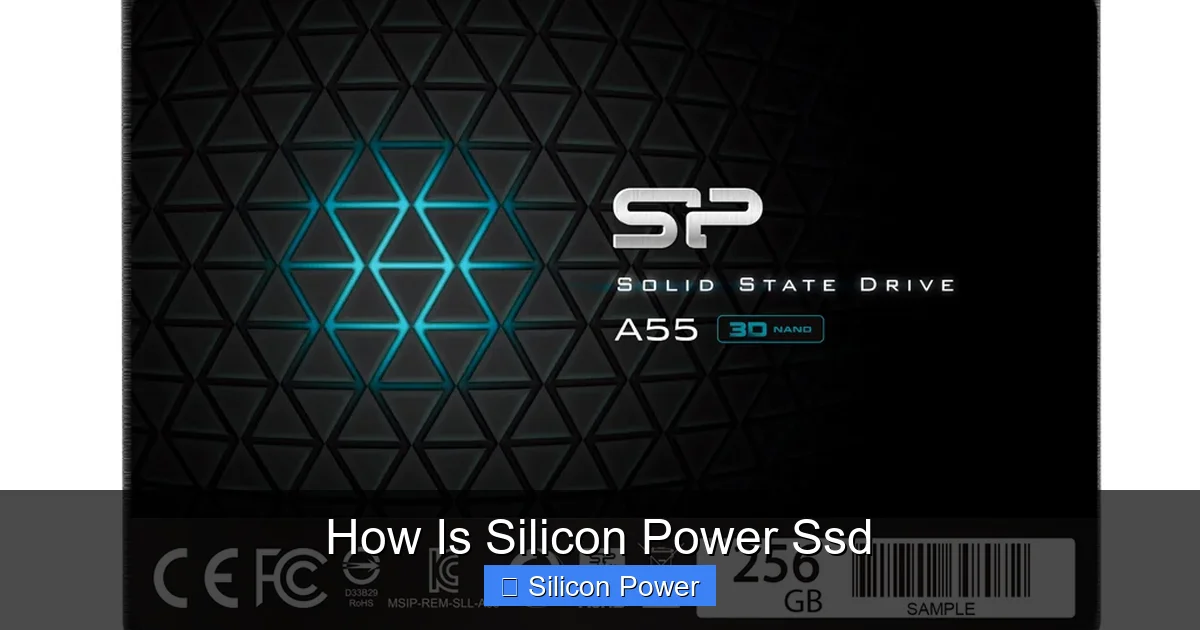
Visual guide about How Is Silicon Power Ssd
Image source: gennext.com.np
One of the standout features of Silicon Power SSDs is their focus on value. They don’t always use the latest cutting-edge technology, but they do a great job of balancing performance, durability, and cost. This makes them ideal for users who want a noticeable speed boost without spending hundreds of dollars. Whether you’re upgrading an aging laptop or building a budget PC, Silicon Power offers options that deliver real-world benefits.
Popular Silicon Power SSD Series
Silicon Power offers several SSD series, each targeting different user needs. Here are some of the most popular ones:
- SU650 Series: A budget-friendly SATA III SSD ideal for everyday computing. It’s perfect for upgrading older laptops or desktops with traditional 2.5-inch drive bays.
- UD90 Series: An NVMe M.2 SSD that offers faster speeds than SATA models. Great for users who want better performance without a high price tag.
- P34A80 Series: A high-performance NVMe SSD with read speeds up to 3,500 MB/s. Designed for gamers and power users who need speed and reliability.
- XS70 Series: A newer PCIe Gen4 NVMe SSD with blazing-fast speeds, suitable for high-end gaming and content creation.
Each series is designed with specific use cases in mind, so choosing the right one depends on your system and performance needs. For most everyday users, the SU650 or UD90 will be more than sufficient. But if you’re building a high-performance rig, the P34A80 or XS70 might be worth the extra investment.
Performance: Speed and Responsiveness
When it comes to SSDs, performance is king. So how is Silicon Power SSD in real-world use? Let’s break down the speed, responsiveness, and overall performance you can expect.
Silicon Power SSDs are known for delivering consistent performance across their product line. Even their budget SATA models, like the SU650, offer read speeds up to 560 MB/s and write speeds around 520 MB/s—more than enough to make your system feel snappier. These speeds are typical for SATA III drives and represent a massive improvement over traditional hard drives, which usually max out around 120–150 MB/s.
For users who need faster performance, the NVMe models like the UD90 and P34A80 are a game-changer. The UD90, for example, uses PCIe Gen3 x4 interface and delivers read speeds up to 3,400 MB/s and write speeds up to 3,000 MB/s. That’s nearly six times faster than SATA SSDs. This means faster boot times, quicker application launches, and smoother multitasking.
Real-World Performance Examples
Let’s look at some practical examples to understand how these speeds translate into everyday use:
- Boot Time: A laptop with a Silicon Power SU650 SSD can boot Windows 10 or 11 in under 10 seconds, compared to 30–45 seconds with a traditional HDD.
- File Transfers: Copying a 10GB video file takes about 20 seconds with the SU650 and just 3–4 seconds with the P34A80.
- Game Loading: Games like Cyberpunk 2077 or Red Dead Redemption 2 load significantly faster on an NVMe SSD, reducing wait times and improving immersion.
- Multitasking: Running multiple apps—like a browser, video editor, and music player—feels smoother with an SSD, especially when switching between tasks.
These improvements aren’t just about raw speed—they’re about making your entire computing experience more enjoyable and efficient. Whether you’re working, gaming, or just browsing the web, a Silicon Power SSD helps your system keep up with your pace.
Benchmark Comparisons
To get a clearer picture, let’s compare Silicon Power SSDs with similar drives from other brands. In synthetic benchmarks like CrystalDiskMark, the SU650 performs on par with drives from Kingston and Crucial in the same price range. The UD90, meanwhile, competes well with the WD Blue SN570 and Samsung 980, often at a lower price point.
While Silicon Power may not always top the charts in raw performance, they offer excellent value. You’re getting 90–95% of the performance of premium drives for 20–30% less cost. For most users, that’s a trade-off worth making.
Reliability and Durability: Built to Last
Speed is important, but so is reliability. After all, you don’t want your SSD failing after a year of use. So how is Silicon Power SSD when it comes to durability and long-term performance?
Silicon Power uses quality components in their SSDs, including 3D NAND flash memory and reliable controllers. This helps ensure consistent performance and longevity. Most of their drives are rated for up to 600 TBW (Terabytes Written), which means you can write 200GB of data per day for over 8 years before reaching the endurance limit. For the average user, that’s more than enough.
Additionally, Silicon Power SSDs come with built-in error correction, wear leveling, and bad block management—features that help protect your data and extend the drive’s lifespan. These are essential for maintaining performance over time and preventing data loss.
Temperature and Power Efficiency
Another advantage of Silicon Power SSDs is their low power consumption and heat output. Unlike some high-performance drives that get hot under load, Silicon Power SSDs run cool, even during extended use. This is especially important in laptops, where overheating can throttle performance and reduce battery life.
The energy efficiency of these drives also means longer battery life for portable devices. If you’re using a laptop, upgrading to a Silicon Power SSD can give you an extra 15–30 minutes of runtime, depending on usage.
User Feedback and Failure Rates
Looking at user reviews on Amazon, Newegg, and tech forums, Silicon Power SSDs generally receive positive feedback for reliability. While no SSD is immune to failure, reports of early failures are rare. Most users report years of trouble-free use, especially when the drive is used within its rated capacity.
That said, it’s always a good idea to back up your data regularly, regardless of the SSD brand. No storage device is 100% fail-proof, and prevention is better than recovery.
Installation and Compatibility
One of the biggest advantages of Silicon Power SSDs is how easy they are to install. Whether you’re a tech newbie or a seasoned builder, you’ll find the process straightforward and hassle-free.
For 2.5-inch SATA SSDs like the SU650, installation is as simple as connecting the drive to your motherboard with a SATA cable and plugging in the power cable. Most laptops and desktops support this format, so compatibility is rarely an issue. You can even use a 2.5-inch to 3.5-inch adapter if you’re installing it in a desktop case.
For M.2 NVMe drives like the UD90 or P34A80, installation involves inserting the drive into the M.2 slot on your motherboard and securing it with a small screw. Make sure your motherboard supports NVMe and has an available M.2 slot. Most modern motherboards do, but it’s always good to double-check your specs.
Cloning vs. Fresh Install
Once the drive is installed, you’ll need to get your operating system and files onto it. You have two options: cloning your old drive or doing a fresh install of Windows.
Cloning is the easiest option if you want to keep all your files, settings, and programs. Silicon Power provides free cloning software (like Acronis True Image) with some models, making the process simple. Just connect both drives, run the software, and let it copy everything over.
A fresh install, on the other hand, gives you a clean slate and can improve performance by removing bloatware and old files. It takes a bit more time, but many users prefer it for a truly optimized system.
Tips for a Smooth Upgrade
- Always back up your data before starting the upgrade.
- Check your system’s BIOS to ensure it supports the SSD (especially for NVMe drives).
- Use the latest version of cloning software to avoid compatibility issues.
- Update your SSD’s firmware after installation for the best performance and security.
Value for Money: Is It Worth It?
Now for the big question: is a Silicon Power SSD worth the investment? The short answer is yes—especially if you’re looking for a balance of performance, reliability, and affordability.
Compared to premium brands like Samsung, WD Black, or Crucial, Silicon Power SSDs are often 20–40% cheaper while offering similar real-world performance. You might not get the absolute fastest speeds or the most advanced features, but for everyday use, the difference is negligible.
For example, the Silicon Power UD90 offers nearly the same performance as the Samsung 980 but costs significantly less. The same goes for the SU650 compared to the Crucial BX500. If you’re on a tight budget or just want a reliable upgrade without overspending, Silicon Power is a smart choice.
Who Should Buy a Silicon Power SSD?
- Budget-conscious users: Get solid performance without paying premium prices.
- Laptop upgraders: Replace slow HDDs in older laptops for a noticeable speed boost.
- Casual gamers: Enjoy faster load times and smoother gameplay without breaking the bank.
- Students and professionals: Improve productivity with faster boot and load times.
- DIY PC builders: Add reliable, fast storage to budget or mid-range builds.
On the other hand, if you’re a professional video editor, 3D animator, or hardcore gamer who needs the absolute fastest speeds, you might want to consider higher-end options. But for 90% of users, Silicon Power SSDs deliver more than enough performance.
Warranty and Customer Support
Silicon Power stands behind its products with solid warranty coverage. Most SSDs come with a 3-year limited warranty, while higher-end models like the P34A80 and XS70 offer up to 5 years. This shows the company’s confidence in their build quality and durability.
Warranty terms typically cover defects in materials and workmanship, but not physical damage or misuse. To claim warranty service, you’ll need to register your product and provide proof of purchase. The process is straightforward, and support is available via email and phone.
Customer support is generally responsive, though some users report slower response times during peak periods. Overall, the support experience is on par with other mid-tier brands.
Final Verdict: Should You Buy a Silicon Power SSD?
So, how is Silicon Power SSD? In a word: excellent—for the price. These drives offer reliable performance, easy installation, and great value. Whether you’re upgrading an old system or building a new one, they’re a smart choice for most users.
You won’t get the absolute top-tier speeds of premium brands, but you’ll get 90% of the performance at a much lower cost. That’s a trade-off that makes sense for students, office workers, casual gamers, and anyone looking to boost their system’s speed without overspending.
If you’re ready to say goodbye to slow boot times, laggy apps, and long file transfers, a Silicon Power SSD is a great place to start. Just make sure to choose the right model for your needs—SATA for budget upgrades, NVMe for better performance.
With solid build quality, good warranty support, and real-world performance that delivers, Silicon Power SSDs are a reliable and affordable storage solution. Upgrade today and feel the difference in every click, launch, and load.
Frequently Asked Questions
What is the lifespan of a Silicon Power SSD?
Most Silicon Power SSDs are rated for 300–600 TBW (Terabytes Written), which translates to many years of normal use—often 5–8 years or more.
Do Silicon Power SSDs come with cloning software?
Some models include free cloning software like Acronis True Image, but it’s best to check the product listing or packaging to confirm.
Can I use a Silicon Power NVMe SSD in a SATA slot?
No, NVMe SSDs require an M.2 slot that supports NVMe protocol. They are not compatible with SATA-only M.2 slots.
Are Silicon Power SSDs good for gaming?
Yes, especially the NVMe models like the UD90 and P34A80, which reduce game load times and improve overall system responsiveness.
Do I need to format a new Silicon Power SSD?
Yes, after installation, you’ll need to initialize and format the drive using Windows Disk Management or a similar tool before use.
Is there a difference between Silicon Power SU650 and UD90?
Yes, the SU650 is a SATA III SSD with speeds up to 560 MB/s, while the UD90 is an NVMe SSD with speeds up to 3,400 MB/s—much faster but requires an M.2 slot.