

Western Digital has long been a cornerstone of the storage industry, and in 2026, their solid-state drive lineup continues to reflect decades of innovation and reliability. Whether you’re upgrading an aging laptop, building a high-performance gaming rig, or managing data-intensive workflows in a professional environment, choosing the right SSD can dramatically impact your system’s speed, responsiveness, and overall user experience. With so many models available—each targeting different use cases, budgets, and performance tiers—it’s easy to feel overwhelmed. That’s where this comprehensive buying guide comes in.
In this guide, we’ll walk you through everything you need to know to make an informed decision when selecting a Western Digital SSD. You’ll learn how to evaluate key factors like performance, endurance, form factor, and warranty, all while understanding how these specs translate into real-world benefits. We’ll compare Western Digital’s various product lines—from the budget-friendly WD Green to the blazing-fast WD Black—and help you determine which model aligns best with your needs. Whether you’re a casual user, a creative professional, or a competitive gamer, this guide will equip you with the knowledge to choose confidently.
The SSD market in 2026 is more competitive than ever, with advancements in NAND technology, controller efficiency, and interface speeds pushing the boundaries of what’s possible. Western Digital stands out not just for its broad portfolio, but for its commitment to quality, innovation, and customer support. From SATA-based drives ideal for older systems to cutting-edge NVMe PCIe Gen4 and Gen5 SSDs built for next-gen workloads, WD offers something for everyone. By the end of this guide, you’ll have a clear understanding of which Western Digital SSD delivers the best balance of performance, value, and durability for your specific situation.

What to Look for When Buying Buying Guide
1. Budget & Price Range
Your budget is often the first and most critical factor when shopping for an SSD. Western Digital offers drives across a wide price spectrum, from under $50 for entry-level models to over $300 for high-capacity, high-performance variants. The key is to match your spending to your actual needs rather than overspending on features you won’t use. For example, a student upgrading a laptop for basic productivity tasks doesn’t need a $300 PCIe Gen5 drive, while a video editor working with 8K footage might find even the top-tier WD Black models insufficient without additional storage.
When evaluating price, consider cost per gigabyte (GB). This metric helps you compare value across different capacities. A 1TB SSD priced at $80 offers better value than a 500GB model at $50, even if the total cost is higher. Additionally, watch for seasonal sales—Black Friday, Prime Day, and back-to-school promotions often bring significant discounts on SSDs. Western Digital frequently partners with retailers like Amazon, Best Buy, and Newegg to offer bundle deals, especially on their WD Blue and WD Black lines.
2. Performance Specifications
Performance is where SSDs truly shine compared to traditional hard drives, and Western Digital provides detailed specs to help you compare models. The two most important metrics are sequential read and write speeds, measured in megabytes per second (MB/s). For NVMe drives, these can exceed 7,000 MB/s on PCIe Gen4 models like the WD Black SN850X, while SATA-based drives like the WD Blue 3D NAND are capped around 560 MB/s due to interface limitations.
Random read/write performance, measured in input/output operations per second (IOPS), is equally important for everyday tasks like booting your OS, launching applications, and multitasking. Higher IOPS mean snappier responsiveness. For instance, the WD Black SN780 delivers up to 1.2 million IOPS, making it ideal for gaming and content creation. If you’re using your SSD for database operations, virtual machines, or software development, prioritize high random performance over raw sequential speed.
Latency and controller efficiency also play a role. Western Digital uses its in-house controllers and firmware in many of its drives, which often results in better optimization and consistency. Look for drives with low latency and sustained performance under load—some cheaper SSDs may advertise high peak speeds but throttle significantly during prolonged use.
3. Build Quality & Durability
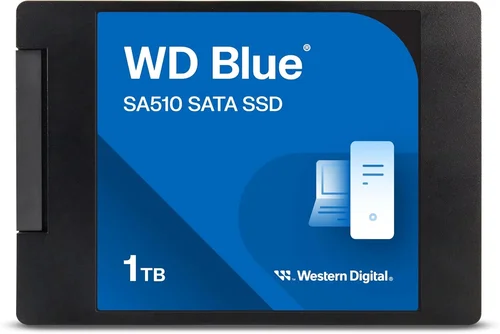
SSDs have no moving parts, making them inherently more durable than HDDs, but not all SSDs are built equally. Western Digital emphasizes reliability across its product lines, using high-quality NAND flash memory and robust controllers. The endurance of an SSD is measured in terabytes written (TBW)—the total amount of data that can be written to the drive over its lifetime. For example, a 1TB WD Blue SA510 has a TBW rating of 400TB, while the WD Black SN850X 1TB model boasts 600TBW, reflecting its use in more demanding environments.
Another durability factor is power loss protection (PLP), which safeguards data during unexpected shutdowns. While more common in enterprise drives, some high-end consumer models like the WD Black SN850X include basic PLP features. Additionally, check for thermal throttling behavior—high-performance NVMe drives can get hot, and without proper heat dissipation, they may slow down. Many WD Black models come with optional heatsinks or are designed to work with motherboard-integrated cooling solutions.
Western Digital also uses 3D NAND technology across its lineup, which increases storage density and improves longevity compared to older planar NAND. This technology allows for higher capacities in smaller form factors and contributes to better overall reliability.
4. Features & Functionality
Beyond raw speed and capacity, modern SSDs offer a range of features that enhance usability and security. Western Digital includes proprietary software with many of its drives, such as WD Dashboard, which allows users to monitor drive health, update firmware, enable encryption, and perform secure erases. This tool is particularly useful for maintaining optimal performance and ensuring data security over time.
Hardware-based encryption is another important feature. Many WD SSDs support TCG Opal 2.0 and IEEE-1667 standards, enabling full-disk encryption that protects your data if the drive is lost or stolen. This is especially valuable for business users or anyone storing sensitive information. Additionally, some models include SLC caching, which uses a portion of the NAND as a high-speed buffer to improve write performance during bursts of activity.
For gamers, features like Microsoft DirectStorage support are becoming increasingly relevant. This technology allows games to load assets directly from the SSD to the GPU, reducing load times and enabling more detailed game worlds. The WD Black SN850X and SN780 are optimized for DirectStorage, making them excellent choices for next-gen gaming on Windows 11.
5. Brand Reputation
Western Digital has been a trusted name in storage since 1970, and its reputation for quality and innovation is well-earned. The company owns both the WD and SanDisk brands, giving it access to a vast portfolio of storage technologies and manufacturing capabilities. This vertical integration allows WD to control the entire production process—from NAND fabrication to final assembly—resulting in consistent quality and faster innovation cycles.
Customer feedback and third-party reviews consistently praise WD SSDs for their reliability and performance. The WD Black series, in particular, is frequently recommended by tech reviewers and gamers alike. WD also offers strong customer support, including online resources, live chat, and a comprehensive warranty program. Unlike some competitors that outsource manufacturing, WD’s in-house approach ensures tighter quality control and better long-term support.
That said, no brand is perfect. Some users have reported occasional firmware issues or compatibility quirks, especially with older motherboards or specific BIOS versions. However, WD typically addresses these issues quickly through firmware updates, and the overall failure rate of their SSDs remains low compared to industry averages.
6. Warranty & Support
Warranty length is a strong indicator of a manufacturer’s confidence in its product. Western Digital offers varying warranty periods depending on the model. Entry-level drives like the WD Green typically come with a 3-year limited warranty, while mid-range models such as the WD Blue SA510 offer 5 years. High-performance drives like the WD Black SN850X and SN780 also come with 5-year warranties, reflecting their intended use in demanding environments.
It’s important to note that warranties are often tied to both time and endurance (TBW). For example, a WD Black SN850X 1TB drive may be covered for 5 years or until 600TB of data has been written—whichever comes first. This dual-limit system ensures that even heavily used drives are protected. Always register your SSD with Western Digital to activate the warranty and receive firmware update notifications.
Customer support is another area where WD excels. Their support portal includes detailed FAQs, troubleshooting guides, and driver downloads. For more complex issues, users can contact support via phone or chat. Response times are generally prompt, and WD’s support team is knowledgeable about both consumer and enterprise storage solutions.
7. Size & Portability
While most internal SSDs are installed inside desktops or laptops, portability matters for external drives and users who frequently upgrade systems. Western Digital offers a range of form factors, including the standard 2.5-inch SATA drives, M.2 2280 NVMe sticks, and compact external SSDs like the WD My Passport SSD.
The M.2 form factor is increasingly popular due to its small size and direct motherboard connection, eliminating the need for cables. This makes it ideal for slim laptops and small-form-factor PCs. However, ensure your system supports the correct interface—M.2 slots can accommodate both SATA and NVMe drives, but they are not always interchangeable.
For users who need portable storage, the WD My Passport SSD and SanDisk Extreme Pro offer rugged designs, USB-C connectivity, and fast transfer speeds. These drives are perfect for photographers, videographers, and remote workers who need reliable, high-speed storage on the go. They often include password protection and hardware encryption for added security.
8. User Reviews & Ratings
While specs and marketing materials provide valuable insights, real-world user experiences often reveal the true strengths and weaknesses of a product. Before purchasing, check reviews on trusted platforms like Amazon, Newegg, and tech forums such as Reddit’s r/buildapc or Tom’s Hardware.
Look for patterns in feedback—consistent praise for reliability or complaints about overheating can be telling. For example, the WD Black SN850X is widely praised for its performance and stability, but some users note that it runs hot without a heatsink. Conversely, the WD Blue SA510 is lauded for its value and quiet operation, though a few reviewers mention slower write speeds under sustained loads.
Pay attention to long-term reviews, which assess performance and reliability over months or years. These can reveal issues like premature wear, firmware bugs, or compatibility problems that aren’t apparent in initial testing. Western Digital generally scores well in long-term reliability studies, but it’s always wise to do your due diligence.
Different Types of Buying Guide

Common Buying Mistakes to Avoid

❌ Mistake: Ignoring Interface Compatibility
Why it’s bad: Not all SSDs work with all systems. Installing an NVMe drive in a motherboard that only supports SATA will result in a non-functional drive. Similarly, older laptops may not have M.2 slots at all.
What to do instead: Check your device’s specifications before buying. Use tools like Crucial’s System Scanner or consult your laptop/desktop manual to confirm supported interfaces (SATA, NVMe, PCIe Gen3/4/5).
❌ Mistake: Overpaying for Unnecessary Performance
Why it’s bad: A PCIe Gen5 SSD offers incredible speeds, but most everyday tasks—web browsing, office apps, media playback—won’t benefit from them. You’re essentially paying for performance you’ll never use.
What to do instead: Match the drive to your use case. A WD Blue or WD Green is more than sufficient for general use, while gamers and creators should consider WD Black.
❌ Mistake: Neglecting Endurance Ratings
Why it’s bad: Cheaper SSDs often have lower TBW ratings, meaning they wear out faster under heavy write loads. This can lead to premature failure, especially in write-intensive applications like video editing or database management.
What to do instead: Check the TBW rating and compare it to your expected usage. For heavy workloads, choose drives with higher endurance, such as the WD Black or WD Red series.
❌ Mistake: Skipping Firmware Updates
Why it’s bad: Outdated firmware can cause performance issues, compatibility problems, or even data corruption. Manufacturers regularly release updates to fix bugs and improve stability.
What to do instead: Install WD Dashboard and check for firmware updates periodically. Enable automatic notifications if available.
❌ Mistake: Buying Based Solely on Price
Why it’s bad: The cheapest SSD may lack essential features like encryption, thermal management, or reliable NAND. It could also have poor long-term reliability.
What to do instead: Consider total value—performance, warranty, features, and brand reputation—not just upfront cost. A slightly more expensive drive may last longer and perform better.
❌ Mistake: Not Backing Up Data Before Installation
Why it’s bad: Installing a new SSD often involves wiping the old drive or reinstalling the operating system. Without a backup, you risk losing important files.
What to do instead: Always back up your data using cloud storage or an external drive before making any hardware changes.
❌ Mistake: Overlooking Thermal Management
Why it’s bad: High-performance NVMe drives generate heat, and without proper cooling, they may throttle, reducing speed and lifespan.
What to do instead: Use a heatsink if your case or motherboard supports it. Ensure adequate airflow in your system, especially in compact builds.
Budget Guidelines: How Much Should You Spend?
Entry-Level ($30 – $80): This tier includes drives like the WD Green and lower-capacity WD Blue models. Expect SATA interfaces, modest speeds (500–560 MB/s), and basic features. Ideal for budget builds, older system upgrades, or secondary storage. While not fast by modern standards, they’re a massive improvement over HDDs and offer reliable performance for everyday tasks.
Mid-Range ($80 – $150): The sweet spot for most users. Models like the WD Blue SA510 and WD Black SN780 (lower capacities) fall here. You’ll get NVMe speeds (up to 5,000 MB/s), better endurance, and 5-year warranties. Perfect for general productivity, light gaming, and multimedia use. This range offers the best balance of price, performance, and longevity.
Premium ($150 – $300): For enthusiasts and professionals. Drives like the WD Black SN850X and high-capacity WD Blue offer top-tier performance, advanced features (DirectStorage, encryption), and robust build quality. Ideal for gaming, video editing, 3D rendering, and other demanding workloads. Expect PCIe Gen4 speeds and excellent thermal management.
Luxury ($300+): Reserved for extreme use cases—4K/8K video production, large-scale data analysis, or high-end workstations. These drives often come in 4TB+ capacities and may include enterprise-grade features. While overkill for most consumers, they deliver unmatched speed and reliability for those who need it.
Expert Tips for Getting the Best Deal
– Buy during major sales events: Black Friday, Cyber Monday, Amazon Prime Day, and back-to-school season often feature deep discounts on SSDs. Western Digital frequently runs promotions during these periods.
– Compare prices across retailers: Check Amazon, Newegg, Best Buy, B&H, and Western Digital’s official store. Prices can vary significantly, and some retailers offer exclusive bundles or extended warranties.
– Look for open-box or refurbished deals: Certified refurbished SSDs from reputable sellers often come with full warranties and can save you 20–30%. Ensure they’re tested and include original accessories.
– Check for trade-in programs: Some retailers offer trade-in credits for old drives, which can be applied toward a new purchase.
– Read the fine print on warranties: Ensure the warranty is transferable and covers both time and endurance. Register your drive promptly to activate coverage.
– Test before finalizing: Once installed, use tools like CrystalDiskMark or AS SSD Benchmark to verify performance matches advertised specs. This can help identify defective units early.
– Consider capacity needs carefully: A 1TB drive offers a good balance of cost and space for most users. Avoid going below 500GB unless strictly necessary—modern OSes and apps consume significant storage.
– Monitor price trends: Use tools like CamelCamelCamel or Keepa to track price history and set alerts for drops.

Frequently Asked Questions
Q: Are Western Digital SSDs reliable?
A: Yes, Western Digital SSDs are generally considered highly reliable. The company uses quality NAND, in-house controllers, and rigorous testing. User failure rates are low, and the 5-year warranties on most models reflect confidence in their durability.
Q: Can I use a WD Black SSD in a laptop?
A: It depends on the laptop. If it has an M.2 NVMe slot, yes—many ultrabooks and gaming laptops support it. However, check thermal constraints, as high-performance drives can get hot in thin chassis.
Q: Do I need a heatsink for my NVMe SSD?
A: Not always, but recommended for sustained workloads. The WD Black SN850X benefits from a heatsink during long gaming or rendering sessions. Many motherboards include built-in M.2 heatsinks.
Q: How do I clone my old drive to a new WD SSD?
A: Use cloning software like Macrium Reflect, Acronis True Image, or WD’s own Acronis software (included with some models). Connect both drives, clone the data, then swap them.
Q: What’s the difference between SATA and NVMe?
A: SATA is an older interface limited to ~560 MB/s. NVMe uses the PCIe bus, allowing speeds over 7,000 MB/s. NVMe is faster but requires M.2 or U.2 slots.
Q: Can I use a WD SSD in a RAID setup?
A: Yes, especially the WD Red SA510, which is designed for NAS and RAID environments. Consumer drives like WD Blue can also be used, but lack some enterprise features.
Q: How long do WD SSDs last?
A: Most WD SSDs are rated for 5–10 years under normal use, depending on workload and TBW. Heavy writers should monitor drive health via WD Dashboard.
Q: Is the WD Green SSD good for gaming?
A: It’s functional but not ideal. The slower SATA interface increases load times. For gaming, a WD Blue or WD Black NVMe drive is a better choice.
Q: Do WD SSDs come with data recovery services?
A: Not included by default, but Western Digital partners with data recovery firms. Some premium support plans may offer assistance, but regular backups are still essential.
Q: Can I upgrade my console with a WD SSD?
A: For PlayStation 5, the WD Black SN850X is a popular choice and officially supported. For Xbox Series X|S, external USB SSDs like the WD Black P50 are recommended.
Our Final Recommendations
Best for Budget-Conscious Buyers: WD Green 3D NAND – Affordable, energy-efficient, and reliable for basic computing. Great for upgrading older systems without breaking the bank.
Best Overall Value: WD Blue SA510 – Offers excellent performance, 5-year warranty, and broad compatibility. Ideal for everyday users who want speed and reliability.
Best Premium Option: WD Black SN850X – Top-tier performance, low latency, and gaming optimizations. The best choice for enthusiasts and professionals.
Best for Beginners: WD Blue 3D NAND – Easy to install, reliable, and well-supported. Perfect for first-time upgraders.
Best for Advanced Users: WD Black SN780 – High-speed NVMe performance in a compact, efficient package. Great for builders and tech-savvy users.
Conclusion: Making the Right Choice
Choosing the right Western Digital SSD doesn’t have to be overwhelming. By understanding your needs—whether it’s budget, performance, durability, or portability—you can narrow down the options and find a drive that delivers real value. Western Digital’s diverse lineup ensures there’s a model for every user, from casual upgraders to power users pushing the limits of their systems.
Remember to prioritize compatibility, check real-world reviews, and consider long-term use when making your decision. Don’t fall for marketing hype—focus on the specs and features that matter most to you. And always back up your data before making any changes.
With the right SSD, you’ll experience faster boot times, quicker application launches, and a smoother overall computing experience. Whether you’re building a new PC, upgrading an old laptop, or expanding your storage, a Western Digital SSD is a smart, reliable investment. Take the time to evaluate your options, and you’ll enjoy the benefits of modern storage for years to come.