
[FEATURED_IMAGE_PLACEGOX_PLACEHOLDER]
Solid-state drives (SSDs) have revolutionized the way we store and access data in India. Gone are the days when booting up your computer took minutes or loading large files felt like waiting for a monsoon rain. Today, SSDs deliver near-instant performance, silent operation, and rock-solid reliability—making them essential upgrades for laptops, desktops, and even gaming consoles. Whether you’re a student juggling assignments, a professional handling large datasets, a content creator editing 4K videos, or a gamer chasing high frame rates, an SSD can dramatically improve your computing experience.
This comprehensive buyer’s guide is designed to cut through the noise and help you make a smart, informed decision when choosing the best SSD in India for your specific needs. We’ll walk you through every critical factor—from performance benchmarks and form factors to pricing tiers and brand reliability—so you don’t end up with an overpriced drive that underdelivers or a cheap one that fails prematurely. The Indian market offers a dizzying array of options: global giants like Samsung and Crucial, value-focused brands like Kingston and WD, and emerging players offering surprisingly competitive specs at lower prices. With frequent sales on platforms like Amazon, Flipkart, and Croma, timing your purchase right can save you hundreds—or even thousands—of rupees.
By the end of this guide, you’ll not only know which SSD models currently offer the best bang for your buck but also understand why certain drives outperform others in real-world scenarios. We’ll debunk common myths, highlight hidden pitfalls, and share insider tips to ensure you get maximum value, longevity, and performance from your investment. Whether you’re upgrading an aging system or building a new PC from scratch, this guide will equip you with the knowledge to choose wisely—and confidently.
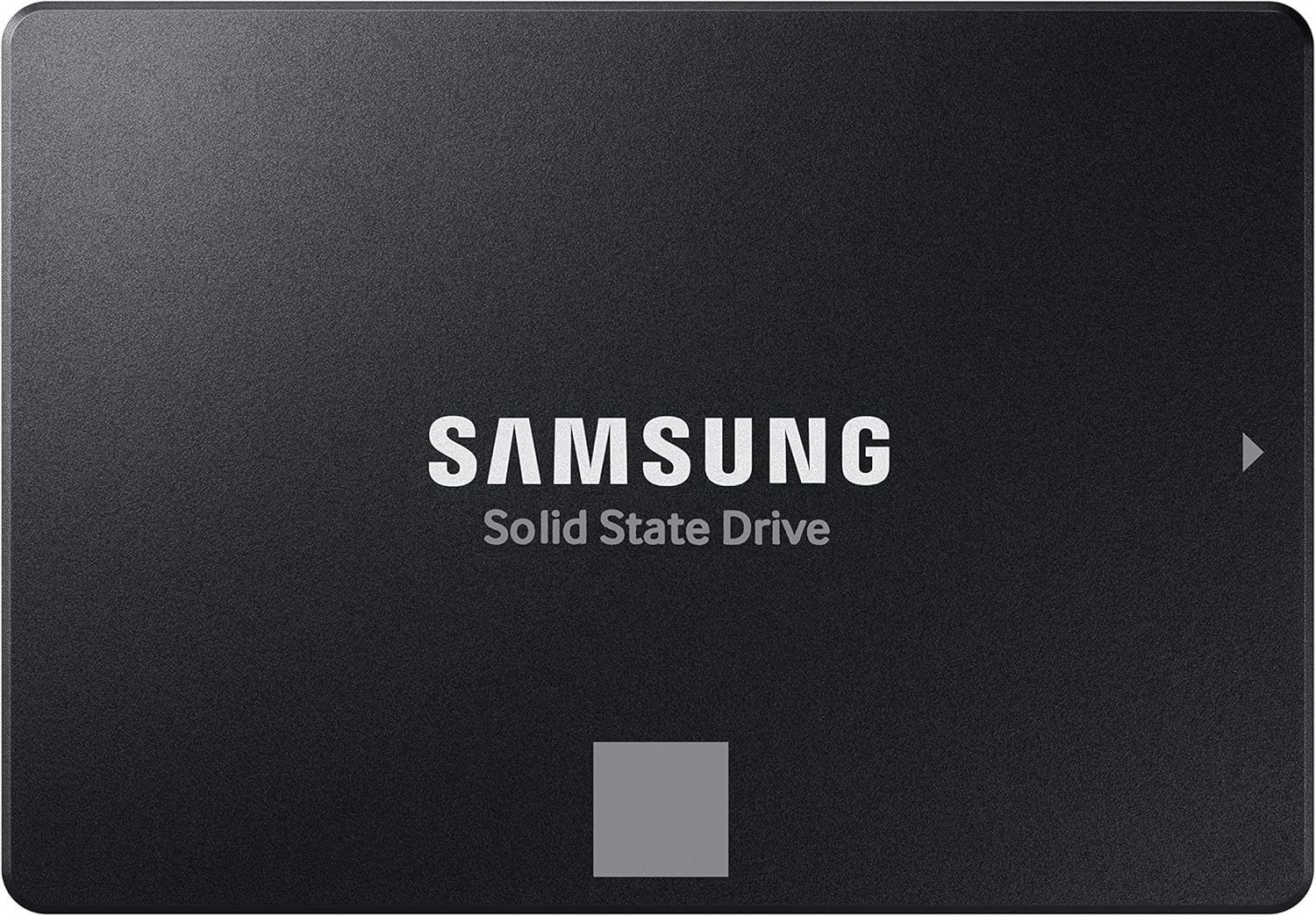
What to Look for When Buying Buying Guide
1. Budget & Price Range
Your budget is the single most important starting point when shopping for an SSD in India. Prices vary widely depending on capacity, technology, and brand reputation. As of 2026, you can find entry-level SATA SSDs starting around ₹1,500 for 240GB, while high-performance NVMe Gen4 drives with 2TB capacity can exceed ₹25,000. It’s tempting to go for the cheapest option, but remember: SSDs are long-term investments. A slightly higher upfront cost often translates into better endurance, faster speeds, and longer warranty coverage.
When setting your budget, consider both immediate needs and future scalability. For example, if you’re buying for a laptop that supports only SATA III, investing in a premium NVMe drive won’t yield any extra benefit. Conversely, if you’re building a new desktop with PCIe Gen4 support, spending a bit more on a Gen4 NVMe SSD makes sense for future-proofing. Also, watch out for “too good to be true” deals—some ultra-cheap SSDs use outdated NAND flash or lack DRAM caches, severely impacting performance and lifespan.
2. Performance Specifications
Performance isn’t just about raw speed—it’s about how consistently a drive delivers under real-world workloads. Two key metrics matter: sequential read/write speeds (measured in MB/s) and random read/write IOPS (Input/Output Operations Per Second). Sequential speeds matter for large file transfers (like video editing or game installations), while random IOPS affect everyday responsiveness (opening apps, multitasking, boot times).
For SATA SSDs, the ceiling is around 550 MB/s due to interface limitations. NVMe SSDs, however, leverage the PCIe bus and can reach 3,500–7,000 MB/s for Gen3 and Gen4 drives respectively. In 2026, PCIe Gen5 SSDs are entering the Indian market, offering speeds beyond 10,000 MB/s—but they’re still niche and expensive. Don’t just chase peak numbers; look at sustained performance. Some budget NVMe drives throttle heavily after their SLC cache fills up, causing dramatic slowdowns during large writes.
Also, check whether the drive uses DRAM cache. DRAM-less SSDs are cheaper but suffer from inconsistent performance, especially under heavy use. For most users, a DRAM-equipped NVMe SSD offers the best balance of speed and reliability.
3. Build Quality & Durability
SSDs have no moving parts, making them inherently more durable than HDDs—but not all SSDs are built equally. The quality of NAND flash memory (SLC, MLC, TLC, or QLC) directly impacts longevity. SLC is fastest and most durable but prohibitively expensive. Most consumer SSDs use TLC (Triple-Level Cell), which offers a good balance of cost, speed, and endurance. QLC (Quad-Level Cell) is cheaper and higher-capacity but wears out faster under heavy write workloads.
Check the drive’s TBW (Terabytes Written) rating—this tells you how much data can be written over the drive’s lifetime before it may fail. A 1TB TLC SSD typically has a TBW of 600–800TB, while a QLC drive might offer only 200–400TB. If you’re a video editor or database user writing terabytes monthly, prioritize higher TBW. Also, look for features like power-loss protection and thermal throttling management—especially important in India’s hot climate, where overheating can degrade performance.
4. Features & Functionality
Beyond speed and capacity, modern SSDs come with software suites, encryption, and management tools that enhance usability and security. Brands like Samsung offer Magician software for firmware updates, performance optimization, and health monitoring. Crucial’s Storage Executive provides similar functionality. These tools help you maintain your drive and troubleshoot issues proactively.
Hardware-based encryption (like TCG Opal or AES-256) is crucial if you handle sensitive data—common in corporate or government environments. Some drives also support self-encrypting drive (SED) standards, which automatically encrypt all data without performance penalties. Additionally, consider compatibility: M.2 2280 is the standard size for most laptops and desktops, but ensure your system supports NVMe if you’re buying an NVMe drive. SATA M.2 drives exist but are rare—most M.2 slots are NVMe-only.
5. Brand Reputation
In India, brand trust plays a huge role in SSD purchases. Established names like Samsung, Western Digital, Crucial, Kingston, and Intel have proven track records for reliability, consistent firmware updates, and responsive customer service. Samsung’s 980 Pro and 990 Pro are benchmarks in performance, while Crucial’s MX and P series offer excellent value. WD’s Black SN850X is a favorite among gamers.
Avoid no-name or obscure brands, even if they promise “Gen5 speeds at Gen3 prices.” Many use counterfeit controllers or low-grade NAND, leading to early failure. Check user forums like Reddit’s r/buildapc or Indian tech communities like ThinkDigit for real-user feedback. A brand with strong local service centers (like Samsung and WD in metros) also ensures easier RMA processes if something goes wrong.
6. Warranty & Support
Warranty terms reveal a manufacturer’s confidence in their product. Most reputable SSDs in India come with 3–5 years of warranty. Samsung and Crucial often offer 5-year warranties on their premium lines. Pay attention to whether the warranty is time-based, TBW-based, or both. For example, a drive might be covered for 5 years or 600TBW—whichever comes first.
Also, verify if the warranty is valid in India. Some international models sold via grey-market channels may not be serviceable locally. Always buy from authorized retailers or official brand stores on Amazon/Flipkart to ensure full warranty coverage. Keep your invoice safe—it’s required for claims.
7. Size & Portability
While most internal SSDs are fixed in size (M.2 2280 or 2.5-inch), external SSDs offer portability for on-the-go professionals. If you need to carry large files between offices or locations, consider a rugged external SSD like the Samsung T7 Shield or SanDisk Extreme Pro. These are compact, shock-resistant, and often include hardware encryption.
For internal upgrades, ensure physical compatibility. Laptops may have limited space—some only fit single-sided M.2 drives. Desktops usually accommodate both 2.5-inch SATA and M.2 NVMe. Measure your available slots before buying. Also, note that some motherboards share bandwidth between M.2 and SATA ports—using one may disable another.
8. User Reviews & Ratings
Don’t rely solely on manufacturer specs. Real-world user reviews on Amazon, Flipkart, and tech forums reveal quirks that spec sheets hide—like inconsistent speeds, overheating, or firmware bugs. Look for patterns: if multiple users report the same issue (e.g., “slows down after 100GB write”), it’s likely a design flaw.
Pay extra attention to Indian user reviews—they reflect local usage conditions (power fluctuations, ambient heat, etc.). A drive that performs well in Germany might throttle in Chennai’s summer heat. Also, check return rates and seller ratings. High return percentages can indicate quality control issues.
Different Types of Buying Guide

Common Buying Mistakes to Avoid
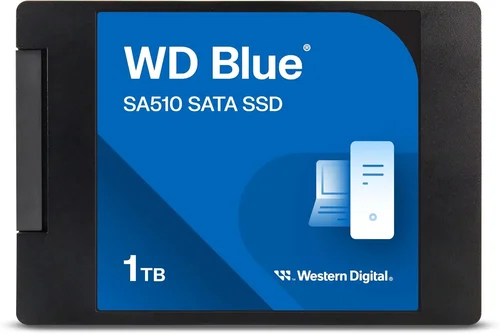
❌ Mistake: Ignoring Interface Compatibility
Why it’s bad: Buying an NVMe SSD for a laptop that only supports SATA will result in a useless drive. Many users assume all M.2 slots accept NVMe, but some older systems only support SATA M.2 or 2.5-inch drives.
What to do instead: Check your device’s manual or use tools like CPU-Z or HWiNFO to confirm supported interfaces. When in doubt, opt for a 2.5-inch SATA SSD—it works in almost every system.
❌ Mistake: Prioritizing Capacity Over Endurance
Why it’s bad: A 4TB QLC SSD may seem like a great deal, but if you write large amounts of data daily (e.g., video rendering), it could fail within a year due to low TBW.
What to do instead: Match capacity to your workload. For heavy writers, choose TLC drives with high TBW ratings. For archival storage, consider a secondary HDD instead.
❌ Mistake: Falling for “Gen5 at Gen3 Prices” Scams
Why it’s bad: Some sellers advertise PCIe Gen5 speeds on drives that are actually Gen3 or use fake controllers. These often fail under load or deliver inconsistent performance.
What to do instead: Stick to verified brands and check independent reviews. If a deal seems too good, it probably is.
❌ Mistake: Overlooking Thermal Management
Why it’s bad: High-performance NVMe drives generate significant heat. Without proper cooling, they throttle, reducing speeds by 50% or more—especially in India’s hot climate.
What to do instead: Use motherboard heatsinks or aftermarket M.2 coolers. Avoid placing NVMe drives near GPU exhaust vents.
❌ Mistake: Buying Without Checking Warranty Terms
Why it’s bad: Some warranties are void if the drive is used in certain environments (e.g., industrial settings) or if firmware is modified.
What to do instead: Read the fine print. Ensure the warranty covers personal/commercial use and is valid in India.
❌ Mistake: Neglecting Firmware Updates
Why it’s bad: Outdated firmware can cause bugs, security vulnerabilities, or performance issues.
What to do instead: Download the manufacturer’s utility software and enable automatic update notifications.
❌ Mistake: Assuming All NVMe Drives Are Equal
Why it’s bad: A budget NVMe drive with HMB (Host Memory Buffer) instead of DRAM may perform worse than a SATA SSD under sustained loads.
What to do instead: Always check if the drive has a dedicated DRAM cache—especially for productivity or gaming use.
Budget Guidelines: How Much Should You Spend?
– Entry-Level (₹1,500 – ₹4,000): Ideal for basic upgrades or secondary storage. Look for 240GB–500GB SATA SSDs from Kingston, Crucial, or WD Green. Expect speeds around 500 MB/s and 3-year warranties. Perfect for students or office PCs.
– Mid-Range (₹4,000 – ₹10,000): The sweet spot for most Indian buyers. 1TB NVMe Gen3 drives (like Samsung 980, Crucial P3) offer excellent performance, DRAM cache, and 5-year warranties. Great for gaming, programming, and multimedia.
– Premium (₹10,000 – ₹20,000): For enthusiasts and professionals. 1TB–2TB NVMe Gen4 drives (Samsung 990 Pro, WD Black SN850X) deliver 7,000 MB/s speeds, robust cooling, and high endurance. Ideal for 4K editing, VR, and competitive gaming.
– Luxury (₹20,000+): Cutting-edge Gen5 SSDs (like Corsair MP700) with 10,000+ MB/s speeds and enterprise-grade features. Only justified for workstations, servers, or extreme overclocking setups.

Expert Tips for Getting the Best Deal
– Buy during major sales: Diwali, Republic Day, and Independence Day sales offer the deepest discounts on SSDs in India. Subscribe to price-drop alerts on Keepa or PriceHistory.
– Compare across platforms: Prices vary between Amazon, Flipkart, MDComputers, and Vedant Computers. Use tools like MySmartPrice to find the lowest verified price.
– Check for bundled deals: Some retailers include free installation, data migration software, or extended warranties during promotions.
– Verify seller authenticity: Only buy from “Ships from Amazon” or “Sold by [Brand] Official Store” listings to avoid counterfeit products.
– Test before finalizing: If buying in-store, ask to see benchmark results (CrystalDiskMark) on a demo unit.
– Consider refurbished units: Certified refurbished SSDs from Samsung or Crucial often come with full warranties at 20–30% lower prices.
– Don’t rush capacity upgrades: 1TB is sufficient for most users. You can always add a second drive later.
– Read return policies: Ensure the retailer allows returns if the drive is incompatible or defective.

Frequently Asked Questions
Q: Can I use an NVMe SSD in a SATA-only slot?
A: No. NVMe and SATA use different protocols and connectors. An NVMe drive will not fit or function in a SATA M.2 or 2.5-inch slot. Always verify compatibility before purchasing.
Q: Is a DRAM-less SSD bad?
A: Not necessarily. For light tasks like web browsing or document editing, DRAM-less SSDs (using HMB) are adequate and cost-effective. However, avoid them for gaming, video editing, or databases where consistent performance matters.
Q: How long do SSDs last in India’s heat?
A: Modern SSDs are rated for 0°C to 70°C operation. In air-conditioned environments, they’ll last 5–10 years. In hot, poorly ventilated cases, thermal throttling may reduce lifespan—use heatsinks and ensure good airflow.
Q: Should I enable TRIM on my SSD?
A: Yes. TRIM helps maintain performance by clearing unused data blocks. It’s enabled by default in Windows 10/11 and most Linux distributions.
Q: Can I recover data from a failed SSD?
A: Data recovery from SSDs is harder than from HDDs due to wear-leveling and encryption. Professional services exist but are expensive. Always maintain backups.
Q: Are external SSDs slower than internal ones?
A: It depends on the interface. USB 3.2 Gen 2×2 external SSDs can reach 2,000 MB/s—faster than SATA internals. But they’re still slower than direct NVMe connections.
Q: Do I need a heatsink for my NVMe SSD?
A: Recommended for Gen4/Gen5 drives under heavy load. Many motherboards include M.2 heatsinks—use them. For compact builds, low-profile coolers are available.
Q: Can I clone my old HDD to a new SSD?
A: Yes. Use tools like Macrium Reflect Free, Acronis True Image, or Samsung Data Migration. Ensure the SSD capacity is equal to or larger than the used space on your HDD.
Q: Are SSD prices expected to drop in 2026?
A: NAND flash prices fluctuate based on supply and demand. While gradual declines are likely, major drops usually coincide with new tech transitions (e.g., Gen5 adoption). Buy when you need it—don’t wait indefinitely.
Q: Which is better: Samsung or Crucial?
A: Samsung leads in performance and software (Magician), while Crucial offers better value and reliability. Both are top-tier—choose based on budget and specific model reviews.
Our Final Recommendations
– Best for Budget-Conscious Buyers: Crucial BX500 480GB SATA SSD – Reliable, affordable, and widely compatible. Great for upgrading old systems without breaking the bank.
– Best Overall Value: Samsung 980 1TB NVMe Gen3 – Blazing fast, DRAM-equipped, and backed by Samsung’s 5-year warranty. Perfect balance of speed, endurance, and price.
– Best Premium Option: WD Black SN850X 1TB NVMe Gen4 – Optimized for gaming and content creation with exceptional sustained performance and robust thermal design.
– Best for Beginners: Kingston NV2 1TB NVMe Gen3 – Simple installation, solid performance, and Kingston’s trusted support. Ideal for first-time upgraders.
– Best for Advanced Users: Samsung 990 Pro 2TB NVMe Gen4 – Flagship performance, 1,200 TBW endurance, and cutting-edge firmware. Built for professionals who demand the best.
Conclusion: Making the Right Choice
Choosing the right SSD in India isn’t just about picking the fastest or cheapest drive—it’s about aligning your purchase with your actual usage, system capabilities, and long-term goals. We’ve covered everything from interface compatibility and endurance ratings to seasonal sales strategies and brand reliability. Remember: a well-chosen SSD doesn’t just speed up your computer; it transforms your entire digital experience—making workflows smoother, games load faster, and multitasking effortless.
Don’t let marketing hype or flashy specs cloud your judgment. Instead, prioritize your needs: Are you a casual user seeking a responsive system? A creator handling large media files? Or a gamer chasing every frame? Let that guide your decision. And always buy from trusted sources to protect your investment.
Now that you’re armed with expert knowledge, it’s time to make your move. Whether you’re upgrading an aging laptop or building a dream PC, the perfect SSD is out there—waiting to unlock your system’s true potential. Happy upgrading!