
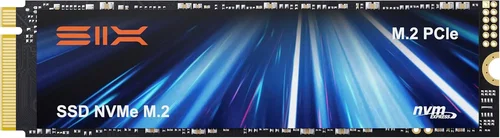
The world of gaming has evolved dramatically over the past decade, and one of the most transformative upgrades you can make to your gaming rig is switching from a traditional hard disk drive (HDD) to a solid-state drive (SSD). Gone are the days of waiting minutes for games to load or experiencing stuttering textures during gameplay—SSDs have revolutionized how we experience digital entertainment. Whether you’re diving into sprawling open-world RPGs like Elden Ring, fast-paced shooters like Call of Duty: Modern Warfare, or competitive esports titles like Valorant, the right SSD can dramatically improve your load times, system responsiveness, and overall immersion. But with so many options on the market—SATA, NVMe, M.2, PCIe 4.0, PCIe 5.0, DRAM cache, TLC vs QLC—it’s easy to feel overwhelmed. That’s why this comprehensive SSD selection guide for 2026 is here: to cut through the noise and help you make an informed, confident decision.
In this guide, you’ll learn everything you need to know about choosing the best SSD for gaming in today’s landscape. We’ll break down the key factors that matter most—from performance benchmarks and form factors to endurance ratings and price-to-performance ratios. You’ll discover the differences between various SSD types, understand what specs actually impact your gaming experience, and avoid common pitfalls that even seasoned PC builders sometimes fall into. Whether you’re building a new gaming PC from scratch, upgrading an older system, or simply looking to expand your storage, this guide will equip you with expert-level knowledge tailored specifically for gamers. By the end, you’ll not only know which SSD fits your budget and needs but also why it’s the right choice for your setup.
The SSD market in 2026 is more dynamic than ever. Prices have continued to drop thanks to advancements in NAND flash technology and increased manufacturing efficiency, making high-speed storage accessible to a broader audience. At the same time, new standards like PCIe 5.0 and emerging technologies such as 3D NAND with 232+ layers are pushing performance boundaries further. Meanwhile, game developers are designing titles that demand faster data streaming—think massive textures, real-time asset loading, and seamless world transitions—all of which benefit immensely from SSD performance. With options ranging from budget-friendly SATA drives under $50 to premium NVMe Gen5 drives costing over $300, there’s never been a better time to invest in SSD storage. But not all SSDs are created equal when it comes to gaming, and understanding the nuances is crucial to getting the best value and performance out of your investment.

What to Look for When Buying Buying Guide
1. Interface & Form Factor
The interface and physical form factor of an SSD determine how it connects to your motherboard and what kind of performance it can deliver. For gaming, the two most relevant interfaces are SATA III and NVMe (Non-Volatile Memory Express), with NVMe being the clear winner in terms of speed. SATA III SSDs max out at around 550 MB/s due to bandwidth limitations of the SATA interface, which was originally designed for HDDs. While still a massive upgrade over mechanical drives, SATA SSDs are increasingly seen as entry-level options in 2026.
NVMe SSDs, on the other hand, connect directly to the PCIe (Peripheral Component Interconnect Express) lanes on your motherboard, bypassing the SATA bottleneck entirely. This allows them to achieve much higher speeds—up to 7,000 MB/s for PCIe 4.0 drives and over 12,000 MB/s for PCIe 5.0 models. Most modern gaming motherboards support M.2 NVMe slots, which are small, key-shaped connectors that allow for compact, cable-free installation. The M.2 form factor comes in different lengths (commonly 2280, meaning 22mm wide and 80mm long), but compatibility is rarely an issue unless you’re working with a very small form factor PC.
When choosing between SATA and NVMe, consider your motherboard’s capabilities. If you have an M.2 slot available, always opt for NVMe—even a mid-tier NVMe drive will outperform a top-tier SATA SSD in gaming scenarios. However, if you’re upgrading an older system without M.2 support, a SATA SSD is still a worthwhile improvement over an HDD.
2. Sequential Read/Write Speeds
Sequential read and write speeds measure how quickly an SSD can transfer large blocks of data—think loading a full game level or installing a multi-gigabyte patch. These metrics are often highlighted in marketing materials and are important, but they don’t tell the whole story. For gaming, sequential read speed is far more critical than write speed, since games primarily read data from storage rather than writing to it.
In 2026, a good NVMe SSD for gaming should offer at least 3,500 MB/s sequential read speeds. PCIe 4.0 drives typically range from 5,000 to 7,000 MB/s, while PCIe 5.0 drives can exceed 10,000 MB/s. But here’s the catch: beyond a certain point, faster sequential speeds don’t translate into noticeably better gaming performance. Most games are optimized to take advantage of speeds up to around 5,000–6,000 MB/s. Going beyond that yields diminishing returns unless you’re also doing content creation, video editing, or large file transfers.
That said, higher speeds can improve system boot times, game installation speeds, and level loading in certain titles—especially those with massive open worlds or high-resolution texture packs. For example, Starfield or Cyberpunk 2077 with ray tracing enabled benefit more from faster storage than simpler indie games. So while you don’t need the absolute fastest drive on the market, aiming for at least a mid-range PCIe 4.0 SSD ensures you’re future-proofing your system for upcoming game releases.
3. Random Read/Write Performance (IOPS)
While sequential speeds get all the attention, random read/write performance—measured in IOPS (Input/Output Operations Per Second)—is arguably more important for gaming. IOPS reflect how well an SSD handles small, scattered data requests, which is exactly what happens when a game loads textures, assets, scripts, and audio files on the fly during gameplay.
High IOPS reduce stuttering, pop-in textures, and lag when moving quickly through environments. For instance, in Red Dead Redemption 2, riding across the map at high speed demands constant streaming of terrain and object data. An SSD with strong random read performance (especially 4K Q1T1, which measures single-threaded small file reads) will keep up with these demands seamlessly.
Look for drives that offer at least 500,000 IOPS for random reads. Premium NVMe SSDs can exceed 1 million IOPS, which is excellent for both gaming and multitasking. DRAM cache plays a big role here—SSDs with dedicated DRAM buffers maintain consistent IOPS under load, while DRAM-less models may slow down during sustained operations.
4. NAND Flash Type (TLC vs QLC)
The type of NAND flash memory used in an SSD affects its speed, endurance, and cost. In 2026, the two dominant types are TLC (Triple-Level Cell) and QLC (Quad-Level Cell). TLC stores three bits of data per memory cell and offers a great balance of performance, durability, and price. It’s the gold standard for gaming SSDs because it provides fast write speeds and high endurance (measured in TBW—Terabytes Written).
QLC, which stores four bits per cell, is cheaper to produce and allows for higher capacities at lower prices. However, it comes with trade-offs: slower write speeds, especially when the drive’s SLC (Single-Level Cell) cache is exhausted, and lower endurance. While QLC drives are fine for storing games you don’t play frequently, they’re less ideal as your primary boot or active gaming drive.
For gaming, always prioritize TLC NAND. If you’re on a tight budget and considering a QLC drive, make sure it has a robust SLC cache (at least 10–20% of total capacity) and avoid using it for OS or frequently played titles. Some manufacturers now offer hybrid designs or advanced controllers that mitigate QLC weaknesses, but TLC remains the safer, more reliable choice.
5. DRAM Cache
DRAM cache is a small amount of high-speed memory built into the SSD that acts as a buffer for mapping tables and frequently accessed data. SSDs with DRAM cache perform significantly better under load, maintain consistent speeds during large file transfers, and have longer lifespans due to reduced wear on the NAND flash.
For gaming, a DRAM-equipped SSD ensures smoother performance, especially in games that constantly stream data. DRAM-less SSDs rely on system memory (HMB—Host Memory Buffer) to manage data, which can work well in theory but often leads to performance drops during multitasking or when the system RAM is under pressure.
In 2026, nearly all mid-range and premium NVMe SSDs include DRAM cache. Only the very cheapest budget models omit it. If you’re choosing between two similarly priced drives, always go for the one with DRAM. The performance and longevity benefits far outweigh the minimal cost difference.
6. Endurance & TBW Rating
Endurance refers to how much data you can write to an SSD over its lifetime, measured in Terabytes Written (TBW). This is crucial for gamers who frequently install, uninstall, and update large games—each of which involves significant write operations. A higher TBW rating means the drive is built to last longer under heavy use.
For example, a 1TB TLC SSD might have a TBW rating of 600–700 TB, while a QLC version of the same capacity might only be rated for 300–400 TB. Over time, heavy write workloads can wear out NAND cells, leading to reduced performance or failure.
Look for drives with at least 600 TBW for a 1TB model if you’re a frequent gamer. Most reputable brands provide clear TBW ratings in their specifications. Also, check the warranty—many SSDs come with 5-year warranties that are voided if you exceed the TBW limit, so it’s a good indicator of expected lifespan.
7. Brand Reputation & Reliability
Not all SSDs are created equal, even if they share the same specs. Brand reputation matters because it reflects real-world reliability, firmware quality, and customer support. In 2026, top-tier brands like Samsung, Western Digital, Crucial, Kingston, and Sabrent have established track records for producing consistent, high-quality SSDs.
Samsung’s 990 Pro, for instance, is renowned for its excellent performance and reliability, while Western Digital’s Black SN850X is a favorite among gamers for its balance of speed and endurance. Lesser-known or off-brand drives may offer tempting prices, but they often use lower-grade components, lack robust firmware, or have poor thermal management.
Stick with established brands, especially for your primary gaming drive. Reading professional reviews and user feedback on forums like Reddit’s r/buildapc or Tom’s Hardware can also help identify models with hidden issues like overheating, inconsistent speeds, or early failure rates.
8. Thermal Management & Heatsinks
High-speed NVMe SSDs, particularly PCIe 4.0 and 5.0 models, generate significant heat during sustained workloads. Without proper cooling, they can throttle—slowing down to prevent overheating—which negates their performance advantages. This is especially true in compact builds or cases with poor airflow.
Many premium SSDs now come with built-in heatsinks or are designed to be used with motherboard-supplied M.2 heatsinks. If your motherboard includes a heatsink, make sure the SSD you choose is compatible in height. Some drives are too tall and won’t fit under the heatsink, while others are too short and may not make proper contact.
For PCIe 5.0 drives, active cooling or high-quality passive heatsinks are almost essential. Consider your case’s airflow and whether you’re overclocking your system—if so, thermal management becomes even more critical.
Different Types of Buying Guide
Common Buying Mistakes to Avoid
❌ Mistake: Prioritizing Sequential Speed Over Real-World Performance
Why it’s bad: Many buyers get caught up in marketing numbers like “7,000 MB/s read speed” without realizing that most games don’t benefit from speeds beyond 5,000–6,000 MB/s. Focusing solely on sequential benchmarks can lead to overspending on PCIe 5.0 drives when a PCIe 4.0 model would deliver nearly identical gaming performance.
What to do instead: Look at real-world gaming benchmarks from trusted sources like GamersNexus or TechPowerUp. Prioritize drives with strong 4K random read performance and low latency, as these have a bigger impact on gameplay smoothness.
❌ Mistake: Choosing a DRAM-Less SSD for Primary Use
Why it’s bad: DRAM-less SSDs may save a few dollars upfront, but they often suffer from performance degradation under load, slower write speeds, and reduced lifespan. This can lead to stuttering in games or longer load times over time.
What to do instead: Always choose an SSD with a dedicated DRAM cache for your main gaming drive. The performance and reliability benefits far outweigh the small cost difference.
❌ Mistake: Ignoring Thermal Throttling
Why it’s bad: High-speed NVMe drives can overheat during extended gaming sessions, especially in small cases or poorly ventilated systems. When this happens, the drive throttles its speed to cool down, negating its performance advantages.
What to do instead: Check if your motherboard has an M.2 heatsink, and ensure your SSD is compatible. Consider models with built-in heatsinks or invest in an aftermarket cooler if you’re using a PCIe 5.0 drive.
❌ Mistake: Buying Based Solely on Price
Why it’s bad: The cheapest SSDs often use QLC NAND, lack DRAM, or come from unreliable brands. While they may work for basic storage, they’re not ideal for gaming and may fail prematurely.
What to do instead: Aim for the best value within your budget—look for TLC NAND, DRAM cache, and reputable brands. A slightly more expensive drive often lasts longer and performs better.
❌ Mistake: Overlooking Compatibility
Why it’s bad: Not all M.2 slots support NVMe, and some older motherboards only accept SATA M.2 drives. Installing an incompatible SSD can result in it not being detected.
What to do instead: Check your motherboard manual to confirm M.2 slot type (NVMe vs SATA) and keying (B-key, M-key, or B+M). Also verify physical space, especially if using a heatsink.
❌ Mistake: Neglecting Firmware Updates
Why it’s bad: Outdated firmware can cause bugs, performance issues, or even data corruption. Some SSDs have had well-documented firmware problems that were later fixed via updates.
What to do instead: Register your SSD with the manufacturer and check for firmware updates periodically. Use official tools like Samsung Magician or WD Dashboard to keep your drive optimized.
❌ Mistake: Using a QLC Drive as Your Boot Drive
Why it’s bad: QLC SSDs have slower write speeds and lower endurance, making them poorly suited for hosting your operating system and frequently used applications. This can lead to sluggish boot times and system responsiveness.
What to do instead: Reserve QLC drives for bulk storage of less frequently played games or media files. Use a TLC-based SSD for your OS and primary games.
Budget Guidelines: How Much Should You Spend?
Entry-Level ($30 – $60 for 1TB): This tier includes SATA SSDs and budget NVMe PCIe 3.0 drives. Expect speeds around 500 MB/s for SATA and up to 3,500 MB/s for NVMe. These are ideal for upgrading older systems or adding secondary storage. Brands like Kingston NV2 or Crucial P3 offer solid value here.
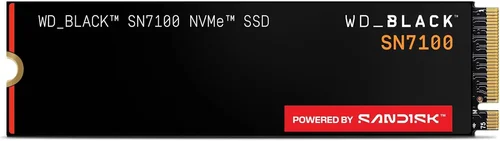
Mid-Range ($60 – $120 for 1TB): This is the sweet spot for most gamers. PCIe 4.0 NVMe drives like the WD Black SN770, Samsung 980 Pro, or Crucial P5 Plus deliver excellent performance with speeds up to 5,000–6,000 MB/s. They include DRAM cache, TLC NAND, and strong endurance ratings—perfect for modern gaming.
Premium ($120 – $200 for 1TB): Designed for enthusiasts and high-end builds, these drives push PCIe 4.0 to its limits or offer early PCIe 5.0 support. Models like the Samsung 990 Pro or Sabrent Rocket 4 Plus provide top-tier speeds, advanced thermal management, and premium components. Ideal for those who want maximum performance and future-proofing.
Luxury ($200+ for 1TB): These are cutting-edge PCIe 5.0 drives with speeds exceeding 10,000 MB/s, often featuring heatsinks and enterprise-grade NAND. While overkill for most gamers, they’re worth considering if you also do video editing, 3D rendering, or want the absolute best performance available.
Expert Tips for Getting the Best Deal
1. Time Your Purchase Around Sales Events: Major sales like Black Friday, Cyber Monday, Amazon Prime Day, and New Year’s promotions often feature significant SSD discounts. Retailers like Newegg, Amazon, and Best Buy frequently offer bundle deals or price drops on high-demand models.
2. Compare Prices Across Multiple Retailers: Use price-tracking tools like CamelCamelCamel (for Amazon) or Honey to monitor historical pricing and get alerts when your desired SSD drops in price. Sometimes, smaller retailers or direct-from-manufacturer stores offer better deals than big-box stores.
3. Consider Refurbished or Open-Box Options: Reputable sellers like Amazon Renewed or Newegg Refurbished often sell certified pre-owned SSDs at 20–30% off retail. These come with warranties and are thoroughly tested, making them a safe way to save money.
4. Check Manufacturer Rebates and Promotions: Brands like Samsung and WD occasionally run rebate programs or offer free software (like cloning tools) with purchase. Sign up for newsletters to stay informed.
5. Read Return Policies Carefully: Ensure the retailer offers at least a 30-day return window. Some SSDs may have compatibility issues or fail early, so you’ll want the option to swap or return without hassle.
6. Test Performance After Installation: Use tools like CrystalDiskMark or AS SSD Benchmark to verify your SSD is performing as advertised. This helps catch defective units early and ensures you’re getting the speeds you paid for.
7. Prioritize Warranty Length: A 5-year warranty is standard for quality SSDs. Avoid drives with shorter coverage, as it may indicate lower confidence in longevity.
8. Don’t Forget About Cloning Software: Many manufacturers include free disk cloning tools (e.g., Acronis for WD, Samsung Data Migration). These make it easy to transfer your OS and games from an old drive without reinstalling everything.

Frequently Asked Questions
Q: Do I really need an NVMe SSD for gaming?
A: While not strictly necessary, NVMe SSDs offer significantly faster load times and smoother gameplay compared to SATA SSDs. For modern gaming, especially with large open-world titles, NVMe is highly recommended. SATA is acceptable for older systems or budget builds, but NVMe is the better long-term investment.
Q: Can I use an external SSD for gaming?
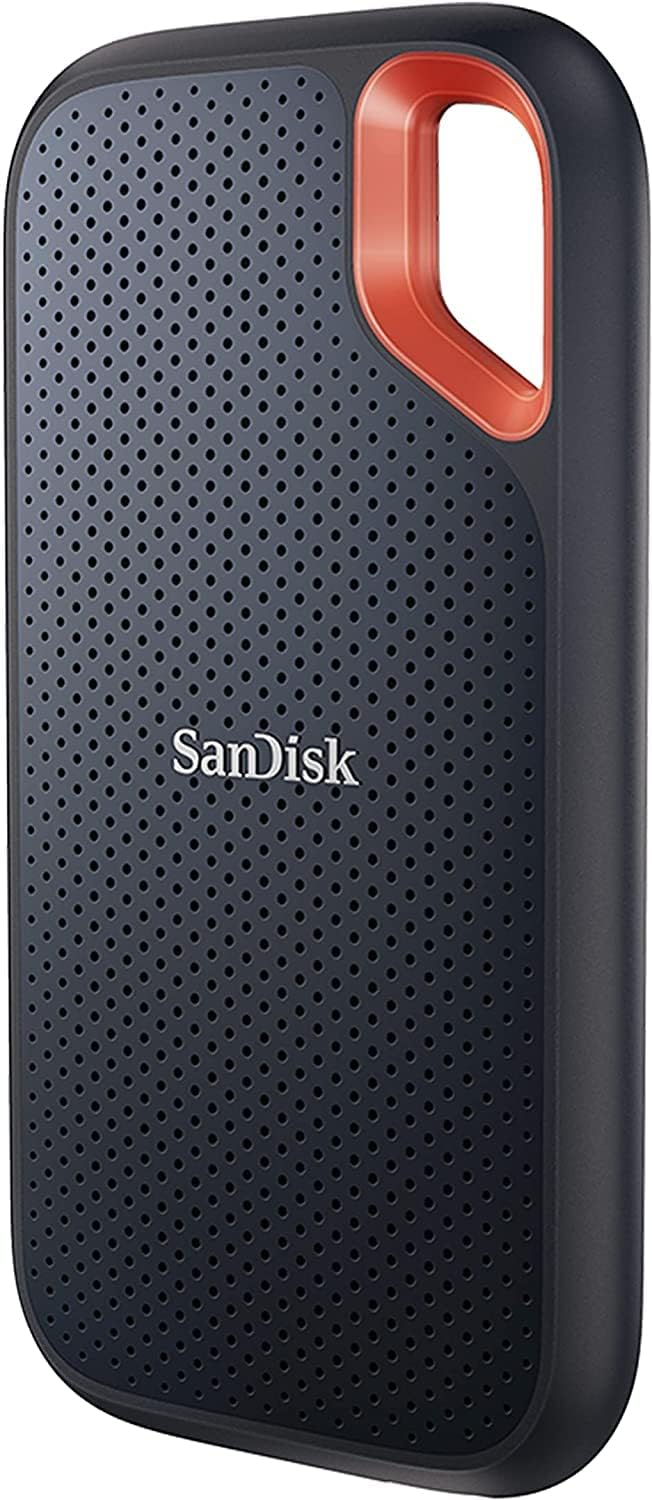
A: Yes, but with caveats. External SSDs connected via USB 3.2 Gen 2 (10 Gbps) or Thunderbolt can work well for gaming, especially on consoles like PS5 or Xbox Series X, which support external storage. However, performance may be slightly lower than internal NVMe drives due to interface limitations. Avoid USB 2.0 or slow enclosures.
Q: Will a faster SSD improve FPS in games?
A: No. SSDs do not directly increase frames per second (FPS), which are determined by your GPU and CPU. However, they reduce load times, eliminate texture pop-in, and prevent stuttering caused by slow asset streaming—leading to a smoother overall experience.
Q: How much storage do I need for gaming?
A: A 1TB SSD is a good starting point, holding your OS, a few large games (like Call of Duty or Elden Ring), and essential apps. If you play many AAA titles, consider 2TB. Many gamers use a smaller NVMe SSD for active games and a larger SATA or HDD for archival storage.
Q: Are PCIe 5.0 SSDs worth it for gaming in 2026?
A: Not yet for most gamers. While PCIe 5.0 drives are incredibly fast, current games don’t fully utilize their bandwidth. The benefits are more apparent in content creation or future-proofing. A high-quality PCIe 4.0 drive offers nearly identical gaming performance at a lower cost.
Q: Can I install games on multiple SSDs?
A: Absolutely. Windows and most game launchers (Steam, Epic, etc.) allow you to install games on different drives. This lets you keep your most-played titles on a fast NVMe SSD and archive older games on a slower or larger drive.
Q: How do I know if my motherboard supports NVMe?
A: Check your motherboard manual or manufacturer’s website. Look for M.2 slots labeled “NVMe” or “PCIe.” Most motherboards from 2017 onward support NVMe, but older models may only support SATA M.2 drives.
Q: What’s the difference between M.2 SATA and M.2 NVMe?
A: Both use the M.2 form factor, but M.2 SATA drives are limited to SATA III speeds (~550 MB/s), while M.2 NVMe drives use PCIe lanes for much higher performance. They are not interchangeable—check your motherboard’s M.2 slot type before buying.
Q: Do SSDs slow down over time?
A: SSDs can slow down as they fill up, especially DRAM-less or QLC models. However, modern SSDs use wear leveling and garbage collection to maintain performance. Keeping at least 10–15% of the drive free helps preserve speed.
Q: Is it safe to defragment an SSD?
A: No. Defragmentation is unnecessary for SSDs and can reduce their lifespan by increasing write cycles. Windows automatically disables defrag for SSDs and uses TRIM instead to maintain performance.
Our Final Recommendations
Best for Budget-Conscious Buyers: Kingston NV2 1TB (PCIe 3.0 NVMe) – At under $50, this drive offers solid performance for the price, with 3,500 MB/s read speeds and reliable TLC NAND. Ideal for upgrading older systems or building a budget gaming PC.
Best Overall Value: WD Black SN770 1TB (PCIe 4.0 NVMe) – A fantastic balance of speed (5,150 MB/s), price (~$80), and features. Includes DRAM cache, excellent IOPS, and strong endurance. Perfect for most gamers in 2026.
Best Premium Option: Samsung 990 Pro 1TB (PCIe 4.0 NVMe) – One of the fastest and most reliable drives on the market, with 7,450 MB/s read speeds, advanced thermal management, and a 5-year warranty. Ideal for enthusiasts who want top-tier performance.
Best for Beginners: Crucial P5 Plus 1TB (PCIe 4.0 NVMe) – Easy to install, widely compatible, and backed by Micron’s reputation for quality. Offers great performance out of the box with minimal setup required.
Best for Advanced Users: Sabrent Rocket 5 1TB (PCIe 5.0 NVMe) – For those who want cutting-edge speed and don’t mind the premium price. Delivers over 10,000 MB/s and includes a robust heatsink. Best paired with a high-end cooling solution.
Conclusion: Making the Right Choice
Choosing the right SSD for gaming in 2026 doesn’t have to be overwhelming. By focusing on key factors like interface, NAND type, DRAM cache, and real-world performance, you can find a drive that delivers smooth, fast, and reliable gaming experiences without overspending. Remember: while raw speed matters, consistency, endurance, and compatibility are equally important. Avoid common pitfalls like buying DRAM-less drives or ignoring thermal management, and always prioritize reputable brands with strong warranties.
Ultimately, the best SSD for you depends on your specific needs, budget, and system setup. Whether you’re upgrading an aging PC or building a high-end gaming rig, investing in a quality SSD is one of the most impactful improvements you can make. It’s not just about faster load times—it’s about unlocking the full potential of your games and enjoying a seamless, immersive experience from boot to gameplay.
So take the time to evaluate your options, compare models, and make an informed decision. Your future self—and your gaming library—will thank you. And when you finally hit “play” on your next big adventure, you’ll do so knowing your system is ready to deliver peak performance, every single time.