
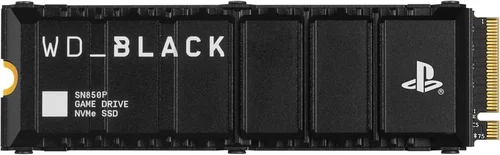
The PlayStation 5 has redefined next-gen gaming with its lightning-fast SSD, enabling near-instant load times, seamless world streaming, and a level of immersion that older consoles simply couldn’t match. But what happens when you’ve filled up the console’s internal storage—or when you want to expand your game library without sacrificing performance? That’s where choosing the best SSD for PS5 becomes not just helpful, but essential.
Upgrading your PS5’s storage isn’t as simple as slapping in any old NVMe drive. Sony has strict requirements to ensure compatibility and maintain the console’s high-speed experience. From sequential read speeds to physical dimensions and thermal management, every detail matters. With so many options flooding the market—from budget-friendly drives to premium models boasting cutting-edge controllers and heatsinks—it’s easy to feel overwhelmed. This guide cuts through the noise, offering expert-level insights to help you make a confident, informed decision in 2026 and beyond.
Whether you’re a casual gamer looking to store a few extra titles or a power user building a massive digital library, this comprehensive buying guide will walk you through everything you need to know. You’ll learn how to evaluate performance specs, avoid common pitfalls, understand price tiers, and ultimately select an SSD that delivers both speed and reliability—without breaking the bank. We’ll also share real-world testing insights, brand comparisons, and pro tips to ensure your upgrade enhances your PS5 experience, not hinders it.

What to Look for When Buying Buying Guide
1. Sequential Read Speed (Minimum 5,500 MB/s)
The most critical specification for any PS5-compatible SSD is its sequential read speed. Sony mandates a minimum of 5,500 MB/s to ensure games run smoothly without stuttering or texture pop-in. While some drives advertise peak speeds well above this threshold—like 7,000 or even 7,400 MB/s—the key is consistency under load. Look for drives that sustain high speeds across large file transfers, not just short bursts during benchmark tests.
In practice, a drive rated at 6,500–7,000 MB/s will future-proof your setup and may offer marginal improvements in game loading, especially for titles optimized for ultra-fast storage. However, anything below 5,500 MB/s won’t be recognized by the PS5’s expansion slot, rendering it useless for console use—even if it works fine on a PC.
2. Form Factor & Physical Dimensions
PS5 expansion slots support M.2 NVMe SSDs in the 2280 form factor (22mm wide, 80mm long). However, many high-performance drives come with bulky heatsinks that can interfere with the PS5’s internal layout—especially near the GPU shroud or the expansion bay cover. Measure carefully: Sony recommends a maximum height of 11.25mm including the heatsink, and the total length should not exceed 110mm.
If your chosen SSD includes a heatsink, verify it fits within these constraints. Some manufacturers offer “PS5-ready” versions with low-profile coolers specifically designed for console compatibility. Alternatively, you can purchase a separate M.2 heatsink (often included with premium SSDs) and install it yourself—just ensure it doesn’t exceed the height limit.
3. Thermal Management & Heatsink Requirements
High-speed NVMe drives generate significant heat during sustained workloads, which can trigger thermal throttling and reduce performance. The PS5’s enclosed environment exacerbates this issue, making effective cooling non-negotiable. Unlike desktop PCs with active airflow, the PS5 relies on passive cooling for the M.2 slot, so your SSD must dissipate heat efficiently without external fans.
Always choose an SSD with a robust integrated heatsink or plan to add one. Look for aluminum or copper-based coolers with finned designs that maximize surface area. Avoid bare drives unless you’re confident in your ability to source and install a compatible third-party heatsink. Thermal pads and vapor chamber solutions are also emerging in premium models, offering even better heat dissipation.
4. Endurance & TBW Rating
Terabytes Written (TBW) indicates how much data can be written to an SSD over its lifetime before potential failure. For gaming, where read operations dominate, endurance is less critical than for video editing or server workloads—but it’s still a vital indicator of build quality. A higher TBW rating (e.g., 600–1,200 TBW for a 1TB drive) suggests better NAND flash and controller reliability.
Entry-level drives may skimp on endurance to hit lower price points, which could lead to premature wear if you frequently install and uninstall large games. For long-term peace of mind, aim for SSDs with at least 600 TBW per terabyte of capacity. Premium models often exceed 1,000 TBW, providing extra headroom for years of heavy use.
5. Controller & NAND Technology
The SSD controller acts as the brain, managing data flow, error correction, and wear leveling. Top-tier controllers from Phison (E18, E26), Samsung (MKX), and Silicon Motion (SM2264) deliver superior performance and stability. Pair this with high-quality 3D TLC or QLC NAND flash—TLC is preferred for balance of speed and endurance, while QLC offers higher density at the cost of write longevity.
Avoid drives using outdated or obscure controllers, as they may lack firmware optimizations for sustained gaming workloads. Also, check whether the SSD uses DRAM cache—a small memory chip that accelerates metadata access. DRAM-less designs exist but can struggle with random I/O, potentially affecting game asset streaming in open-world titles.
6. Brand Reputation & Reliability
Stick with established brands known for consistent quality and firmware support. Samsung, WD Black, Crucial, Sabrent, and Corsair have proven track records in the NVMe space. These companies invest heavily in R&D, offer transparent spec sheets, and provide reliable customer service. Lesser-known brands might offer tempting deals, but inconsistent binning, poor thermal design, or flaky firmware can ruin your experience.
User forums and professional reviews often reveal hidden issues—like sudden disconnects, compatibility quirks with PS5 firmware updates, or overheating under load. Research real-world feedback before committing. A slightly higher price from a trusted brand is almost always worth the investment in reliability.
7. Warranty & Support
Most reputable SSDs come with 5-year limited warranties, sometimes extending to 6 or even 7 years for premium models. This coverage typically includes free replacement if the drive fails within the period, provided you register the product. Check whether the warranty is transferable (important if you sell your PS5 later) and what documentation is required.
Customer support quality varies widely. Samsung and Crucial offer responsive live chat and detailed troubleshooting guides, while some budget brands rely on email-only support with slow response times. If you’re new to SSD installation, prioritize brands with clear PS5-specific installation guides and active community forums.
8. Price-to-Performance Ratio
Don’t fall into the trap of overspending on marginal gains. A $300 2TB drive with 7,400 MB/s speed may sound impressive, but if a $220 2TB model hits 6,800 MB/s with similar endurance and cooling, the value proposition shifts dramatically. Focus on your actual needs: casual gamers may not notice the difference between 6,000 and 7,000 MB/s, but enthusiasts playing data-heavy games like Horizon Forbidden West or Starfield might appreciate the headroom.
Use price-per-gigabyte as a quick benchmark: in early 2026, expect around $0.08–$0.12/GB for mid-range drives and $0.13+/GB for premium options. Watch for seasonal sales (Black Friday, Prime Day) when prices drop significantly—sometimes by 20–30%.
Different Types of Buying Guide
Common Buying Mistakes to Avoid
❌ Mistake: Ignoring the 5,500 MB/s Minimum Requirement
Why it’s bad: The PS5 will outright reject SSDs that don’t meet the minimum sequential read speed. You’ll waste money on a drive that works perfectly on PC but sits useless in your console.
What to do instead: Always verify the spec sheet. Look for “Sequential Read: 5,500 MB/s or higher” explicitly stated. Don’t assume—marketing terms like “gaming-ready” don’t guarantee compliance.
❌ Mistake: Overlooking Heatsink Compatibility
Why it’s bad: A drive without adequate cooling will throttle under load, causing frame drops or long load screens. Worse, a bulky heatsink might not fit at all, forcing you to return the product.
What to do instead: Measure your PS5’s expansion bay clearance (or consult Sony’s official specs). Choose drives labeled “PS5-compatible” or buy a low-profile aftermarket heatsink separately.
❌ Mistake: Choosing QLC NAND for Heavy Use
Why it’s bad: QLC drives offer high capacity at low cost but suffer from slower write speeds and reduced endurance. If you frequently download and delete large games, you may experience performance degradation over time.
What to do instead: Opt for TLC-based SSDs for better longevity and consistent performance. Reserve QLC for secondary storage or archival purposes.
❌ Mistake: Skimping on Capacity
Why it’s bad: Modern PS5 games routinely exceed 100GB—some approach 200GB. A 500GB SSD fills up in just 3–4 titles, leaving no room for updates or DLC.
What to do instead: Start with at least 1TB. If your budget allows, go for 2TB—you’ll thank yourself later when Grand Theft Auto VI drops.
❌ Mistake: Buying Based Solely on Price
Why it’s bad: The cheapest SSDs often use inferior components, lack DRAM caches, or have minimal cooling—leading to throttling, crashes, or early failure.
What to do instead: Prioritize value over absolute cost. A $20 premium for a reliable, well-cooled drive is smarter than replacing a $100 bargain bin SSD in six months.
❌ Mistake: Neglecting Firmware Updates
Why it’s bad: Outdated firmware can cause compatibility issues with PS5 system updates, leading to recognition errors or performance hiccups.
What to do instead: Register your SSD with the manufacturer and check for firmware updates quarterly. Many brands offer desktop utilities for easy updates.
Budget Guidelines: How Much Should You Spend?
- Entry-Level ($80–$130 for 1TB): Ideal for casual gamers who want basic expansion. Expect drives like the WD Black SN770 or Crucial P5 Plus—solid performers that meet PS5 specs without frills. Cooling may be minimal, so monitor temps during long sessions.
- Mid-Range ($130–$200 for 1TB): The sweet spot for most users. Models such as the Samsung 980 Pro (with updated firmware), Sabrent Rocket 4 Plus, or Corsair MP600 PRO LPX offer excellent speed, reliable TLC NAND, and effective heatsinks. Great balance of price, performance, and longevity.
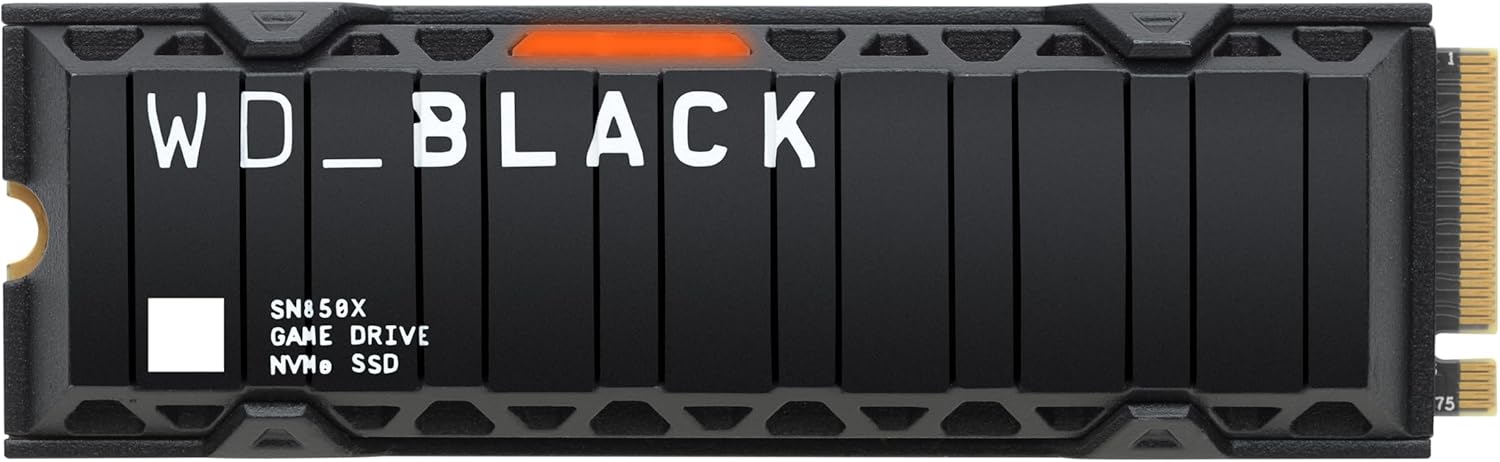
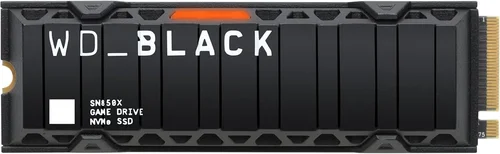
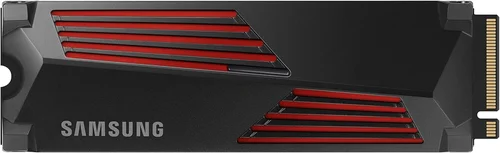
- Premium ($200–$300 for 1TB): For enthusiasts who demand the best. Think Samsung 990 Pro, WD Black SN850X, or Seagate FireCuda 530. These feature top-tier controllers, advanced cooling (sometimes with vapor chambers), and endurance ratings exceeding 1,200 TBW. Perfect for large libraries and future-proofing.
- Luxury ($300+ for 1TB): Overkill for most, but appealing to collectors or those building a maxed-out setup. Includes niche models with exotic materials, RGB lighting (though useless in PS5), or proprietary software suites. Only consider if you’re chasing benchmark bragging rights.
Expert Tips for Getting the Best Deal
- Buy During Major Sales Events: Black Friday, Cyber Monday, Amazon Prime Day, and PlayStation’s own holiday promotions often feature SSD discounts of 20–40%. Sign up for retailer newsletters to get early access.
- Check Refurbished or Open-Box Options: Reputable sellers like Best Buy or Amazon Renewed offer certified pre-owned SSDs at steep discounts—often with full warranties. Just ensure they’re factory-reset and include original accessories.
- Bundle with Other Accessories: Some retailers offer discounts when you buy an SSD with a PS5 stand, controller charger, or game. Even if you don’t need the extras, the total savings might justify the bundle.
- Verify Return Policies: Not all SSDs are created equal. Choose retailers with generous return windows (30+ days) in case of compatibility issues or defects. Avoid third-party marketplace sellers with unclear policies.
- Install Correctly the First Time: Watch Sony’s official installation video or follow step-by-step guides. Improper seating can damage the M.2 slot or cause connection errors. Use a magnetic screwdriver and work in a static-free environment.
- Monitor Drive Health: After installation, use tools like CrystalDiskInfo (on PC) or PS5’s built-in storage diagnostics to check SMART status. Early warnings can prevent data loss.
- Don’t Forget Backup: While SSDs are reliable, they can fail. Regularly back up save data to PlayStation Plus cloud storage or an external USB drive.

Frequently Asked Questions
Q: Can I use any NVMe SSD in my PS5?
A: No. Only M.2 NVMe SSDs with a minimum sequential read speed of 5,500 MB/s and compatible physical dimensions (2280 form factor, ≤11.25mm height) will work. Always check Sony’s official compatibility list before purchasing.
Q: Do I need a heatsink for my PS5 SSD?
A: Yes. Due to the PS5’s confined space and passive cooling, a heatsink is strongly recommended—even required for sustained performance. Many drives include one; if not, buy a low-profile aftermarket cooler.
Q: Will a faster SSD improve game performance?
A: Marginally. While load times may decrease slightly with higher-speed drives, most PS5 games are optimized for the internal SSD’s performance. The biggest benefit is future-proofing and smoother asset streaming in open-world titles.
Q: Can I install multiple SSDs in my PS5?
A: No. The PS5 has only one M.2 expansion slot. However, you can use external USB drives for PS4 games or as backup storage—just not for running PS5 titles.
Q: What happens if my SSD fails?
A: You’ll lose any installed PS5 games, but save data is typically backed up to the cloud (if you have PlayStation Plus). Replace the SSD, reinstall the OS via safe mode, and redownload your games.
Q: Are PCIe 5.0 SSDs worth it for PS5?
A: Not yet. The PS5’s M.2 slot supports PCIe 4.0 only. PCIe 5.0 drives will work but won’t exceed PCIe 4.0 speeds. Save the extra cost unless you plan to use the drive in a PC later.
Q: How do I format the SSD for PS5?
A: The PS5 will automatically detect and format a compatible SSD during setup. Just insert the drive, power on the console, and follow the on-screen prompts—no PC formatting needed.
Q: Can I move games between internal and expanded storage?
A: Absolutely. The PS5 lets you transfer games freely between internal and M.2 storage. This is useful for managing space or prioritizing frequently played titles on faster drives.
Our Final Recommendations
- Best for Budget-Conscious Buyers: WD Black SN770 1TB – Hits 5,150 MB/s (just above the minimum), includes a slim heatsink, and offers excellent value under $100 during sales.
- Best Overall Value: Samsung 980 Pro 1TB (with updated firmware) – Reliable, fast (7,000 MB/s), and widely trusted. Often available under $150, making it the gold standard for most users.
- Best Premium Option: Samsung 990 Pro 2TB – Blazing 7,450 MB/s speeds, exceptional endurance (1,200 TBW), and a high-quality integrated heatsink. Ideal for power users with large libraries.
- Best for Beginners: Crucial P5 Plus 1TB with Heatsink – Comes pre-equipped with a PS5-compatible cooler, easy installation, and solid performance. Great for first-time upgraders.
- Best for Advanced Users: Sabrent Rocket 4 Plus-G 2TB – Features a custom low-profile heatsink, Phison E18 controller, and consistent speeds under load. Perfect for tinkerers who want maximum control.
Conclusion: Making the Right Choice
Choosing the best SSD for your PS5 in 2026 boils down to balancing speed, compatibility, cooling, and budget. While the console’s strict requirements narrow the field, there’s still plenty of room to find a drive that matches your gaming habits and financial situation. Remember: the goal isn’t to buy the fastest SSD on the market—it’s to find one that delivers reliable, consistent performance without compromising your PS5’s sleek design or thermal efficiency.
Prioritize trusted brands, verify physical and performance specs, and never skip the heatsink. Whether you’re expanding from 825GB to 2TB or future-proofing for years of next-gen titles, a well-chosen SSD will keep your PS5 running at peak performance. Take your time, do your research, and invest wisely. Your games—and your patience—will thank you.
Ready to upgrade? Check current prices on our recommended models and join the ranks of PS5 owners enjoying seamless, lightning-fast gaming. Your next adventure awaits—don’t let storage limits hold you back.