
When it comes to building, upgrading, or maintaining a modern computer system, one component that often gets overlooked—yet plays a surprisingly critical role—is the humble SATA cable. Specifically, the SATA cable connecting your solid-state drive (SSD) to your motherboard can influence performance, reliability, and even system stability. While it might seem like a simple wire, choosing the right SSD SATA cable is more nuanced than most users realize. Whether you’re assembling a high-performance gaming rig, setting up a workstation for content creation, or simply replacing a worn-out cable in an aging desktop, the quality and type of SATA cable you select can make a tangible difference.
This comprehensive buying guide is designed to cut through the confusion and help you make an informed decision. We’ll explore the technical specifications that matter, compare different cable types, highlight common pitfalls, and provide expert-backed recommendations tailored to various budgets and use cases. By the end of this guide, you’ll understand not only what to look for in a quality SSD SATA cable but also how to avoid overpaying for features you don’t need—or worse, compromising your system’s performance with a subpar connection. The market is flooded with options ranging from ultra-cheap generic cables to premium branded versions with gold-plated connectors and reinforced shielding. Our goal is to help you navigate this landscape with confidence.
From budget-conscious builders to performance-driven enthusiasts, this guide covers everything you need to know about SSD SATA cables in 2026. You’ll learn about key factors like data transfer speed compatibility, build quality, cable length, and connector design. We’ll also break down the differences between standard SATA cables, right-angle variants, and premium shielded models, so you can choose the best fit for your setup. Whether you’re working within a tight budget or aiming for maximum reliability and aesthetics, we’ve got you covered. Let’s dive into the details and ensure your SSD performs at its full potential—starting with the cable that connects it to your system.

What to Look for When Buying Buying Guide
1. Performance Specifications
The most fundamental factor when selecting an SSD SATA cable is its compatibility with SATA data transfer standards. SATA has evolved through several generations, with SATA I (1.5 Gbps), SATA II (3 Gbps), and SATA III (6 Gbps) being the most relevant for modern SSDs. Nearly all current SSDs are designed to operate at SATA III speeds, so your cable must support 6 Gbps bandwidth to avoid bottlenecking your drive’s performance. While a SATA II cable might physically fit and allow your SSD to function, it will cap your drive’s speed at half its potential—defeating the purpose of investing in a fast SSD.
Always verify that the cable is labeled as “SATA III” or “6 Gbps compatible.” Reputable manufacturers will clearly indicate this on the packaging or product description. Additionally, check for compliance with the SATA-IO (Serial ATA International Organization) specifications, which ensures interoperability and signal integrity. A non-compliant cable may introduce data errors, cause intermittent disconnects, or even prevent your system from recognizing the drive during boot. For users running multiple SSDs in RAID configurations or relying on consistent low-latency performance (e.g., video editors or database administrators), using certified SATA III cables is non-negotiable.
2. Build Quality & Durability
A cable’s physical construction directly impacts its longevity and reliability. Cheap SATA cables often use thin, brittle wires and low-grade plastic connectors that can crack, bend, or lose contact over time. Look for cables with robust insulation, such as PVC or TPE (thermoplastic elastomer), which offer better flexibility and resistance to wear. The connectors should have a snug fit—neither too loose (which can cause disconnections) nor too tight (which may damage ports during insertion or removal).
Pay close attention to the latch mechanism. High-quality SATA cables feature a secure locking clip that prevents accidental disconnection, especially important in systems subject to vibration or movement (like portable workstations or servers). Some premium models include metal-reinforced connector housings or strain relief boots at both ends to reduce stress on the wires. These small details add up: a well-built cable can last years without degradation, while a flimsy one might fail within months—potentially leading to data loss or system crashes.
Another often-overlooked aspect is wire gauge. Thicker wires (lower AWG number, such as 26 AWG or 28 AWG) provide better electrical conductivity and reduce signal attenuation over longer distances. While most internal cables are short enough that this isn’t a major concern, it becomes relevant in compact builds where cables are tightly bent or routed near heat sources. Avoid cables with excessively thin wires (e.g., 30 AWG or higher), as they may overheat or introduce noise into the signal path.
3. Cable Length & Flexibility
SATA cables come in various lengths, typically ranging from 6 inches (15 cm) to 20 inches (50 cm). The ideal length depends on your case layout and drive placement. Too short, and you risk straining the connection or forcing awkward bends that could damage the SSD or motherboard port. Too long, and you create cable clutter that impedes airflow and makes cable management difficult—especially in small form factor (SFF) builds.
For most mid-tower and full-tower cases, a 12–18 inch (30–45 cm) cable offers the best balance of reach and manageability. If you’re building in a compact ITX case, consider shorter cables (6–12 inches) to minimize excess wiring. Conversely, server racks or custom loop cooling setups may benefit from longer cables for easier routing. Always measure the distance between your SSD mounting location and the nearest SATA port on the motherboard before purchasing.
Flexibility is equally important. A stiff cable can be hard to route cleanly and may put undue pressure on connectors. Look for cables with flat or ribbon-style designs, which are easier to bend and tuck behind drive trays or along case edges. Some high-end models use braided sleeving (like nylon or polyester) for added durability and a cleaner aesthetic—though this is more about form than function.
4. Connector Type & Orientation
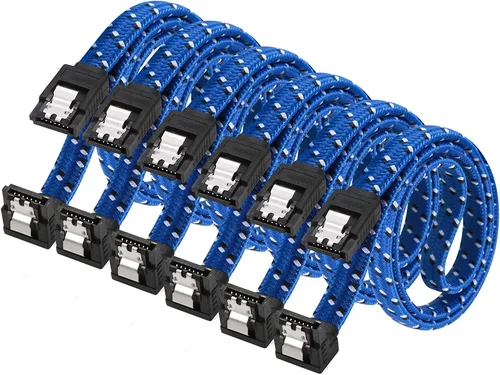
SATA cables feature two connectors: one for the SSD and one for the motherboard. Both ends are keyed to prevent incorrect insertion, but the orientation of these connectors can vary. Standard SATA cables have straight connectors perpendicular to the cable body. However, many modern cases—especially those with tight clearances around drive bays—benefit from right-angle or L-shaped connectors.
Right-angle connectors reduce strain on the SSD’s SATA port by allowing the cable to exit parallel to the drive, rather than sticking straight out. This is particularly useful when installing SSDs in vertical mounts, behind motherboard trays, or in cases with limited rear clearance. Some cables offer a mix: straight on one end and right-angle on the other, giving you flexibility depending on your setup.
When choosing connector orientation, consider the physical layout of your build. If your SSD sits flush against a side panel or another component, a right-angle connector can prevent interference and improve airflow. Just ensure the bend radius isn’t too tight, as sharp bends can damage internal wires over time. Premium cables often include gently curved right-angle designs to mitigate this risk.
5. Shielding & Signal Integrity
Electromagnetic interference (EMI) and crosstalk can degrade data signals, especially in systems packed with high-speed components like GPUs, CPUs, and RGB lighting. Quality SATA cables incorporate shielding to protect the data lines from external noise. Look for cables with foil shielding, braided shielding, or a combination of both (often labeled as “double-shielded” or “foil + braid”).
Shielding is particularly important in environments with dense wiring or near power supplies and fans, which generate electromagnetic fields. While most consumer builds won’t notice a dramatic difference, users running sensitive applications (e.g., audio production, scientific computing, or NAS servers) will benefit from enhanced signal integrity. Unshielded cables may work fine in simple setups, but they’re more prone to errors under load or in electrically noisy environments.
Additionally, check for proper grounding. Some shielded cables include a grounding wire or drain wire that connects the shield to the connector shell, ensuring effective EMI dissipation. This is a hallmark of professional-grade cables and is worth seeking out if you prioritize stability over cost.
6. Brand Reputation & Certification
Not all SATA cables are created equal—even if they look similar. Established brands like StarTech, Cable Matters, Sabrent, and AmazonBasics (when properly vetted) adhere to stricter quality control standards and often provide detailed technical documentation. Generic or no-name brands sold in bulk packs may cut corners on materials, shielding, or connector plating, leading to premature failure.
Look for cables that mention compliance with industry standards such as SATA-IO, RoHS (Restriction of Hazardous Substances), or UL certification. These labels indicate that the product has been tested for safety, performance, and environmental impact. While certification doesn’t guarantee perfection, it significantly reduces the risk of purchasing a defective or unsafe cable.
Reading user reviews on trusted platforms (like Amazon, Newegg, or professional tech forums) can also reveal real-world reliability issues. Pay attention to comments about connector fit, durability after repeated insertions, and whether the cable consistently achieves advertised speeds. A cable that works once but fails after a few weeks is worse than no cable at all.
7. Warranty & Support
A reliable warranty is a strong indicator of a manufacturer’s confidence in their product. Most reputable SATA cable brands offer at least a 1-year warranty, with some extending coverage to 2 or even 5 years. This protects you against defects in materials or workmanship and often includes hassle-free replacements.
Check the warranty terms carefully: some only cover the original purchaser, require proof of purchase, or exclude damage from improper use (like excessive bending). If you’re buying for a business or professional environment, prioritize brands with responsive customer support and clear return policies. A company that stands behind its products is more likely to have invested in quality engineering.
Even if you’re buying a single cable for personal use, a good warranty adds peace of mind. After all, a failed SATA cable can render your SSD inaccessible—potentially resulting in lost work or downtime. Investing in a cable with solid support is a smart long-term strategy.
8. Price vs. Value
It’s tempting to grab the cheapest SATA cable available, especially when building on a budget. However, extremely low prices (e.g., under $2 per cable in multi-packs) often signal compromised quality. While you don’t need to spend $20 on a single cable, there’s a sweet spot between affordability and reliability—typically $3 to $8 per cable from reputable sellers.
Consider the total cost of ownership. A $1.50 cable that fails after six months may end up costing more in frustration, data recovery, or replacement drives than a $5 cable that lasts five years. Evaluate value based on build quality, included features (like right-angle connectors or shielding), and warranty—not just the sticker price.
For most users, a mid-priced cable from a known brand offers the best balance. Enthusiasts or professionals who demand maximum reliability might justify spending slightly more, but there’s rarely a need to go premium unless you have specific requirements (e.g., industrial use or extreme environments).
Different Types of Buying Guide

Common Buying Mistakes to Avoid
❌ Mistake: Buying the Cheapest Cable Available
Why it’s bad: Ultra-low-cost cables often use substandard materials, lack proper shielding, and have poorly molded connectors that can break or lose contact. This leads to intermittent drive detection, data corruption, or complete failure—risking your valuable data.
What to do instead: Spend a few extra dollars on a cable from a reputable brand. Even a $4 cable from a known manufacturer is far more reliable than a $1 generic option. Think of it as insurance for your SSD investment.
❌ Mistake: Ignoring SATA III Compatibility
Why it’s bad: Using a SATA II cable with a SATA III SSD caps your drive’s speed at 3 Gbps, effectively halving its performance. You paid for a fast SSD—don’t let the cable bottleneck it.
What to do instead: Always verify that the cable supports SATA III (6 Gbps). Check product descriptions and packaging. If in doubt, assume older cables are SATA II unless explicitly stated otherwise.
❌ Mistake: Overlooking Connector Orientation
Why it’s bad: A straight connector in a tight space can bend the SSD’s port or interfere with other components, leading to physical damage or poor airflow. It also makes cable management harder.
What to do instead: Assess your case layout before buying. If space is limited behind the SSD, choose a right-angle cable. Many brands offer both orientations—pick the one that fits your build.
❌ Mistake: Buying Excessively Long Cables
Why it’s bad: Long cables create clutter, restrict airflow, and increase the risk of EMI due to longer unshielded runs. They’re also harder to manage neatly.
What to do instead: Measure the distance between your SSD and motherboard SATA port. Add a small buffer (1–2 inches) for flexibility, but avoid going overboard. 12–18 inches is ideal for most builds.
❌ Mistake: Skipping Shielding in Noisy Environments
Why it’s bad: In systems with high EMI (e.g., near power supplies, multiple GPUs, or RGB controllers), unshielded cables can introduce errors, causing slowdowns or crashes during heavy I/O operations.
What to do instead: If your build is densely packed or used for critical tasks, opt for a shielded cable. The small cost increase is worth the added stability.
❌ Mistake: Assuming All Cables Are Interchangeable
Why it’s bad: While SATA cables are standardized, quality varies widely. Mixing high-end SSDs with low-quality cables undermines system reliability and performance consistency.
What to do instead: Match cable quality to your SSD’s tier. A budget SSD can tolerate a basic cable, but a high-performance drive deserves a well-built connection.
❌ Mistake: Neglecting Warranty and Return Policies
Why it’s bad: If a cable fails and the seller offers no support, you’re stuck with a non-functional drive and no recourse. This is especially risky with unknown online vendors.
What to do instead: Buy from retailers with clear return policies (e.g., Amazon, Newegg, Best Buy) and choose brands that offer at least a 1-year warranty. Keep your receipt!
Budget Guidelines: How Much Should You Spend?
Entry-Level ($2 – $4): Suitable for basic desktop upgrades or temporary fixes. These cables usually meet minimum SATA III specs but may lack shielding, durable connectors, or long-term reliability. Best for non-critical systems or users on a tight budget. Expect generic branding and minimal warranty support.
Mid-Range ($4 – $7): The sweet spot for most users. Cables in this range offer solid build quality, SATA III compliance, and often include right-angle options or basic shielding. Brands like Cable Matters, Sabrent, and AmazonBasics (verified listings) dominate this tier. Ideal for gaming PCs, home offices, and general productivity builds.
Premium ($7 – $12): Designed for enthusiasts and professionals. These cables feature double shielding, gold-plated contacts, reinforced strain relief, and sleek braided sleeves. They’re built to last and perform reliably under heavy workloads. Perfect for workstations, NAS devices, and high-end gaming rigs where stability is paramount.
Luxury ($12+): Reserved for niche applications or aesthetic perfectionists. Think custom-colored braided cables with modular connectors or industrial-grade models rated for extreme temperatures. While overkill for most consumers, they offer peace of mind in mission-critical environments or showcase builds.
Expert Tips for Getting the Best Deal
- Buy During Seasonal Sales: Major retailers like Amazon, Newegg, and Best Buy often discount cable bundles during Black Friday, Prime Day, or back-to-school seasons. Stock up on extras—you’ll always need spare SATA cables.
- Choose Reputable Retailers: Stick to well-known online stores or local computer shops with good return policies. Avoid third-party sellers with unclear origins or no customer reviews.
- Look for Multi-Pack Deals: If you’re building multiple systems or maintaining a lab, buying a 5- or 10-pack can save 20–30% per cable. Just ensure each unit meets your quality standards.
- Check for Bundled Accessories: Some kits include zip ties, Velcro straps, or even SATA power splitters. These extras add value without increasing the core price.
- Verify Compatibility Before Purchase: Double-check your SSD and motherboard manuals to confirm SATA version support. This prevents buying unnecessary premium cables for older hardware.
- Test Immediately After Installation: Once connected, run a quick disk benchmark (like CrystalDiskMark) to ensure you’re achieving expected speeds. If performance is low, the cable may be faulty.
- Keep Spares Handy: A failed SATA cable can leave you unable to boot. Storing one or two extras in your toolkit saves time and stress during troubleshooting.
- Read Recent Reviews: Product quality can change over time. Look for reviews from the past 6–12 months to ensure the cable still meets expectations.

Frequently Asked Questions
Q: Can I use a SATA II cable with a SATA III SSD?
A: Yes, but it will limit your SSD’s speed to 3 Gbps instead of 6 Gbps. While the drive will still function, you won’t benefit from its full performance. Always use a SATA III cable for optimal results.
Q: Do gold-plated connectors make a difference?
A: Gold plating reduces corrosion and improves conductivity over time, especially in humid environments. However, the performance gain is marginal for most users. It’s more about longevity than speed.
Q: Are longer SATA cables slower?
A: Not significantly—within reason. SATA signals can travel up to 1 meter (about 39 inches) without major degradation. Most internal cables are well under this limit, so length won’t impact speed in typical builds.
Q: Can a bad SATA cable cause my SSD to not be detected?
A: Absolutely. Loose connections, broken wires, or poor shielding can prevent the BIOS or OS from recognizing the drive. If your SSD isn’t showing up, try swapping the cable first—it’s a common fix.
Q: Is shielding necessary for gaming PCs?
A: For most gaming setups, basic shielding is sufficient. However, if you have extensive RGB lighting, multiple high-wattage components, or notice instability during gameplay, a fully shielded cable can help maintain signal integrity.
Q: Can I reuse old SATA cables when upgrading my SSD?
A: Only if they’re in good condition and confirmed to support SATA III. Inspect for cracks, bent pins, or loose connectors. When in doubt, replace them—it’s a low-cost upgrade with high payoff.
Q: Do SSD SATA cables wear out over time?
A: Yes, especially if frequently disconnected or bent sharply. Connectors can loosen, insulation can crack, and internal wires may fatigue. Replace cables showing signs of wear to avoid data loss.
Q: Are there USB-to-SATA cables that work as internal replacements?
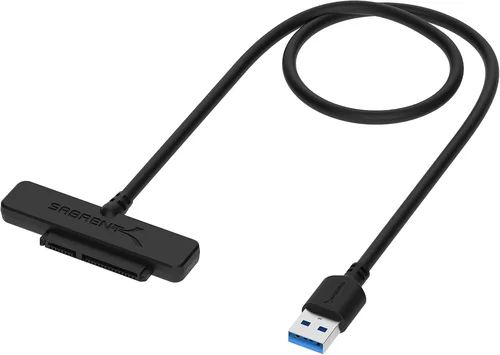
A: No. USB-to-SATA adapters are for external use only and don’t provide the direct motherboard connection required for boot drives or internal storage. Always use a native SATA data cable.
Q: What’s the difference between SATA data and SATA power cables?
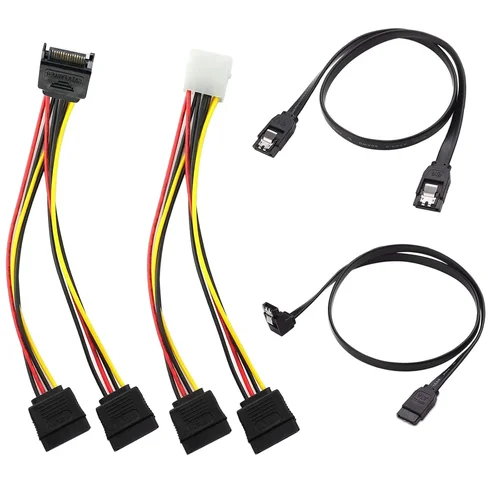
A: SATA data cables (the focus of this guide) transfer data between the SSD and motherboard. SATA power cables deliver electricity from the PSU to the drive. They’re not interchangeable—don’t confuse them!
Q: Can I daisy-chain multiple SSDs on one SATA cable?
A: No. Each SSD requires its own dedicated SATA data cable connected directly to a motherboard port. Daisy-chaining isn’t supported and will cause detection issues.
Our Final Recommendations
Best for Budget-Conscious Buyers: Cable Matters SATA III Cable (12-inch, Straight) – Reliable, SATA III compliant, and priced under $5. Great for basic upgrades without sacrificing essential performance.
Best Overall Value: StarTech.com Right-Angle SATA Cable (18-inch) – Combines durability, right-angle design, and excellent shielding at a mid-range price. Ideal for most modern builds.
Best Premium Option: Sabrent Braided SATA III Cable with Gold Connectors – Features double shielding, braided sleeve, and reinforced strain relief. Perfect for high-end systems where aesthetics and performance matter.
Best for Beginners: AmazonBasics SATA III Cable (18-inch, Straight) – Simple, affordable, and widely available. Easy to install and compatible with nearly all setups.
Best for Advanced Users: Right-Angle Shielded SATA Cable by Monoprice – Offers professional-grade shielding, compact design, and reliable performance for compact or high-density builds.
Conclusion: Making the Right Choice
Choosing the right SSD SATA cable might not be as exciting as picking out a new GPU or CPU, but it’s a decision that directly impacts your system’s stability, performance, and longevity. As we’ve explored, the ideal cable balances technical compatibility, physical durability, and smart design features—all within your budget. Whether you’re building a budget PC or a high-end workstation, never underestimate the role of a quality connection.
Remember: your SSD is only as fast as its weakest link. A cheap, poorly made cable can undo the benefits of even the most advanced drive. By prioritizing SATA III compliance, robust construction, and appropriate connector orientation, you ensure that your investment in solid-state storage delivers on its promise. Use the guidelines, comparisons, and tips in this guide to make a confident, informed choice—and enjoy the speed, reliability, and peace of mind that comes with it.
Now that you’re equipped with expert knowledge, it’s time to shop smart. Don’t rush—take a moment to assess your needs, measure your space, and select a cable that matches your build’s demands. Your SSD—and your future self—will thank you.