
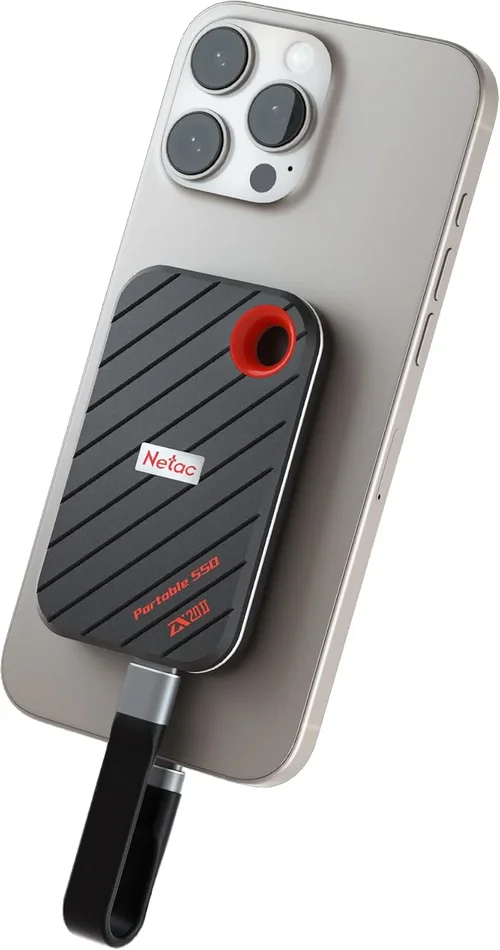
The solid-state drive (SSD) revolutionized personal computing. For over a decade, upgrading from a traditional hard disk drive (HDD) to an SSD has been the single most impactful performance improvement a user could make. Boot times shrank from minutes to seconds, applications launched instantly, and the entire computing experience felt snappier and more responsive. SSDs eliminated the mechanical bottlenecks of spinning platters and moving read/write heads, offering speed, silence, and durability. But as with all technology, the quest for faster, more efficient, and more capable storage never ends. We’ve reached a point where even the fastest NVMe Gen4 and emerging Gen5 SSDs are pushing the limits of what the current PCIe interface can deliver. So, what comes next? What is the next best thing after the SSD?
This comprehensive buying guide is designed to answer that exact question. Whether you’re a content creator pushing terabytes of 8K video, a gamer demanding instant load times, a developer compiling massive codebases, or a professional managing complex datasets, you’re likely feeling the constraints of current storage technology. This guide will walk you through the cutting-edge storage solutions poised to define the next era of computing. You’ll learn about the key technologies—from computational storage to persistent memory and next-gen form factors—and understand how to evaluate them based on your specific needs. We’ll break down performance metrics, durability, compatibility, and cost, helping you make an informed decision in a rapidly evolving market. By the end, you’ll have a clear roadmap to the future of storage, empowering you to invest wisely in the technology that will keep your systems running at peak performance for years to come.
The storage landscape in 2026 is more dynamic and exciting than ever. While SSDs remain the mainstream standard, a new wave of innovations is emerging, driven by the insatiable demand for speed, capacity, and intelligence. Technologies like CXL (Compute Express Link) are enabling memory-tiering and shared memory pools, while advancements in NAND flash—such as 3D XPoint derivatives and QLC/PLC NAND—are pushing density and endurance boundaries. Meanwhile, computational storage drives (CSDs) are offloading processing tasks directly onto the storage device, reducing CPU load and latency. The market is also seeing a shift toward software-defined storage and AI-optimized hardware, where smart algorithms manage data placement and access patterns. This guide will help you navigate this complex ecosystem, understand the trade-offs, and identify the right next-gen storage solution for your workflow, whether you’re building a high-end workstation, upgrading a server, or future-proofing your personal rig.

What to Look for When Buying Buying Guide
1. Performance Specifications
Performance is the cornerstone of any next-gen storage solution, but it’s no longer just about raw read/write speeds. While sequential speeds (measured in MB/s or GB/s) still matter for large file transfers, real-world performance hinges on several interrelated factors. Random read/write performance—measured in IOPS (Input/Output Operations Per Second)—is critical for multitasking, database operations, and application responsiveness. Latency, or the time it takes to access data, is another key metric; lower latency means faster response times, especially in AI, real-time analytics, and gaming. Look for drives that offer consistent performance under sustained loads, not just peak benchmarks. Technologies like SLC caching can boost short bursts of speed, but sustained writes may throttle if the cache is overwhelmed. Also consider queue depth—how many operations the drive can handle simultaneously—as higher queue depths benefit workloads with heavy parallelism. For next-gen storage, pay attention to interface standards: PCIe Gen5 doubles the bandwidth of Gen4, while CXL enables memory semantics over PCIe, allowing storage to act more like RAM. Finally, check for support for advanced protocols like NVMe 2.0, which improves scalability and efficiency for enterprise and high-performance use cases.
2. Capacity & Scalability
As data-intensive applications like 8K video editing, AI model training, and virtual reality become mainstream, storage capacity is more important than ever. Next-gen storage solutions are pushing beyond the 8TB–16TB range common in high-end SSDs, with some enterprise drives now offering 32TB or more. However, capacity isn’t just about how much you can store—it’s also about scalability. Can you easily add more storage without replacing your entire system? Look for solutions that support modular expansion, such as U.2 or EDSFF (Enterprise and Data Center SSD Form Factor) drives, which allow hot-swapping and dense configurations in servers and workstations. For consumers, M.2 slots with support for multiple drives or external Thunderbolt 4/USB4 enclosures offer flexibility. Consider future-proofing: if you’re building a system today, ensure it has room for additional drives or supports higher-capacity modules down the line. Also, be mindful of the trade-off between capacity and endurance—higher-density drives like QLC or PLC NAND may offer more terabytes but often have lower write endurance, making them better suited for read-heavy workloads.
3. Endurance & Durability
Endurance refers to how much data can be written to a drive over its lifetime, typically measured in terabytes written (TBW) or drive writes per day (DWPD). This is especially critical for next-gen storage, where high-speed writes and computational workloads can stress the hardware. For example, a 1TB drive with a 600 TBW rating can endure 600 terabytes of writes before potential failure. Enterprise-grade drives often specify DWPD—e.g., 1 DWPD means you can write the full drive capacity once per day for the warranty period. Consumer drives may have lower endurance, but for most users, even modest TBW ratings are sufficient. Durability also includes physical robustness: next-gen drives should be resistant to shock, vibration, and temperature fluctuations, especially in mobile or edge computing environments. Look for drives with power-loss protection (PLP), which ensures data integrity during unexpected shutdowns. Additionally, some next-gen solutions use non-volatile memory (NVM) technologies like MRAM or ReRAM, which offer near-infinite write endurance compared to traditional NAND flash. Always check the manufacturer’s endurance ratings and real-world reviews to ensure the drive can handle your workload without premature wear.
4. Interface & Compatibility
The interface determines how the storage device connects to your system and directly impacts performance and compatibility. While PCIe Gen4 and Gen5 remain dominant for consumer and prosumer markets, next-gen storage is increasingly leveraging CXL (Compute Express Link), which allows devices to share memory resources with the CPU, enabling memory pooling and tiered storage architectures. This is particularly valuable in data centers and AI workloads. For compatibility, ensure your motherboard or server supports the required interface—PCIe Gen5 slots are backward compatible with Gen4 devices, but you won’t get the full speed benefit without Gen5 support. Form factor also matters: M.2 drives are compact and ideal for laptops and small form factor PCs, while U.2 and EDSFF drives offer better thermal management and higher capacities for servers. Thunderbolt 4 and USB4 enable high-speed external storage, with speeds up to 40 Gbps, making them viable for portable next-gen solutions. Always verify BIOS/UEFI support, driver availability, and OS compatibility—especially for emerging technologies like CXL or computational storage, which may require specific firmware or software stacks.
5. Power Efficiency & Thermal Management
As storage devices become faster and more powerful, they also consume more energy and generate more heat. Power efficiency is crucial for laptops, mobile workstations, and data centers where energy costs and cooling are major concerns. Next-gen storage solutions should balance performance with low power draw, especially in idle or low-load states. Look for drives with advanced power management features, such as DevSlp (Device Sleep) mode, which reduces power consumption when the drive is inactive. Thermal management is equally important: high-performance drives can throttle under sustained loads if they overheat. Many next-gen SSDs now include built-in heat spreaders or are designed to work with motherboard-mounted heatsinks. For enterprise environments, consider drives with dynamic thermal throttling that adjusts performance based on temperature to prevent damage. In compact systems like ultrabooks or mini-PCs, passive cooling may be necessary, so choose drives with lower thermal output. Some emerging technologies, like optical storage or phase-change memory, promise lower power consumption and better thermal characteristics, though they’re not yet mainstream. Always check thermal performance in reviews, especially under heavy workloads.
6. Security & Data Protection
With increasing threats to data integrity and privacy, security is a non-negotiable aspect of next-gen storage. Look for drives that support hardware-based encryption standards like TCG Opal 2.0 or IEEE 1667, which allow for self-encrypting drives (SEDs) that protect data at rest without impacting performance. SEDs encrypt data automatically using a built-in AES-256 engine, and decryption happens transparently when accessed with the correct credentials. This is especially important for laptops, mobile devices, and enterprise systems where physical theft is a risk. Additionally, some next-gen drives offer secure boot, firmware validation, and remote attestation to prevent unauthorized modifications. For sensitive applications, consider drives with tamper-evident packaging or hardware root of trust. Data protection also includes features like error correction (ECC), end-to-end data path protection, and RAID support at the hardware level. In enterprise environments, look for drives that integrate with centralized management platforms for encryption key management and compliance reporting. Always verify that the drive’s security features are certified by relevant standards bodies and compatible with your operating system and management tools.
7. Software & Ecosystem Support
Next-gen storage isn’t just about hardware—it’s also about the software ecosystem that enables its full potential. Look for drives that come with robust management utilities, such as firmware update tools, health monitoring, and performance tuning options. For example, some computational storage drives include SDKs that allow developers to deploy custom algorithms directly on the drive, reducing latency and CPU overhead. Similarly, CXL-enabled devices may require specific drivers or BIOS updates to function properly. Check if the manufacturer provides long-term software support, including compatibility with future OS versions and security patches. For enterprise users, integration with storage management platforms like VMware vSphere, Kubernetes CSI drivers, or cloud orchestration tools is essential. Some next-gen solutions also leverage AI-driven software to optimize data placement, predict failures, or automate tiering between fast and slow storage. A strong software ecosystem ensures that your investment remains viable and adaptable as your needs evolve. Avoid proprietary solutions that lock you into a single vendor unless they offer clear advantages in performance or functionality.
8. Warranty & Support
A strong warranty and reliable customer support are indicators of a manufacturer’s confidence in their product. For next-gen storage, look for warranties that cover at least 3–5 years, with some enterprise drives offering up to 10 years. Pay attention to the terms: some warranties are based on time, while others are tied to endurance (e.g., 1.5 million hours MTBF or 1,000 TBW). Ensure the warranty includes coverage for both hardware defects and performance degradation. Customer support should be accessible via multiple channels—phone, email, live chat—and include technical documentation, FAQs, and community forums. For enterprise buyers, consider vendors that offer on-site service, rapid replacement programs, or dedicated account managers. Also, check the manufacturer’s track record for firmware updates and responsiveness to security vulnerabilities. A company that actively supports its products with timely updates and transparent communication is more likely to stand behind its technology as it evolves. Don’t overlook the importance of return policies—especially for high-cost next-gen drives—where a 30-day return window can provide peace of mind during evaluation.
Different Types of Buying Guide
Common Buying Mistakes to Avoid
❌ Mistake: Focusing Only on Sequential Speeds
Why it’s bad: Sequential read/write speeds look impressive on paper, but they don’t reflect real-world performance. Many users buy drives based on peak benchmarks only to find sluggish performance during multitasking or small file operations. This is especially true for drives with large SLC caches that slow down significantly once the cache is full.
What to do instead: Prioritize random IOPS and low latency, especially if you’re running databases, virtual machines, or development environments. Look for sustained performance metrics and real-world benchmarks from trusted reviewers.
❌ Mistake: Ignoring Endurance Ratings
Why it’s bad: High-capacity drives with low endurance can fail prematurely under heavy write workloads. For example, using a QLC SSD for constant video editing or server logging may lead to early wear and data loss.
What to do instead: Match the drive’s endurance (TBW or DWPD) to your workload. Choose TLC or MLC NAND for write-intensive tasks, and reserve QLC for archival or read-heavy use.
❌ Mistake: Overlooking Thermal Throttling
Why it’s bad: High-performance drives can overheat in poorly ventilated systems, causing thermal throttling that reduces speeds by 50% or more. This is common in laptops or compact desktops without adequate cooling.
What to do instead: Check thermal performance in reviews and ensure your system has proper airflow or a heatsink. Consider drives with built-in thermal management or lower power profiles for tight spaces.
❌ Mistake: Buying Based on Brand Alone
Why it’s bad: While reputable brands often deliver quality, blindly trusting a brand can lead to overpaying for underperforming products. Some brands excel in consumer markets but lack enterprise-grade support or firmware stability.
What to do instead: Research specific models, read independent reviews, and compare benchmarks. Look for consistent performance, firmware updates, and long-term reliability data.
❌ Mistake: Neglecting Software and Firmware Support
Why it’s bad: Next-gen storage often relies on firmware for performance optimization, security, and compatibility. Drives with poor firmware support may suffer from bugs, security vulnerabilities, or incompatibility with future OS updates.
What to do instead: Choose manufacturers with a strong track record of firmware updates and transparent communication. Check for management tools and compatibility with your existing software stack.
❌ Mistake: Not Planning for Future Scalability
Why it’s bad: Buying a high-capacity drive today may seem sufficient, but data growth is exponential. Without room for expansion, you may face costly upgrades or system replacements sooner than expected.
What to do instead: Invest in systems with multiple drive bays, support for hot-swapping, or modular storage solutions. Consider CXL or NVMe-oF for scalable, shared storage architectures.
❌ Mistake: Skipping Warranty and Return Policies
Why it’s bad: Next-gen storage can be expensive, and early adopters may encounter unforeseen issues. Without a solid warranty or return policy, you risk being stuck with a faulty or underperforming device.
What to do instead: Always check warranty terms, including coverage duration, endurance limits, and support options. Opt for retailers with generous return windows, especially when trying new technologies.
Budget Guidelines: How Much Should You Spend?
- Entry-Level ($200–$500): This range covers next-gen NVMe Gen5 SSDs with capacities up to 2TB. Expect speeds up to 10,000 MB/s, good endurance, and compatibility with most modern systems. Ideal for gamers, students, and general users upgrading from older SSDs.
- Mid-Range ($500–$1,200): The sweet spot for most buyers. Includes 4TB Gen5 SSDs, entry-level computational storage, and CXL memory expansion modules. Offers excellent performance, scalability, and features like hardware encryption and thermal management. Perfect for content creators, developers, and small businesses.
- Premium ($1,200–$3,000): For enthusiasts and professionals. Covers high-end CSDs, persistent memory kits, and enterprise-grade NVMe arrays. Delivers top-tier performance, advanced software support, and robust durability. Suitable for AI research, video production, and high-frequency trading.
- Luxury ($3,000+): Top-tier solutions for data centers, research labs, and enterprise environments. Includes AI-optimized storage arrays, multi-node CXL fabrics, and custom-built storage systems. Offers unmatched scalability, intelligence, and integration with cloud and edge infrastructures.

Expert Tips for Getting the Best Deal
- Buy During Major Sales Events: Look for discounts during Black Friday, Cyber Monday, and back-to-school seasons. Many retailers offer bundle deals on next-gen storage with motherboards or CPUs.
- Consider Refurbished or Enterprise Surplus: Certified refurbished drives from reputable sellers can offer significant savings with full warranties. Enterprise surplus markets often have high-end drives at reduced prices.
- Monitor Price Tracking Tools: Use tools like CamelCamelCamel or Honey to track price history and set alerts for drops on specific models.
- Check Manufacturer Rebates: Some brands offer mail-in rebates or instant discounts, especially for enterprise customers or bulk purchases.
- Evaluate Total Cost of Ownership: Factor in power consumption, cooling needs, and software licensing. A cheaper drive may cost more in the long run due to higher energy use or lack of support.
- Test Before Committing: If possible, test the drive in your system or request a demo unit. Performance can vary based on configuration and workload.
- Leverage Trade-In Programs: Some retailers offer credit for old drives, reducing the net cost of upgrading to next-gen storage.
- Stay Informed on Emerging Tech: Subscribe to tech newsletters and follow industry leaders to catch early adopter discounts or beta programs for new storage technologies.

Frequently Asked Questions
Q: Is CXL storage compatible with my current PC?
A: CXL requires specific hardware support, including a CXL-capable CPU (e.g., Intel Sapphire Rapids or AMD EPYC 9004 series), motherboard, and BIOS. Most consumer systems in 2026 do not yet support CXL, so check your platform specifications before investing.
Q: Can I use a computational storage drive for gaming?
A: While CSDs offer incredible performance, they are optimized for data processing tasks, not gaming. The benefits are minimal for typical gaming workloads, and the cost is prohibitive. A high-end NVMe Gen5 SSD is a better choice for gamers.
Q: How does persistent memory differ from RAM?
A: Persistent memory (like Intel Optane) is non-volatile, meaning it retains data when powered off, unlike DRAM. It’s slower than RAM but faster than SSDs, making it ideal for caching, logging, and in-memory databases.
Q: Are next-gen SSDs backward compatible?
A: Yes, PCIe Gen5 SSDs are backward compatible with Gen4 and Gen3 slots, but you’ll only achieve Gen4 speeds on older systems. Always verify your motherboard’s PCIe version.
Q: Do I need special software to use CXL or computational storage?
A: Yes, these technologies often require specific drivers, firmware, and software stacks. Check with the manufacturer for compatibility with your OS and applications.
Q: How long will next-gen storage last?
A: With proper use, next-gen drives can last 5–10 years. Endurance ratings (TBW) and warranty terms are good indicators of longevity. Regular health monitoring can help predict failures.
Q: Can I mix different types of storage in one system?
A: Yes, many systems support tiered storage, where fast NVMe drives handle active data, while slower SSDs or HDDs store archives. Software like Windows Storage Spaces or Linux LVM can manage this automatically.
Q: Is external next-gen storage viable?
A: Yes, Thunderbolt 4 and USB4 enable high-speed external drives with speeds up to 40 Gbps. Ideal for portable workstations and content creators who need fast, removable storage.
Q: What’s the difference between QLC and PLC NAND?
A: QLC (Quad-Level Cell) stores 4 bits per cell, offering high density but lower endurance. PLC (Pent-Level Cell) stores 5 bits, increasing capacity further but reducing speed and durability. PLC is best for cold storage or read-heavy tasks.
Q: Will next-gen storage improve battery life on laptops?
A: Yes, more efficient controllers and lower power states in next-gen drives can reduce energy consumption, especially in idle modes. Look for drives with DevSlp support for maximum battery savings.
Our Final Recommendations
- Best for Budget-Conscious Buyers: Samsung 990 Pro 2TB (PCIe Gen4) – While not the latest Gen5, it offers excellent performance, reliability, and value. Perfect for users who want SSD-like speed without breaking the bank.
- Best Overall Value: WD Black SN850X 4TB (PCIe Gen4) – High capacity, strong endurance, and consistent performance. A great balance of speed, price, and features for most users.
- Best Premium Option: Kioxia CM7 Series CSD (Computational Storage) – Designed for AI and analytics, this drive offloads processing and delivers ultra-low latency. Ideal for data scientists and engineers.
- Best for Beginners: Crucial T700 2TB (PCIe Gen5) – Easy to install, widely compatible, and offers a noticeable upgrade over older SSDs. Great for first-time Gen5 adopters.
- Best for Advanced Users: Intel Optane Persistent Memory 900P (in CXL mode) – Combines the speed of RAM with the persistence of storage. Perfect for in-memory databases and high-frequency trading systems.
Conclusion: Making the Right Choice
The next best thing after the SSD isn’t a single technology—it’s a constellation of innovations designed to meet the diverse demands of modern computing. From computational storage that processes data at the source to CXL-enabled memory expansion that blurs the line between RAM and storage, the future is fast, intelligent, and highly adaptable. As you evaluate your options, remember that the right choice depends on your specific use case, budget, and long-term goals. Don’t chase the latest specs blindly; instead, focus on how the technology integrates into your workflow and enhances your productivity.
Whether you’re a gamer seeking instant load times, a developer compiling massive codebases, or an enterprise managing petabytes of data, there’s a next-gen storage solution tailored to your needs. Prioritize performance, endurance, and compatibility, but also consider the ecosystem—software, support, and scalability—that will ensure your investment remains valuable for years to come. The storage landscape is evolving rapidly, and staying informed is your greatest advantage. By following this guide, you’re not just buying a drive—you’re investing in the future of your digital life. Take the time to research, compare, and choose wisely. Your data deserves nothing less.