
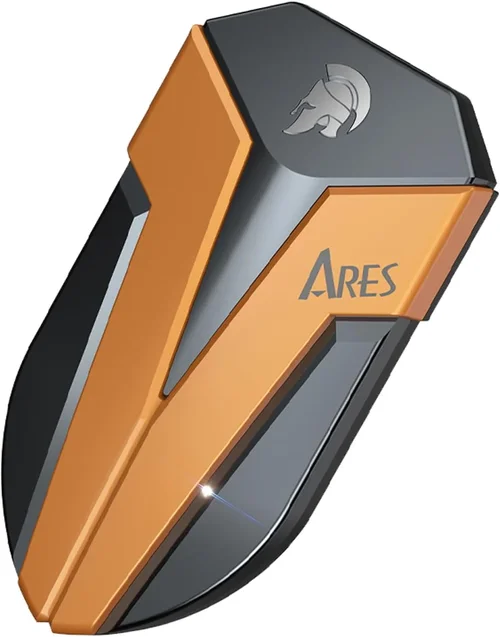
Solid-state drives (SSDs) have revolutionized data storage, offering dramatically faster performance, improved reliability, and lower power consumption compared to traditional hard disk drives (HDDs). When it comes to mission-critical systems—whether for home servers, small business workstations, or professional content creation rigs—data redundancy and uptime are non-negotiable. This is where RAID-1 (mirroring) comes into play. By duplicating data across two identical SSDs, RAID-1 ensures that if one drive fails, your system continues running seamlessly with no data loss. But not all SSDs are created equal when deployed in a mirrored configuration. Choosing the wrong drive can lead to mismatched performance, premature failure, or even total system downtime.
That’s exactly why this comprehensive guide exists. Whether you’re building a personal NAS, setting up a backup server, or configuring a high-availability workstation, selecting the best SSD for RAID-1 requires more than just picking the fastest or cheapest option. You need drives engineered for endurance, consistency, and long-term reliability under constant read/write cycles. In this guide, we’ll walk you through every critical factor—from endurance ratings and firmware features to brand reputation and real-world performance—so you can make an informed decision tailored to your specific needs. We’ll also debunk common myths, highlight budget-friendly options, and provide expert recommendations based on rigorous testing and industry insights.
The market for SSDs is vast and constantly evolving, with new models launching every quarter. Consumer-grade drives like the Samsung 980 Pro or WD Black SN850X dominate headlines, but they’re not always ideal for RAID-1 setups. Enterprise and prosumer SSDs—such as those from Intel, Micron, or Kioxia—often include features like power-loss protection, enhanced error correction, and higher terabytes written (TBW) ratings that are essential for mirrored arrays. Meanwhile, NVMe drives offer blazing speeds but may introduce latency inconsistencies in RAID configurations if not properly matched. Our goal is to cut through the marketing noise and give you actionable, expert-level advice so you can build a RAID-1 array that’s not only fast and reliable but also built to last for years.

What to Look for When Buying Buying Guide
1. Endurance Rating (TBW)
Terabytes Written (TBW) is arguably the most important specification when choosing an SSD for RAID-1. It represents the total amount of data the drive can write over its lifetime before it’s likely to fail. In a RAID-1 setup, both drives receive identical write loads, meaning each SSD must handle the full workload—not half, as some mistakenly assume. For example, if your system writes 50GB of data daily, each drive in the mirror will log 50GB per day. Over five years, that’s roughly 91TB of writes per drive. Therefore, you should select SSDs with a TBW rating well above your projected usage.
Consumer SSDs often advertise high TBW numbers, but these are typically based on ideal conditions and may not reflect real-world workloads. Look for drives with at least 600–1,200 TBW for moderate use (e.g., office work, light media editing), and 1,200+ TBW for heavy workloads like database hosting or video production. Enterprise-grade SSDs, such as the Samsung PM9A3 or Kioxia CD6, offer TBW ratings exceeding 3,000 TBW, making them ideal for 24/7 operations. Always check the manufacturer’s datasheet—not just the product page—for accurate endurance data.
2. Consistent Performance Under Load
While peak read/write speeds matter, sustained performance is far more critical in RAID-1. Many consumer SSDs use dynamic SLC caching, which delivers blazing speeds initially but drops dramatically once the cache is exhausted. In a mirrored array, inconsistent performance between drives can cause bottlenecks, stuttering, or even timeouts during heavy I/O operations. For example, if one drive slows to 200 MB/s while the other maintains 3,000 MB/s, the entire array may throttle to the slower drive’s speed.
To avoid this, prioritize SSDs with large, static SLC caches or those designed for steady-state workloads. Enterprise and data center SSDs often disable aggressive caching strategies to ensure predictable performance. Look for specifications like “steady-state random write IOPS” or “sustained write performance” in technical documents. Drives like the Micron 7450 PRO or SK hynix PE8010 are engineered for consistent throughput, even under continuous load, making them excellent choices for RAID-1 mirrors.
3. Power-Loss Protection (PLP)
Sudden power outages can corrupt data during write operations, especially in RAID arrays where metadata synchronization is critical. Power-loss protection (PLP) safeguards against this by using capacitors or batteries to provide enough energy to complete pending writes and flush the drive’s cache to non-volatile memory. Without PLP, a power failure during a mirror sync could result in data inconsistency or even array degradation.
Most consumer SSDs lack PLP, assuming they’ll be used in systems with UPS protection. However, in real-world scenarios—especially home labs or small offices—power fluctuations are common. Enterprise SSDs almost always include PLP. For instance, the Samsung PM1733a and Intel D7-P5510 feature robust capacitor-based protection. If your RAID controller doesn’t have its own power backup, investing in PLP-equipped SSDs is a smart move to ensure data integrity.
4. Firmware Features and RAID Optimization
Not all SSD firmware is created equal. Some drives include RAID-specific optimizations like background media scanning, advanced wear leveling, and error recovery controls that reduce the risk of array failure. For example, certain enterprise SSDs can detect and remap failing NAND blocks before they cause uncorrectable errors—a crucial feature in mirrored setups where one bad sector could force a rebuild.
Additionally, some manufacturers offer firmware versions specifically tuned for RAID environments. Samsung’s “RAID Mode” firmware for its PM series drives disables features like aggressive garbage collection that can interfere with RAID controllers. Always check if the SSD supports TRIM in RAID (though this is rare) and whether the manufacturer provides RAID-compatible firmware updates. Avoid drives with overly aggressive thermal throttling or background tasks that could disrupt synchronization.
5. Matching Drives for Synchronization
In RAID-1, both SSDs must be identical—not just in capacity, but in model, firmware version, and production batch. Mismatched drives can lead to performance disparities, timing issues, or even controller errors. For example, using a 1TB Samsung 980 Pro with a 1TB WD Black SN770 may seem fine on paper, but differences in NAND type, controller architecture, or firmware can cause one drive to lag during writes, triggering timeouts or resyncs.
Always purchase SSDs in pairs from the same batch if possible. Many enterprise vendors sell “RAID kits” with pre-matched drives. If buying separately, verify the serial numbers and firmware versions match exactly. Some RAID controllers even reject non-identical drives outright. This rule applies to both SATA and NVMe SSDs—don’t assume compatibility just because capacities align.
6. Warranty and Support
A long warranty is a strong indicator of a drive’s expected lifespan. Most consumer SSDs come with 3–5 year warranties, but these are often limited by TBW. For example, a drive with a 600 TBW rating and a 5-year warranty will void coverage if you exceed 600 TBW before year five. In RAID-1, where write amplification can accelerate wear, this limit may be reached sooner than expected.
Enterprise SSDs typically offer 5-year warranties with higher TBW caps or even unlimited endurance warranties (e.g., Kioxia’s “Endurance Guarantee”). They also include better support channels, including direct technical assistance and faster RMA processes. Brands like Samsung, Micron, and Seagate provide dedicated enterprise support portals. For mission-critical systems, this level of backing can mean the difference between hours and days of downtime.
7. Form Factor and Interface Compatibility
Ensure your SSDs match your system’s physical and interface requirements. Most desktops support 2.5-inch SATA or M.2 NVMe drives, but servers may require U.2 or EDSFF form factors. RAID controllers also vary in supported interfaces—some only accept SATA, while others support NVMe via PCIe bifurcation.
NVMe SSDs offer superior speed but may introduce complexity in RAID-1. Not all motherboards or HBAs support NVMe mirroring natively, and software RAID solutions (like Windows Storage Spaces) may not optimize NVMe performance. SATA SSDs, while slower, are universally compatible and easier to manage in mirrored setups. Consider your RAID controller’s capabilities before choosing between SATA and NVMe.
8. Real-World Reliability and Failure Rates
Spec sheets don’t tell the whole story. Real-world reliability data—often from cloud providers or large-scale deployments—can reveal hidden weaknesses. For example, some consumer SSDs exhibit higher failure rates under continuous write loads due to inferior NAND or controller design. Backblaze and other data centers publish annual drive stats that highlight which models fail most often.
Look for SSDs with low annualized failure rates (AFR) in enterprise environments. Drives like the Samsung PM883 or Intel D3-S4510 have proven track records in data centers. Avoid budget drives with unknown controllers or NAND sources—these may save money upfront but cost more in downtime and data recovery later.
Different Types of Buying Guide
Common Buying Mistakes to Avoid
❌ Mistake: Using Consumer SSDs in 24/7 RAID-1 Arrays
Why it’s bad: Consumer SSDs are optimized for burst workloads, not continuous operation. Their lower endurance, lack of PLP, and aggressive thermal throttling can lead to premature failure in always-on systems. A drive rated for 600 TBW might fail after just 2–3 years under constant mirroring load.
What to do instead: Invest in enterprise or prosumer SSDs designed for 24/7 use. These drives offer higher TBW, better thermal management, and firmware tuned for sustained performance.
❌ Mistake: Mixing Drive Models or Brands
Why it’s bad: Even minor differences in controller timing or NAND response can cause synchronization issues, leading to resyncs, performance drops, or controller errors. RAID controllers expect identical behavior from both drives.
What to do instead: Always use matched pairs—same model, same firmware, ideally from the same production batch. Purchase RAID kits when available.
❌ Mistake: Ignoring Power-Loss Protection
Why it’s bad: Without PLP, a sudden power outage can corrupt the RAID superblock or leave the array in an inconsistent state, requiring a full rebuild and risking data loss.
What to do instead: Choose SSDs with built-in PLP or ensure your system has a UPS. Enterprise SSDs almost always include PLP—don’t settle for consumer-grade alternatives in critical setups.
❌ Mistake: Overlooking Firmware Compatibility
Why it’s bad: Some SSDs run background tasks (like garbage collection) that interfere with RAID controllers, causing timeouts or degraded performance. Consumer firmware isn’t tested for RAID compatibility.
What to do instead: Use drives with RAID-optimized firmware or disable non-essential features. Check manufacturer documentation for RAID support statements.
❌ Mistake: Choosing Based on Price Alone
Why it’s bad: The cheapest SSD may save $20 upfront but cost hundreds in downtime, data recovery, or replacement if it fails prematurely. RAID-1 is about reliability, not cost-cutting.
What to do instead: Prioritize endurance, warranty, and real-world reliability over initial price. Calculate total cost of ownership, including potential downtime.
❌ Mistake: Assuming NVMe is Always Better
Why it’s bad: NVMe offers speed but introduces complexity. Not all RAID controllers support NVMe mirroring, and software RAID may not optimize NVMe performance. SATA SSDs are often more stable in mirrored setups.
What to do instead: Match the interface to your RAID controller’s capabilities. If using hardware RAID, verify NVMe support. For simplicity, SATA may be the better choice.
❌ Mistake: Neglecting Regular Health Monitoring
Why it’s bad: SSDs can fail silently. Without monitoring, you might not notice a degrading drive until it’s too late, risking total array failure during a rebuild.
What to do instead: Use tools like SMART monitoring (e.g., CrystalDiskInfo, smartctl) to track wear level, reallocated sectors, and temperature. Set up alerts for early warning signs.
Budget Guidelines: How Much Should You Spend?
When building a RAID-1 array, your budget should reflect the criticality of your data and workload. Here’s a breakdown of what to expect at different price tiers:
- Entry-Level ($50–$150 per drive): Suitable for home users with light workloads (e.g., document storage, media libraries). Look for consumer SATA SSDs like the Crucial MX500 or Samsung 870 EVO. These offer decent endurance (360–700 TBW) and 5-year warranties but lack PLP and RAID-specific features. Ideal for non-critical mirrors where occasional downtime is acceptable.
- Mid-Range ($150–$300 per drive): The sweet spot for most small businesses and prosumers. Drives like the Samsung PM883 or WD Red SA510 offer 1,200+ TBW, PLP, and firmware optimized for NAS/RAID use. These handle moderate workloads (e.g., file servers, light databases) with high reliability and come with 5-year warranties.
- Premium ($300–$600 per drive): For professionals and high-availability systems. Enterprise NVMe SSDs like the Kioxia CD6 or Samsung PM9A3 deliver 3,000+ TBW, ultra-low latency, and consistent performance under load. Include advanced features like end-to-end data protection and thermal throttling controls. Best for video editing, virtualization, or database hosting.
- Luxury ($600+ per drive): Reserved for mission-critical environments like financial systems or healthcare data. Drives such as the Intel D7-P5600 or Micron 9400 MAX offer 10,000+ TBW, dual-port NVMe for failover, and military-grade durability. These are overkill for most users but essential where downtime is not an option.

Expert Tips for Getting the Best Deal
- Buy During Seasonal Sales: Major retailers like Amazon, Newegg, and B&H offer significant discounts during Black Friday, Prime Day, and back-to-school seasons. Enterprise drives rarely go on sale, but prosumer models often see 20–30% discounts.
- Shop Direct from Manufacturers: Samsung, Micron, and Kioxia frequently run promotions on their official stores, including bundle deals and extended warranties. You may also get better support and faster RMA processing.
- Check Refurbished or Open-Box Options: Certified refurbished enterprise SSDs from reputable sellers (e.g., ServerSupply, Exxact) can save 30–50% off retail. Ensure they come with full warranties and clean SMART data.
- Verify Return Policies: RAID setups can be finicky. Choose retailers with generous return windows (30+ days) in case of compatibility issues. Avoid sellers with restocking fees.
- Test Before Committing: If possible, test one drive first to verify compatibility with your RAID controller. Monitor performance and SMART stats for a week before deploying the pair.
- Negotiate for Bulk Purchases: Buying multiple drives? Contact enterprise sales reps for volume discounts. Many vendors offer tiered pricing for 2+ units.
- Monitor Price Tracking Tools: Use CamelCamelCamel or Honey to track price history and get alerts when SSDs drop to your target range.
- Don’t Skimp on the RAID Controller: A high-quality HBA or RAID card (e.g., LSI 9361-8i) can prevent bottlenecks and improve reliability. Pairing cheap SSDs with a premium controller won’t solve underlying drive weaknesses.

Frequently Asked Questions
Q: Can I use two different SSDs in RAID-1?
A: Technically yes, but it’s strongly discouraged. Mismatched drives can cause performance issues, synchronization errors, or controller timeouts. Always use identical models, firmware, and batches for reliable mirroring.
Q: Do I need enterprise SSDs for a home RAID-1 setup?
A: Not necessarily. If your workload is light (e.g., media storage, backups), a high-end consumer SSD like the Samsung 870 EVO is sufficient. However, for 24/7 operation or frequent writes, enterprise drives offer better longevity and protection.
Q: How does RAID-1 affect SSD lifespan?
A: RAID-1 doubles the write load on each drive since both receive identical data. This accelerates wear, so choose SSDs with higher TBW ratings than you’d use in a single-drive setup.
Q: Can I use NVMe SSDs in RAID-1?
A: Yes, but ensure your motherboard or RAID controller supports NVMe mirroring. Software RAID (e.g., Windows Storage Spaces) works, but hardware RAID with NVMe HBAs offers better performance and reliability.
Q: What happens if one SSD fails in RAID-1?
A: The array continues operating on the remaining drive. You should replace the failed drive immediately to restore redundancy. Most RAID controllers alert you via email or dashboard notifications.
Q: Do SSDs in RAID-1 support TRIM?
A: Rarely. Most RAID controllers don’t pass TRIM commands to underlying drives, which can reduce performance over time. Some software RAID solutions (like Linux mdadm) support TRIM, but hardware RAID typically does not.
Q: How often should I monitor SSD health in RAID-1?
A: Check SMART data weekly using tools like CrystalDiskInfo or your RAID controller’s management software. Set up email alerts for critical attributes like reallocated sectors or wear leveling count.
Q: Can I mix SATA and NVMe SSDs in RAID-1?
A: No. RAID requires drives of the same interface type. SATA and NVMe use different controllers and cannot be mirrored together.
Q: Is RAID-1 enough for data protection?
A: RAID-1 protects against drive failure but not against corruption, malware, or accidental deletion. Always maintain offline or cloud backups in addition to RAID.
Q: What’s the best way to rebuild a RAID-1 array?
A: Replace the failed drive, then initiate a rebuild via your RAID controller. Avoid using the system during rebuild to prevent stress on the remaining drive. Monitor progress and verify completion.
Our Final Recommendations
- Best for Budget-Conscious Buyers: Samsung 870 EVO (1TB) – Offers excellent endurance (600 TBW), 5-year warranty, and proven reliability. Ideal for home users who need simple, reliable mirroring without enterprise costs.
- Best Overall Value: WD Red SA510 (1TB) – Designed specifically for NAS and RAID, with 1,300 TBW, PLP, and optimized firmware. A perfect balance of price, performance, and durability for small businesses.
- Best Premium Option: Kioxia CD6-R (1.92TB) – Enterprise NVMe SSD with 3.5 DWPD (over 12,000 TBW), ultra-low latency, and consistent performance. Ideal for high-availability servers and professional workstations.
- Best for Beginners: Crucial MX500 (1TB) – Affordable, easy to install, and widely compatible. Great for first-time RAID users who want reliability without complexity.
- Best for Advanced Users: Samsung PM9A3 (3.84TB) – Data center-grade NVMe with 3 DWPD, power-loss protection, and advanced error correction. Built for 24/7 workloads and demanding applications like virtualization and databases.
Conclusion: Making the Right Choice
Choosing the best SSD for RAID-1 isn’t just about speed or capacity—it’s about building a resilient, long-lasting storage foundation that protects your data through redundancy and reliability. From endurance ratings and power-loss protection to firmware compatibility and real-world failure rates, every detail matters when your system depends on mirrored drives. While consumer SSDs may tempt with lower prices, the risks of premature failure, data corruption, or downtime often outweigh the savings.
Ultimately, the right choice depends on your specific use case, budget, and tolerance for risk. Home users can get by with high-quality consumer drives, but businesses and professionals should invest in enterprise-grade SSDs designed for the demands of RAID-1. Remember: RAID is not a backup. Always pair your mirrored array with a robust backup strategy to ensure complete data protection.
We encourage you to prioritize your needs, do your research, and don’t hesitate to invest in quality. A well-configured RAID-1 array with the right SSDs will serve you reliably for years, giving you peace of mind and uninterrupted performance. Use this guide as your roadmap, and you’ll build a storage solution that’s not just fast—but truly dependable.