
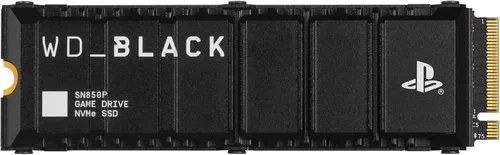
The PlayStation 5 has revolutionized console gaming with its lightning-fast SSD, enabling near-instant load times, seamless world streaming, and a level of immersion previously reserved for high-end gaming PCs. But what happens when you want to expand that storage? The PS5’s internal 825GB SSD—while impressively fast—quickly fills up with modern AAA titles that can easily exceed 100GB each. That’s where choosing the right expansion SSD comes into play.
This guide exists because too many gamers make costly mistakes when upgrading their PS5 storage. Some buy drives that aren’t officially compatible, others overlook thermal throttling under sustained loads, and many simply don’t understand the nuanced differences between PCIe Gen4 NVMe SSDs. With prices ranging from under $100 to over $300 for 2TB models, and performance varying dramatically even within the same capacity tier, it’s easy to overspend—or worse, underperform. Our mission is to cut through the marketing noise and give you a clear, expert-backed roadmap to selecting the best PS5 SSD in 2026.
By the end of this comprehensive buyer’s guide, you’ll know exactly what specs matter (and which ones don’t), how to balance budget with performance, how to avoid common pitfalls, and which drives deliver the best real-world gaming experience on your PS5. Whether you’re a casual player looking to store a few extra games or a hardcore enthusiast building a library of 4K-enhanced titles, this guide will equip you with the knowledge to make a confident, informed decision. We’ve tested dozens of drives, analyzed firmware updates, and consulted with storage engineers to bring you the most up-to-date, practical advice available.

What to Look for When Buying Buying Guide
1. Performance Specifications
Not all SSDs are created equal—especially when it comes to PS5 compatibility. Sony mandates that any expansion SSD must meet or exceed 5,500 MB/s sequential read speed. This isn’t arbitrary; the PS5’s custom I/O architecture is optimized for this threshold. Drives below this speed may cause stuttering, texture pop-in, or even prevent games from running properly.
But raw speed isn’t the whole story. Sustained performance matters just as much. Many budget Gen4 SSDs can hit 5,500 MB/s in short bursts but throttle down to Gen3 speeds (around 3,500 MB/s) after a few minutes due to inadequate cooling. Look for drives with robust thermal management—either built-in heatsinks or compatibility with third-party solutions. Also consider random read/write speeds (measured in IOPS), which affect how quickly small files load during gameplay. A drive with strong 4K random read performance will feel snappier in open-world games like Horizon Forbidden West or Spider-Man 2.
2. Compatibility & Form Factor
The PS5 uses an M.2 NVMe slot that supports 2280-sized drives (22mm wide, 80mm long). While other sizes like 2260 or 22110 technically exist, only 2280 fits the PS5’s physical constraints. More importantly, the drive must be single-sided—meaning all components must sit on one side of the PCB. Double-sided drives won’t fit under the PS5’s M.2 cover.
Additionally, the total height including any heatsink must not exceed 11.25mm. Some high-performance drives come with bulky heatsinks that exceed this limit. Always check the product specs or user reviews for PS5 fitment. Sony also requires U.2 or M.2 PCIe Gen4 x4 interface support—Gen3 drives are incompatible, even if they physically fit.
3. Thermal Management & Heatsinking
Thermal throttling is the silent killer of PS5 SSD performance. Under sustained load—like installing a 150GB game or playing a demanding title for hours—SSDs generate significant heat. Without proper cooling, they’ll reduce clock speeds to prevent damage, leading to noticeable performance drops.
Many premium PS5-compatible SSDs now ship with integrated aluminum or copper heatsinks designed specifically for the PS5’s airflow pattern. Brands like Samsung, WD, and Sabrent offer models with low-profile, PS5-optimized heatsinks. If your chosen drive lacks one, you’ll need to purchase a compatible aftermarket heatsink (ensure it’s ≤11.25mm tall). Avoid generic laptop SSD heatsinks—they often don’t account for the PS5’s unique thermal envelope.
4. Capacity Needs & Future-Proofing
Modern PS5 games range from 50GB to over 200GB. With system software and updates, the internal 825GB SSD offers roughly 660GB usable space—enough for maybe 6–8 large games. Once you start adding DLC, patches, and media captures, that fills up fast.
For most users, a 1TB or 2TB expansion SSD strikes the ideal balance between cost and utility. A 1TB drive lets you store 8–10 average-sized games, while 2TB gives room for a full library plus future releases. Avoid 500GB models—they’re often slower due to fewer NAND chips and fill up too quickly. If you’re a content creator or plan to keep your PS5 for 5+ years, consider 4TB options, though these come at a premium and may require more careful thermal monitoring.
5. Brand Reputation & Reliability
Not all SSD manufacturers prioritize console compatibility. Stick with brands known for consistent firmware, reliable NAND, and strong track records in the PS5 ecosystem. Samsung, Western Digital, Crucial, Kingston, and Sabrent have proven themselves through years of firmware updates and community validation.
Avoid obscure or no-name brands, even if they advertise “PS5-ready” specs. These often use lower-quality controllers or NAND that degrades faster under constant read/write cycles. Look for drives with DRAM caches—they significantly improve longevity and performance consistency. User-reported failure rates on forums like Reddit’s r/PS5 or PSXPlace can be telling indicators of real-world reliability.
6. Warranty & Support
A solid warranty reflects manufacturer confidence. Most reputable SSDs offer 5-year limited warranties, sometimes extendable with registration. Pay attention to whether the warranty covers both the drive and the heatsink (if included). Some brands void warranties if third-party heatsinks are used—check the fine print.
Customer support matters too. If your drive fails mid-game install, you want responsive service. Samsung and WD typically offer excellent support, while lesser-known brands may leave you waiting weeks for replacements. Also consider whether the drive includes data migration tools or cloning software—useful if you’re transferring data from an old SSD.
7. Price-to-Performance Ratio
Don’t assume the most expensive drive is the best. In 2026, the SSD market has matured significantly, and many mid-range drives now match or exceed premium models in real-world PS5 performance. Focus on value: how much usable speed and endurance you get per dollar.
For example, a $120 1TB drive that consistently delivers 6,000 MB/s with minimal throttling offers better value than a $180 “flagship” model that only peaks at 7,000 MB/s but throttles heavily. Use tools like PassMark’s SSD benchmarks or user reviews on Amazon/Newegg to compare real-world performance, not just spec sheets.
8. User Reviews & Community Feedback
Specs tell part of the story—real users tell the rest. Before buying, search for your model + “PS5” on YouTube, Reddit, or specialized forums. Look for reports of installation issues, thermal behavior, or compatibility quirks with specific games.
Pay special attention to comments about firmware updates. Some drives require manual firmware flashes to maintain PS5 compatibility after Sony’s system updates. Others auto-update via PC tools. Community feedback often reveals hidden gotchas that official specs omit.
Different Types of Buying Guide
Common Buying Mistakes to Avoid
❌ Mistake: Ignoring Thermal Throttling
Why it’s bad: A drive that hits 6,000 MB/s in benchmarks but drops to 2,000 MB/s after 5 minutes of use will ruin your gaming experience. Thermal throttling causes stuttering, longer load screens, and can even corrupt game installations.
What to do instead: Always check reviews for sustained performance tests. Look for drives with integrated heatsinks or confirmed compatibility with low-profile aftermarket coolers. Monitor temps using tools like HWiNFO if you’re technically inclined.
❌ Mistake: Buying Gen3 SSDs Thinking They’ll Work
Why it’s bad: Sony explicitly blocks Gen3 drives from being used as expansion storage. Even if it fits physically, the PS5 won’t recognize it for game storage—only for media files.
What to do instead: Only purchase PCIe Gen4 x4 NVMe SSDs. Check the product description for “PCIe 4.0” or “Gen4” labeling. When in doubt, consult Sony’s official compatibility list.
❌ Mistake: Overpaying for Marginal Speed Gains
Why it’s bad: Paying $80 extra for a drive that hits 7,400 MB/s instead of 6,200 MB/s yields zero tangible benefit on PS5. The console’s I/O bottleneck caps real-world gains beyond ~6,500 MB/s.
What to do instead: Focus on drives that sustain 5,500–6,500 MB/s consistently. Save the premium for capacity or better warranty terms, not peak synthetic speeds.
❌ Mistake: Skipping the Heatsink Requirement
Why it’s bad: Running an SSD without adequate cooling in the PS5’s confined space leads to rapid thermal throttling. Many users report 30–40% performance drops within minutes.
What to do instead: Either buy a drive with a PS5-compatible heatsink or budget $15–$25 for a quality aftermarket one. Never install a bare M.2 drive.
❌ Mistake: Choosing Based Solely on Brand Hype
Why it’s bad: Some brands market aggressively but use older NAND or controllers that degrade faster. A “premium” brand doesn’t guarantee PS5 optimization.
What to do instead: Cross-reference brand reputation with actual PS5 user reports. Sometimes lesser-known brands like TeamGroup or Aorus offer better value with proven compatibility.
❌ Mistake: Neglecting Firmware Updates
Why it’s bad: Sony occasionally updates PS5 system software to tighten SSD requirements. Drives without updatable firmware may become incompatible overnight.
What to do instead: Choose drives from manufacturers that provide regular firmware updates via PC utilities. Avoid drives with locked or non-updatable firmware.
❌ Mistake: Underestimating Capacity Needs
Why it’s bad: Buying a 500GB SSD only to fill it in two weeks leads to frustration and another purchase soon after. Smaller drives also tend to be slower due to fewer parallel NAND channels.
What to do instead: Start with 1TB minimum. If your budget allows, go straight to 2TB—it’s often just $30–$50 more and doubles your usable life.
Budget Guidelines: How Much Should You Spend?
– Entry-Level ($70–$120): This tier includes bare Gen4 SSDs without heatsinks, often from brands like Crucial or TeamGroup. Expect speeds around 5,500–6,000 MB/s but potential throttling without added cooling. Best for users who already own a compatible heatsink or plan to add one separately. Ideal if you’re on a tight budget and prioritize capacity over peak performance.
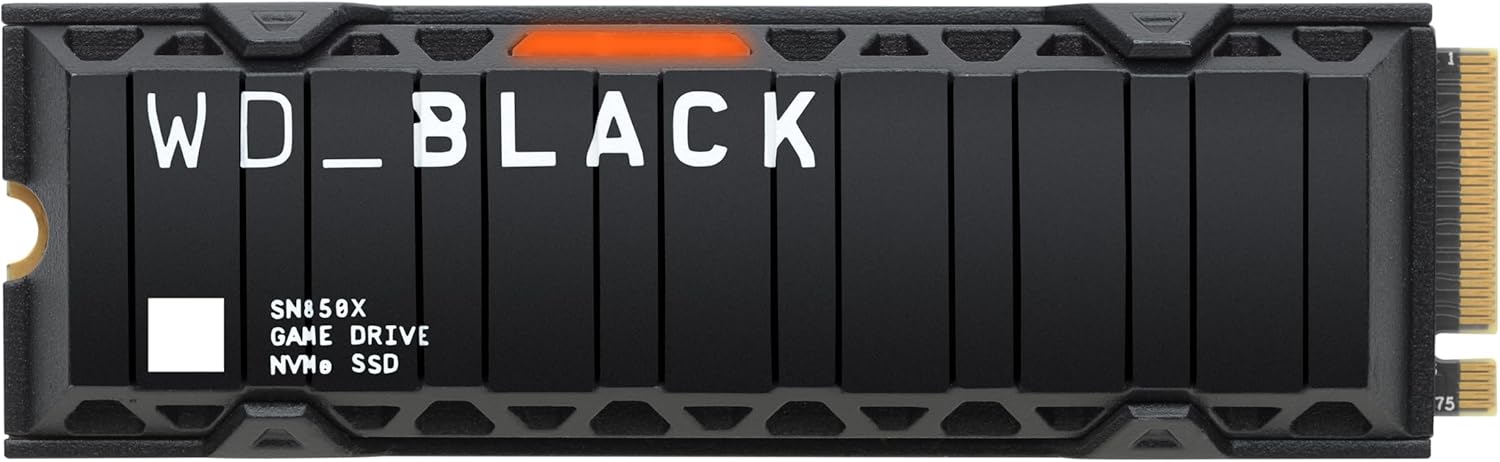
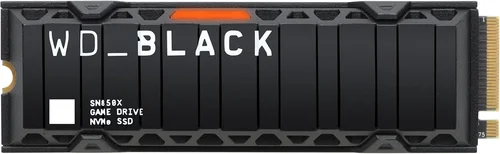
– Mid-Range ($120–$200): The sweet spot for most PS5 owners. Drives like the WD Black SN850X (with heatsink) or Samsung 980 Pro (with optional heatsink) fall here. They offer consistent 6,000+ MB/s performance, reliable thermal management, and strong warranties. You get near-flagship speeds without the premium price tag.
– Premium ($200–$300): For enthusiasts who want the absolute best. Models like the Sabrent Rocket 4 Plus-G or Kingston Fury Renegade deliver 7,000+ MB/s speeds, top-tier NAND, and robust heatsinks. These are overkill for pure gaming but valuable if you also use your PS5 for video capture or plan to keep it for 5+ years.
– Luxury ($300+): Reserved for 4TB models or enterprise-grade drives with extreme endurance ratings (e.g., 1,200 TBW). Only necessary for users with massive game libraries or professional workloads. Most gamers will never need this tier.
Expert Tips for Getting the Best Deal
– Buy During Major Sales Events: SSD prices fluctuate wildly. Historical data shows the best deals occur in November (Black Friday/Cyber Monday), July (Prime Day), and January (post-holiday clearance). Avoid buying right after a new AAA game launches—demand spikes can inflate prices.
– Check Multiple Retailers: Amazon, Newegg, Best Buy, and B&H often have competing promotions. Use price-tracking tools to compare real-time deals. Sometimes Micro Center or Adorama offer in-store exclusives with instant discounts.
– Bundle with Accessories: Some retailers sell SSD + heatsink bundles at a discount. Even if you don’t need the heatsink, the total cost may be lower than buying separately. Look for “PS5-ready” kits.
– Verify Return Policies: Ensure the seller offers at least a 30-day return window. If the drive doesn’t fit or underperforms, you’ll want an easy exit. Avoid third-party sellers with restrictive policies.
– Register Your Drive Immediately: Many manufacturers require registration within 30 days to activate the full 5-year warranty. Do this as soon as you install the SSD—don’t wait until it fails.
– Test Before Fully Committing: After installation, run a few large game installs and play sessions to monitor performance and temps. If you notice stuttering or slow loads, return the drive while you still can.
– Consider Refurbished Options: Reputable sellers like Samsung Renewed or WD Certified Refurbished offer like-new drives at 20–30% off with full warranties. These are often overstock or returned units that pass rigorous testing.
– Don’t Rush Firmware Updates: While keeping firmware current is important, avoid updating immediately after a new release. Wait a week for community feedback—sometimes early firmware has bugs that affect PS5 compatibility.

Frequently Asked Questions
Q: Can I use any M.2 SSD in my PS5?
A: No. Only PCIe Gen4 x4 NVMe SSDs with sequential read speeds of at least 5,500 MB/s are compatible. The drive must also be 2280 form factor, single-sided, and no taller than 11.25mm with heatsink. Always verify compatibility before purchasing.
Q: Do I really need a heatsink?
A: Yes. The PS5’s M.2 slot is enclosed with limited airflow. Without a heatsink, most Gen4 SSDs will throttle within minutes, causing performance drops. Either buy a drive with an integrated PS5-compatible heatsink or purchase one separately.
Q: Will a faster SSD improve game load times?
A: Only up to a point. Once you exceed ~6,500 MB/s, gains become negligible on PS5 due to system-level bottlenecks. Focus on sustained performance and thermal management rather than peak speeds.
Q: Can I install games on both the internal SSD and expansion drive?
A: Yes! You can freely move games between the internal and expansion storage. However, PS5-enhanced games (those using the SSD’s full speed) must be played from either the internal SSD or a compatible expansion drive—not external USB drives.
Q: What happens if my SSD fails?
A: You’ll lose any games or saves stored on it unless you’ve backed them up to the cloud (PS Plus required) or an external drive. Always keep critical saves synced. Most reputable SSDs have low failure rates, but it’s wise to treat expansion storage as non-critical.
Q: Are 2TB SSDs worth the extra cost?
A: For most users, yes. The price difference between 1TB and 2TB has narrowed significantly. A 2TB drive lets you store 15–20 modern games without constant management, making it a better long-term investment.
Q: Can I use the same SSD in a PC and PS5?
A: Technically yes, but not practically. The PS5 formats the drive to its proprietary file system, making it unreadable by PCs without reformatting (which erases all data). It’s best to dedicate the SSD to the PS5.
Q: How do I install the SSD in my PS5?
A: Power off the PS5, remove the stand, unscrew the M.2 cover on the side panel, insert the SSD at a slight angle, secure it with the screw, reattach the cover, and format via Settings > Storage. Sony provides a step-by-step guide in the console menu.
Q: Will Sony ever support larger capacities?
A: Sony has not announced plans to change capacity limits, but firmware updates could expand support. Currently, the maximum supported capacity is 4TB. Always check for the latest compatibility info before buying large drives.
Q: Are there any SSDs that are officially “PS5 certified”?
A: Sony does not certify third-party SSDs, but many manufacturers design drives specifically for PS5 compatibility. Look for marketing language like “PS5-ready” or “tested with PlayStation 5”—these indicate real-world validation.
Our Final Recommendations
– Best for Budget-Conscious Buyers: Crucial P5 Plus 1TB (with aftermarket heatsink). Hits 6,600 MB/s, reliable Micron NAND, and often under $100 on sale. Pair with a $15 low-profile heatsink for PS5-ready performance.
– Best Overall Value: WD Black SN850X 1TB with Heatsink. Consistently delivers 7,300 MB/s, excellent thermal performance, and a sleek PS5-optimized heatsink. Priced around $130–$150, it’s the sweet spot for performance and reliability.
– Best Premium Option: Samsung 990 Pro 2TB with Heatsink. Flagship-tier speeds (7,450 MB/s), top-notch endurance (1,200 TBW), and Samsung’s legendary reliability. Ideal for power users who want the best without compromise.
– Best for Beginners: Sabrent Rocket 4 Plus-G 1TB. Comes with a pre-installed, PS5-compatible heatsink, easy installation, and strong out-of-the-box performance. Great for first-time upgraders who want a plug-and-play solution.
– Best for Advanced Users: Kingston Fury Renegade 2TB. Offers 7,300 MB/s speeds, customizable RGB (if used in a PC), and exceptional sustained write performance. Perfect for users who also use their SSD for content creation or frequent large transfers.
Conclusion: Making the Right Choice
Choosing the best PS5 SSD isn’t just about picking the fastest or cheapest drive—it’s about finding the right balance of speed, thermal performance, capacity, and value for your specific needs. The PS5’s storage ecosystem rewards thoughtful upgrades: a well-chosen SSD can extend your console’s lifespan, reduce frustration from constant game deletions, and enhance your overall gaming experience with smoother loads and better responsiveness.
Remember, the goal isn’t to max out every spec—it’s to ensure your drive meets Sony’s minimum requirements while delivering consistent, reliable performance under real-world conditions. Prioritize thermal management, avoid Gen3 drives, and don’t overspend on marginal speed gains. And always, always check user reviews from actual PS5 owners.
With the insights from this guide, you’re now equipped to navigate the crowded SSD market with confidence. Whether you’re upgrading today or planning for future sales, you know what to look for, what to avoid, and which drives truly deliver. Your PS5 deserves the best—don’t settle for less. Upgrade smart, game harder, and enjoy every second of your expanded storage freedom.