

The modern gaming experience has evolved far beyond what traditional hard disk drives (HDDs) can deliver. With massive open-world titles, lightning-fast load screens, and seamless in-game streaming of textures and assets, storage speed is no longer just a nice-to-have—it’s a necessity. That’s why choosing the right solid-state drive (SSD) for your gaming PC is one of the most impactful upgrades you can make. Whether you’re building a new rig from scratch or upgrading an older system, the SSD you select will directly influence boot times, game launch speeds, level transitions, and even overall system responsiveness.
In this comprehensive 2026 buying guide, we’ll walk you through everything you need to know to pick the best SSD for your gaming PC. From understanding key performance metrics like read/write speeds and endurance ratings to comparing NVMe vs SATA interfaces and evaluating real-world gaming benefits, this guide is designed to cut through the marketing noise and deliver expert-level insights. You’ll learn how to balance budget, performance, capacity, and reliability—so you can invest wisely without overspending on features you don’t need. Whether you’re a casual gamer, a competitive esports player, or a content creator who also games, this guide will help you make an informed decision that enhances your entire computing experience.
The SSD market in 2026 is more dynamic than ever. With the widespread adoption of PCIe 5.0, advancements in 3D NAND technology, and aggressive pricing from major manufacturers like Samsung, WD, Crucial, and Kingston, there’s never been a better time to upgrade. However, with so many options—ranging from budget SATA drives to high-end Gen5 NVMe SSDs—it’s easy to feel overwhelmed. This guide will demystify the choices, highlight what truly matters for gaming, and help you avoid common pitfalls. By the end, you’ll not only know which SSD to buy but also why it’s the right fit for your setup.

What to Look for When Buying Buying Guide
1. Interface & Form Factor
The interface and form factor of an SSD determine how it connects to your motherboard and what kind of performance it can deliver. The two most common interfaces for gaming PCs are SATA and NVMe (Non-Volatile Memory Express), with NVMe further divided into PCIe generations.
SATA SSDs use the same interface as traditional HDDs and are limited to around 550 MB/s read/write speeds. While they’re reliable and affordable, they’re increasingly outdated for modern gaming. NVMe SSDs, on the other hand, connect via the M.2 slot and use the PCIe bus, allowing for significantly faster data transfer rates. PCIe 3.0 drives typically hit 3,500 MB/s, PCIe 4.0 reaches up to 7,000 MB/s, and PCIe 5.0 can exceed 12,000 MB/s.
The form factor refers to the physical size of the drive. The most common is M.2 2280 (22mm wide, 80mm long), which fits most modern motherboards. Some older systems may still use 2.5-inch SATA SSDs, but M.2 is now the standard for performance and space efficiency.
2. Performance Specifications
When evaluating SSD performance, focus on three key metrics: sequential read/write speeds, random read/write IOPS (Input/Output Operations Per Second), and latency.
Sequential speeds matter most for large file transfers and game loading—think of them as the highway capacity for moving big chunks of data. For gaming, higher sequential read speeds mean faster level loads and quicker asset streaming. Random IOPS, however, are often more important for real-world responsiveness. They measure how quickly the drive can access small, scattered pieces of data, which is critical for multitasking, OS operations, and in-game texture loading.
For example, a drive with 7,000 MB/s sequential read might sound impressive, but if it has low random IOPS (under 500K), you may still experience stuttering in open-world games. Look for drives with at least 600K–1M random read IOPS for smooth performance.
Latency—the time it takes for the drive to respond to a request—should also be low. High latency can cause micro-stutters, even with high bandwidth. Premium SSDs often feature optimized controllers and DRAM caches to minimize latency.
3. Capacity & Future-Proofing
Gaming libraries are growing exponentially. AAA titles like Starfield, Cyberpunk 2077, and Call of Duty: Modern Warfare III routinely exceed 150–200GB each. With mod support, DLCs, and high-resolution texture packs, a single game can easily balloon to 300GB or more.
For 2026, we recommend a minimum of 1TB for casual gamers and 2TB for serious players or content creators. A 500GB drive fills up quickly and can lead to performance degradation as the drive approaches full capacity. SSDs perform best when they have 10–20% free space for wear leveling and garbage collection.
Future-proofing is also important. If you plan to keep your PC for 3–5 years, investing in a 2TB or even 4TB drive now can save you from upgrading later. Additionally, larger drives often have better endurance ratings and faster sustained write speeds due to more NAND chips working in parallel.
4. Build Quality & Durability
SSDs have no moving parts, making them inherently more durable than HDDs. However, not all SSDs are built equally. Key durability factors include NAND type, controller quality, and thermal management.
NAND flash memory comes in different types: SLC (single-level cell), MLC (multi-level), TLC (triple-level), and QLC (quad-level). SLC is the most durable but expensive; QLC offers higher density and lower cost but reduced endurance. For gaming, TLC is the sweet spot—offering a good balance of speed, capacity, and longevity. Avoid QLC drives unless you’re on a tight budget and don’t plan to write large amounts of data frequently.
The controller manages data flow between the NAND and the system. High-quality controllers from brands like Phison, Silicon Motion, and Samsung’s in-house designs ensure better performance consistency, error correction, and longevity.
Thermal throttling is a real issue with high-speed NVMe SSDs, especially PCIe 4.0 and 5.0 models. Without proper cooling, sustained workloads can cause the drive to slow down to prevent overheating. Look for SSDs with built-in heatsinks or ensure your case has adequate airflow. Some motherboards include M.2 heatsinks, but aftermarket solutions can offer better thermal performance.
5. Brand Reputation & Reliability
Not all SSD brands are created equal. While third-party manufacturers may offer lower prices, established brands like Samsung, Western Digital, Crucial, Kingston, and Corsair have proven track records for reliability, firmware updates, and customer support.
Samsung’s 990 PRO series, for example, is known for exceptional performance and endurance. WD’s Black SN850X is a favorite among enthusiasts for its balance of speed and thermal efficiency. Crucial offers excellent value with its P5 Plus and P3 lines, while Kingston’s KC3000 delivers strong Gen4 performance at competitive prices.
Reliability is often measured in TBW (Terabytes Written)—the total amount of data that can be written to the drive over its lifetime. A 1TB drive with a 600 TBW rating can theoretically write 600TB before failure. Higher TBW ratings indicate better endurance, especially important if you frequently install and uninstall games or use your SSD for content creation.
6. Warranty & Support
A solid warranty is a strong indicator of a manufacturer’s confidence in their product. Most premium SSDs come with a 5-year limited warranty, which is standard for high-end models. Some brands, like Samsung, offer extended warranties if you register your drive.
Support quality varies. Samsung and WD provide excellent customer service, including firmware update tools and data migration software. Crucial offers a helpful SSD selector tool on their website, while Kingston provides detailed compatibility guides.
Avoid no-name brands with vague or non-existent warranties. If a drive fails within a year and the company won’t honor the warranty, you’re out of luck. Always purchase from authorized retailers to ensure warranty validity.
7. Price-to-Performance Ratio
While it’s tempting to go for the fastest drive available, the law of diminishing returns applies heavily in SSD performance. A PCIe 5.0 drive with 12,000 MB/s speeds may only offer marginal real-world gaming benefits over a PCIe 4.0 drive with 7,000 MB/s—especially if your CPU or GPU is the bottleneck.
For most gamers, a high-quality PCIe 4.0 SSD offers the best price-to-performance ratio in 2026. These drives deliver blazing-fast load times without the premium cost or thermal challenges of Gen5 models. PCIe 3.0 drives are still viable for budget builds, but they’re becoming outdated.
Use price-per-gigabyte as a benchmark. As of early 2026, expect to pay around $0.08–$0.12 per GB for a good PCIe 4.0 drive. Anything below $0.06/GB may indicate lower-quality NAND or QLC technology. Premium Gen5 drives can cost $0.15–$0.25/GB.
8. Gaming-Specific Features
Some SSDs include features tailored for gamers. DirectStorage, a technology introduced by Microsoft and supported by Windows 11, allows games to load assets directly from the SSD to the GPU, bypassing the CPU. This reduces load times and enables richer, more detailed game worlds.
To take full advantage of DirectStorage, you’ll need a PCIe 4.0 or 5.0 NVMe SSD with high sequential read speeds (at least 5,000 MB/s). Games like Forspoken and Ratchet & Clank: Rift Apart already support this feature, and more titles are expected in 2026.
Other gaming-friendly features include low power consumption (important for laptops), silent operation (no noise compared to HDDs), and compatibility with RAID configurations for ultra-fast storage arrays.
Different Types of Buying Guide

Common Buying Mistakes to Avoid
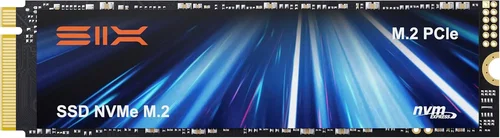
❌ Mistake: Prioritizing Peak Speeds Over Real-World Performance
Why it’s bad: Many buyers focus solely on advertised read/write speeds, but synthetic benchmarks don’t always reflect real gaming performance. A drive with 12,000 MB/s might not feel significantly faster in-game than one with 7,000 MB/s, especially if other components are bottlenecks.
What to do instead: Look at real-world gaming benchmarks from trusted sources like Gamers Nexus or TechPowerUp. Focus on load time reductions and in-game stuttering, not just peak numbers.
❌ Mistake: Ignoring Thermal Throttling
Why it’s bad: High-speed NVMe drives, especially PCIe 4.0 and 5.0 models, generate significant heat. Without proper cooling, they throttle performance to prevent damage, negating their speed advantages.
What to do instead: Choose drives with built-in heatsinks or install an aftermarket M.2 cooler. Ensure your case has good airflow, and avoid stacking multiple high-power components near the M.2 slot.
❌ Mistake: Buying QLC NAND for Primary Gaming Use
Why it’s bad: QLC SSDs offer high capacity at low cost but have lower endurance and slower write speeds, especially when the drive is nearly full. This can lead to performance degradation and shorter lifespan.
What to do instead: Stick with TLC NAND for your primary gaming drive. Reserve QLC for secondary storage or backups where write speed isn’t critical.
❌ Mistake: Overlooking Compatibility
Why it’s bad: Not all M.2 slots support PCIe 4.0 or 5.0. Installing a Gen5 SSD in a Gen3 slot limits it to Gen3 speeds, wasting money.
What to do instead: Check your motherboard’s specifications before buying. Use tools like CPU-Z or the manufacturer’s website to confirm supported interfaces.
❌ Mistake: Skipping the DRAM Cache
Why it’s bad: DRAM-less SSDs use system memory (HMB) for caching, which can lead to inconsistent performance under heavy loads. This affects multitasking and game streaming.
What to do instead: Always choose an SSD with a dedicated DRAM cache. It’s a small cost increase for significantly better performance and longevity.
❌ Mistake: Ignoring Firmware Updates
Why it’s bad: Firmware bugs can cause crashes, data corruption, or performance issues. Some drives ship with outdated firmware that’s later patched.
What to do instead: After installation, check the manufacturer’s website for firmware updates. Use official tools like Samsung Magician or WD Dashboard to keep your drive optimized.
❌ Mistake: Buying Based on Brand Alone
Why it’s bad: Even reputable brands release underperforming models. Relying solely on brand reputation can lead to poor value choices.
What to do instead: Compare specific models using reviews, benchmarks, and user feedback. A lesser-known brand with better specs and reliability may offer better value.
Budget Guidelines: How Much Should You Spend?
Entry-Level ($40–$70 for 1TB): This tier includes SATA SSDs and budget PCIe 3.0 NVMe drives. Ideal for upgrading older systems or building a basic gaming PC. Expect speeds around 500–3,500 MB/s. Good for casual gaming, but may struggle with large open-world titles. Look for brands like Crucial BX500 or Kingston NV2.
Mid-Range ($70–$120 for 1TB): The sweet spot for most gamers. PCIe 4.0 NVMe drives like the WD Black SN770 or Samsung 980 PRO offer excellent performance, low latency, and strong endurance. These drives support DirectStorage and deliver noticeable improvements in load times. A 2TB version in this range offers great future-proofing.
Premium ($120–$200 for 1TB): For enthusiasts and high-end builds. Drives like the Samsung 990 PRO, WD Black SN850X, or Corsair MP700 offer top-tier speeds, advanced thermal management, and 5-year warranties. Ideal for 4K gaming, streaming, and content creation. PCIe 5.0 models start here but require compatible hardware.
Luxury ($200+ for 1TB): Cutting-edge PCIe 5.0 drives with speeds exceeding 10,000 MB/s. Examples include the Sabrent Rocket 5 and Gigabyte AORUS Gen5. These are overkill for most gamers but ideal for professionals or those building a showpiece PC. Expect high heat output and premium pricing.

Expert Tips for Getting the Best Deal
1. Buy During Major Sales Events: Look for discounts during Black Friday, Cyber Monday, Amazon Prime Day, and Newegg’s Shell Shocker deals. SSD prices often drop 20–30% during these periods.
2. Compare Prices Across Retailers: Use price tracking tools like CamelCamelCamel (for Amazon) or Honey to monitor historical prices and get alerts for drops.
3. Consider Refurbished or Open-Box Deals: Certified refurbished SSDs from reputable sellers often come with full warranties and can save you 15–25%. Just ensure they’re from the manufacturer or authorized resellers.
4. Bundle with Other Components: Some retailers offer discounts when you buy an SSD with a motherboard, CPU, or GPU. Check bundle deals on Newegg, Best Buy, or Micro Center.
5. Check Return Policies: Ensure the retailer offers at least a 30-day return window. This gives you time to test the drive and ensure compatibility.
6. Use Manufacturer Tools: Tools like Samsung Magician or Crucial Storage Executive provide health monitoring, performance optimization, and firmware updates—maximizing your drive’s lifespan.
7. Avoid “Too Good to Be True” Deals: Extremely low prices often indicate counterfeit drives or used units sold as new. Stick to trusted retailers and verified sellers.
8. Plan for Installation: If you’re new to PC building, watch installation tutorials on YouTube. Most M.2 SSDs require only a screwdriver and take under 10 minutes to install.

Frequently Asked Questions
Q: Do I really need an NVMe SSD for gaming?
A: While not strictly necessary, NVMe SSDs significantly reduce load times and improve in-game streaming compared to SATA SSDs. For modern AAA titles, the difference is noticeable and enhances the overall experience.
Q: Can I use an external SSD for gaming?
A: Yes, especially with USB 3.2 Gen 2 or Thunderbolt 3/4. External SSDs are great for expanding console storage (like PS5 or Xbox Series X) or portable gaming setups. However, internal NVMe drives still offer the best performance.
Q: Will a faster SSD improve FPS?
A: No. SSDs affect load times and asset streaming, not frame rates. FPS is determined by your GPU, CPU, and RAM. However, faster storage can reduce stuttering in open-world games.
Q: How long do SSDs last?
A: Most modern SSDs last 5–10 years under normal use. With typical gaming workloads, you’re unlikely to reach the TBW limit before upgrading your system.
Q: Should I get a 1TB or 2TB SSD?
A: For 2026, 2TB is the recommended minimum for serious gamers. It provides ample space for multiple large titles and ensures optimal performance with free space for wear leveling.
Q: Can I install games on a secondary HDD?
A: Yes, but you’ll lose the speed benefits of an SSD. For best performance, install frequently played games on your SSD and use an HDD for backups or less-played titles.
Q: Do I need to enable TRIM?
A: Yes. TRIM helps maintain SSD performance by clearing unused data blocks. It’s usually enabled by default in Windows 10/11, but you can check via Command Prompt with fsutil behavior query DisableDeleteNotify.
Q: Are PCIe 5.0 SSDs worth it in 2026?
A: Only if you have a compatible motherboard and CPU (e.g., Intel 13th/14th Gen or AMD Ryzen 7000/8000). For most gamers, PCIe 4.0 offers better value with nearly identical real-world performance.
Q: Can I clone my old SSD to a new one?
A: Yes, using tools like Macrium Reflect, Acronis True Image, or Samsung Data Migration. Cloning preserves your OS, games, and settings for a seamless upgrade.
Q: What’s the difference between DRAM and DRAM-less SSDs?
A: DRAM SSDs have a dedicated memory chip for caching, improving speed and longevity. DRAM-less drives use system RAM, which can lead to slower performance under load. Always prefer DRAM for gaming.
Our Final Recommendations
Best for Budget-Conscious Buyers: Crucial P3 1TB (PCIe 3.0 NVMe) – Offers excellent value at around $55, with speeds up to 3,500 MB/s and a 5-year warranty. Perfect for upgrading older systems.
Best Overall Value: WD Black SN770 2TB (PCIe 4.0 NVMe) – Delivers 5,150 MB/s read speeds, low power consumption, and strong endurance. Priced around $110 for 2TB, it’s ideal for most gamers.
Best Premium Option: Samsung 990 PRO 2TB (PCIe 4.0 NVMe) – Top-tier performance with 7,450 MB/s speeds, excellent thermal management, and Samsung’s reliable firmware. A favorite among enthusiasts.
Best for Beginners: Kingston NV2 1TB (PCIe 3.0 NVMe) – Easy to install, affordable, and compatible with most systems. Great for first-time builders.
Best for Advanced Users: Corsair MP700 2TB (PCIe 5.0 NVMe) – Blazing 10,000 MB/s speeds, built-in heatsink, and support for future DirectStorage titles. Ideal for high-end builds.
Conclusion: Making the Right Choice
Choosing the best SSD for your gaming PC in 2026 doesn’t have to be overwhelming. By focusing on key factors like interface, performance, capacity, and reliability—and avoiding common pitfalls—you can make a smart investment that enhances your gaming experience for years to come. Remember, the goal isn’t to buy the fastest drive on the market, but the one that best matches your system, budget, and gaming habits.
Whether you’re building a budget rig or a high-end battlestation, the right SSD will deliver faster load times, smoother gameplay, and a more responsive system overall. Prioritize TLC NAND, DRAM cache, and reputable brands, and don’t overlook thermal management for high-speed drives. And when in doubt, aim for a 2TB PCIe 4.0 NVMe SSD—it’s the sweet spot for performance, capacity, and value in 2026.
Take your time, do your research, and don’t rush into a purchase. With the insights from this guide, you’re now equipped to make an informed decision that will keep your gaming PC running at peak performance. Happy gaming—and may your load times be forever short.