
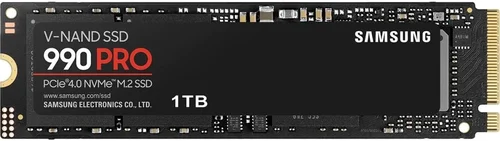
If you’re looking to upgrade your computer’s storage, boost boot times, or simply future-proof your system for 2026 and beyond, choosing the right Samsung SSD is one of the smartest tech investments you can make. Solid-state drives (SSDs) have revolutionized how we store and access data—offering lightning-fast speeds, silent operation, and rock-solid reliability compared to traditional hard disk drives (HDDs). Among the many brands in the market, Samsung stands out as a leader in SSD innovation, consistently delivering top-tier performance, cutting-edge NAND technology, and industry-leading endurance ratings.
This comprehensive buying guide is designed to cut through the noise and help you make an informed decision. Whether you’re a casual user upgrading a laptop, a creative professional handling large video files, or a gamer building a high-performance rig, understanding what makes a Samsung SSD truly great—and which model fits your needs—is essential. We’ll walk you through everything from performance benchmarks and form factors to budget considerations and real-world use cases. By the end of this guide, you’ll know exactly what to look for, what to avoid, and which Samsung SSD delivers the best value for your specific situation.
The SSD market in 2026 is more competitive and advanced than ever. With PCIe Gen5 becoming mainstream, NVMe protocols evolving, and capacities reaching into the terabytes, Samsung continues to push boundaries with its 990 PRO, 980, T7 Shield, and other flagship models. But with so many options—each tailored for different needs—it’s easy to get overwhelmed. That’s why this guide focuses not just on specs, but on practical insights: how real users benefit from certain features, how long-term durability impacts your workflow, and how to avoid common pitfalls that could cost you time and money. Let’s dive in and find the perfect Samsung SSD for you.

What to Look for When Buying Buying Guide
1. Budget & Price Range
Your budget is one of the most important starting points when choosing a Samsung SSD. Prices can vary dramatically depending on capacity, interface (SATA vs. NVMe), and generation (PCIe Gen3, Gen4, or Gen5). As of 2026, entry-level 1TB SATA SSDs like the Samsung 870 EVO start around $60–$80, while high-performance 2TB PCIe Gen5 drives such as the 990 PRO can cost $200–$300 or more. It’s tempting to go for the cheapest option, but skimping on quality or performance can lead to bottlenecks, especially if you’re using modern applications or gaming at high frame rates.
Consider your total cost of ownership: a slightly more expensive SSD with better endurance and longer warranty may save you money in the long run by avoiding premature failure or data loss. Also, keep an eye out for seasonal sales—Black Friday, Prime Day, and back-to-school promotions often bring significant discounts on Samsung’s premium models. If you’re building a new PC or upgrading a laptop, factor in compatibility and future-proofing; spending a bit more now on a Gen4 or Gen5 drive ensures your system stays relevant for years.
2. Performance Specifications
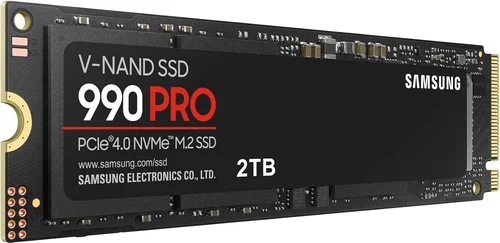
Performance is where Samsung truly shines, but not all SSDs are created equal. Key metrics include sequential read/write speeds (measured in MB/s), random read/write IOPS (Input/Output Operations Per Second), and interface type. For example, the Samsung 990 PRO offers up to 12,400 MB/s read and 11,800 MB/s write speeds over PCIe Gen5, making it ideal for content creators and gamers who need rapid file transfers and load times. In contrast, the 870 EVO maxes out at around 560 MB/s due to its SATA III limitation—perfect for older systems but not suitable for high-speed workflows.
Random performance matters too, especially for multitasking and OS responsiveness. A drive with high IOPS will launch apps faster, handle multiple browser tabs smoothly, and improve overall system snappiness. Samsung’s V-NAND technology and proprietary controllers (like the Pascal controller in the 990 PRO) are engineered to maximize both sequential and random performance. Always check real-world benchmarks—not just manufacturer claims—and consider your usage: casual browsing doesn’t need Gen5 speeds, but video editing or 3D rendering absolutely does.
3. Build Quality & Durability
Samsung SSDs are renowned for their robust build quality, but durability goes beyond physical casing. Look at TBW (Terabytes Written)—a measure of how much data can be written to the drive over its lifetime before it may start to fail. The 990 PRO 2TB model boasts a 1,200 TBW rating, meaning you could write 200GB of data every day for over 16 years before hitting the limit. That’s exceptional endurance, especially compared to budget drives that might offer only 300–600 TBW for the same capacity.
Additionally, Samsung uses advanced error correction, thermal throttling protection, and power-loss immunity in its premium models. These features prevent data corruption during unexpected shutdowns and maintain performance under heavy loads. For external drives like the T7 Shield, ruggedized designs with IP65 water and dust resistance add another layer of protection—ideal for photographers and videographers working in harsh environments. Don’t overlook these hidden durability features; they’re what separate consumer-grade drives from professional-grade solutions.
4. Features & Functionality
Beyond raw speed and capacity, Samsung SSDs come packed with intelligent features that enhance usability and security. Samsung Magician software is a standout tool that provides real-time health monitoring, firmware updates, performance optimization, and secure erase functions. It’s available for most internal Samsung SSDs and is incredibly user-friendly, even for beginners. For external drives, features like AES 256-bit hardware encryption (found in the T7 Touch and T7 Shield) protect your data from unauthorized access—critical if you carry sensitive files on the go.
Other functional considerations include form factor (M.2 2280 is standard for desktops and modern laptops), compatibility with your motherboard’s M.2 slot (some only support SATA-based M.2, not NVMe), and whether the drive includes a heatsink (important for sustained Gen4/Gen5 performance). The 990 PRO, for instance, is available with an optional heatsink version specifically designed for PlayStation 5 compatibility. Always verify these details before purchasing to avoid compatibility headaches.
5. Brand Reputation
Samsung has been a dominant force in NAND flash memory since the early 2000s and is widely regarded as the gold standard in SSD reliability and innovation. Independent reviews, long-term user feedback, and consistent top rankings in performance benchmarks reinforce this reputation. Unlike some brands that rely on third-party controllers and memory chips, Samsung designs and manufactures nearly every component in-house—including NAND, DRAM cache, and controllers—giving them tighter quality control and better optimization.
This vertical integration translates into real-world benefits: fewer compatibility issues, more stable firmware updates, and longer product lifecycles. Samsung also offers extensive global support, with service centers in most major countries and clear warranty policies. While other brands may offer cheaper alternatives, few match Samsung’s track record for consistency and trustworthiness—especially when handling critical data or mission-critical systems.
6. Warranty & Support
A strong warranty is a hallmark of a reliable SSD, and Samsung delivers some of the best in the industry. Most consumer SSDs come with a 5-year limited warranty, which is standard for the premium segment. However, the warranty is often tied to either time or TBW—whichever comes first. For example, the 990 PRO 1TB has a 600 TBW rating and 5-year warranty, so if you exceed 600TB of writes in three years, your warranty expires early. Always check the fine print.
Samsung’s customer support is generally responsive, with online resources, live chat, and regional service centers. They also provide detailed diagnostic tools through Samsung Magician, which can help troubleshoot issues before contacting support. For businesses or professionals, consider Samsung’s Prosumer or Enterprise lines (like the PM9A3), which offer extended warranties and dedicated support channels. Never underestimate the peace of mind that comes with knowing your drive is backed by a reputable manufacturer.
7. Size & Portability (if applicable)
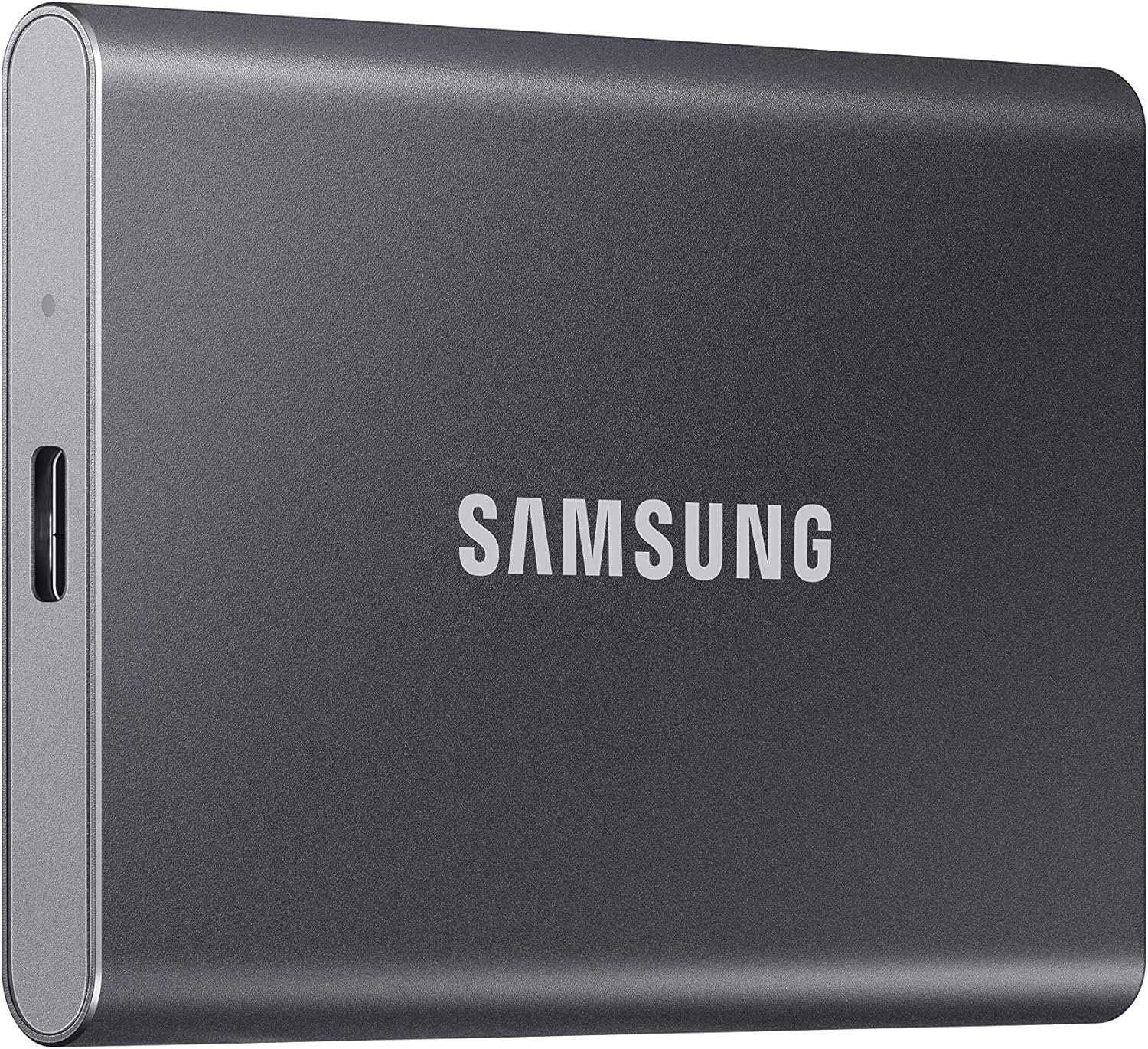
For internal SSDs, size primarily refers to form factor—most Samsung drives use the M.2 2280 standard (22mm wide, 80mm long), which fits nearly all modern motherboards and laptops. However, some ultrabooks or mini-PCs may require shorter lengths like 2242 or 2230, so double-check your device specifications. External SSDs, on the other hand, prioritize physical portability. The Samsung T7 series measures just 85 x 57 x 8 mm and weighs under 50 grams—smaller than a credit card—making it perfect for travel.
Portability also includes connectivity: USB-C with USB 3.2 Gen 2 (10 Gbps) is standard on the T7, while the newer T9 supports USB 3.2 Gen 2×2 (20 Gbps) for even faster transfers. If you frequently move large files between devices, look for cross-platform compatibility (Windows, macOS, Android) and included cables. The T7 Shield adds extra rubberized casing for drop resistance, ideal for fieldwork. Choose based on how and where you’ll use the drive most.
8. User Reviews & Ratings
While specs and marketing materials are helpful, real-world user experiences provide invaluable insight. Platforms like Amazon, Newegg, and Reddit are rich sources of honest feedback. Pay attention to recurring themes: if multiple users report overheating issues with a particular model under load, that’s a red flag. Conversely, consistent praise for boot times, game loading speeds, or reliability under heavy use signals a winner.
Look beyond star ratings—read detailed reviews that mention specific use cases. A drive praised by video editors for handling 4K footage smoothly may not be the best fit for a casual user who just wants faster web browsing. Also, check review dates; SSD technology evolves quickly, and a model praised in 2023 might be outdated by 2026. Samsung’s newer models generally receive strong acclaim, but always cross-reference professional benchmarks (like those from Tom’s Hardware or AnandTech) with user testimonials for a balanced perspective.
Different Types of Buying Guide

Common Buying Mistakes to Avoid
❌ Mistake: Ignoring Interface Compatibility
Why it’s bad: Buying an NVMe SSD for a laptop that only supports SATA M.2 slots (or vice versa) renders the drive unusable. Many users assume all M.2 slots are the same, but they’re not—some only accept SATA-based M.2 drives, which are slower and cheaper.
What to do instead: Always check your device’s manual or manufacturer specs before purchasing. Use tools like CPU-Z or Samsung Magician (if already installed) to identify your current storage interface. When in doubt, opt for a SATA SSD—it’s universally compatible, even if not the fastest.
❌ Mistake: Overpaying for Unnecessary Speed
Why it’s bad: Paying a premium for PCIe Gen5 speeds when your workload doesn’t benefit from them is a waste of money. Casual users, office workers, and even many gamers won’t notice the difference between Gen4 and Gen5 in everyday tasks.
What to do instead: Match the drive to your use case. If you’re editing 8K video or running AI workloads, Gen5 makes sense. For general use, a Gen4 drive like the 980 PRO offers excellent performance at a lower price. Save the extra cash for RAM or a better GPU.
❌ Mistake: Skimping on Capacity
Why it’s bad: A 250GB SSD fills up quickly—Windows alone takes 30–40GB, and modern games can exceed 100GB each. Running low on space slows down performance and limits functionality.
What to do instead: Aim for at least 1TB for primary drives in 2026. If budget allows, go for 2TB—it future-proofs your system and reduces the need for frequent file management. Use smaller drives only for secondary storage or older systems.
❌ Mistake: Neglecting Thermal Management
Why it’s bad: High-performance NVMe drives generate significant heat, especially under sustained loads. Without proper cooling, they throttle performance to prevent damage, negating their speed advantages.
What to do instead: If using a Gen4 or Gen5 drive in a compact case or laptop, ensure adequate airflow or consider a model with a built-in heatsink (like the 990 PRO Heatsink Edition). For desktops, install an aftermarket M.2 heatsink if your motherboard doesn’t include one.
❌ Mistake: Overlooking Warranty Terms
Why it’s bad: Assuming all warranties are equal can lead to surprises. Some warranties expire based on TBW, not just time, and may not cover data recovery.
What to do instead: Read the warranty details carefully. Samsung’s 5-year warranty is generous, but note the TBW limit. Keep your purchase receipt and register the product online to streamline any future claims.
❌ Mistake: Buying Based Solely on Price
Why it’s bad: The cheapest SSD may use lower-quality NAND or lack essential features like DRAM cache, leading to poor performance and shorter lifespan.
What to do instead: Prioritize value over absolute low cost. Samsung’s 870 EVO offers excellent price-to-performance for SATA users, while the 980 (DRAM-less but efficient) is a smart budget NVMe choice. Avoid no-name brands with vague specs.
❌ Mistake: Not Backing Up Before Installation
Why it’s bad: Installing a new SSD often involves cloning or reinstalling your OS, which can result in data loss if not done carefully.
What to do instead: Always back up important files to an external drive or cloud service before starting. Use Samsung’s Data Migration software for seamless cloning, and verify the backup before proceeding.
Budget Guidelines: How Much Should You Spend?
Entry-Level ($60–$100): This tier is perfect for upgrading older systems or adding secondary storage. The Samsung 870 EVO (SATA) offers reliable performance, broad compatibility, and a 5-year warranty. Expect speeds around 560 MB/s—sufficient for everyday tasks, light gaming, and office work. Ideal for students, home users, or anyone replacing an aging HDD.
Mid-Range ($100–$180): The sweet spot for most buyers in 2026. Here, you’ll find the Samsung 980 (1TB NVMe Gen3) and 980 PRO (1TB Gen4), delivering 3,500–7,000 MB/s speeds. These drives balance cost, performance, and capacity, making them excellent for gaming, content creation, and multitasking. Great value for upgraders and new PC builders.
Premium ($180–$300): For enthusiasts and professionals who demand top-tier performance. The Samsung 990 PRO (1TB or 2TB Gen5) dominates this range with speeds exceeding 12,000 MB/s, ideal for 4K/8K video editing, 3D rendering, and high-FPS gaming. Includes advanced features like thermal throttling control and optional heatsinks. Worth the investment if your workflow demands it.
Luxury ($300+): Reserved for extreme use cases—large-scale data processing, enterprise environments, or collectors who want the absolute best. Options include 4TB versions of the 990 PRO or specialized enterprise drives like the PM9A3. These offer unmatched endurance (2,400+ TBW), 24/7 operation capability, and server-grade reliability. Only necessary for niche applications.

Expert Tips for Getting the Best Deal
- Buy during major sales events: Black Friday, Cyber Monday, Amazon Prime Day, and back-to-school seasons consistently offer 20–40% discounts on Samsung SSDs. Sign up for deal alerts from retailers like Best Buy, Newegg, or B&H Photo.
- Compare prices across retailers: Use price-tracking tools like Honey, CamelCamelCamel, or Keepa to monitor historical pricing and identify genuine deals—not just inflated “discounts.”
- Consider refurbished or open-box units: Samsung-certified refurbished drives often come with full warranties and significant savings. Retailers like Amazon Renewed or Best Buy Outlet are trustworthy sources.
- Check for bundle deals: Some retailers offer SSDs bundled with software (like Acronis True Image) or accessories. These can add value without extra cost.
- Verify return policies: Ensure the seller offers at least a 30-day return window. This gives you time to test compatibility and performance before committing.
- Register your product: After purchase, register your SSD on Samsung’s website to activate the warranty and receive firmware update notifications.
- Use Samsung Magician for optimization: This free tool not only monitors drive health but can also enable over-provisioning, boost performance, and securely erase data—maximizing your SSD’s lifespan.
- Future-proof with higher capacity: If you’re close between two price points (e.g., 1TB vs. 2TB), lean toward the larger capacity. Storage needs grow over time, and upgrading later is often more expensive than buying right the first time.
Frequently Asked Questions
Q: Is Samsung the best SSD brand?
A: Samsung is widely regarded as one of the best SSD brands due to its in-house manufacturing, consistent performance, and strong reliability. While competitors like WD, Crucial, and Kingston offer excellent alternatives, Samsung leads in innovation, especially in high-speed NVMe and enterprise segments.
Q: Can I use a Samsung SSD in a MacBook?
A: Older MacBooks with replaceable SSDs (pre-2016) may support Samsung drives with adapters, but newer MacBooks use proprietary SSDs. For external storage, Samsung T7 or T9 drives work seamlessly with macOS via USB-C.
Q: Do I need a heatsink for my Samsung NVMe SSD?
A: Not always, but recommended for Gen4 and Gen5 drives under heavy load. If your case has poor airflow or you’re using the drive for sustained tasks (like video rendering), a heatsink prevents thermal throttling. The 990 PRO Heatsink Edition is a convenient all-in-one solution.
Q: How long do Samsung SSDs last?
A: With typical consumer use, a Samsung SSD can last 5–10 years or more. The 5-year warranty and high TBW ratings reflect confidence in longevity. Real-world failure rates are very low, especially compared to HDDs.
Q: Can I clone my old HDD to a Samsung SSD?
A: Yes! Samsung provides free Data Migration software that simplifies cloning your existing drive to a new Samsung SSD. Ensure the SSD capacity is equal to or larger than the used space on your old drive.
Q: Are Samsung external SSDs safe for travel?
A: Absolutely. Models like the T7 Shield are designed for portability, with shock resistance, water/dust protection (IP65), and compact sizes. They’re ideal for photographers, journalists, and remote workers.
Q: What’s the difference between 980 and 980 PRO?
A: The 980 is a DRAM-less Gen3 NVMe drive optimized for efficiency and affordability. The 980 PRO includes DRAM cache and uses Gen4, offering significantly higher speeds (up to 7,000 MB/s) and better sustained performance under load.
Q: Can I use a Samsung SSD in a PlayStation 5?
A: Yes, but only specific models. The PS5 requires an M.2 NVMe Gen4 SSD with a heatsink and minimum 5,500 MB/s read speed. The Samsung 980 PRO and 990 PRO (with heatsink) are officially recommended and widely used by gamers.
Q: Does Samsung offer data recovery services?
A: Samsung does not provide direct data recovery services, but their warranty covers drive replacement. For critical data loss, consult professional recovery services—though success isn’t guaranteed, especially after physical damage.
Q: Are Samsung SSDs compatible with Linux?
A: Yes, Samsung SSDs work well with most Linux distributions. NVMe and SATA drives are natively supported, and Samsung Magician has limited Linux functionality (mainly for firmware updates via command line).
Our Final Recommendations
Best for Budget-Conscious Buyers: Samsung 870 EVO (1TB) – Reliable, widely compatible, and affordable. Perfect for upgrading older systems or adding secondary storage without breaking the bank.
Best Overall Value: Samsung 980 PRO (1TB) – Strikes the ideal balance between price, performance, and features. Gen4 speeds, strong endurance, and broad compatibility make it the go-to choice for most users in 2026.
Best Premium Option: Samsung 990 PRO (2TB with Heatsink) – The ultimate consumer SSD for gamers, creators, and power users. Blazing Gen5 speeds, exceptional thermal management, and top-tier endurance justify the premium price.
Best for Beginners: Samsung T7 (1TB) – Simple, plug-and-play external SSD with fast USB 3.2 Gen 2 speeds. Great for students, casual users, or anyone needing portable storage without setup complexity.
Best for Advanced Users: Samsung 990 PRO (4TB) – For professionals handling massive datasets, 8K video, or AI workloads. Offers unmatched capacity and performance, with enterprise-grade reliability in a consumer package.
Conclusion: Making the Right Choice
Choosing the best Samsung SSD in 2026 isn’t just about picking the fastest or most expensive model—it’s about aligning the drive’s capabilities with your specific needs, budget, and usage patterns. Whether you’re breathing new life into an aging laptop with a SATA upgrade, building a high-octane gaming rig with PCIe Gen5, or safeguarding your creative work with a rugged external drive, Samsung offers a solution tailored to you.
Throughout this guide, we’ve emphasized the importance of compatibility, realistic performance expectations, and long-term value. Avoid common pitfalls like interface mismatches or underestimating capacity needs, and leverage expert tips to secure the best deal. Remember, a great SSD doesn’t just store your files—it enhances your entire computing experience, from faster boot times to smoother multitasking and reliable data protection.
As technology continues to evolve, Samsung remains at the forefront of SSD innovation, consistently delivering products that set industry standards. By using this guide as your roadmap, you’re not just buying a storage device—you’re investing in speed, reliability, and peace of mind. So take your time, assess your priorities, and choose the Samsung SSD that will serve you well for years to come. Your future self will thank you.