
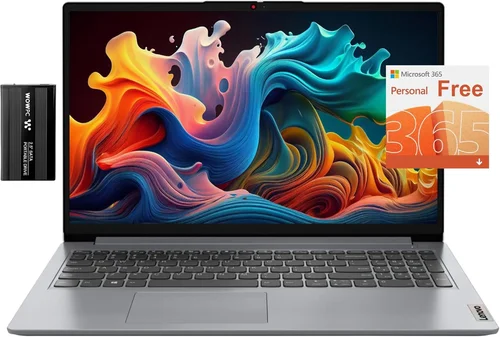
If you’re in the market for a 2-in-1 laptop with a 1TB SSD in 2026, you’re not just looking for a device—you’re investing in a versatile, future-ready computing companion. These hybrid machines blend the portability of a tablet with the power of a laptop, making them ideal for students, professionals, creatives, and everyday users who demand flexibility without sacrificing performance. With solid-state drives (SSDs) now standard in most modern laptops, opting for a 1TB capacity ensures you’ll have ample space for operating systems, applications, large media files, games, and backups—without constantly worrying about running out of storage.
But not all 1TB SSD 2-in-1 laptops are created equal. The market is flooded with options ranging from budget-friendly Chromebooks to high-end Windows convertibles and sleek macOS-powered hybrids. Choosing the right one requires more than just checking off specs on a spec sheet. You need to consider how you’ll use the device daily: Will you be editing 4K videos? Taking handwritten notes with a stylus? Traveling frequently? Running demanding software? This guide cuts through the noise to help you make an informed decision based on real-world needs, not marketing hype. By the end, you’ll know exactly what to prioritize, which brands deliver the best value, and how to avoid common pitfalls that lead to buyer’s remorse.

What to Look for When Buying Buying Guide
1. Performance Specifications
Performance is the backbone of any laptop, especially a 2-in-1 that may switch between productivity tasks and creative workloads. For a 1TB SSD model in 2026, you should expect at least an Intel Core i5 or AMD Ryzen 5 processor (or Apple M-series equivalent), paired with 16GB of RAM for smooth multitasking. While 8GB might suffice for basic web browsing and document editing, 16GB ensures longevity and handles heavier applications like photo editors, coding environments, or virtual machines without lag. The SSD itself should be NVMe-based—not SATA—for faster boot times, quicker file transfers, and snappier app launches. Look for read/write speeds above 3,000 MB/s; anything below that may bottleneck your experience, especially if you work with large files.
Also pay attention to integrated vs. discrete graphics. Most 2-in-1s rely on integrated GPUs (like Intel Iris Xe or AMD Radeon Graphics), which are fine for everyday use and light photo editing. But if you plan to dabble in video editing, 3D modeling, or casual gaming, consider models with entry-level discrete GPUs such as NVIDIA GeForce MX series or RTX 2050. These won’t replace a dedicated gaming rig, but they offer noticeable improvements in rendering and performance-intensive tasks.
2. Display Quality & Touch Responsiveness
Since 2-in-1 laptops double as tablets, the display is arguably more important than on traditional clamshells. Aim for at least a Full HD (1920×1080) IPS panel with good color accuracy (100% sRGB coverage or higher) and brightness (300 nits minimum, 400+ ideal). For creative professionals, OLED or Mini-LED displays offer deeper blacks and richer colors, though they come at a premium. Touch responsiveness is critical—look for screens with active pen support (like Microsoft Surface Pen or Apple Pencil compatibility) if you intend to take notes, sketch, or annotate documents. Latency under 20ms is excellent; anything over 30ms can feel sluggish during handwriting.
Consider screen size too: 13-inch models are ultra-portable but may feel cramped for multitasking, while 15-inch versions offer more real estate but sacrifice some portability. A 14-inch display often strikes the perfect balance. Also check hinge durability—360-degree hinges must withstand thousands of rotations without loosening or creaking.
3. Battery Life & Thermal Management
A 2-in-1 laptop’s versatility means it’ll likely be used in various settings—on a couch, in a café, or during long flights—so battery life matters. In 2026, expect top-tier models to deliver 10–14 hours of real-world usage (web browsing, video playback, office apps). Avoid devices that advertise “up to 18 hours” unless independent reviews confirm it—manufacturers often test under ideal conditions that don’t reflect daily use. Efficient processors (like Apple’s M3/M4 chips or Intel’s Core Ultra series) paired with optimized operating systems typically yield the best endurance.
Thermal management is equally important. Thin 2-in-1s often struggle with heat dissipation, leading to throttling under load. Look for models with vapor chambers, dual fans, or intelligent cooling systems that adjust fan speed based on workload. Passive cooling (fanless designs) is quiet but may limit sustained performance—ideal only for light tasks.
4. Build Quality & Durability
Given their convertible nature, 2-in-1 laptops endure more mechanical stress than standard laptops. The hinge mechanism, in particular, must be robust. Premium models often use magnesium-aluminum alloys or reinforced polymers to keep weight down while maintaining rigidity. Check for MIL-STD-810H certification if you travel frequently—it indicates resistance to drops, vibrations, extreme temperatures, and humidity.
Keyboard and trackpad quality shouldn’t be overlooked. Even in tablet mode, you’ll likely dock or use the laptop traditionally sometimes. A backlit keyboard with 1.5mm+ key travel ensures comfortable typing, while a glass trackpad with Windows Precision drivers offers smooth, accurate cursor control. Avoid flimsy keyboards that flex under pressure—they’re a sign of cost-cutting.
5. Port Selection & Connectivity
Despite trends toward minimalism, having the right ports saves you from carrying a dongle bag. At minimum, look for two USB-C ports (preferably Thunderbolt 4 or USB4 for fast data transfer and external monitor support), one USB-A port, and a headphone jack. HDMI and microSD slots are nice-to-haves for presentations or photographers. Wireless connectivity should include Wi-Fi 6E or Wi-Fi 7 and Bluetooth 5.3+ for stable, low-latency connections to peripherals.
If you use external monitors, ensure the laptop supports dual 4K@60Hz output via Thunderbolt. For professionals, docking station compatibility is a huge plus—some brands offer proprietary docks that simplify workspace setup.
6. Operating System & Software Ecosystem
Your choice of OS significantly impacts usability. Windows 11 remains the most flexible for 2-in-1s, offering full desktop app support, excellent pen integration, and broad hardware compatibility. macOS (on Apple’s iPad Pro with Magic Keyboard or rumored MacBook hybrid) provides seamless ecosystem integration if you own other Apple devices, but true 2-in-1 MacBooks remain speculative in 2026. ChromeOS is lightweight and secure but limited to web apps and Android/Linux containers—great for students, less so for power users.
Consider pre-installed software bloat. Some manufacturers load laptops with trial antivirus, adware, or redundant utilities that slow down startup and consume resources. A clean OS install or minimal bloatware is a hallmark of premium brands.
7. Brand Reputation & Ecosystem Integration
Not all brands prioritize 2-in-1 innovation equally. Microsoft leads with its Surface line, known for premium build, excellent pen support, and thoughtful design. Dell’s XPS and Inspiron convertibles offer strong performance and reliability. HP’s Spectre and Envy series balance style and substance, while Lenovo’s Yoga lineup dominates the mid-range with durable hinges and great keyboards. Apple excels in ecosystem synergy but lacks a true convertible MacBook—its iPad Pro + Magic Keyboard combo is the closest alternative.
Research brand-specific features: Does the company offer stylus inclusion? How responsive is customer service? Are drivers and firmware updated regularly? Brands with strong售后 support reduce long-term frustration.
8. Warranty & Support
A 1TB SSD 2-in-1 laptop is a significant investment—protect it. Standard one-year warranties are common, but extended plans (2–3 years) or accidental damage protection are worth considering, especially for students or travelers. Check if on-site repair is available or if you must ship the device. Some brands (like Apple and Dell) offer premium support tiers with 24/7 phone assistance and expedited replacements.
User-replaceable components are rare in ultra-thin 2-in-1s, so warranty coverage becomes even more critical. Avoid brands with poor track records for honoring claims or slow response times.
Different Types of Buying Guide

Common Buying Mistakes to Avoid
❌ Mistake: Prioritizing Storage Over Everything Else
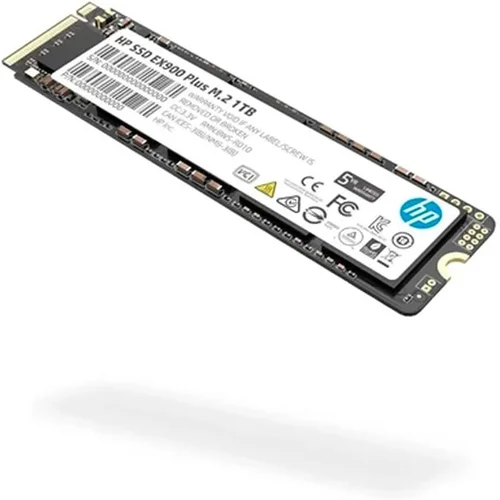
Why it’s bad: A 1TB SSD sounds impressive, but if paired with a weak CPU, 8GB RAM, and a dim display, the laptop will feel sluggish and limiting. Storage is just one piece of the puzzle—performance bottlenecks elsewhere ruin the experience.
What to do instead: Balance storage with core specs. Opt for at least 16GB RAM and a modern processor. You can always add external storage later, but you can’t upgrade soldered RAM or CPUs.
❌ Mistake: Ignoring Real-World Battery Life
Why it’s bad: Manufacturers often quote idealized battery numbers. A laptop claiming 15 hours might only deliver 7 under normal use, leaving you tethered to outlets.
What to do instead: Read third-party reviews from trusted sources like Notebookcheck or Wirecutter. Look for “real-world” battery tests involving mixed usage (web, video, office apps).
❌ Mistake: Overlooking Port Availability
Why it’s bad: Ultra-thin designs often eliminate USB-A, HDMI, or SD card slots. Without them, you’ll need a hub for basic peripherals, adding bulk and cost.
What to do instead: List your essential peripherals (mouse, external drive, monitor) and verify port compatibility before buying. Thunderbolt 4 helps, but don’t assume all USB-C ports support it.
❌ Mistake: Choosing Based Solely on Brand Loyalty
Why it’s bad: Sticking to one brand without comparing alternatives may cause you to miss better value or features elsewhere. Not every brand excels in 2-in-1 design.
What to do instead: Stay open-minded. Compare spec-for-spec across brands. Sometimes a lesser-known model offers identical performance at a lower price.
❌ Mistake: Skipping the Stylus Test
Why it’s bad: If you plan to use the laptop as a digital notebook, a poorly supported or laggy stylus makes the experience frustrating. Some brands sell pens separately at high markups.
What to do instead: Ensure the stylus is included or reasonably priced. Test pressure sensitivity and palm rejection in-store if possible. Microsoft Surface Pen and Apple Pencil are gold standards.
❌ Mistake: Neglecting Warranty and Repair Options
Why it’s bad: Complex hinges and sealed designs make DIY repairs nearly impossible. Without good warranty coverage, a single drop could mean a costly replacement.
What to do instead: Invest in extended warranty or accidental damage protection. Choose brands with strong service networks and transparent repair policies.
❌ Mistake: Buying During Launch Windows Without Research
Why it’s bad: New models often have unpatched bugs, driver issues, or overheating problems that early adopters discover the hard way.
What to do instead: Wait 2–3 months after release for firmware updates and user feedback. You’ll get a more stable device and often a discount.
Budget Guidelines: How Much Should You Spend?
Entry-Level ($600–$900):
At this tier, expect plastic builds, 8GB RAM (sometimes non-upgradeable), and basic IPS displays. Models like the Lenovo IdeaPad Flex or HP Pavilion x360 offer decent performance for web browsing, streaming, and light office work. The 1TB SSD is a standout feature here—rare at this price—but don’t expect Thunderbolt or premium materials. Ideal for students or casual users who prioritize storage over speed.
Mid-Range ($900–$1,500):
This is the sweet spot for most buyers. You’ll find aluminum chassis, 16GB RAM, Intel Core i5/i7 or Ryzen 5/7 processors, and Full HD or QHD touchscreens. Brands like Dell, HP, and Lenovo deliver reliable performance with good battery life. Stylus support is common, and ports are more generous. Perfect for professionals, creatives on a budget, and power users who need versatility without breaking the bank.
Premium ($1,500–$2,200):
Here, build quality shines: magnesium alloy bodies, OLED displays, Thunderbolt 4, and advanced cooling systems. Expect 16–32GB RAM, high-end CPUs, and optional discrete GPUs. Microsoft Surface Laptop Studio 2 and Dell XPS 13 2-in-1 exemplify this tier—ideal for designers, developers, and executives who demand top-tier performance and aesthetics.
Luxury ($2,200+):
These are niche devices with cutting-edge tech: Mini-LED screens, M-series Apple chips (in iPad Pro setups), or gaming-focused RTX GPUs. They offer the best displays, fastest SSDs, and longest battery life—but at a steep premium. Only justified for professionals who rely on their device daily or enthusiasts who want the absolute best.

Expert Tips for Getting the Best Deal
– Time your purchase around major sales events: Back-to-school (July–September), Black Friday (November), and Amazon Prime Day (typically June or July) offer significant discounts on 2-in-1 laptops. Retailers often clear inventory before new models launch.
– Check manufacturer refurbished programs: Apple, Dell, HP, and Microsoft sell certified refurbished units with full warranties at 15–30% off retail. These are rigorously tested and often indistinguishable from new.
– Compare total cost of ownership: Include the price of a stylus, docking station, or extended warranty. Some “cheap” laptops become expensive once essentials are added.
– Use price-tracking tools: Websites like CamelCamelCamel (for Amazon) or Honey alert you when prices drop. Set alerts for your desired model and wait for a dip.
– Read return policies carefully: Ensure you have at least 14–30 days to test the device. Some retailers charge restocking fees for opened electronics.
– Test in person when possible: Visit a store to evaluate keyboard feel, hinge stiffness, and screen quality. What looks good online might disappoint in hand.
– Negotiate with business sales teams: If buying for work, contact corporate sales reps—they often offer bulk discounts or free accessories even on single units.
– Consider trade-in programs: Many brands offer credit for old devices, effectively reducing your out-of-pocket cost.
Frequently Asked Questions
Q: Do I really need 1TB of SSD storage?
A: It depends on your usage. If you store large photo libraries, video projects, games, or virtual machines, 1TB provides breathing room. For casual users who rely on cloud storage, 512GB may suffice—but 1TB future-proofs your investment and avoids constant file management.
Q: Can I upgrade the SSD later?
A: In most ultra-thin 2-in-1s, the SSD is soldered to the motherboard and non-upgradeable. Always confirm this before buying. Some business-oriented models (like certain Lenovo ThinkPads) still offer replaceable SSDs—check the service manual.
Q: Is a 2-in-1 laptop good for gaming?
A: Only select models with discrete GPUs (like RTX 2050 or higher) can handle modern games at low-to-medium settings. Most 2-in-1s prioritize battery life and portability over gaming performance. If gaming is a priority, consider a dedicated gaming laptop or handheld.
Q: How durable are 2-in-1 hinges?
A: Premium models (Surface, XPS, Yoga) use reinforced hinges rated for 20,000+ rotations. Budget models may loosen over time. Look for user reviews mentioning hinge longevity—it’s a common failure point.
Q: Should I choose Windows or ChromeOS?
A: Windows offers full desktop app support and better pen integration. ChromeOS is simpler, faster, and more secure but limited to web apps. Choose Windows for versatility, ChromeOS for simplicity and cloud reliance.
Q: Are 2-in-1 laptops good for programming?
A: Yes, especially with 16GB RAM and fast SSDs. The tablet mode is less useful for coding, but the laptop mode works well. Ensure good keyboard travel and Linux compatibility if needed.
Q: What’s the difference between USB-C and Thunderbolt?
A: Thunderbolt 4 (and USB4) supports faster data transfer (up to 40Gbps), dual 4K displays, and daisy-chaining peripherals. Regular USB-C may only offer 10Gbps and single monitor support. Always verify Thunderbolt certification.
Q: Can I use a 2-in-1 as a primary work machine?
A: Absolutely—if it meets your performance needs. Many professionals use Surface or XPS 2-in-1s as their daily drivers for email, presentations, design, and development.
Q: How important is screen resolution?
A: Full HD is sufficient for most. QHD or 4K offers sharper text and images but drains battery faster and may require scaling. For creative work, higher resolution and color accuracy matter more than raw pixel count.
Q: Do all 2-in-1s support stylus input?
A: No. Some budget models lack active digitizer layers, meaning they only support basic touch—not pressure-sensitive pens. Always check for “active pen support” or “Wacom AES” compatibility.
Our Final Recommendations
– Best for Budget-Conscious Buyers: Lenovo IdeaPad Flex 5i (14″, 2026) – At around $750, it delivers a 1TB NVMe SSD, 16GB RAM, Intel Core i5, and included Lenovo Precision Pen. Solid build, good battery life, and reliable performance for students and home users.
– Best Overall Value: Dell Inspiron 14 7440 2-in-1 – Priced at $1,100–$1,300, this model offers a stunning QHD+ touchscreen, 16GB RAM, Ryzen 7 processor, Thunderbolt 4, and premium aluminum design. Excellent balance of price, performance, and features.
– Best Premium Option: Microsoft Surface Laptop Studio 2 – At $2,100+, it’s a powerhouse with 32GB RAM, 1TB SSD, Intel Core i7, RTX 4050 GPU, and a unique pull-forward touchscreen. Ideal for creatives and professionals who need top-tier performance and innovation.
– Best for Beginners: HP Pavilion x360 14 – Simple setup, intuitive Windows 11, included HP Rechargeable MPP 2.0 Tilt Pen, and a vibrant Full HD display. Great first 2-in-1 for teens or seniors.
– Best for Advanced Users: ASUS Zenbook S 13 OLED (2-in-1 variant) – Combines an gorgeous OLED display, ultra-thin magnesium build, 16GB LPDDR5X RAM, and Intel Core Ultra 7. Perfect for developers, designers, and tech enthusiasts who demand cutting-edge specs.
Conclusion: Making the Right Choice
Choosing the best 1TB SSD 2-in-1 laptop in 2026 isn’t about finding the shiniest specs or the most famous brand—it’s about aligning the device with your lifestyle, workload, and long-term needs. Whether you’re a student jotting notes in class, a designer sketching concepts on the go, or a professional juggling spreadsheets and video calls, the right 2-in-1 should feel like an extension of your workflow, not a compromise.
Remember: prioritize performance, display quality, and build durability over flashy extras. Don’t let storage alone dictate your decision—balance it with RAM, CPU, and battery life. And always factor in real-world usability: hinge strength, port selection, and stylus support can make or break your daily experience.
Take your time, read independent reviews, and test before you commit. With the insights from this guide, you’re equipped to navigate the crowded marketplace with confidence. Your ideal 2-in-1 isn’t just a purchase—it’s an investment in productivity, creativity, and freedom. Choose wisely, and it will serve you well for years to come.