
The gaming landscape has evolved dramatically over the past decade, and one of the most transformative shifts has been the widespread adoption of solid-state drives (SSDs). Gone are the days when loading screens stretched into minutes or textures popped in awkwardly mid-gameplay. Today, SSDs are no longer just a nice-to-have upgrade—they’re a necessity for anyone serious about modern gaming. Whether you’re exploring vast open worlds, engaging in fast-paced multiplayer battles, or diving into cinematic single-player experiences, the right SSD can dramatically enhance your immersion, responsiveness, and overall enjoyment. This guide is designed to help you navigate the complex world of SSD-optimized games, ensuring you get the most out of your storage investment.
In this comprehensive buying guide, we’ll walk you through everything you need to know to select the best games that truly leverage SSD performance. You’ll learn how to identify titles that benefit most from faster load times, reduced stuttering, and seamless asset streaming. We’ll break down key technical factors like sequential read speeds, random I/O performance, and storage capacity, all in the context of real-world gaming scenarios. Additionally, we’ll compare different types of SSDs, highlight common pitfalls to avoid, and provide expert-backed recommendations based on budget, use case, and performance expectations. By the end, you’ll have a clear roadmap to building a game library that maximizes your SSD’s potential—whether you’re playing on a high-end gaming rig, a next-gen console, or a portable handheld.
The market for SSDs and SSD-compatible games is more dynamic than ever. With the release of the PlayStation 5, Xbox Series X|S, and the growing popularity of NVMe Gen4 and Gen5 drives on PC, developers are increasingly designing games with SSD performance in mind. Titles like Ratchet & Clank: Rift Apart, Horizon Forbidden West, and Starfield showcase what’s possible when games are built from the ground up to exploit ultra-fast storage. Meanwhile, backward-compatible games are receiving patches to improve load times and performance on newer hardware. This guide will help you cut through the noise and focus on the games and SSDs that deliver tangible benefits, so you can spend less time waiting and more time playing.
What to Look for When Buying Buying Guide
1. Storage Speed and Interface Type
Not all SSDs are created equal, and the interface type plays a crucial role in determining how well a game performs. The two most common interfaces today are SATA and NVMe (Non-Volatile Memory Express). SATA SSDs, while still faster than traditional hard drives, cap out around 550 MB/s due to bandwidth limitations of the SATA III interface. In contrast, NVMe SSDs connect directly to the PCIe bus, allowing for significantly higher speeds—Gen3 drives reach up to 3,500 MB/s, Gen4 up to 7,000 MB/s, and Gen5 pushing beyond 10,000 MB/s. For games that rely heavily on asset streaming—like open-world RPGs or fast-travel-heavy titles—NVMe drives provide a noticeable edge in reducing pop-in and improving world coherence.
When evaluating SSDs, look for sequential read speeds as a primary indicator of performance. Games that load large textures, models, and audio files benefit most from high read speeds. However, don’t overlook random read performance, especially 4K random reads, which affect how quickly small files are accessed during gameplay. A drive with strong random I/O performance will handle multitasking better and reduce micro-stutters in complex scenes. For example, Cyberpunk 2077 and The Witcher 3 both see improved stability and faster texture loading on high-end NVMe drives compared to SATA or HDDs.
2. Capacity and Game File Sizes
Modern games are massive. Titles like Call of Duty: Modern Warfare II can exceed 200 GB, while Starfield and Red Dead Redemption 2 hover around 150 GB. Even indie games are growing in size due to high-resolution assets and expansive content. This makes storage capacity a critical factor when choosing an SSD. A 1TB drive might seem sufficient, but it can fill up quickly with just a handful of AAA titles. For serious gamers, we recommend starting with at least a 2TB SSD to ensure room for your current library and future downloads.
Consider how many games you typically keep installed at once. If you rotate titles frequently, a smaller drive may suffice. But if you prefer having multiple games ready to play, larger capacities are essential. Additionally, some SSDs offer better endurance and performance at higher capacities. For instance, a 2TB NVMe drive often has more NAND chips and better wear leveling than a 500GB version of the same model, leading to longer lifespan and more consistent speeds over time.
3. Compatibility with Your System
Before purchasing an SSD, verify that it’s compatible with your gaming platform. On PC, most modern motherboards support M.2 NVMe slots, but older systems may only have SATA ports. For PlayStation 5, Sony requires a specific type of NVMe SSD: it must be PCIe Gen4, fit within the console’s expansion bay, and include a heatsink (or be compatible with one). Not all Gen4 drives meet these criteria, so check Sony’s official compatibility list. Xbox Series X|S supports both internal expansion cards (via proprietary Seagate cards) and external USB SSDs, though internal storage delivers the best performance for optimized games.
Handheld devices like the Steam Deck or ASUS ROG Ally also benefit from SSD upgrades, but space and power constraints limit options. The Steam Deck, for example, uses a custom M.2 2230 form factor, which is smaller and harder to find than standard 2280 drives. Always confirm form factor, interface, and physical dimensions before buying. A mismatched SSD won’t just fail to install—it could damage your system.
4. Endurance and Lifespan (TBW Rating)
SSDs have a finite number of write cycles, measured in terabytes written (TBW). This rating indicates how much data can be written to the drive over its lifetime before it’s likely to fail. For gamers, who frequently install, uninstall, and patch large game files, endurance is a key consideration. A drive with a low TBW rating may degrade faster under heavy use, leading to performance drops or outright failure.
Look for SSDs with a TBW rating of at least 600 TBW for a 1TB drive, and proportionally higher for larger capacities. High-end drives from brands like Samsung, WD Black, and Crucial often exceed 1,000 TBW for 2TB models. Additionally, check the warranty period—most reputable SSDs come with 5-year warranties, which often correlate with TBW ratings. For example, a 5-year warranty with 1,200 TBW suggests the manufacturer expects the drive to last under normal usage for that duration.
5. Thermal Performance and Cooling
High-speed NVMe SSDs generate significant heat, especially during sustained read/write operations like game loading or patching. Without proper cooling, thermal throttling can occur, causing the drive to slow down to prevent damage. This is particularly problematic in compact systems like the PS5 or laptops, where airflow is limited.
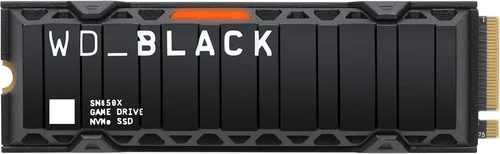
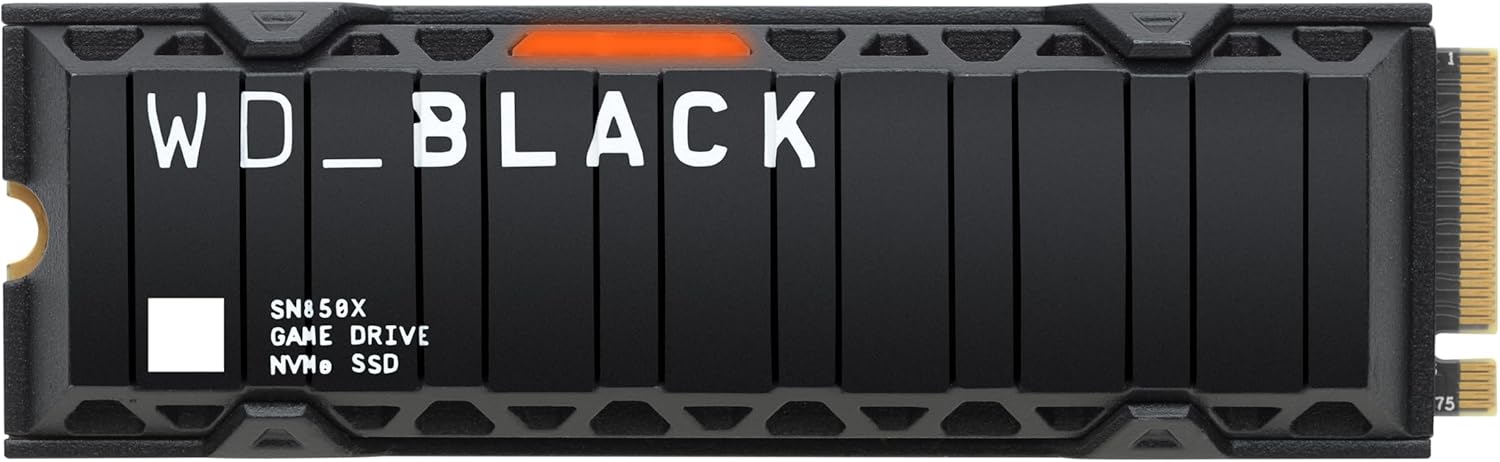
Many NVMe SSDs now come with built-in heatsinks, or you can purchase aftermarket ones. For PS5 users, a heatsink is mandatory—Sony’s expansion bay has strict thermal requirements. On PC, consider case airflow and whether your motherboard has an M.2 heatsink. Drives like the Samsung 990 Pro or WD Black SN850X include effective thermal solutions, while others may require third-party cooling. Monitoring tools like CrystalDiskInfo can help you track drive temperatures and ensure they stay below 70°C under load.
6. Brand Reliability and Firmware Support
Not all SSD brands are equal in terms of reliability, performance consistency, and long-term support. Established brands like Samsung, Western Digital, Crucial, and Kingston have proven track records for quality control, firmware updates, and customer service. They also tend to use higher-grade NAND flash and controllers, which contribute to better performance and longevity.
Avoid no-name or ultra-budget SSDs, especially those sold at suspiciously low prices. These often use inferior components, lack proper firmware optimization, and may fail prematurely. Look for brands that offer regular firmware updates, which can improve performance, fix bugs, and enhance compatibility with new games and operating systems. For example, Samsung’s Magician software provides real-time monitoring, performance optimization, and firmware updates, making it easier to maintain your drive over time.
7. Price-to-Performance Ratio
While it’s tempting to go for the fastest SSD on the market, cost-effectiveness matters. High-end Gen5 drives offer incredible speeds, but most current games don’t fully utilize that bandwidth. A Gen4 NVMe SSD often provides 90% of the benefit at a lower price point. Evaluate your needs: if you’re playing on a PS5 or a mid-range PC, a Gen4 drive like the WD Black SN770 or Samsung 980 Pro offers excellent value.
Compare price per gigabyte across different capacities and brands. Sometimes, a 2TB drive offers better value than two 1TB drives, even if the total cost is slightly higher. Also, watch for sales during events like Black Friday, Amazon Prime Day, or back-to-school seasons. SSD prices fluctuate frequently, and waiting for a deal can save you $50–$100 on a high-capacity drive.
8. Future-Proofing and Upgrade Path
Gaming technology evolves rapidly, and today’s cutting-edge SSD may be tomorrow’s baseline. Consider whether your chosen drive supports upcoming standards. For example, Gen5 SSDs are backward compatible with Gen4 and Gen3 systems, making them a good long-term investment if you plan to upgrade your PC in the next few years. Similarly, choosing an SSD with DRAM cache ensures better performance under load and longer lifespan, which is beneficial as games become more demanding.
Also, think about expandability. If your system supports multiple M.2 slots, you can start with one SSD and add another later. This modular approach allows you to scale your storage as your game library grows. For console gamers, check whether your system allows internal expansion or if you’re limited to external USB drives, which may not support all next-gen features.
Different Types of Buying Guide

Common Buying Mistakes to Avoid
❌ Mistake: Ignoring Compatibility Requirements
Why it’s bad: Buying an SSD that doesn’t fit your system—whether due to form factor, interface, or thermal constraints—can result in wasted money and frustration. For example, installing a Gen4 SSD without a heatsink in a PS5 can cause overheating and throttling, negating any performance benefits.
What to do instead: Always check your system’s specifications before purchasing. Use manufacturer compatibility lists, consult user manuals, or ask in gaming forums. When in doubt, opt for a drive explicitly recommended for your platform.
❌ Mistake: Prioritizing Speed Over Endurance
Why it’s bad: A blazing-fast SSD with low TBW may fail prematurely under heavy gaming use. Games like Destiny 2 or Final Fantasy XIV require frequent updates and patches, which involve大量写入操作.
What to do instead: Balance speed with endurance. Choose drives with high TBW ratings and DRAM cache for sustained performance. Look for models with 5-year warranties as a sign of confidence in longevity.
❌ Mistake: Overlooking Thermal Management
Why it’s bad: High temperatures can cause SSDs to throttle, reducing speeds and potentially shortening lifespan. This is especially true in compact consoles or poorly ventilated PC cases.
What to do instead: Invest in a drive with a built-in heatsink or purchase a compatible aftermarket solution. Monitor temperatures using software tools and ensure adequate airflow in your system.
❌ Mistake: Buying the Cheapest Option Available
Why it’s bad: Ultra-budget SSDs often use low-quality NAND and lack proper firmware, leading to data corruption, slowdowns, or early failure. They may also lack critical features like DRAM cache.
What to do instead: Stick to reputable brands with proven track records. A slightly higher upfront cost can save you from data loss and the hassle of replacing a failed drive.
❌ Mistake: Neglecting Firmware Updates
Why it’s bad: Outdated firmware can cause compatibility issues, performance bugs, or security vulnerabilities. Some games may not run optimally on older firmware versions.
What to do instead: Regularly check for firmware updates using the manufacturer’s utility software. Enable automatic notifications if available, and apply updates promptly.
❌ Mistake: Underestimating Storage Needs
Why it’s bad: Running out of space forces you to constantly delete and reinstall games, which is time-consuming and wears out the SSD faster. It also limits your ability to keep multiple titles ready to play.
What to do instead: Plan for growth. Start with at least 2TB if possible, or use a combination of internal SSD for active games and external storage for backups.
❌ Mistake: Assuming All Games Benefit Equally
Why it’s bad: Not every game sees dramatic improvements from an SSD. Linear shooters or older titles may load quickly even on HDDs, making the upgrade less impactful.
What to do instead: Focus your SSD investment on games that truly benefit—open-world adventures, fast-travel-heavy RPGs, and next-gen exclusives. Use slower storage for less demanding titles.
Budget Guidelines: How Much Should You Spend?
- Entry-Level ($50–$100): Ideal for budget-conscious gamers or those upgrading from an HDD. A 1TB SATA SSD like the Crucial MX500 or Samsung 870 EVO offers reliable performance and significant improvements over mechanical drives. Great for indie games, older titles, or as secondary storage.
- Mid-Range ($80–$180): The sweet spot for most gamers. A 1TB or 2TB NVMe Gen3 SSD such as the WD Blue SN580 or Samsung 980 provides excellent speed and value. Perfect for PC gaming, moderate game libraries, and future upgrades.
- Premium ($150–$300): For enthusiasts and next-gen console users. A high-performance Gen4 NVMe SSD like the Samsung 990 Pro or WD Black SN850X delivers top-tier speeds, low latency, and robust cooling. Ideal for PS5 expansion, high-end PCs, and demanding games.
- Luxury ($300+): Reserved for professionals and bleeding-edge users. Gen5 SSDs like the Crucial T700 or Sabrent Rocket 5 offer unprecedented bandwidth, but current games don’t fully utilize them. Best for content creators or those building ultra-high-end systems.
Expert Tips for Getting the Best Deal
- Buy during major sales events: Black Friday, Cyber Monday, Amazon Prime Day, and back-to-school seasons often feature deep discounts on SSDs. Sign up for deal alerts from retailers like Newegg, Best Buy, or Amazon.
- Compare prices across retailers: Use price tracking tools like Honey, CamelCamelCamel, or PCPartPicker to find the lowest price and historical trends.
- Check for bundle deals: Some retailers offer SSDs bundled with games, cooling pads, or installation kits at a discount.
- Consider refurbished or open-box units: Reputable sellers often offer certified refurbished SSDs with full warranties at reduced prices.
- Read return policies: Ensure the retailer allows returns in case of compatibility issues or defects. Avoid sellers with strict no-return policies.
- Test performance after installation: Use benchmarks like CrystalDiskMark or AS SSD to verify your SSD is performing as advertised.
- Monitor drive health: Use tools like Samsung Magician or WD Dashboard to track wear, temperature, and performance over time.
- Plan for future upgrades: If your system supports multiple drives, start with one high-quality SSD and expand later to spread out costs.

Frequently Asked Questions
Q: Do all games load faster on an SSD?
A: Not necessarily. While most modern games benefit from faster load times, the degree of improvement varies. Linear games with small levels may see minimal gains, whereas open-world titles with large asset pools—like Assassin’s Creed Valhalla or Elden Ring—show dramatic improvements in texture streaming and world loading.
Q: Can I use an external SSD for gaming?
A: Yes, but with caveats. External USB SSDs work well for storing and playing games on PC and Xbox, but they may not support all next-gen features like DirectStorage. On PS5, external drives can store PS5 games but can’t play them—only PS4 titles can be run externally.
Q: Is a Gen5 SSD worth it for gaming in 2026?
A: For most gamers, no. While Gen5 offers incredible speeds, current games don’t require that level of bandwidth. A high-quality Gen4 SSD provides nearly identical real-world performance at a lower cost. Gen5 is better suited for video editing or future-proofing high-end systems.
Q: How do I know if my SSD is compatible with my PS5?
A: Sony requires a PCIe Gen4 NVMe SSD with a heatsink, sequential read speeds of at least 5,500 MB/s, and a size between 250GB and 4TB. Check Sony’s official compatibility list before purchasing.
Q: Can an SSD improve FPS in games?
A: Not directly. SSDs reduce load times and stuttering but don’t increase frame rates. However, faster asset loading can prevent hitches and improve overall smoothness, especially in open-world games.
Q: Should I install my operating system on the SSD too?
A: Absolutely. Running Windows or your game launcher (like Steam or Epic) from the SSD improves system responsiveness, boot times, and game launch speeds. It’s a best practice for optimal performance.
Q: How long do gaming SSDs typically last?
A: Most high-quality SSDs last 5–10 years under normal use. With a TBW rating of 600–1,200 and a 5-year warranty, you’re likely to upgrade your system before the drive fails.
Q: Can I clone my old drive to a new SSD?
A: Yes, using cloning software like Macrium Reflect, Acronis True Image, or Samsung Data Migration. This preserves your OS, games, and settings, making the transition seamless.
Q: Do SSDs need defragmentation?
A: No. SSDs don’t benefit from defragmentation and it can actually reduce their lifespan. Windows automatically disables defrag for SSDs and enables TRIM instead, which helps maintain performance.
Q: What’s the difference between DRAM and DRAM-less SSDs?
A: DRAM SSDs have a dedicated memory cache for mapping data, leading to faster speeds and better endurance. DRAM-less drives use system memory (HMB) and are slower under load. For gaming, always prefer DRAM-equipped models.
Our Final Recommendations
- Best for Budget-Conscious Buyers: Samsung 870 EVO (1TB SATA) – Reliable, affordable, and widely compatible. Perfect for upgrading from an HDD without breaking the bank.
- Best Overall Value: WD Black SN770 (2TB NVMe Gen4) – Excellent speed, low power consumption, and great price-to-performance. Ideal for PC and PS5 users.
- Best Premium Option: Samsung 990 Pro (2TB NVMe Gen4) – Top-tier performance, built-in heatsink, and exceptional endurance. The go-to choice for enthusiasts.
- Best for Beginners: Crucial P5 Plus (1TB NVMe Gen4) – Easy to install, reliable, and well-supported. Great for first-time SSD upgraders.
- Best for Advanced Users: Crucial T700 (2TB NVMe Gen5) – Cutting-edge speed and future-proofing. Best for high-end builds and content creators.
Conclusion: Making the Right Choice
Choosing the right SSD and the games that best utilize its capabilities is about balancing performance, compatibility, and value. While it’s easy to get caught up in specs and benchmarks, the real measure of success is how much more enjoyable your gaming experience becomes. Faster load times, smoother gameplay, and seamless world transitions aren’t just conveniences—they’re essential to modern gaming immersion.
As you build your SSD-optimized game library, prioritize titles that truly benefit from high-speed storage. Focus on open-world adventures, next-gen exclusives, and games with frequent asset streaming. Pair them with a reliable, well-cooled SSD that matches your system and budget. Avoid common pitfalls like compatibility oversights or underestimating storage needs, and always buy from trusted brands with strong support.
Remember, the best SSD isn’t necessarily the fastest or most expensive—it’s the one that fits your needs, enhances your favorite games, and lasts for years to come. Whether you’re exploring the cosmos in Starfield, traversing the ruins of Horizon Forbidden West, or diving into the fast-paced action of Call of Duty, the right SSD ensures you spend less time waiting and more time playing. So take the time to research, compare, and invest wisely. Your future self—and your game library—will thank you.