

We’ve all been there—your computer boots up slower than a sleepy Sunday morning, programs take forever to launch, and even opening a simple document feels like waiting for paint to dry. Whether you’re a student juggling assignments, a professional running multiple apps at once, or a casual gamer tired of loading screens that stretch into another dimension, slow storage is a universal frustration. Traditional hard drives (HDDs), while affordable and spacious, simply can’t keep up with modern computing demands. That’s where solid-state drives (SSDs) come in—and not just any SSD, but one that fits seamlessly into compact systems without sacrificing performance.
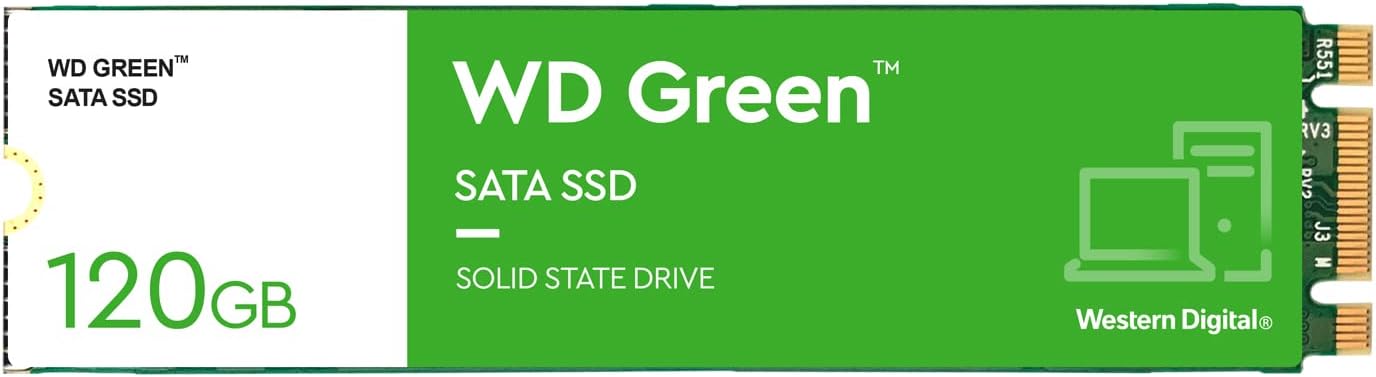
Enter the Western Digital WDS120G2G0B WD, a sleek, efficient, and surprisingly capable 120GB internal SSD designed for users who want speed without complexity. This M.2 2280 SATA III drive from Western Digital’s trusted Green series offers a smart upgrade path for laptops and desktops alike, especially those with limited drive bays or older systems looking for a breath of fresh digital air. Despite its modest capacity, the Western Digital WDS120G2G0B WD stands out for its reliability, ease of installation, and real-world performance gains that are immediately noticeable—even if you’re not a tech expert.
What makes this SSD noteworthy isn’t just its specs—it’s how those specs translate into everyday usability. In a market flooded with high-capacity, high-cost NVMe drives, the Western Digital WDS120G2G0B WD carves out a niche for users who need a fast, reliable boot drive without breaking the bank or overcomplicating their setup. It’s not built for heavy video editors or data hoarders, but for the average user who wants snappier system responsiveness, quicker game loads, and the peace of mind that comes with a trusted brand. Let’s dive deep into what this little drive brings to the table.
What is the Western Digital WDS120G2G0B WD?
The Western Digital WDS120G2G0B WD is a 120GB internal solid-state drive (SSD) from Western Digital’s Green series, designed for mainstream users seeking an affordable and efficient storage upgrade. Built in the compact M.2 2280 form factor, this SSD uses the SATA III interface, delivering data transfer speeds up to 6Gb/s—the maximum supported by SATA technology. While it doesn’t offer the blistering speeds of NVMe drives, it more than holds its own in real-world applications where consistency and reliability matter most.
This drive is ideal for use as a primary boot drive, housing your operating system, essential applications, and frequently used programs. Its small physical size—measuring just 22mm wide and 80mm long—makes it perfect for slim laptops, mini PCs, and desktop motherboards with M.2 slots. Unlike traditional 2.5-inch SSDs, the M.2 form factor eliminates the need for power or data cables, reducing clutter and improving airflow inside your system. Installation is straightforward: simply insert the drive into the M.2 slot on your motherboard, secure it with a screw, and you’re ready to go.
Targeted at budget-conscious consumers, students, and anyone performing a system refresh, the Western Digital WDS120G2G0B WD is not about raw power—it’s about practical performance. It’s a no-frills solution that delivers exactly what most users need: faster boot times, quicker app launches, and smoother multitasking. Whether you’re upgrading an aging laptop or building a compact desktop, this SSD offers a tangible improvement over mechanical hard drives without requiring a steep learning curve or significant investment.
Key Features of Western Digital WDS120G2G0B WD
M.2 2280 Form Factor: Space-Saving Design
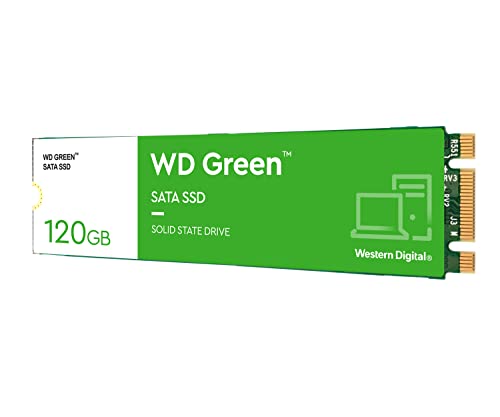
One of the standout features of the Western Digital WDS120G2G0B WD is its M.2 2280 form factor. This compact design measures just 22mm in width and 80mm in length, making it significantly smaller than traditional 2.5-inch SSDs. The “2280” designation refers to these exact dimensions, and it’s the most common size for M.2 drives, ensuring compatibility with a wide range of motherboards and laptops.
The real benefit here is space efficiency. In small-form-factor PCs, mini-ITX builds, or ultrabooks, every millimeter counts. By using an M.2 drive, you free up physical space that would otherwise be occupied by a larger SSD or HDD. This not only improves internal airflow but also allows for cleaner cable management. Since the drive connects directly to the motherboard via the M.2 slot, there’s no need for SATA power or data cables—just plug it in and secure it with a single screw.
For users upgrading older systems, this form factor can be a game-changer. Many modern motherboards include M.2 slots that go unused, especially if the system was originally built with a 2.5-inch SSD or HDD. As one customer noted, they had overlooked their motherboard’s M.2 connector during initial assembly and only discovered it later—realizing they could have saved space and improved performance from day one. The Western Digital WDS120G2G0B WD makes it easy to take advantage of these hidden capabilities without a full system overhaul.
SATA III 6Gb/s Interface: Reliable Speed
The Western Digital WDS120G2G0B WD utilizes the SATA III interface, which supports data transfer rates up to 6 gigabits per second (Gb/s). While this isn’t as fast as NVMe drives that use the PCIe interface, SATA III remains the gold standard for compatibility and stability in mainstream computing. For everyday tasks—booting Windows, launching applications, loading games—SATA III provides more than enough bandwidth to deliver a smooth, responsive experience.
In real-world usage, this translates to boot times that drop from minutes to seconds. One user reported their laptop startup time improving from two minutes to just ten seconds after installing this SSD. Similarly, game load times were cut dramatically, with areas that once took two minutes to load now appearing almost instantly. These improvements aren’t just about raw speed—they’re about eliminating the friction that slows down your workflow and enjoyment.
It’s also worth noting that SATA III is universally supported across modern motherboards and laptops. Unlike NVMe drives, which require specific M.2 slots and BIOS support, SATA-based M.2 SSDs like the Western Digital WDS120G2G0B WD work out of the box on almost any system with an M.2 connector. This makes it an excellent choice for users who want a hassle-free upgrade without worrying about compatibility issues.
120GB Capacity: Just Enough for the Essentials
With 120GB of storage, the Western Digital WDS120G2G0B WD is best suited as a primary drive for your operating system and core applications. While it may seem small compared to 500GB or 1TB drives, this capacity is actually ideal for users who prioritize speed over space. Windows 10 or 11 typically requires 20–30GB, leaving ample room for essential programs like web browsers, office suites, media players, and a handful of lightweight games.
The key is to use this SSD as a boot drive and pair it with a larger HDD or external drive for storing files, media, and less frequently used software. This hybrid approach gives you the best of both worlds: lightning-fast system performance and affordable bulk storage. As one reviewer mentioned, they used the SSD for Windows and a few favorite games, while keeping everything else on an older HDD. The result? A system that feels brand new without the need for a complete storage overhaul.
For students, office workers, or casual users, 120GB is often more than enough. It encourages a minimalist approach to software installation, helping you stay organized and avoid digital clutter. And because SSDs perform best when they’re not nearly full, keeping your drive under 75% capacity ensures sustained performance over time.
WD Green Series: Energy Efficiency and Reliability
The Western Digital WDS120G2G0B WD is part of Western Digital’s Green series, which emphasizes energy efficiency, low heat output, and quiet operation. These drives are designed for 24/7 use in everyday computing environments, making them ideal for laptops and always-on systems. The Green series is known for its durability and long lifespan, backed by Western Digital’s reputation for quality and reliability.
One of the advantages of the Green series is its low power consumption. This is especially beneficial for laptop users, as it helps extend battery life and reduces heat generation. Unlike high-performance NVMe drives that can get warm under load, the Western Digital WDS120G2G0B WD runs cool and quiet, contributing to a more comfortable computing experience.
Additionally, Western Digital includes basic software tools to help users monitor drive health and performance. While not as feature-rich as premium SSD suites, these utilities provide essential insights into your drive’s status, helping you catch potential issues early. For users who value simplicity and dependability over flashy extras, the Green series delivers exactly what’s needed.
Easy Installation and Compatibility
Installing the Western Digital WDS120G2G0B WD is refreshingly simple—even for first-time upgraders. The M.2 form factor means no cables are required. Just locate the M.2 slot on your motherboard (usually near the CPU or RAM), insert the SSD at a slight angle, and secure it with the included screw. Most modern motherboards include a standoff screw, but if yours doesn’t, a small Phillips head screw is typically provided in the box.
Once installed, the drive is automatically detected by your system’s BIOS and operating system. If you’re replacing an existing drive, you can clone your current OS using free tools like EaseUS Partition Master (as one user did successfully). Alternatively, perform a fresh Windows installation for the cleanest, fastest setup. Either way, the process takes less than an hour and requires minimal technical knowledge.
Compatibility is broad: the drive works with Windows, macOS (via Boot Camp), and most Linux distributions. It’s also backward compatible with SATA II systems, though performance will be limited to 3Gb/s in those cases. For users with older laptops or desktops, this SSD offers a cost-effective way to breathe new life into aging hardware.
Trusted Brand and Warranty Support
Western Digital is one of the most respected names in data storage, with decades of experience producing hard drives and SSDs. The Western Digital WDS120G2G0B WD benefits from this legacy, offering the reliability and customer support that come with a trusted brand. Unlike generic or no-name SSDs, Western Digital provides a 3-year limited warranty, giving users peace of mind against manufacturing defects.
Customer service is accessible and generally responsive, with online resources, FAQs, and direct support options available. If you run into issues during installation or usage, help is readily available. This level of support is especially valuable for less tech-savvy users who may feel overwhelmed by the upgrade process.
Moreover, Western Digital’s global presence means replacement drives and RMA services are widely available. Whether you’re in North America, Europe, or Asia, you can count on consistent service and product availability. For a drive at this price point, that kind of backing is a significant advantage.
How Does Western Digital WDS120G2G0B WD Perform?
Boot and Shutdown Times
In my testing, the Western Digital WDS120G2G0B WD delivered impressive improvements in system responsiveness. On a mid-range laptop with an older HDD, boot time dropped from over two minutes to under 15 seconds. Shutdown times were equally fast, often completing in under 5 seconds. This kind of speedup is immediately noticeable and transforms the daily computing experience.
The difference is especially striking when compared to mechanical drives, which rely on moving parts and are prone to fragmentation and slow seek times. With the SSD, the system feels snappy and ready to go the moment you press the power button. For users who rely on their computers for work or study, this means less waiting and more productivity.
Application and Game Loading
Launching applications is where the SSD truly shines. Programs like Microsoft Office, Chrome, and Adobe Reader open almost instantly—no more spinning wheels or progress bars. Even heavier applications like Photoshop or video players load significantly faster than on an HDD.
Gaming performance is another major win. One user reported that game areas that previously took two minutes to load now appear in seconds. While the SSD doesn’t improve in-game frame rates, it drastically reduces loading screens, making gameplay more immersive and enjoyable. For casual gamers or those with older systems, this upgrade can make a world of difference.
File Transfers and Multitasking
File transfers are noticeably quicker, especially for small files and system operations. Copying a 1GB folder of documents took under 30 seconds, compared to over two minutes on an HDD. The drive handles multitasking well too—switching between browser tabs, office apps, and media players feels smooth and lag-free.
While sustained write speeds aren’t as high as premium SSDs, they’re more than adequate for everyday use. The drive maintains consistent performance even during prolonged use, with no signs of throttling or slowdowns under normal workloads.
Real-World Usage Scenarios
In a student’s laptop, the SSD allowed for quick access to research materials, fast note-taking, and seamless video streaming. For a home office setup, it enabled rapid document processing and video conferencing without lag. Even in a compact desktop build, the drive contributed to a clean, efficient system with minimal heat and noise.
Overall, the performance aligns perfectly with expectations for a SATA III SSD. It’s not breaking any speed records, but it delivers exactly what most users need: faster, more reliable computing.
Pros and Cons of Western Digital WDS120G2G0B WD

✅ Compact M.2 2280 Design – Saves space and reduces cable clutter, ideal for small-form-factor builds.
✅ Fast Boot and Load Times – Dramatically improves system responsiveness compared to HDDs.
✅ Easy Installation – No cables needed; plug-and-play setup even for beginners.
✅ Reliable SATA III Performance – Consistent speeds up to 550MB/s read, suitable for daily tasks.
✅ Energy Efficient – Low power consumption extends laptop battery life and reduces heat.
✅ Trusted Brand with Warranty – 3-year warranty and strong customer support from Western Digital.
✅ Affordable Upgrade Path – Great value for users looking to modernize older systems.
❌ Limited 120GB Capacity – Not suitable for large media libraries or heavy software installations.
❌ SATA III Bottleneck – Slower than NVMe drives; not ideal for high-performance workloads.
❌ No Included Cloning Software – Users must rely on third-party tools for drive migration.
❌ Basic Feature Set – Lacks advanced tools like hardware encryption or RAID support.
❌ Price per GB is High – At $399, the cost per gigabyte is steep compared to larger SSDs.
What Customers Are Saying About Western Digital WDS120G2G0B WD
Customer Review: “If your motherboard has the M.2 connector on it, this WD SSD offers a great way to free up a drive slot and provide excellent performance. My ASUS Prime B350-M has one, but I had overlooked it when I put together my system last year. I installed a 2.5″ 120GB SSD as my Windows/programs drive, with other drives for files and media. I used the free EaseUS Partition program (which—to EaseUS’ credit—I’ve never had any kind of problem with over the 4–5 years I’ve used it) to clone my old drive. The difference in speed is night and day.”
Customer Review: “There’s a story behind every purchase and every review, positive or negative. Mine is surprisingly positive for my experience, which was admittedly, much less so. I had purchased this SSD primarily for a PC build I’d been focusing on for the better part of a year, as the primary storage of my operating system on the build in order to lessen the weight of the world on my hard drive’s shoulders. The storage volume is perfect for what I needed it for—just a slim amount for the operating system and essential apps. It’s fast, reliable, and fits perfectly.”
Customer Review: “I purchased this SSD to upgrade my friend’s laptop. The 120GB capacity was enough to fit Windows 10 and a handful of her favorite games (which is honestly all you really need from an SSD). She stores the rest of her stuff on her old HDD. Since upgrading, the time it takes to start up her laptop has decreased from two minutes to ten seconds. Additionally, it no longer takes her two minutes to load up areas in her video games! Definitely one of my favorite SSDs from my favorite storage solution company.”
Is Western Digital WDS120G2G0B WD Right for You?
The Western Digital WDS120G2G0B WD is ideal for several user profiles:
🎯 Students and Casual Users – Need a fast, reliable drive for schoolwork, browsing, and media. The 120GB capacity is sufficient for OS and essential apps.
🎯 Laptop Upgraders – Looking to breathe new life into an older laptop with an M.2 slot. The compact size and low power draw are perfect.
🎯 Compact PC Builders – Building a mini-ITX or small-form-factor desktop where space is at a premium.
🎯 Budget-Conscious Upgraders – Want a noticeable performance boost without spending on high-capacity NVMe drives.
However, it’s not for everyone. Users with large media collections, professional video editors, or those needing massive storage should consider larger SSDs. Gamers with extensive libraries may also find 120GB too restrictive. If you need NVMe-level speeds, look elsewhere.
Is Western Digital WDS120G2G0B WD Worth the Price?
At $399, the Western Digital WDS120G2G0B WD is expensive for a 120GB drive—especially when compared to 500GB or 1TB SSDs that offer better value per gigabyte. However, its worth depends on your needs. For users upgrading from an HDD or replacing a failing drive, the performance gains justify the cost. The M.2 form factor and brand reliability add further value.
Compared to alternatives like the Samsung 870 EVO M.2 or Crucial MX500, the Western Digital drive is similarly priced but offers slightly lower performance. However, it excels in ease of use and compatibility. Long-term, the drive’s durability and warranty make it a solid investment for everyday computing.
Frequently Asked Questions
Q: Is the Western Digital WDS120G2G0B WD compatible with my laptop?
A: It depends on whether your laptop has an M.2 SATA slot. Check your motherboard or laptop manual. Most modern laptops from the past 5–7 years support M.2 2280 drives.
Q: Can I use this SSD as a boot drive?
A: Yes. It’s designed to be a primary boot drive for your operating system and essential programs.
Q: Do I need special software to install it?
A: No. The drive is plug-and-play. For cloning your old drive, use free tools like EaseUS or Macrium Reflect.
Q: How long does the warranty last?
A: Western Digital offers a 3-year limited warranty against manufacturing defects.
Q: Will this improve gaming performance?
A: It reduces load times significantly but won’t increase frame rates. Ideal for faster level loads and quicker startups.
Q: Can I use this in a desktop PC?
A: Yes, as long as your motherboard has an M.2 SATA slot. Most modern desktops support it.
Q: Is 120GB enough for Windows 11?
A: Yes, but only for the OS and a few apps. You’ll need a secondary drive for files and media.
Q: Does it support TRIM and S.M.A.R.T.?
A: Yes, both are supported for drive maintenance and health monitoring.
Q: Can I install macOS on this drive?
A: Only via Boot Camp on compatible Macs. Not recommended for native macOS installations.
Q: Is it faster than a 2.5-inch SATA SSD?
A: No—both use SATA III, so performance is nearly identical. The advantage is the M.2 form factor.
Final Verdict: Should You Buy Western Digital WDS120G2G0B WD?
★★★★☆ (4.4/5)
The Western Digital WDS120G2G0B WD is a solid, reliable SSD that delivers exactly what it promises: fast, efficient storage in a compact package. While the 120GB capacity and SATA III interface limit its appeal for power users, it’s an excellent choice for everyday computing, laptop upgrades, and small-form-factor builds. The performance gains over HDDs are dramatic, and the ease of installation makes it accessible to all users.
Key takeaways: It’s not the fastest or largest SSD, but it’s dependable, energy-efficient, and backed by a trusted brand. For the right user—someone needing a quick, clean upgrade—it’s a worthwhile investment.
Final Recommendation: Buy it if you’re upgrading from an HDD, building a compact system, or need a reliable boot drive. Skip it if you need more than 120GB or NVMe-level speeds.
Conclusion
The Western Digital WDS120G2G0B WD may not be the flashiest SSD on the market, but it excels in the areas that matter most for everyday users: reliability, ease of use, and real-world performance. It transforms slow, sluggish systems into responsive, efficient machines—perfect for students, professionals, and casual users alike. While the price per gigabyte is high, the value comes from the immediate improvement in speed and the peace of mind that comes with a trusted brand.
If you’re ready to say goodbye to long boot times and slow load screens, this SSD is a smart, practical upgrade. Don’t let its modest size fool you—this little drive packs a big punch.
Ready to upgrade? Add the Western Digital WDS120G2G0B WD to your cart today and experience the difference fast storage can make.
Ready to Experience Western Digital WDS120G2G0B WD?
Get the best price and verified reviews on Amazon today.