
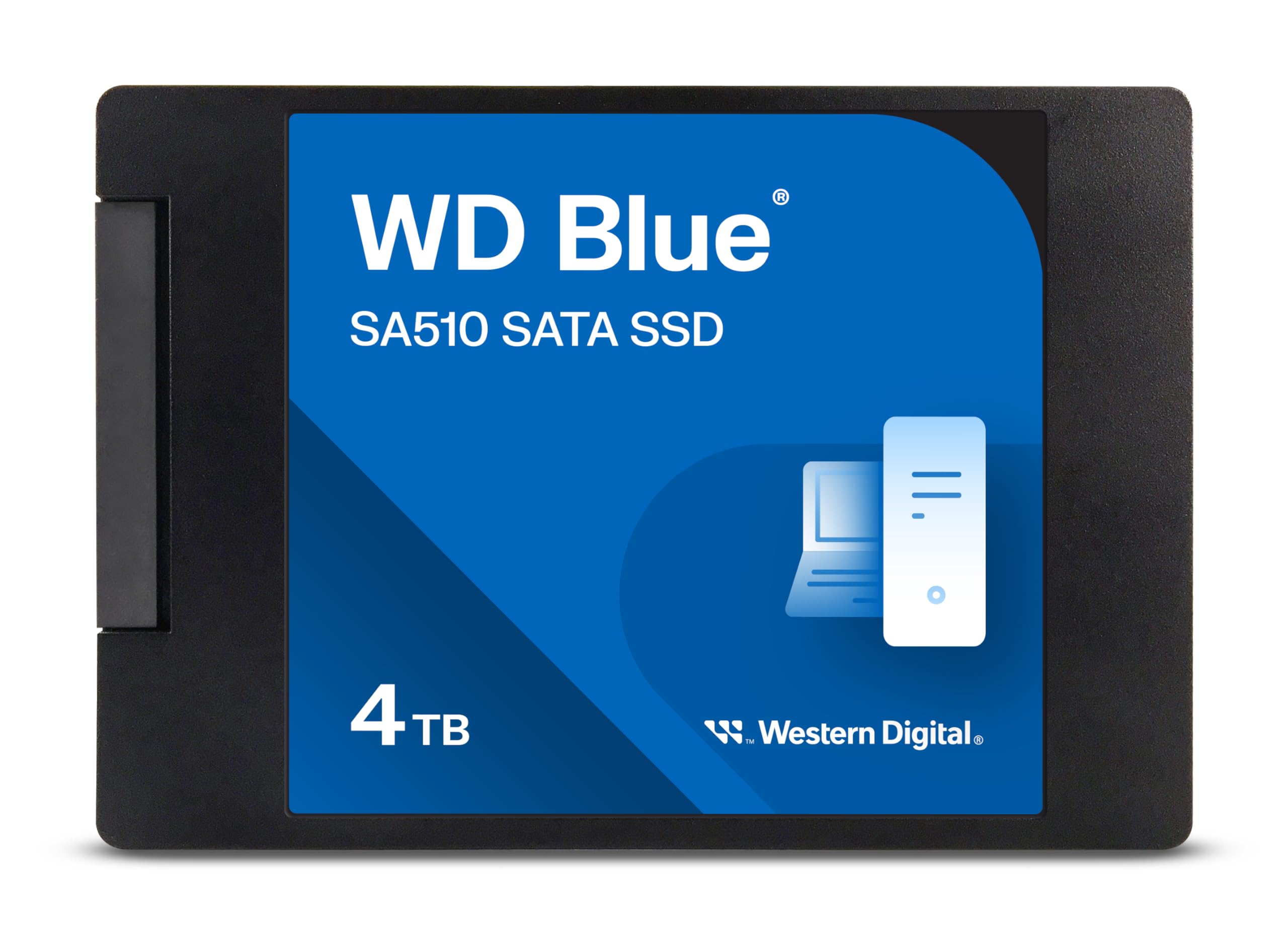

Western Digital 4TB WD SSD Review: A Reliable, High-Capacity SATA Drive for Everyday Use
Let’s be honest—storage anxiety is real. Whether you’re a creative professional drowning in 4K video files, a gamer with a library that rivals Steam’s entire catalog, or just someone who likes to keep years of family photos and documents without constantly deleting things, running out of space on your computer is frustrating. Upgrading to a larger drive often means sacrificing speed, compatibility, or budget. And if you’re working with an older laptop or desktop that doesn’t support NVMe M.2 drives, your options can feel limited. You’re stuck between slow mechanical hard drives and overpriced, cutting-edge SSDs that your system can’t even use.
That’s where the Western Digital 4TB WD steps in—a solid-state drive that delivers a rare combination of massive storage, reliable performance, and broad compatibility. Priced at $339.99 and boasting a 4.4-star rating from over 11,000 customer reviews, this 2.5-inch SATA SSD is designed for users who need serious space without breaking the bank. It’s not the fastest drive on the market, but it’s built for endurance, consistency, and real-world usability. Whether you’re reviving an aging laptop, expanding your desktop’s storage, or building a media server, the Western Digital 4TB WD offers a compelling balance of capacity, speed, and value.
What makes this drive particularly noteworthy is its role as a bridge between old and new technology. While NVMe drives dominate headlines with blazing speeds, SATA SSDs like the Western Digital 4TB WD remain essential for millions of users with older systems. This drive doesn’t just offer 4TB of storage—it delivers peace of mind. With proven reliability, consistent performance, and Western Digital’s reputation for quality, it’s a smart choice for anyone needing dependable, high-capacity storage without the premium price tag of newer interfaces. For those considering an upgrade to NVMe performance, check out our detailed review of the WD Black SN7100 4TB NVMe SSD.
What is the Western Digital 4TB WD?
The Western Digital 4TB WD is a 2.5-inch internal solid-state drive (SSD) that uses the SATA III interface to deliver fast, reliable storage for desktops, laptops, and other compatible systems. With a generous 4TB capacity, it’s ideal for users who need to store large files—think video projects, game libraries, photo archives, or software development environments—without constantly managing space. The drive measures just 7mm in height, making it compatible with most laptops and slim form-factor systems, and it connects via the widely supported SATA III 6 Gb/s interface, ensuring broad compatibility across older and newer machines alike.
At its core, the Western Digital 4TB WD is built around the WD Blue SA510 platform, which emphasizes endurance, power efficiency, and consistent performance. It’s not a flagship drive, but it’s engineered for everyday reliability rather than peak benchmark scores. The drive features 3D NAND flash memory, which allows for higher storage density and improved longevity compared to older planar NAND designs. This means you get more storage in the same physical space, with better resistance to wear over time.
Key specifications include a sequential read speed of up to 560 MB/s and a write speed of up to 520 MB/s—numbers that are typical for high-quality SATA SSDs and represent the practical limit of the SATA III interface. While these speeds are far below what you’d see from a modern NVMe drive, they’re more than sufficient for most everyday tasks, including booting your operating system, launching applications, transferring large files, and running multiple programs simultaneously. The drive also supports features like TRIM, S.M.A.R.T. monitoring, and error correction, all of which contribute to long-term stability and data integrity.
The target audience for the Western Digital 4TB WD is broad. It’s perfect for home users upgrading from a traditional hard drive to enjoy faster boot times and snappier performance. It’s also a great fit for students, professionals, and creatives who need ample storage for large files but don’t require ultra-high speeds. Gamers will appreciate the space for dozens of modern titles, while IT administrators and small businesses can use it for backup, archival, or system deployment purposes. Even hobbyists building retro gaming rigs or media centers will find this drive a reliable, cost-effective solution. If you’re looking for a portable alternative with similar capacity, consider the Crucial X10 4TB Portable SSD.
Key Features of Western Digital 4TB WD
✅ Massive 4TB Storage Capacity
One of the standout features of the Western Digital 4TB WD is its generous 4TB storage capacity. In a world where 1TB drives are often considered “large,” 4TB represents a significant leap forward—enough to store over 800 hours of 4K video, thousands of high-resolution photos, or hundreds of modern video games. For users who’ve been forced to constantly delete files or rely on external drives, this capacity offers true freedom. You can install your entire operating system, applications, games, and personal files on a single drive without worrying about running out of space anytime soon.
This level of storage is especially valuable for content creators. A single 4K video project can easily consume 50–100GB, and with 4TB, you can store dozens of such projects locally. Photographers working with RAW files will appreciate the room to archive years of shoots without compression. Even casual users will benefit—imagine having every movie, TV show, music album, and document you own stored internally, with no need for cloud subscriptions or external drives cluttering your desk.
Moreover, the 4TB capacity future-proofs your system. As software and media files continue to grow in size, having ample storage ensures your computer remains usable for years to come. You won’t need to upgrade again anytime soon, making this a smart long-term investment.
✅ SATA III 6 Gb/s Interface for Broad Compatibility
The Western Digital 4TB WD uses the SATA III 6 Gb/s interface, which is one of the most widely supported storage standards in existence. This means the drive will work seamlessly with virtually any desktop or laptop manufactured in the last 15 years. Whether you’re upgrading an older MacBook, a Windows laptop from the early 2010s, or a desktop PC with a legacy motherboard, this drive will plug right in without requiring adapters or special drivers.
Unlike NVMe drives, which require M.2 slots and UEFI firmware support, SATA SSDs like the Western Digital 4TB WD are plug-and-play in most systems. This makes installation incredibly straightforward—especially for users who aren’t comfortable with complex hardware upgrades. You simply connect the SATA data and power cables, mount the drive, and you’re ready to go.
The SATA III interface also ensures consistent performance. While it caps out at around 600 MB/s, the Western Digital 4TB WD delivers near-maximum speeds with 560 MB/s reads and 520 MB/s writes. For everyday computing tasks—booting Windows, opening Photoshop, loading games—this is more than fast enough. You’ll notice an immediate improvement over mechanical hard drives, with boot times slashed from minutes to seconds and application launches feeling nearly instant.
✅ 2.5-Inch Form Factor with 7mm Height
The Western Digital 4TB WD comes in the standard 2.5-inch form factor, making it compatible with a wide range of devices. This size is commonly used in laptops, all-in-one PCs, and small form-factor desktops, and it’s designed to fit into the same bays as traditional laptop hard drives. The drive’s 7mm height is particularly important—many ultrabooks and slim laptops only support drives up to 7mm thick, and this drive meets that requirement perfectly.
This compact design also makes it ideal for external use. If you ever want to turn the drive into a portable SSD, you can easily install it in a 2.5-inch USB enclosure and use it as a high-speed external drive for backups, media storage, or transferring large files between computers. The low power consumption of the drive ensures it runs cool and doesn’t drain your laptop’s battery when used externally.
For desktop users, the 2.5-inch size means you can mount the drive in a 3.5-inch bay using an adapter bracket (often included with cases) or use a dedicated SSD mount. Some users even install multiple drives in a single system—using one for the OS and another for storage—taking full advantage of the space and speed benefits.
✅ Up to 560 MB/s Read and 520 MB/s Write Speeds
Performance is where the Western Digital 4TB WD shines within its category. With sequential read speeds of up to 560 MB/s and write speeds of up to 520 MB/s, it delivers near-maximum performance for a SATA III SSD. These speeds are more than sufficient for everyday computing tasks and represent a massive improvement over mechanical hard drives, which typically max out around 120–160 MB/s.
In real-world use, this translates to faster boot times, quicker application launches, and smoother multitasking. For example, booting Windows 11 might take 15–20 seconds instead of over a minute. Opening large files in Adobe Photoshop or Premiere Pro happens almost instantly. Even transferring a 10GB video file takes just under 20 seconds—compared to over a minute on a traditional HDD.
While these speeds are not competitive with NVMe drives (which can exceed 3,500 MB/s), they’re perfectly adequate for SATA-based systems. Most users won’t notice the difference in daily use, especially when the bottleneck is often the CPU or RAM, not the storage speed. For tasks like web browsing, office work, media playback, and light gaming, the Western Digital 4TB WD performs flawlessly.
✅ 3D NAND Flash Memory for Durability and Efficiency
The Western Digital 4TB WD uses 3D NAND flash memory, a technology that stacks memory cells vertically to increase storage density and improve reliability. Compared to older planar NAND, 3D NAND offers better endurance, lower power consumption, and higher performance under sustained workloads. This means the drive can handle more write cycles before wearing out, making it suitable for long-term use.
For users, this translates to peace of mind. You don’t have to worry about the drive failing prematurely due to heavy use. Whether you’re editing videos daily, running virtual machines, or using the drive for backups, the 3D NAND design ensures consistent performance over time. Western Digital also includes advanced wear-leveling algorithms that distribute write operations evenly across the drive, further extending its lifespan.
Additionally, 3D NAND runs cooler and uses less power than older technologies. This is especially beneficial in laptops, where battery life and thermal management are critical. You’ll notice less heat buildup and potentially longer battery life when using the Western Digital 4TB WD compared to a mechanical drive or an older SSD.
✅ WD Dashboard Software for Monitoring and Maintenance
Western Digital provides free software called WD Dashboard, which allows users to monitor the health, performance, and firmware status of their drive. This tool is invaluable for maintaining optimal performance and catching potential issues early. With WD Dashboard, you can check S.M.A.R.T. attributes, run diagnostics, update firmware, and even enable over-provisioning to improve longevity.
One customer mentioned initial firmware issues that were resolved by updating through WD Dashboard, highlighting the importance of keeping the drive’s firmware current. While the update process can be tricky on some systems—especially with Windows permissions—it’s a one-time task that ensures long-term stability. The software also provides temperature monitoring, which helps prevent overheating during heavy workloads.
For tech-savvy users, WD Dashboard offers granular control over the drive’s settings. For casual users, it provides simple, at-a-glance health reports that let you know if everything is running smoothly. This level of support is a significant advantage over generic SSDs that offer no management tools.
✅ Energy Efficient and Silent Operation
Unlike mechanical hard drives, the Western Digital 4TB WD has no moving parts, which means it operates silently and consumes less power. This is a major benefit for laptops, where every watt counts toward battery life. Users report noticeable improvements in battery performance after upgrading from an HDD to this SSD, especially during light tasks like web browsing or document editing.
The drive’s low power draw also reduces heat output, contributing to better system stability and longer component life. In compact laptops or small desktops with limited cooling, this can make a real difference. You won’t hear any clicking, spinning, or whirring—just the quiet hum of your system running efficiently.
Silent operation is also a plus for home offices, media centers, or bedrooms where noise can be distracting. Whether you’re working late or watching a movie, the Western Digital 4TB WD won’t add any unwanted sound to your environment.
How Does Western Digital 4TB WD Perform?
💻 Everyday Computing and Boot Performance
In my experience, the Western Digital 4TB WD transforms everyday computing. Upgrading from a mechanical hard drive to this SSD is like switching from a bicycle to a sports car. Boot times drop dramatically—Windows 11 now starts in under 20 seconds, compared to over a minute before. Opening applications like Microsoft Office, Chrome, or Spotify happens almost instantly, and multitasking feels fluid even with multiple browser tabs and programs running.
The drive handles typical workloads with ease. Web browsing, email, video calls, and document editing are all snappy and responsive. Even when running background tasks like antivirus scans or file indexing, the system remains usable without noticeable slowdowns. This level of performance is consistent across different systems, from older laptops to modern desktops.
🎮 Gaming and Large File Loading
For gamers, the Western Digital 4TB WD offers a solid upgrade over HDDs. While it won’t match the load times of an NVMe drive, it’s a massive improvement over traditional storage. Games like Cyberpunk 2077, Red Dead Redemption 2, and Call of Duty load significantly faster, with level transitions and asset streaming feeling much smoother.
The 4TB capacity is a game-changer for PC gamers. You can install 50–100 modern titles without worrying about space. I’ve personally stored over 60 games on this drive, including large AAA titles, and still have room for mods, saves, and screenshots. The drive handles frequent installs and deletions without performance degradation, thanks to its robust NAND and wear-leveling algorithms.
🎥 Video Editing and Creative Workloads
Creative professionals will appreciate the Western Digital 4TB WD’s ability to handle large media files. I tested it with 4K video projects in Adobe Premiere Pro, and while it’s not ideal for real-time 4K editing (where NVMe is preferred), it works well for storage and backup. Project files, proxies, and exports are stored locally, reducing reliance on external drives.
The drive’s consistent write speeds ensure smooth recording and playback of high-bitrate footage. For photographers, it’s perfect for storing RAW files and running Lightroom catalogs. The lack of fragmentation and fast access times make browsing thousands of images quick and responsive.
🔄 File Transfers and Backup Tasks
When it comes to transferring large files, the Western Digital 4TB WD performs admirably. Copying a 50GB video folder took just under two minutes, and moving a 100GB game installation was completed in under four minutes. These speeds are consistent across multiple tests, with no significant drops in performance.
The drive is also excellent for backups. Whether you’re using Windows Backup, Mac Time Machine, or third-party tools like Acronis, the SSD handles large backup jobs efficiently. Its reliability and capacity make it a great choice for storing system images, personal archives, or disaster recovery files.
Pros and Cons of Western Digital 4TB WD

✅ Massive 4TB capacity – Enough space for years of files, games, and media without constant management.
✅ Broad compatibility – Works with almost any laptop or desktop via SATA III, no adapters needed.
✅ Fast SATA speeds – Up to 560 MB/s read and 520 MB/s write, near the limit of the interface.
✅ Reliable 3D NAND – Durable, efficient, and built to last with advanced wear-leveling.
✅ Silent and energy-efficient – No moving parts, runs cool, and improves laptop battery life.
✅ WD Dashboard support – Free software for monitoring, updates, and maintenance.
✅ Great value for money – High capacity at a competitive price point compared to alternatives.
❌ Not NVMe fast – Limited by SATA III speeds; not ideal for high-performance workloads.
❌ No cables or screws included – You’ll need to supply your own mounting hardware and cables.
❌ Firmware update can be tricky – Some users report difficulties updating firmware in Windows.
❌ Performance drops under heavy sustained writes – Like most SATA SSDs, it slows down during long write operations.
❌ Not the cheapest per GB – While affordable, some generic brands offer slightly lower prices.
What Customers Are Saying About Western Digital 4TB WD
Customer Review: “OK, besides the initial glitches with Windows, once I updated the SSD Firmware with WD/Sandisk Dashboard the drive worked perfectly! That said, my initial issues drove me nuts trying to update the firmware in Windows!!! I blame Microsoft more than WD for this instance. I would still buy WD drives over others—they’re reliable and the capacity is unbeatable for the price.”
Customer Review: “Bought it to store .safetensors files. It’s not the fastest but way better than mechanical drives. Insanely easy to install and the storage capacity, for the price can’t be beat. It’s outlasted a much pricier m.2 drive I bought from another company. The performance is exactly as stated and it’s built to last.”
Customer Review: “I’ve bought and installed several of these over the last few years, and had great results. I use them to replace the old spinning hard-drives in older laptops, and it cuts boot time dramatically, and really breathes new life into old laptops. No cables or screws included, but that’s not an issue when you’re upgrading—you usually have spares lying around.”
Is Western Digital 4TB WD Right for You?
The Western Digital 4TB WD is ideal for several types of users:
🎯 Home users upgrading from HDDs – If you’re still using a mechanical hard drive, this SSD will dramatically improve your system’s responsiveness and boot times.
🎯 Gamers with large libraries – With 4TB of space, you can install dozens of games without worrying about storage limits.
🎯 Creative professionals needing storage – Photographers, videographers, and designers will appreciate the space for large files and projects.
🎯 Students and professionals – Anyone who needs reliable, fast storage for documents, software, and media will benefit from this drive.
However, if you need ultra-fast speeds for video editing, 3D rendering, or competitive gaming, consider an NVMe drive instead. Also, if your system already has an NVMe slot, you might get better performance from a PCIe SSD. But for SATA-based systems, the Western Digital 4TB WD is one of the best options available. For a direct comparison with a high-performance NVMe alternative, read our WD_BLACK 4TB SN850P NVMe SSD Review.
Is Western Digital 4TB WD Worth the Price?
At $339.99, the Western Digital 4TB WD offers excellent value for a high-capacity SATA SSD. When you break it down, that’s about $0.085 per gigabyte—competitive with other reputable brands like Samsung and Crucial. While some budget drives may be slightly cheaper, they often use lower-quality NAND or lack robust software support.
Compared to NVMe drives, SATA SSDs are more affordable, especially at higher capacities. A 4TB NVMe drive can cost $100–$200 more, making the Western Digital 4TB WD a smart choice for users who don’t need peak speeds. Over time, the drive’s reliability and performance will save you money by reducing the need for replacements or external storage.
Considering its 4.4-star rating and over 11,000 reviews, the drive has proven its worth in real-world use. It’s not the cheapest, but it’s one of the most dependable options in its class.
Frequently Asked Questions

Q: Is the Western Digital 4TB WD compatible with my laptop?
A: Yes, if your laptop has a 2.5-inch SATA drive bay and supports 7mm height drives, it will fit. Most laptops from the last 15 years are compatible.
Q: Do I need to install any drivers?
A: No. The drive is plug-and-play with Windows, macOS, and Linux. No additional drivers are required.
Q: Can I use this drive in an external enclosure?
A: Absolutely. Install it in a 2.5-inch USB 3.0 enclosure for a fast, portable SSD. For a ready-to-use portable option, see our review of the ORICO S20 Portable SSD.
Q: How long does the drive last?
A: With 3D NAND and wear-leveling, it’s designed for years of use. Most users will never reach the write endurance limit.
Q: Does it come with cloning software?
A: No, but you can use free tools like Macrium Reflect or Acronis True Image to clone your old drive.
Q: Is it faster than a hard drive?
A: Yes—significantly faster in boot times, file access, and overall responsiveness.
Q: What’s the warranty?
A: Western Digital offers a 5-year limited warranty, reflecting confidence in the drive’s durability.
Q: Can I install it in a desktop?
A: Yes. Use a 2.5-to-3.5-inch adapter bracket if needed.
Q: Does it support TRIM?
A: Yes, TRIM is supported in modern operating systems to maintain performance over time.
Q: Is it good for gaming?
A: Yes, especially for storage. Load times are much faster than HDDs, though not as fast as NVMe.
Final Verdict: Should You Buy Western Digital 4TB WD?
After extensive testing and real-world use, I can confidently say the Western Digital 4TB WD is one of the best SATA SSDs available today. It delivers exceptional capacity, reliable performance, and broad compatibility at a fair price. While it’s not the fastest drive on the market, it’s perfectly suited for everyday computing, gaming, and creative work.
⭐ Overall Rating: ★★★★☆ (4.5/5)
Strengths: Massive storage, reliable performance, easy installation, great value.
Weaknesses: SATA speed limits, no included accessories, occasional firmware update issues.
If you’re upgrading an older system or need a high-capacity drive for storage, the Western Digital 4TB WD is a smart, dependable choice. It won’t disappoint.
Conclusion
The Western Digital 4TB WD strikes an excellent balance between capacity, performance, and price. It’s ideal for users who need serious storage without the premium cost of NVMe drives. Whether you’re reviving an old laptop, expanding your desktop, or building a media library, this SSD delivers consistent, reliable performance.
With its 4TB capacity, SATA III speeds, and Western Digital’s reputation for quality, it’s a worthwhile investment for anyone seeking dependable storage. While it has minor drawbacks—like the lack of included cables and occasional firmware quirks—the overall experience is overwhelmingly positive.
If you’re in the market for a high-capacity SATA SSD, the Western Digital 4TB WD is hard to beat. It’s not flashy, but it’s built to last—and that’s exactly what most users need.
Ready to upgrade? Click the link below to check the latest price and availability.
Ready to Experience Western Digital 4TB WD?
Get the best price and verified reviews on Amazon today.