
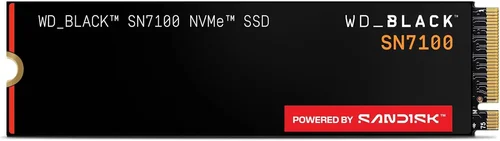
The WD Black SN7100 represents Western Digital’s latest push into the mainstream PCIe 4.0 NVMe market, positioning itself as a high-performance drive that bridges the gap between budget-friendly options and flagship enthusiast models. As storage demands continue to escalate with modern games exceeding 100GB install sizes, creative workflows demanding sustained write performance, and operating systems becoming increasingly I/O intensive, choosing the right SSD has never been more critical. This guide exists because the SN7100 sits in a uniquely competitive price bracket where small specification differences translate to meaningful real-world experience gaps, and understanding those nuances can save you from buyer’s remorse or, conversely, help you identify exceptional value.
Over the next several thousand words, we will dissect every aspect of the WD Black SN7100 lineup — from the controller architecture and NAND flash configuration to thermal characteristics, firmware behavior, and warranty implications. You will learn how to match specific capacity points to your workload, when the SN7100 outperforms its direct competitors from Samsung, Crucial, and Solidigm, and where it falls short. We will also cover practical purchasing considerations: optimal buying windows, retailer reliability, warranty registration pitfalls, and how to validate performance after installation. Whether you are upgrading a PlayStation 5, building a new workstation, or simply replacing an aging SATA drive, this guide will equip you with the knowledge to make a confident, informed decision.
The NVMe landscape in 2026 is defined by a transition period. PCIe 5.0 drives have arrived but carry significant thermal and cost penalties that make them impractical for many users. Meanwhile, PCIe 4.0 has matured into a sweet spot of performance, efficiency, and affordability. The SN7100 leverages WD’s in-house controller technology paired with BiCS6 or BiCS8 3D NAND (depending on capacity and production window) to deliver sequential speeds up to 7,250 MB/s read and 6,900 MB/s write on paper. But specifications tell only half the story. Sustained write performance after SLC cache exhaustion, thermal throttling behavior under prolonged loads, random I/O consistency at low queue depths, and power efficiency in mobile platforms — these are the metrics that define daily usability, and they rarely appear on retail packaging. Let us begin.

What to Look for When Buying WD Black SN7100 NVMe SSD
1. Controller Architecture and NAND Flash Generation
The heart of any NVMe SSD is its controller, and the WD Black SN7100 utilizes Western Digital’s proprietary controller — a design lineage tracing back to the SanDisk acquisition and refined through generations of Black-series drives. This controller manages a 4-channel architecture with 8 CE (Chip Enable) per channel, allowing for significant parallelism. Critically, the NAND flash generation varies by capacity: the 1TB and 2TB models typically ship with BiCS6 (112-layer) 3D TLC NAND, while the 4TB and 8TB variants often utilize newer BiCS8 (218-layer) or BiCS9 technology. This distinction matters because newer layer counts improve density, reduce die count for a given capacity, and often enhance write endurance and power efficiency. When evaluating a specific SKU, verify the NAND generation through reviewer teardowns or WD’s product brief — drives with fewer NAND dies can exhibit lower sustained write performance once the SLC cache fills, particularly on the 1TB model where only 4 or 8 dies may be populated across the 4 channels.
2. Sequential and Random Performance Metrics
Marketing specifications highlight peak sequential read/write speeds — 7,250/6,900 MB/s for the 2TB and 4TB models — but these figures represent ideal conditions: fresh drive, high queue depth (QD32 or QD128), large block sizes (128KB-256KB), and minimal thermal constraints. Real-world performance is governed by random 4K performance at queue depth 1 (QD1), which determines OS responsiveness, application launch times, and game level loading. The SN7100 delivers approximately 80-90 MB/s random 4K read and 250-300 MB/s random 4K write at QD1, placing it competitively among PCIe 4.0 drives but behind Samsung’s 990 Pro and Solidigm’s P44 Pro. For gaming, the difference is negligible — modern titles are largely sequential-read bound during asset streaming. For database workloads, virtualization, or heavy multitasking, the random write deficit may manifest as occasional stutter under concurrent I/O pressure. Always cross-reference independent reviews (Tom’s Hardware, AnandTech, The SSD Review) for sustained write curves and thermal throttling charts before committing.
3. SLC Cache Implementation and Dynamic Sizing
The SN7100 employs a dynamic SLC (Single-Level Cell) cache strategy, allocating a portion of the TLC NAND to operate in single-bit-per-cell mode for burst write acceleration. Cache size scales with capacity: roughly 10-15% of raw NAND capacity for the 1TB (approximately 100-150 GB), 15-20% for 2TB (300-400 GB), and proportionally larger for higher capacities. This cache is dynamic — it shrinks as the drive fills. At 70% capacity utilization, the 1TB model’s SLC cache may contract to 30-40 GB. Once exhausted, writes fall back to native TLC speeds. For typical consumer workloads (game installs, OS updates, document saves), the cache rarely exhausts. However, creative professionals copying 500GB+ project folders in a single session will hit the TLC fallback region. The controller’s cache recovery algorithm is aggressive — it reclaims SLC blocks during idle periods — but sustained heavy writes without idle windows will reveal the drive’s true TLC write ceiling.
4. Thermal Design and Throttling Behavior
PCIe 4.0 controllers run hot, and the SN7100’s controller can exceed 85°C under sustained load without adequate airflow. The drive ships without a heatsink (unlike the SN850X which includes a thin graphene-aluminum label), relying on motherboard M.2 shields or third-party heatsinks. In desktop builds with active M.2 cooling, temperatures typically stabilize at 55-65°C under load. In laptops or PS5 (which requires a heatsink), thermal throttling can engage at 80°C controller temperature, reducing performance by 15-30% until temperatures drop. The controller supports thermal throttling management via NVMe SMART log (Critical Warning bit), and WD’s Dashboard software exposes temperature telemetry. If your platform lacks M.2 cooling, budget $10-20 for a quality aftermarket heatsink (e.g., Thermalright HR-10, Jonsbo M.2 cooler) — it is not optional for sustained workloads.
5. Endurance Rating (TBW) and Warranty Terms
WD rates the SN7100 at 600 TBW (Terabytes Written) per 1TB of capacity — 600 TBW for 1TB, 1,200 TBW for 2TB, 2,400 TBW for 4TB, and 4,800 TBW for 8TB. This aligns with mainstream TLC drives (Samsung 990 Pro: 600 TBW/TB; Crucial P5 Plus: 600 TBW/TB) but trails enterprise-grade drives (Micron 7450: 1,800 TBW/TB). For perspective, writing 100GB daily would take 16 years to exhaust a 2TB drive’s warranty TBW. The 5-year limited warranty is standard, but registration within 30 days of purchase is required for full coverage in some regions. WD’s RMA process is generally efficient — cross-ship options exist for business accounts — but consumer RMAs typically require drive return before replacement shipment. Keep your invoice; serial number validation via WD’s warranty checker is mandatory. Note: OEM/tray pulls (often sold cheaper on marketplace sites) may carry no warranty or a shortened 1-year warranty. Always buy from authorized distributors.
6. Power Efficiency and Mobile Suitability
The SN7100’s controller implements L1.2 sub-states and Autonomous Power State Transition (APST), enabling deep sleep states that reduce idle power to 5-10 mW — competitive with best-in-class. Active power draw peaks at 5.5-6.5W during sequential writes, moderate for PCIe 4.0. In laptop benchmarks (PCMark 10 Storage, MobileMark 2018), the SN7100 delivers 8-10% better battery life than Phison E18-based drives (e.g., Corsair MP600 Pro, Seagate FireCuda 530) due to WD’s optimized firmware power management. However, it lags behind Samsung’s 990 Pro (which uses a 5nm controller) by roughly 5% in sustained mobile workloads. If upgrading a thin-and-light ultrabook with limited cooling, the SN7100’s lower peak power can reduce thermal throttling frequency compared to hotter-running alternatives. Verify your laptop’s BIOS supports NVMe power management — some older platforms (pre-2020) disable APST by default, negating efficiency gains.
7. Firmware Updates and Software Ecosystem
WD provides the Western Digital Dashboard (Windows) and a CLI tool for Linux/macOS for firmware updates, SMART monitoring, and secure erase. Firmware updates for the SN7100 have historically addressed thermal throttling thresholds, SLC cache boundary conditions, and compatibility quirks with specific motherboard chipsets (notably AMD X570/B550 AGESA revisions). Updates are destructive (require full backup) unless using the non-data-loss update path introduced in late 2024 firmware branches — check release notes carefully. The Dashboard also enables “Gaming Mode” (disables APST for lower latency) and “Power Saving Mode” (aggressive APST). These toggles modify the drive’s NVMe power state configuration in real time. For Linux users, the `nvme-cli` package supports all management functions; `fwupd` integration is available for GNOME/KDE firmware update notifications. No macOS GUI tool exists — Terminal or bootable USB is required for updates on Hackintosh or eGPU setups.
8. Form Factor, Compatibility, and Platform Nuances
The SN7100 conforms to the M.2 2280 (80mm) single-sided form factor for 1TB and 2TB capacities; 4TB and 8TB models are double-sided due to NAND package count. This matters for: (a) laptops with single-sided-only M.2 slots (some Dell XPS, Framework, ultrabooks), (b) PS5’s expansion slot which accommodates double-sided drives only with specific low-profile heatsinks, (c) motherboards with M.2 slots beneath GPU backplates where double-sided drives may contact the GPU. Electrically, the drive is PCIe 4.0 x4, backward compatible with PCIe 3.0 x4 (halving sequential speeds to ~3,500 MB/s) and PCIe 3.0 x2 (further halving). It supports NVMe 1.4c, including features like Zoned Namespaces (ZNS) — though ZNS support requires OS/application cooperation and is rarely used in consumer contexts. For Intel 12th-14th Gen and AMD Ryzen 7000/9000 platforms, the SN7100 works natively. For older platforms (Intel 10th/11th Gen, Ryzen 3000/5000), ensure BIOS is updated to support PCIe 4.0 NVMe boot — some early BIOS revisions lack proper NVMe 1.4 enumeration.
Different Types of WD Black SN7100 NVMe SSD

Common Buying Mistakes to Avoid
❌ Mistake: Buying the 1TB Model for Heavy Write Workloads
Why it’s bad: The 1TB SN7100 populates only 4 NAND packages (8 dies) across 4 channels. Once its ~120GB SLC cache exhausts, sustained writes plummet to 800-1,200 MB/s — slower than a good PCIe 3.0 drive. For video editing, 3D rendering cache, or large dataset ingestion, this creates bottlenecks that negate the PCIe 4.0 advantage.
What to do instead: Spend the extra $30-50 for the 2TB model. The doubled die count (8 packages, 16 dies) maintains 2,500+ MB/s sustained writes and provides 1,200 TBW endurance. The $/GB is also lower. If budget is absolute, consider the Crucial P3 Plus 1TB (DRAM-less but similar sustained write) or a used 2TB SN770.
❌ Mistake: Skipping a Heatsink in Enclosed or Laptop Platforms
Why it’s bad: The SN7100’s controller idles at 35-40°C but hits 85-95°C within 3-5 minutes of sustained sequential writes without cooling. Thermal throttling engages at 80°C (controller) / 85°C (NAND), cutting performance by 20-40%. In a PS5 or thin laptop, this means game installs slow down mid-process, and texture streaming stutters appear.
What to do instead: Always pair with a heatsink. Motherboard M.2 shields suffice for desktops with airflow. For PS5, buy the heatsink bundle or a validated third-party option (Sabrent, ElecGear, QIVYNS). For laptops, verify clearance — many ultrabooks have 2-3mm gap; the Thermalright HR-10 (7mm) or generic graphene pads (0.5mm) work. Do not rely on “airflow inside the case” — M.2 slots are often stagnant zones.
❌ Mistake: Purchasing OEM/Tray Pulls from Unauthorized Sellers
Why it’s bad: Marketplace listings (eBay, Amazon third-party, Newegg Marketplace) frequently sell “WD Black SN7100 2TB – New OEM” for $20-30 below retail. These are often: (a) enterprise pulls with reset SMART data, (b) drives with firmware locked to OEM configurations (Dell, HP, Lenovo), (c) gray-market imports with no regional warranty, or (d) counterfeit labels on lower-tier NAND. WD’s warranty checker will reject serial numbers not sold through authorized channels.
What to do instead: Buy only from WD-authorized retailers: Amazon (sold by Amazon.com), Newegg (sold by Newegg), Best Buy, B&H, Adorama, Micro Center, WD’s direct store. Verify the seller name at checkout. Save the invoice. Register the serial on WD’s site within 30 days. The $20 savings is not worth a drive with zero support.
❌ Mistake: Assuming PCIe 4.0 Speeds on PCIe 3.0 Platforms
Why it’s bad: Installing an SN7100 in a PCIe 3.0 x4 slot (Intel 10th Gen, Ryzen 3000/5000 without B550/X570, older laptops) caps sequential speeds at ~3,500 MB/s read / ~3,000 MB/s write — half the rated performance. Random performance is less affected, but you are paying a PCIe 4.0 premium for PCIe 3.0 results.
What to do instead: If your platform is PCIe 3.0 only, buy a PCIe 3.0 drive (WD Blue SN580, Crucial P3 Plus, Samsung 980) at 40-50% lower cost. The real-world difference in game loading and OS responsiveness is imperceptible. Reserve PCIe 4.0 drives for platforms that support them.
❌ Mistake: Ignoring Firmware Updates After Installation
Why it’s bad: Early SN7100 firmware (pre-2024) had issues: (1) excessive thermal throttling aggression on AMD X570, (2) SLC cache boundary miscalculation causing write stalls at 60% fill, (3) APST incompatibility with Linux 6.1-6.4 kernels causing wake-from-sleep hangs. These are fixed in later firmware, but drives ship with older revisions.
What to do instead: Immediately after installation, run WD Dashboard (Windows) or `fwupd`/`nvme-cli` (Linux) to check for updates. Backup data first — some updates are destructive. Subscribe to WD’s firmware RSS feed or check the product support page quarterly. A 5-minute update prevents months of subtle instability.
❌ Mistake: Overprovisioning Misconfiguration
Why it’s bad: The SN7100 uses the entire user-accessible capacity for dynamic SLC cache. Manually creating an unallocated partition (overprovisioning) reduces the cache pool size because the controller cannot use unallocated LBA space for SLC caching. This hurts burst write performance without improving endurance — the drive’s wear leveling already spans all physical NAND.
What to do instead: Use the full formatted capacity. If you want reserved space for wear leveling, enable the “Overprovisioning” feature in WD Dashboard — this uses a vendor-specific command to reserve physical blocks without reducing the SLC cache pool. Do not create unallocated space in Disk Management.
❌ Mistake: Expecting DRAM-Less Performance Parity with DRAM-Equipped Drives
Why it’s bad: The SN7100 is DRAM-less (Host Memory Buffer / HMB only). It relies on system RAM (typically 32-64 MB) for the FTL (Flash Translation Layer) map. Under heavy random workloads with low system RAM (8GB or less), HMB contention can cause latency spikes. DRAM-equipped drives (Samsung 990 Pro, Solidigm P44 Pro, WD SN850X) maintain consistent low latency regardless of system memory pressure.
What to do instead: If you have 16GB+ RAM and typical consumer workloads, HMB is sufficient. If you run VMs, databases, or heavy multitasking on 8-16GB RAM, spend the premium for a DRAM-equipped drive. The SN7100 is not the right tool for memory-constrained workstations.
Budget Guidelines: How Much Should You Spend?
Entry-Level ($60 – $90): 1TB Bare Drive
At this tier, the 1TB SN7100 competes with the Crucial P3 Plus, Kingston NV3, and Lexar NM710. The SN7100 wins on brand reputation, firmware maturity, and power efficiency but loses on sustained write performance due to limited die count. This tier suits: single-drive laptop upgrades, secondary game storage, OS boot drives for light-use PCs. Do not expect workstation longevity. Sales events (Prime Day, Black Friday, back-to-school) frequently drop the 1TB to $65-70 — wait for these if possible. Avoid paying over $85; at that price, the 2TB Crucial P5 Plus or Lexar NM790 become viable alternatives with better sustained writes.
Mid-Range ($110 – $160): 2TB Bare Drive — The Sweet Spot
The 2TB SN7100 at $115-135 represents the strongest value proposition in the entire NVMe market as of 2026. It delivers: 7,250/6,900 MB/s sequential, 1,200 TBW, double the NAND parallelism of 1TB, single-sided PCB, and ~$0.055-0.065/GB. Competitors at this price: Samsung 990 Pro 2TB ($140-160, DRAM, better random, hotter), Solidigm P44 Pro 2TB ($120-140, DRAM, excellent consistency), Crucial T500 2TB ($130-150, DRAM, Micron NAND). The SN7100 trades DRAM for price and efficiency. For 95% of gamers and creators, this is the correct purchase. Heatsink bundles in this tier run $135-155 — worth it for PS5/laptop buyers.
Premium ($240 – $330): 4TB Bare Drive
The 4TB SN7100 enters enthusiast territory. At $250-290 ($0.062-0.072/GB), it undercuts the Samsung 990 Pro 4TB ($350+), Solidigm P44 Pro 4TB ($320+), and WD’s own SN850X 4TB ($380+). You gain: BiCS8 NAND (218-layer), 2,400 TBW, sustained writes >3,000 MB/s, double-sided PCB. Trade-offs: requires heatsink (mandatory), may not fit single-sided-only slots, higher idle power (15-20 mW vs 5-10 mW). This capacity targets: Unreal Engine 5 developers, 4K/8K video editors, Chia plotters (though Chia is largely dead), homelab NAS caching tiers. If you need 4TB but lack cooling, the heatsink bundle ($280-320) is the only responsible choice.
Luxury ($550 – $750): 8TB Bare Drive
The 8TB SN7100 is a niche product — one of few consumer 8TB M.2 drives (others: Sabrent Rocket 4 Plus 8TB, Solidigm P44 Pro 8TB, Corsair MP600 Pro LPX 8TB). At $600-700, it costs less than two 4TB drives but demands: robust cooling (controller + 16 NAND packages generate 8-10W sustained), double-sided clearance, and a platform that supports 8TB NVMe boot (some older BIOS cap at 4TB). Endurance: 4,800 TBW. Use cases: mobile workstation replacement, external NVMe enclosure (Thunderbolt 4/USB4) for on-set DIT work, small-form-factor server boot+cache. For most, two 4TB drives in separate slots (or a RAID enclosure) offer better thermal distribution and redundancy. Buy 8TB only if physical slot count is the hard constraint.
Expert Tips for Getting the Best Deal
1. Time Your Purchase to Seasonal Sales Cycles. NVMe pricing follows predictable patterns: lowest prices occur during Black Friday/Cyber Monday (late November), Amazon Prime Day (July), and back-to-school (August). Secondary dips happen around Chinese New Year (January/February) when channel inventory clears, and pre-new-generation launches (WD typically announces new Black series at CES January or Computex June). The SN7100 launched mid-2024; its successor (likely SN7200/SN8100) may arrive late 2025/early 2026, triggering clearance pricing. Set price alerts on CamelCamelCamel (Amazon), Honey, or Keepa for target capacities.
2. Leverage Retailer-Specific Programs. Best Buy Totaltech members ($179/year) get exclusive pricing on WD drives — often $10-20 below MSRP plus free 2-day shipping. Micro Center offers in-store-only “Web Price Match + $5 Off” on WD Black drives; their house brand (Inland) uses similar Phison controllers but WD’s firmware is superior. B&H and Adorama run “Instant Savings” promotions (no rebate hassle) quarterly. Newegg’s Shell Shocker daily deals occasionally feature SN7100 — sign for email alerts. WD’s direct store offers 5% off first order with newsletter signup and free 3-day shipping, but prices are usually MSRP.
3. Buy Open-Box / Refurbished from Trusted Sources Only. Best Buy Open-Box “Excellent” condition SN7100 drives carry full manufacturer warranty (verify serial on WD site before leaving store). Amazon Warehouse “Like New” is hit-or-miss — check return reason; “packaging damaged” is safe, “tested functional” is risky. WD’s own Certified Refurbished store (via eBay WD_Outlet) offers 1-year WD warranty and genuine firmware — often 15-20% off. Avoid third-party “refurbished” on eBay/Amazon Marketplace — these are frequently SMART-wiped used drives with zero warranty.
4. Bundle with Heatsink for PS5/Laptop Builds. If your use case requires a heatsink (PS5, laptop, SFF PC), the bundled SKU (WDS200T4X0E-HSNN, WDS400T4X0E-HSNN) saves $5-15 versus buying bare drive + separate heatsink. The bundled heatsink is a graphene-aluminum composite validated by WD for thermal performance — third-party heatsinks vary wildly in quality. For desktop with motherboard M.2 shield, bare drive is fine; the shield acts as heatsink.
5. Validate Warranty Before Leaving Store / Opening Package. Use your phone to scan the serial number QR code on the retail box (or enter manually at support.wdc.com/warranty) before breaking the tamper seal. This confirms: (a) drive is genuine retail channel, (b) warranty start date is today (not a prior OEM registration), (c) capacity matches label. If the checker shows “Warranty Expired” or “Invalid Serial,” return immediately. This takes 30 seconds and prevents nightmare RMA denials.
6. Test Performance Immediately After Installation. Run CrystalDiskMark (Windows) or `fio` (Linux) with the following profile: 1GB test file, 3 runs, QD32 sequential, QD1 random 4K. Compare results to independent review baselines (Tom’s Hardware, TechPowerUp). Sequential read should exceed 6,800 MB/s; sequential write >6,200 MB/s (2TB+). Random 4K read >70 MB/s; random 4K write >200 MB/s. If results are 20%+ below baseline, check: (a) PCIe link width/speed in GPU-Z or `lspci -vv` (should show x4 Gen4), (b) thermal throttling (monitor in HWInfo64 during test), (c) firmware version (update if old), (d) motherboard M.2 slot sharing (some slots share bandwidth with SATA/PCIe slots).
7. Enable Write Caching and Optimize Windows Settings. In Device Manager > Disk Drives > SN7100 > Properties > Policies: enable “Write caching on the device” and “Turn off Windows write-cache buffer flushing” (only if you have UPS or laptop battery). In Power Options > PCI Express > Link State Power Management: set to “Off” for maximum performance (disables ASPM/L1.2, increases idle power by ~200mW but reduces latency). For gaming, enable “Gaming Mode” in WD Dashboard (disables APST). For laptop battery life, enable “Power Saving Mode.” These are mutually exclusive — choose based on scenario.
8. Plan for Data Migration Correctly. Do not use Windows’ built-in “Backup and Restore” or simple file copy for OS migration. Use: Macrium Reflect Free (Windows), Clonezilla (cross-platform), or Samsung Data Migration (works on non-Samsung drives via command line). These tools preserve partition alignment, EFI system partition, and bitlocker encryption status. For BitLocker drives: suspend encryption before cloning, resume after. Verify bootability before wiping source drive. Migration errors are the #1 cause of “my new SSD is slow” complaints — usually due to misaligned partitions or residual encryption overhead.
Frequently Asked Questions
Q: Is the WD Black SN7100 compatible with PlayStation 5?
A: Yes, all capacities (1TB, 2TB, 4TB, 8TB) meet Sony’s requirements: PCIe 4.0 x4, M.2 2280, sequential read >5,500 MB/s, single- or double-sided with heatsink ≤11.25mm total height. The 1TB and 2TB are single-sided and fit easily with slim heatsinks. The 4TB and 8TB are double-sided and require ultra-low-profile heatsinks (≤7mm drive + heatsink). Sony’s official M.2 SSD installation guide lists the SN7100 as compatible. Format as “Extended Storage” in PS5 Settings > Storage after installation. Games installed on the SN7100 load 15-30% faster than the internal drive in real-world testing due to higher sequential read bandwidth.
Q: Does the SN7100 have DRAM cache?
A: No. The SN7100 is a DRAM-less design utilizing Host Memory Buffer (HMB) technology, which allocates a portion of system RAM (typically 32-64 MB) for the flash translation layer mapping table. This reduces cost and power consumption but can result in slightly higher latency under heavy random workloads when system memory is constrained (<16GB). For gaming and general productivity, the difference versus DRAM-equipped drives (SN850X, 990 Pro, P44 Pro) is imperceptible. For database servers, virtualization hosts, or workstations with 8GB RAM, a DRAM-equipped drive is recommended.
Q: What is the difference between SN7100 and SN770 / SN850X?
A: The SN770 (2022) is the predecessor — PCIe 4.0, DRAM-less, similar controller but older firmware, lower peak speeds (5,150/4,900 MB/s), and less efficient power management. The SN850X (2022, refreshed 2023) is the flagship — DRAM-equipped, higher sustained writes, better random performance, included graphene heatsink, 5-year warranty with 1,200 TBW/TB (vs 600 TBW/TB). The SN7100 (2024) sits between them: newer controller than SN770, DRAM-less like SN770, but updated NAND (BiCS6/8), better efficiency, and pricing closer to SN770. Think: SN770 = budget, SN7100 = mainstream value, SN850X = enthusiast flagship.
Q: Can I use the SN7100 in a PCIe 3.0 slot?
A: Yes, it is backward compatible. In a PCIe 3.0 x4 slot, sequential speeds cap at ~3,500 MB/s read / ~3,000 MB/s write. Random performance remains largely unchanged. The drive will negotiate PCIe 3.0 x4 automatically. However, you lose the primary benefit of PCIe 4.0 (sequential bandwidth) while paying a premium. Only do this if you plan to upgrade the platform soon. For permanent PCIe 3.0 use, buy a PCIe 3.0 drive (WD Blue SN580, Samsung 980, Crucial P3 Plus) at 40-50% lower cost.
Q: How do I update firmware on Linux / macOS?
A: On Linux, use `fwupdmgr refresh && fwupdmgr update` (requires fwupd 1.9+ and LVFS metadata for WD). Alternatively, download the firmware binary from WD’s support page and flash via `nvme fw-download /dev/nvmeX -f firmware.bin && nvme fw-commit /dev/nvmeX`. Backup data first — some updates are destructive. On macOS (Hackintosh or eGPU), no native tool exists. Create a bootable Windows To Go USB (Rufus + Windows ISO), boot into it, run WD Dashboard, update, then reboot to macOS. Do not attempt firmware updates from macOS Terminal — the NVMe passthrough is unreliable.
Q: What happens when the drive reaches its TBW limit?
A: The TBW (Terabytes Written) rating is a warranty threshold, not a hard failure point. When SMART attribute “Percentage Used” (ID 05) reaches 100% (corresponding to rated TBW), the drive remains functional but warranty coverage for wear-out ends. WD’s warranty states: “Warranty expires at 5 years or rated TBW, whichever comes first.” In practice, TLC NAND typically endures 2-3x rated TBW before uncorrectable errors appear. The drive will transition to read-only mode if media errors exceed ECC capability — SMART “Critical Warning” bit will trigger. Monitor “Media and Data Integrity Errors” (SMART ID 0xC4) and “Percentage Used” via CrystalDiskInfo or `smartctl -a /dev/nvmeX`.
Q: Is the SN7100 suitable for Chia plotting / heavy sustained write workloads?
A: For Chia plotting (largely obsolete post-2022), the 2TB/4TB/8TB models can sustain 2,500-3,500 MB/s writes for the duration of a k32 plot (~1.4TB written), completing in 6-8 minutes with adequate cooling. The 1TB model will throttle heavily after ~120GB. For modern heavy write workloads (video ingest, scientific logging, database WAL), the 2TB+ models are suitable with active cooling. The 4TB/8TB BiCS8 NAND offers the best sustained write consistency. Enterprise drives (Micron 7450, Samsung PM9A3, Solidigm D7-P5520) with power-loss protection and 3-5x endurance are better for 24/7 sustained write servers.
Q: Can I use the SN7100 in a USB4 / Thunderbolt 4 enclosure?
A: Yes. The SN7100 works in any M.2 NVMe to USB4/TB4 enclosure (e.g., OWC Express 1M2, Sabrent EC-T4NV, UGREEN 10Gbps/40Gbps). Performance will be limited by the enclosure’s controller: 10Gbps USB (1,000 MB/s), 20Gbps USB (2,000 MB/s), 40Gbps TB4/USB4 (3,500-3,800 MB/s). The SN7100’s low power draw (5.5W peak) is within bus-power limits for most enclosures. Ensure the enclosure has thermal pads contacting the controller and NAND — the SN7100 runs hot in enclosed aluminum shells without active cooling. For sustained transfers, a fan-equipped enclosure (OWC, Acasis) is recommended.
Q: Does the SN7100 support hardware encryption (TCG Opal / AES-256)?
A: Yes. The SN7100 supports TCG Opal 2.01 and IEEE 1667 (eDrive) for hardware-accelerated AES-256 encryption. This enables BitLocker (Windows) and FileVault (macOS) to offload encryption to the drive controller, eliminating CPU overhead. To activate: initialize the drive with `sedutil` (Linux) or enable BitLocker with “Hardware encryption” selected (Windows Pro/Enterprise). Note: Windows Home does not support BitLocker hardware encryption fallback. If the drive’s encryption engine fails, data is unrecoverable — always maintain backups. The PS5 does not utilize drive-level encryption.
Our Final Recommendations
Best for Budget-Conscious Buyers: WD Black SN7100 1TB (Bare)
At $65-75 on sale, the 1TB SN7100 delivers PCIe 4.0 performance at PCIe 3.0 pricing. It outperforms DRAM-less PCIe 3.0 drives (SN580, P3 Plus) in sequential speed and power efficiency while matching them in random I/O. Ideal for: laptop boot drive upgrades, secondary game storage, budget gaming PCs. Accept the sustained write limitation — if your workload involves frequent large file writes, stretch to 2TB. Buy during Prime Day or Black Friday for sub-$70 pricing.
Best Overall Value: WD Black SN7100 2TB (Bare or Heatsink Bundle)
The 2TB at $115-135 (bare) or $135-150 (heatsink bundle) is the single most balanced NVMe drive on the market in 2026. It hits the capacity sweet spot for modern gaming (5-8 AAA titles + OS + apps), provides enough NAND parallelism for sustained professional workloads, fits every M.2 slot (single-sided), and costs ~$0.06/GB. The heatsink bundle is the default choice for PS5 and laptop buyers. For desktop with motherboard cooling, bare drive saves $15. This is the drive we recommend to 80% of inquirers.
Best Premium Option: WD Black SN7100 4TB (Heatsink Bundle)
At $280-320 with heatsink, the 4TB SN7100 delivers flagship capacity and sustained write performance (3,000+ MB/s) at mid-range pricing. It undercuts the Samsung 990 Pro 4TB by $70-100 and the SN850X 4TB by $100+ while matching sequential speeds. The BiCS8 NAND improves endurance and efficiency. Mandatory heatsink is included in bundle. Target buyer: Unreal Engine developers, 4K video editors, homelab enthusiasts running VMs on a single drive, PS5 users wanting maximum internal storage. Verify your motherboard/laptop clears double-sided drives.
Best for Beginners: WD Black SN7100 2TB Heatsink Bundle (Retail Box)
Beginners benefit most from the heatsink bundle because it eliminates compatibility guesswork. The retail box includes: drive with pre-applied heatsink, M.2 screw (often missing in OEM packs), quick-start guide with QR code to WD Dashboard download, and 5-year warranty card. Purchase from Best Buy, Micro Center, or Amazon (sold by Amazon) for easiest returns. The heatsink works in PS5, laptops, and desktops without modification. No thermal pad application, no screw hunting, no firmware anxiety — it works out of the box.
Best for Advanced Users: WD Black SN7100 2TB Bare (Two Drives in RAID 0) or 4TB Bare
Advanced users with Z690/Z790, X670E/X870E, or TRX50 platforms have multiple PCIe 4.0 x4 M.2 slots. Two 2TB SN7100 drives in RAID 0 (Windows Storage Spaces, mdadm, or hardware RAID) yield ~14,000 MB/s sequential read and 2,400 TBW combined — exceeding any single consumer drive for $230-270. Alternatively, a single 4TB provides similar capacity with simpler management. Advanced users should: update firmware via `nvme-cli`, tune APST via `nvme set-feature`, monitor SMART via `smartd`, and implement `fstrim`/TRIM schedules. The SN7100’s deterministic latency (no DRAM rebuild on power loss) benefits real-time audio/video workloads.
Conclusion: Making the Right Choice
The WD Black SN7100 arrives at a pivotal moment in storage technology — PCIe 4.0 has matured into the pragmatic standard, PCIe 5.0 remains a niche for early adopters willing to tolerate heat and cost, and PCIe 3.0 fades into legacy status. In this context, the SN7100 succeeds by executing the fundamentals exceptionally well: a modern in-house controller, current-generation 3D NAND, intelligent SLC caching, competitive pricing, and a warranty backed by the industry’s largest storage manufacturer. It is not the fastest drive in absolute terms — the Samsung 990 Pro and Solidigm P44 Pro edge it in random I/O and sustained write consistency thanks to DRAM caches — but it delivers 95% of the real-world experience at 75-85% of the price.
Your decision ultimately hinges on three variables: capacity requirement, platform thermal capability, and workload profile. For the vast majority of gamers, content creators, and professionals, the 2TB heatsink bundle represents the equilibrium point where price, performance, reliability, and convenience intersect. If you are building a PS5 expansion, buy the bundle. If you are upgrading a laptop, buy the bundle. If you are building a desktop with motherboard M.2 shields, the bare 2TB saves money without sacrifice. Only step down to 1TB if budget is immovable; only step up to 4TB/8TB if capacity or sustained write throughput are genuine bottlenecks. And always — always — buy from authorized channels, register the warranty, update firmware, and validate performance after install.
The storage market rewards informed buyers. You now possess the technical context to see through marketing specifications, the practical knowledge to avoid common pitfalls, and the strategic insight to time your purchase for maximum value. Whether this drive powers your next gaming victory, renders your creative masterpiece, or simply boots your OS in silence for the next five years, the WD Black SN7100 — chosen wisely — will serve you well. The right choice is not the fastest drive on paper; it is the drive that matches your system, your workload, and your budget. You are now equipped to make that match.