
If you’re serious about gaming in 2026, your storage drive isn’t just a box that holds files—it’s a performance multiplier. Gone are the days when loading screens were an accepted part of the experience. Today’s games demand lightning-fast data access, seamless asset streaming, and near-instant boot times. Whether you’re diving into sprawling open-world RPGs, competitive shooters, or next-gen VR titles, the right SSD can mean the difference between a smooth, immersive session and frustrating lag, texture pop-in, or long waits just to get into the game.
This comprehensive buyer’s guide is designed to cut through the noise and help you make a smart, informed decision. We’ll walk you through every critical factor—from raw speed specs to real-world durability—and explain how each one impacts your gaming experience. You’ll learn how to balance budget with performance, avoid common pitfalls, and choose the SSD that fits your setup, whether you’re building a high-end rig or upgrading an older console. By the end, you’ll have a clear roadmap to the best SSD for your needs, backed by expert analysis and practical advice tailored for 2026’s evolving gaming landscape.
The SSD market has exploded in recent years, with options ranging from budget SATA drives to cutting-edge PCIe 5.0 NVMe beasts. New technologies like DirectStorage (now widely supported on Windows 11 and Xbox Series X|S), advanced NAND architectures, and smarter controller designs have pushed gaming performance to new heights. At the same time, prices have stabilized, making high-speed storage more accessible than ever. But with so many choices—Samsung, WD, Crucial, Sabrent, Kingston, and more—it’s easy to get overwhelmed. This guide cuts through the marketing jargon and focuses on what actually matters for gamers: speed, reliability, compatibility, and value.

What to Look for When Buying Buying Guide
1. Interface & Form Factor
The interface determines how your SSD connects to your system and directly affects its maximum potential speed. For gaming in 2026, you’ll primarily encounter three types: SATA, M.2 SATA, and NVMe (PCIe). SATA SSDs use the older AHCI protocol and cap out around 550 MB/s—adequate for basic gaming but increasingly outdated. M.2 SATA drives offer the same speeds but in a compact form factor ideal for laptops or small-form-factor builds. The real game-changer is NVMe, which uses the PCIe interface and can deliver speeds exceeding 10,000 MB/s on PCIe 5.0 drives. Most modern gaming PCs and consoles now support NVMe, making it the clear choice for performance-focused users.
Form factor matters too. The 2.5-inch SATA drive is universal but bulky. M.2 2280 (22mm wide, 80mm long) is the standard for NVMe SSDs and fits most motherboards and laptops. Always check your motherboard’s manual or laptop specs to confirm compatibility—some older systems only support PCIe 3.0, while newer ones may require heatsinks for PCIe 5.0 drives due to heat output.
2. Sequential Read/Write Speeds
Sequential speeds measure how fast large files (like game installations or video assets) can be read from or written to the drive. For gaming, read speed is far more important than write speed—after all, you’re constantly loading textures, levels, and assets, not saving massive files. A drive with high sequential read speeds (e.g., 7,000+ MB/s) will drastically reduce load times in games like Cyberpunk 2077, Starfield, or Elden Ring. However, don’t get carried away: beyond a certain point (around 3,500–5,000 MB/s), diminishing returns kick in for most current games. That said, with DirectStorage enabling GPU decompression and asset streaming, higher speeds will become increasingly beneficial in 2026 and beyond.
Look for real-world benchmarks, not just manufacturer claims. Some drives advertise peak speeds under ideal conditions but throttle under sustained loads. Tools like CrystalDiskMark or ATTO can help verify performance, but user reviews and professional testing (like those from Tom’s Hardware or AnandTech) offer more reliable insights.
3. Random Read Performance (IOPS)
While sequential speeds grab headlines, random read performance—measured in IOPS (Input/Output Operations Per Second)—is arguably more important for gaming. Games constantly access thousands of small files (textures, scripts, audio clips) scattered across the drive. High random read IOPS (especially at low queue depths like QD1 or QD2) ensure smoother gameplay, fewer stutters, and faster level transitions. A drive with strong random read performance will feel more responsive, even if its sequential speeds are modest.
For example, a PCIe 4.0 drive with 800K+ IOPS at QD1 will outperform a PCIe 5.0 drive with lower random performance in many gaming scenarios. This is why some mid-tier NVMe drives still feel snappier than flagship models in real-world use. Always check random 4K read specs—this is the metric that most closely mirrors gaming workloads.
4. Endurance & TBW Rating
Endurance refers to how much data can be written to an SSD over its lifetime, measured in Terabytes Written (TBW). Gamers aren’t typically heavy writers—most activity is reading—but game installations, updates, and save files do add up. A higher TBW rating means the drive is built to last longer under sustained use. For a 1TB drive, expect TBW ratings between 600TB and 1,200TB for quality NVMe models. Budget drives may offer as little as 300TB, which could be a concern if you frequently reinstall games or use the drive for other tasks.
Don’t confuse TBW with warranty length. A 5-year warranty doesn’t guarantee the drive will last five years—it just means the manufacturer will replace it if it fails within that time. Always check the TBW spec alongside the warranty. Also, modern SSDs use wear-leveling and over-provisioning to extend lifespan, so even lower-TBW drives are generally safe for typical gaming use. But if you’re building a long-term system, aim for at least 600TBW per 1TB of capacity.
5. DRAM Cache & Controller Quality
The DRAM cache acts as a high-speed buffer between the NAND flash and the host system, dramatically improving performance and longevity. SSDs with DRAM caches handle random workloads better, maintain consistent speeds under load, and reduce wear on the NAND. DRAM-less SSDs (often labeled as “HMB” or Host Memory Buffer models) use system RAM instead, which can work but may introduce latency and performance drops, especially on systems with limited RAM or heavy multitasking.
The controller is the SSD’s brain—it manages data flow, error correction, wear leveling, and encryption. Top-tier controllers from companies like Phison, Silicon Motion, or Samsung’s in-house designs deliver better performance, stability, and longevity. Avoid no-name brands with unknown controllers; they often cut corners on firmware and reliability. Look for drives with proven controllers, such as the Phison E18 (PCIe 4.0) or E26 (PCIe 5.0), or Samsung’s Pascal controller.
6. Thermal Management & Heatsinks
High-speed NVMe SSDs, especially PCIe 5.0 models, generate significant heat. Without proper cooling, they can throttle—slowing down to prevent overheating—which defeats the purpose of buying a fast drive. Many premium SSDs now come with built-in heatsinks, or you can purchase aftermarket ones. If your motherboard has an M.2 heatsink, ensure the SSD you buy is compatible (some are too tall). Laptops and small-form-factor PCs may not have room for heatsinks, so look for drives with efficient thermal designs or lower-power variants.
Thermal throttling isn’t just a performance issue—it can also reduce lifespan. Consistent high temperatures accelerate NAND degradation. If you plan to run demanding games for hours or use your SSD for content creation, invest in a drive with good thermal management. Some manufacturers even include temperature monitoring tools in their software suites, allowing you to track heat levels in real time.
7. Brand Reputation & Firmware Support
Not all SSDs are created equal, even if they share the same specs. Established brands like Samsung, Western Digital, Crucial, and Kingston have a track record of reliability, consistent performance, and strong firmware updates. They also offer better customer support and longer warranties. Lesser-known brands may offer tempting prices, but they often use lower-quality NAND, outdated controllers, or poor firmware that can lead to instability or data loss.
Firmware updates are crucial—they can fix bugs, improve performance, and enhance compatibility. Samsung’s Magician software, for example, provides detailed health monitoring, performance optimization, and firmware updates. Always choose a brand that actively supports its products with regular updates and accessible tools.
8. Warranty & Return Policy
A solid warranty is a sign of confidence in a product’s durability. Most quality SSDs come with 5-year limited warranties, often tied to TBW limits. Read the fine print: some warranties are void if the drive is used in certain environments (e.g., servers) or if the original packaging is discarded. Also, check the return policy of the retailer—Amazon, Newegg, and Best Buy typically offer 30-day returns, but some smaller sites may have stricter policies.
For gamers, a hassle-free return process is valuable. If a drive arrives defective or underperforms, you want to swap it quickly without jumping through hoops. Stick with reputable retailers and brands that offer straightforward RMA (Return Merchandise Authorization) processes.
Different Types of Buying Guide
Common Buying Mistakes to Avoid
❌ Mistake: Prioritizing Peak Speeds Over Real-World Performance
Why it’s bad: Many buyers focus solely on advertised sequential read speeds (e.g., “12,000 MB/s!”) without considering how the drive performs under real gaming loads. A drive that throttles after 30 seconds or has poor random read performance will feel sluggish in actual use, despite impressive specs on paper.
What to do instead: Look for drives with consistent performance across sustained workloads and strong random 4K read IOPS. Check third-party reviews that test gaming load times and in-game stuttering, not just synthetic benchmarks.
❌ Mistake: Buying DRAM-less SSDs for Primary Gaming Use
Why it’s bad: DRAM-less SSDs rely on system RAM via HMB, which can cause performance drops, especially on systems with 16GB or less RAM. They also tend to wear out faster under heavy use and may struggle with multitasking.
What to do instead: Always choose an SSD with a dedicated DRAM cache for your primary gaming drive. Save DRAM-less models for secondary storage or budget builds where performance isn’t critical.
❌ Mistake: Ignoring Thermal Throttling
Why it’s bad: High-speed NVMe drives, especially PCIe 5.0 models, can overheat and throttle, reducing speeds by 50% or more. This negates the benefits of a fast drive and can lead to inconsistent gaming performance.
What to do instead: Choose drives with built-in heatsinks or ensure your case has adequate airflow. Consider aftermarket heatsinks if your motherboard doesn’t include one. Monitor temperatures using tools like HWInfo or Samsung Magician.
❌ Mistake: Overpaying for PCIe 5.0 Without Need
Why it’s bad: PCIe 5.0 SSDs are expensive and generate significant heat. Most current games don’t benefit from speeds beyond 7,000 MB/s, and many systems don’t fully utilize PCIe 5.0 yet. You’re paying a premium for future-proofing that may not pay off for years.
What to do instead: Unless you’re building a top-tier 2026 system or plan to use the drive for 8K video editing, a high-quality PCIe 4.0 SSD offers the best balance of speed, price, and compatibility.
❌ Mistake: Skipping Compatibility Checks
Why it’s bad: Not all M.2 slots support NVMe, and some motherboards share bandwidth between M.2 and SATA ports. Installing an NVMe SSD in a SATA-only slot (or vice versa) won’t work. Laptops may have size or height restrictions.
What to do instead: Always consult your motherboard or laptop manual before buying. Use tools like Crucial’s Advisor or Samsung’s compatibility checker to ensure the drive fits and works with your system.
❌ Mistake: Choosing Based on Price Alone
Why it’s bad: The cheapest SSDs often use lower-quality NAND, lack DRAM, and have poor controllers. They may fail prematurely or deliver inconsistent performance, leading to frustration and potential data loss.
What to do instead: Aim for the best value within your budget—typically mid-range PCIe 4.0 drives from reputable brands. A $20 savings isn’t worth the risk of a failing drive.
❌ Mistake: Neglecting Firmware Updates
Why it’s bad: Outdated firmware can cause bugs, performance issues, or compatibility problems with new games or operating systems. Some drives have had critical fixes released post-launch.
What to do instead: Register your SSD with the manufacturer and check for firmware updates regularly. Use official tools like WD Dashboard or Samsung Magician to keep your drive optimized.
Budget Guidelines: How Much Should You Spend?
- Entry-Level ($40–$70 for 1TB): Ideal for budget builds or upgrading from an HDD. Look for reliable SATA or PCIe 3.0 NVMe drives like the Crucial MX500 or WD Blue SN580. Expect decent performance for older or less demanding games, but longer load times in AAA titles.
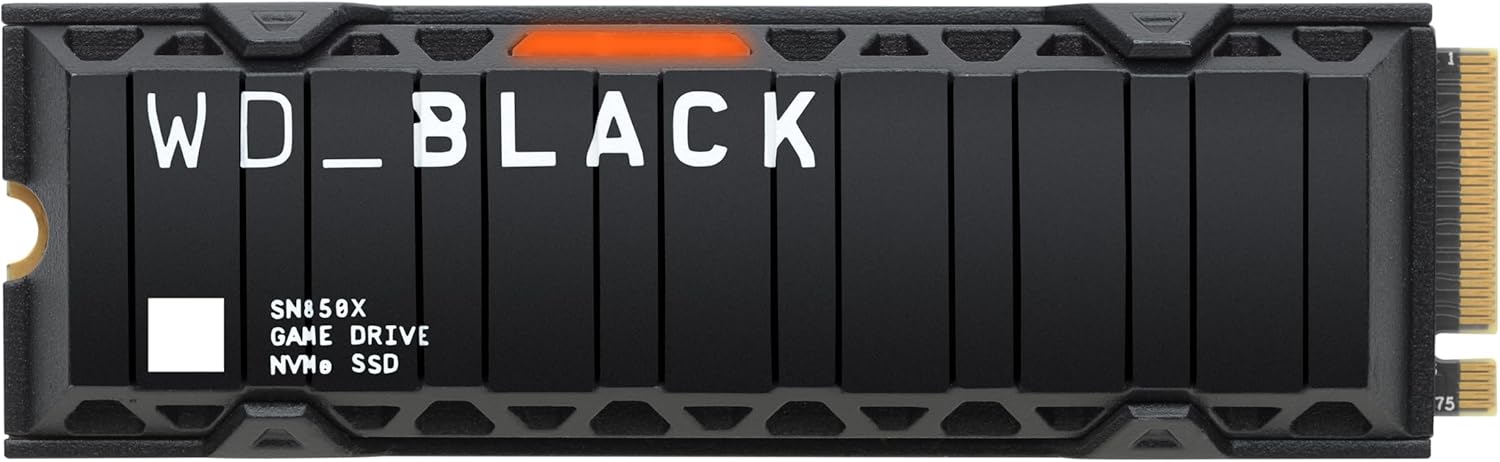
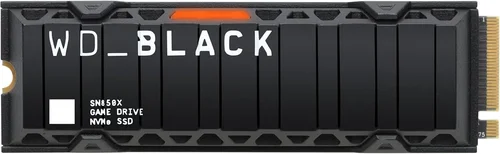
- Mid-Range ($70–$110 for 1TB): The sweet spot for most gamers. PCIe 4.0 NVMe drives like the Samsung 980 Pro, WD Black SN850X, or Crucial P5 Plus offer excellent speed, reliability, and value. Perfect for modern gaming, fast boot times, and future-proofing.
- Premium ($110–$180 for 1TB): For enthusiasts and high-end builds. Top-tier PCIe 4.0 or early PCIe 5.0 drives with premium controllers, heatsinks, and high endurance. Examples include the Sabrent Rocket 4 Plus-G or Kingston Fury Renegade. Ideal for 4K gaming, streaming, and multitasking.
- Luxury ($180+ for 1TB): Cutting-edge PCIe 5.0 drives like the Samsung 990 Pro or Corsair MP700 Pro. These deliver maximum performance for 2026-ready systems but come at a steep price. Only recommended if you need every last bit of speed or are building a showpiece rig.
Expert Tips for Getting the Best Deal
- Buy during major sales: Black Friday, Cyber Monday, Prime Day, and back-to-school seasons offer the best SSD discounts. Prices can drop 20–30% during these events.
- Check retailer return policies: Amazon and Newegg offer hassle-free returns. Avoid smaller sites with restocking fees or short return windows.
- Look for bundle deals: Some retailers include free heatsinks, cloning software, or extended warranties with SSD purchases.
- Monitor price history: Use tools like CamelCamelCamel (for Amazon) or Honey to track price drops and avoid overpaying.
- Consider refurbished models: Manufacturer-refurbished SSDs from Samsung or WD often come with full warranties and significant savings.
- Test before committing: If possible, test the SSD in your system before installing games. Use benchmarks to verify performance matches claims.
- Prioritize warranty over price: A slightly more expensive drive with a 5-year warranty is safer than a cheap one with only 3 years.
- Upgrade in pairs: If you’re adding a second SSD, buy the same model to ensure consistent performance and simplify management.

Frequently Asked Questions
Q: Do I really need an NVMe SSD for gaming?
A: Not strictly, but highly recommended. While SATA SSDs are faster than HDDs, NVMe drives significantly reduce load times and improve asset streaming. With DirectStorage becoming standard, NVMe is the future of gaming performance.
Q: Can I use an SSD in my Xbox Series X|S or PlayStation 5?
A: Yes, but with caveats. The PS5 requires a PCIe 4.0 NVMe SSD with a heatsink and specific speed ratings (5,500 MB/s+). Xbox Series X|S supports expandable storage via proprietary Seagate cards or USB SSDs, though internal upgrades are more complex.
Q: Will a faster SSD improve FPS in games?
A: No. FPS (frames per second) is determined by your GPU and CPU. However, a faster SSD reduces load times, minimizes stuttering, and improves level streaming—making the experience feel smoother.
Q: How much SSD storage do I need for gaming?
A: 1TB is the sweet spot. Modern AAA games can take 80–150GB each. With 1TB, you can comfortably store 8–12 games. Consider 2TB if you play many large titles or keep games installed long-term.
Q: Are external SSDs good for gaming?
A: They’re convenient for portability but slower than internal drives due to USB bottlenecks. USB 3.2 Gen 2×2 (20 Gbps) offers decent performance, but internal NVMe is still faster. Use external SSDs for backups or secondary storage.
Q: Can I clone my old SSD to a new one?
A: Yes, most manufacturers provide free cloning software (e.g., Samsung Data Migration, Acronis True Image). Ensure the new drive is equal or larger in capacity.
Q: Do SSDs slow down over time?
A: Not significantly. Modern SSDs use TRIM and garbage collection to maintain performance. However, filling a drive beyond 75% capacity can reduce speed. Keep at least 10–15% free space.
Q: Is PCIe 5.0 worth it in 2026?
A: For most gamers, not yet. While PCIe 5.0 offers double the bandwidth of PCIe 4.0, current games don’t fully utilize it. It’s best for enthusiasts or those building a future-proof system.
Q: What’s the difference between TLC, MLC, and QLC NAND?
A: TLC (3-bit) offers the best balance of speed, endurance, and cost—ideal for gaming. MLC (2-bit) is more durable but expensive. QLC (4-bit) is cheaper but slower and less durable—avoid for primary gaming drives.
Q: Can I install games on a secondary SSD?
A: Absolutely. Windows, Steam, Epic, and other platforms let you choose installation locations. Just ensure the drive is fast enough (NVMe preferred) to avoid performance hits.
Our Final Recommendations
- Best for Budget-Conscious Buyers: WD Blue SN580 (1TB) – A reliable PCIe 3.0 NVMe drive with DRAM and solid performance at under $60. Perfect for upgrading from an HDD without breaking the bank.
- Best Overall Value: Samsung 980 Pro (1TB) – Consistently top-tier performance, excellent endurance, and strong firmware support. A proven choice for gamers who want speed and reliability.
- Best Premium Option: WD Black SN850X (1TB) – Blazing PCIe 4.0 speeds, built-in heatsink, and optimized for gaming. Ideal for high-end builds and DirectStorage titles.
- Best for Beginners: Crucial P5 Plus (1TB) – Easy to install, great performance, and backed by Micron’s reputation. Comes with user-friendly software and a 5-year warranty.
- Best for Advanced Users: Sabrent Rocket 4 Plus-G (2TB) – High-capacity, PCIe 4.0 performance with a sleek heatsink. Great for enthusiasts who want speed and space without jumping to PCIe 5.0.
Conclusion: Making the Right Choice
Choosing the right SSD for gaming in 2026 isn’t just about picking the fastest drive—it’s about finding the best balance of speed, reliability, compatibility, and value for your specific needs. Whether you’re upgrading an aging system or building a dream rig, the factors we’ve covered—interface, performance specs, endurance, thermal management, and brand reputation—will guide you to a smart decision. Avoid the common pitfalls, stick to reputable brands, and don’t overspend on features you won’t use.
Remember, your SSD is more than storage; it’s a key component of your gaming experience. The right one will slash load times, eliminate stutters, and keep your system running smoothly for years. Take your time, do your research, and prioritize what matters most to you. With this guide in hand, you’re ready to make a confident, informed purchase that will elevate your gaming to the next level. Happy gaming—and may your load times be forever short.