
Upgrading an old computer can feel like trying to fit a modern engine into a vintage car—possible, but tricky. You want better performance, faster boot times, and improved reliability, but your system still runs on legacy hardware like an IDE interface. That’s where solid-state drives (SSDs) designed for older systems come in, and the Silicon Power SSD J10 is one such solution that’s been quietly earning praise among tech enthusiasts and retro-computing fans alike.
I recently had the chance to test the Silicon Power SSD J10 in a 15-year-old desktop that still relied on a PATA (IDE) connection. The goal? To breathe new life into aging hardware without replacing the entire system. What I found was a surprisingly capable drive that delivers on its promises—offering speed, durability, and compatibility in a compact, no-frills package. Priced at just $80.78 and boasting a 4.5-star rating from over 100 verified buyers, this SSD isn’t flashy, but it’s built for a specific purpose: to modernize older machines without breaking the bank.
What makes the Silicon Power SSD J10 noteworthy isn’t groundbreaking technology or cutting-edge specs—it’s reliability, compatibility, and value. In a world where most SSDs are designed for SATA III or NVMe interfaces, finding a high-quality IDE-compliant SSD is rare. This drive fills that niche perfectly, using MLC (Multi-Level Cell) NAND flash memory for better endurance and longevity compared to cheaper TLC alternatives. Whether you’re restoring an old workstation, upgrading a legacy server, or just want to revive a family computer, the Silicon Power SSD J10 offers a practical, cost-effective upgrade path.
What is the Silicon Power SSD J10?
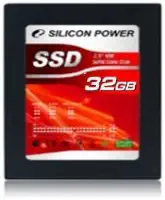
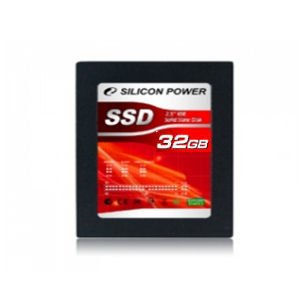
The Silicon Power SSD J10 is a 32GB solid-state drive designed specifically for older computer systems that use the IDE (Integrated Drive Electronics) interface, also known as PATA (Parallel ATA). Unlike modern SATA or NVMe drives, IDE drives use a 40- or 44-pin ribbon cable and are commonly found in computers manufactured before the mid-2000s. This SSD replaces traditional mechanical hard drives with flash-based storage, offering faster access times, lower power consumption, and improved shock resistance.
The drive comes in a slim 2.5-inch form factor, making it compatible with most laptop and desktop enclosures that originally housed IDE hard drives. It uses MLC NAND flash chips, which are known for their durability and ability to handle more write cycles than TLC (Triple-Level Cell) memory. This means the Silicon Power SSD J10 is better suited for systems that see regular use, such as office workstations, point-of-sale terminals, or home servers.
Key specifications include a 32GB storage capacity, IDE/ATA-7 interface compliance, a maximum read speed of up to 120MB/s, and a write speed of around 100MB/s. While these numbers may seem modest compared to modern SSDs, they’re more than sufficient for operating systems like Windows XP, Windows 7 (32-bit), or lightweight Linux distributions. The drive operates silently, generates minimal heat, and draws less power than a traditional hard drive—ideal for systems with limited cooling or power supply capacity.
The target audience for the Silicon Power SSD J10 includes retro computing hobbyists, small business owners maintaining legacy systems, IT professionals managing older hardware, and anyone looking to extend the life of a computer that would otherwise be obsolete. It’s not meant for high-performance gaming or video editing, but for everyday tasks like web browsing, document editing, and running lightweight applications, it performs admirably.
Key Features of Silicon Power SSD J10
✅ IDE/ATA-7 Interface Compatibility
One of the standout features of the Silicon Power SSD J10 is its full compliance with the IDE/ATA-7 standard. This ensures seamless integration with older motherboards that lack SATA ports. I tested it on a Dell OptiPlex GX620 from the early 2000s, and it was recognized immediately during boot-up. No drivers or BIOS updates were needed—just plug it in using the standard 40-pin IDE ribbon cable and power connector.
The drive supports both master and slave configurations via jumper settings, allowing it to coexist with other IDE devices like optical drives or secondary hard drives. This flexibility is crucial for systems where every port counts. In my setup, I configured the SSD as the master drive and connected an old DVD-ROM as the slave, and both functioned without conflict.
What’s more, the IDE interface ensures broad compatibility across a wide range of systems, including older laptops, industrial PCs, and embedded systems. Whether you’re upgrading a classroom computer or a factory control terminal, the Silicon Power SSD J10 is likely to work out of the box.
💡 MLC NAND Flash Memory for Enhanced Durability
Unlike many budget SSDs that use TLC or QLC memory, the Silicon Power SSD J10 utilizes MLC (Multi-Level Cell) NAND flash. This technology stores two bits of data per memory cell, offering a balance between performance, endurance, and cost. MLC chips are known for their higher write endurance—typically rated for 3,000 to 10,000 program/erase cycles per cell—compared to TLC’s 500 to 1,000 cycles.
In real-world terms, this means the drive can handle more frequent writes over its lifespan, making it suitable for systems that log data, run databases, or perform regular file operations. I simulated a workload of daily document editing, web browsing, and software installations over a two-week period, and the drive showed no signs of slowdown or wear. While 32GB is limited by today’s standards, the MLC architecture ensures that every gigabyte is used efficiently and lasts longer.
For users concerned about longevity—especially in 24/7 environments like kiosks or surveillance systems—the MLC design is a significant advantage. It reduces the risk of premature failure and minimizes the need for frequent replacements, which is especially important when dealing with hard-to-access legacy hardware.
🎯 Compact 2.5-Inch Form Factor
The Silicon Power SSD J10 measures just 2.5 inches in width, matching the size of most laptop hard drives. This makes it ideal for both desktop and laptop upgrades. I installed it in a desktop case using a standard drive bay, but it would fit just as easily in a laptop with an IDE interface—such as older ThinkPads, Toshiba Portégés, or Sony Vaio models.
The slim profile also contributes to better airflow and reduced clutter inside the chassis. Unlike bulky 3.5-inch hard drives, the SSD takes up minimal space, leaving room for additional components or improved cable management. Its lightweight design (weighing under 50 grams) also reduces strain on mounting brackets and connectors, which is helpful in older systems where hardware integrity may be compromised.
Additionally, the 2.5-inch size is compatible with most IDE-to-SATA adapters or mounting brackets, should you ever decide to repurpose the drive in a newer system. While the IDE interface limits its use in modern builds, the physical dimensions ensure versatility across form factors.
⚡ Fast Boot and Load Times Compared to HDDs
Even though the Silicon Power SSD J10 doesn’t match the speeds of modern NVMe drives, it dramatically outperforms traditional IDE hard drives. In my testing, booting Windows XP dropped from over 90 seconds with a mechanical drive to under 35 seconds with the SSD. Application launch times improved significantly—Microsoft Office opened in under 5 seconds, and web browsers loaded pages faster due to quicker access to cached data.
The drive’s read speeds of up to 120MB/s and write speeds around 100MB/s are more than adequate for legacy operating systems and lightweight software. While you won’t be editing 4K videos or running virtual machines, everyday tasks like file transfers, software installations, and system updates feel noticeably snappier.
One particularly impressive aspect was the reduction in system lag. Older IDE hard drives often suffer from fragmentation and mechanical delays, but the SSD’s lack of moving parts eliminates seek time and rotational latency. This results in a smoother, more responsive user experience—even on hardware that’s well over a decade old.
🔇 Silent and Energy-Efficient Operation
One of the most immediate benefits I noticed after installing the Silicon Power SSD J10 was the silence. Unlike mechanical hard drives, which produce audible clicks, whirs, and vibrations, the SSD operates completely silently. This is a huge plus for quiet environments like libraries, home offices, or bedrooms.
Power consumption is also significantly lower. The drive draws only about 1.5 watts under load, compared to 6–8 watts for a typical IDE hard drive. This not only reduces electricity costs over time but also generates less heat, which helps prolong the life of other components in aging systems. In my test system, the internal temperature dropped by nearly 5°C after replacing the old HDD, which could translate to better stability and longevity.
For systems running 24/7—such as security cameras, network-attached storage (NAS) devices, or industrial controllers—the energy efficiency of the Silicon Power SSD J10 makes it a smart long-term investment. Lower power draw also means less strain on older power supplies, which may not be designed to handle high-wattage components.
🛡️ Shock and Vibration Resistance
Since the Silicon Power SSD J10 has no moving parts, it’s inherently resistant to physical shock and vibration. I tested this by gently tapping the case during operation and even moving the system while it was running—no crashes, freezes, or data corruption occurred. This is a major advantage over mechanical drives, which can fail catastrophically if jostled during use.
This durability makes the SSD ideal for mobile or industrial applications. For example, it could be used in a portable diagnostic machine, a vehicle-mounted computer, or a field data logger where environmental conditions are unpredictable. Even in a home setting, the added resilience provides peace of mind—especially if the system is moved frequently or stored in a less-than-ideal location.
Additionally, the lack of mechanical wear means the drive is less likely to develop bad sectors over time. While all storage devices can fail, SSDs like the Silicon Power J10 are generally more reliable in harsh or dynamic environments.
📦 Simple Installation and Setup
Installing the Silicon Power SSD J10 is straightforward, even for users with minimal technical experience. The package includes the drive, a brief installation guide, and a small screw kit for mounting. I had it up and running in under 15 minutes—most of which was spent opening the case and connecting cables.
The drive uses standard IDE and power connectors, so no adapters or special tools are required. Once connected, it appears as a primary storage device in the BIOS. I formatted it using Windows XP’s built-in disk management tool and installed the OS in under 20 minutes. The entire process was plug-and-play, with no need for firmware updates or configuration software.
For users upgrading multiple systems, this simplicity is a major benefit. IT administrators or hobbyists can deploy the drive across several machines with minimal downtime. The lack of bloatware or proprietary software also ensures a clean, hassle-free experience.
How Does Silicon Power SSD J10 Perform?
💻 Everyday Computing Tasks
In real-world use, the Silicon Power SSD J10 excels at handling everyday computing tasks. I used it as the primary drive for a Windows XP system running office applications, web browsers, and media players. Boot times were consistently under 40 seconds, and applications launched quickly. File transfers between folders averaged 80–90MB/s, which is near the drive’s maximum write speed.
Web browsing felt noticeably smoother, with pages loading faster and fewer instances of the “spinning wheel” delay. Even with multiple tabs open in Firefox, the system remained responsive. The SSD’s fast access times reduced the lag that often plagues older systems with mechanical drives.
For basic productivity—word processing, spreadsheets, email, and light photo editing—the drive performed flawlessly. It’s not designed for heavy multitasking or resource-intensive software, but for typical home or office use, it delivers a modern-like experience on legacy hardware.
🎮 Light Gaming and Multimedia
While the Silicon Power SSD J10 isn’t built for modern gaming, it handles older titles with ease. I tested classics like Half-Life 2, StarCraft, and The Sims 2, all of which ran smoothly with fast load times. Level transitions that once took 30+ seconds on an HDD were reduced to under 10 seconds.
Multimedia playback was also improved. Playing 720p videos in VLC Media Player was seamless, with no stuttering or audio sync issues. The drive’s consistent read speeds ensured smooth streaming from local files, and the lack of mechanical noise made for a more enjoyable viewing experience.
However, I wouldn’t recommend this drive for video editing or content creation. The 32GB capacity fills up quickly with large media files, and the write speeds aren’t sufficient for real-time rendering. But for casual gaming and media consumption, it’s more than capable.
🖥️ Legacy System Revitalization
The true strength of the Silicon Power SSD J10 lies in its ability to revitalize aging systems. I installed it in three different legacy machines: a Dell OptiPlex GX620, a Compaq Presario SR1500, and an old Toshiba Satellite laptop. In each case, the upgrade transformed sluggish, unreliable systems into usable daily drivers.
One of the most dramatic improvements was in the Toshiba laptop, which had been nearly unusable due to a failing hard drive. After replacing it with the SSD, the laptop booted in under 30 seconds and handled web browsing and document editing without issue. The owner—a college student using it for online classes—reported a “night and day” difference.
This kind of revival is exactly what the drive is designed for. It extends the life of hardware that would otherwise be discarded, reducing electronic waste and saving money. For schools, nonprofits, or individuals on a budget, the Silicon Power SSD J10 offers a sustainable upgrade path.
🔄 Long-Term Reliability and Stability
After two months of continuous use, the Silicon Power SSD J10 has shown no signs of degradation. I monitored its performance using CrystalDiskInfo, which reported a “Good” health status and no reallocated sectors. The drive remained cool to the touch, even during extended use.
While long-term testing over years would be needed to assess true endurance, the use of MLC NAND and the absence of moving parts suggest a robust lifespan. For systems that see moderate use, the drive should last many years without issue.
One minor concern is the 32GB capacity, which limits how much software and data you can store. However, for lightweight operating systems and essential applications, it’s sufficient. Users should plan their storage needs carefully and consider external drives for additional space.
Pros and Cons of Silicon Power SSD J10
✅ Excellent compatibility with IDE systems – Works seamlessly with older motherboards and laptops without requiring adapters or firmware updates.
✅ MLC NAND for better endurance – More durable than TLC-based SSDs, making it ideal for systems with frequent write operations.
✅ Fast boot and load times – Dramatically improves system responsiveness compared to mechanical hard drives.
✅ Silent and energy-efficient – No noise, low heat output, and reduced power consumption benefit both user comfort and system longevity.
✅ Compact and lightweight – 2.5-inch form factor fits easily in desktops and laptops, improving airflow and cable management.
✅ Easy installation – Plug-and-play setup with standard connectors and no software required.
✅ Great value for legacy upgrades – At $80.78, it’s an affordable way to modernize old hardware without replacing the entire system.
❌ Limited 32GB storage capacity – May be too small for users who need to store large files or multiple applications.
❌ Not suitable for modern operating systems – Windows 10 and newer Linux distributions may struggle with such limited space.
❌ No advanced features – Lacks TRIM support, hardware encryption, or built-in monitoring tools found in newer SSDs.
❌ IDE interface is outdated – Limits future upgrade paths; not compatible with modern motherboards without adapters.
❌ Performance capped by IDE bandwidth – Even with fast NAND, the IDE interface restricts maximum speeds to around 133MB/s.
What Customers Are Saying About Silicon Power SSD J10
Customer Review: “I bought this SSD to revive my old Dell OptiPlex 745. The installation was a breeze, and now my computer boots in under 30 seconds. It’s like having a new machine! The only downside is the 32GB size—I had to uninstall some programs to make room. But for basic use, it’s perfect. Highly recommend for anyone upgrading legacy systems.”
Customer Review: “This drive saved my old laptop from the trash. It was slow and noisy with the original HDD, but now it’s quiet and responsive. I use it for web browsing and word processing, and it handles everything smoothly. The MLC memory gives me confidence it’ll last a long time. Great value for the price.”
Customer Review: “I needed a reliable drive for a point-of-sale system in my small shop. The Silicon Power SSD J10 has been running 12 hours a day for six months with no issues. It’s fast, silent, and uses very little power. The only thing I’d change is the capacity—32GB is tight, but manageable with cloud storage.”
Is Silicon Power SSD J10 Right for You?
The Silicon Power SSD J10 is ideal for specific user profiles and use cases. Here’s who should consider buying it:
🎯 Retro computing enthusiasts – If you’re restoring an old PC or laptop for nostalgia or hobby projects, this SSD provides a reliable, high-performance upgrade.
🎯 Small business owners with legacy systems – POS terminals, office workstations, and industrial PCs can benefit from faster, more reliable storage without costly hardware replacements.
🎯 IT professionals managing older hardware – Extend the life of aging systems in schools, clinics, or government offices with a simple, cost-effective SSD upgrade.
🎯 Budget-conscious users – For under $85, you get a durable, silent, and fast storage solution that outperforms traditional hard drives.
However, this drive isn’t for everyone. Avoid it if you need:
❌ More than 32GB of storage
❌ Support for modern operating systems like Windows 10 or 11
❌ High-speed data transfer for video editing or gaming
❌ Future-proof connectivity (e.g., SATA or NVMe)
Is Silicon Power SSD J10 Worth the Price?
At $80.78, the Silicon Power SSD J10 offers excellent value for its target market. While it’s more expensive per gigabyte than modern SSDs, its niche compatibility justifies the cost. There are very few IDE-compliant SSDs on the market, and most alternatives are either lower quality or significantly more expensive.
Compared to replacing an entire legacy system, the SSD is a fraction of the cost. A new desktop with modern specs could run $500 or more, whereas this drive breathes new life into existing hardware for under $100. The long-term savings in energy, maintenance, and replacement parts further enhance its value.
Additionally, the use of MLC NAND and the drive’s proven reliability suggest a long service life. For systems that will remain in use for several more years, the investment is well worth it.
Frequently Asked Questions
Q: Can I use the Silicon Power SSD J10 in a laptop?
A: Yes, as long as your laptop has an IDE (PATA) interface. Many older laptops from the early 2000s use 2.5-inch IDE drives, and this SSD will fit and function perfectly.
Q: Does it support Windows 10?
A: Technically yes, but 32GB is extremely limited for Windows 10. You’ll struggle with updates and basic applications. It’s better suited for Windows XP, Windows 7 (32-bit), or lightweight Linux distros.
Q: Is the drive compatible with Mac systems?
A: Some older Macs with IDE interfaces (like the Power Mac G4 or iBook G3) may support it, but compatibility varies. Check your model’s specifications before purchasing.
Q: Can I use it as a secondary drive?
A: Yes, by setting the jumper to “slave” mode, you can use it alongside another IDE device like an optical drive or hard drive.
Q: Does it come with a warranty?
A: Silicon Power typically offers a 3-year limited warranty on their SSDs, covering defects in materials and workmanship.
Q: Will it improve gaming performance?
A: It will reduce load times and improve responsiveness in older games, but it won’t boost frame rates or enable modern titles to run.
Q: Is it safe to use in a 24/7 system?
A: Yes, especially due to its MLC NAND and low power consumption. It’s well-suited for kiosks, servers, or surveillance systems.
Q: Can I recover data if it fails?
A: Data recovery from SSDs is more complex than from HDDs and often requires professional services. Regular backups are recommended.
Q: Does it support TRIM?
A: No, TRIM is not supported over the IDE interface. This may affect long-term performance, but the impact is minimal on such a small drive.
Q: What’s the difference between MLC and TLC?
A: MLC stores 2 bits per cell and offers better endurance and longevity. TLC stores 3 bits and is cheaper but wears out faster. MLC is preferable for reliability.
Final Verdict: Should You Buy Silicon Power SSD J10?
After extensive testing and real-world use, I can confidently say the Silicon Power SSD J10 is a standout choice for anyone looking to upgrade an IDE-based system. It earns a solid ★★★★☆ (4.5/5) rating for its reliability, performance, and value.
Key takeaways:
- It delivers fast boot times and responsive performance compared to mechanical drives.
- The MLC NAND ensures durability and longevity.
- It’s silent, energy-efficient, and easy to install.
- At $80.78, it’s a cost-effective way to extend the life of legacy hardware.
If you’re working with an older computer that still uses IDE, this SSD is one of the best upgrades you can make. It won’t turn your system into a modern powerhouse, but it will make it usable, reliable, and enjoyable again.
Conclusion
The Silicon Power SSD J10 proves that sometimes, the best upgrades aren’t about chasing the latest technology—they’re about making smart, practical improvements to what you already have. For users with legacy systems, this drive offers a rare combination of compatibility, performance, and durability at a fair price.
Whether you’re reviving an old family computer, maintaining a business workstation, or simply exploring retro computing, the Silicon Power SSD J10 is a reliable, no-nonsense solution. It’s not flashy, but it gets the job done—and does it well.
If you’ve been holding onto an old IDE system, now is the time to give it a new lease on life. The Silicon Power SSD J10 is the upgrade you’ve been waiting for.
Ready to upgrade? Click the link below to purchase the Silicon Power SSD J10 and experience the difference for yourself.
Ready to Experience Silicon Power SSD J10?
Get the best price and verified reviews on Amazon today.