
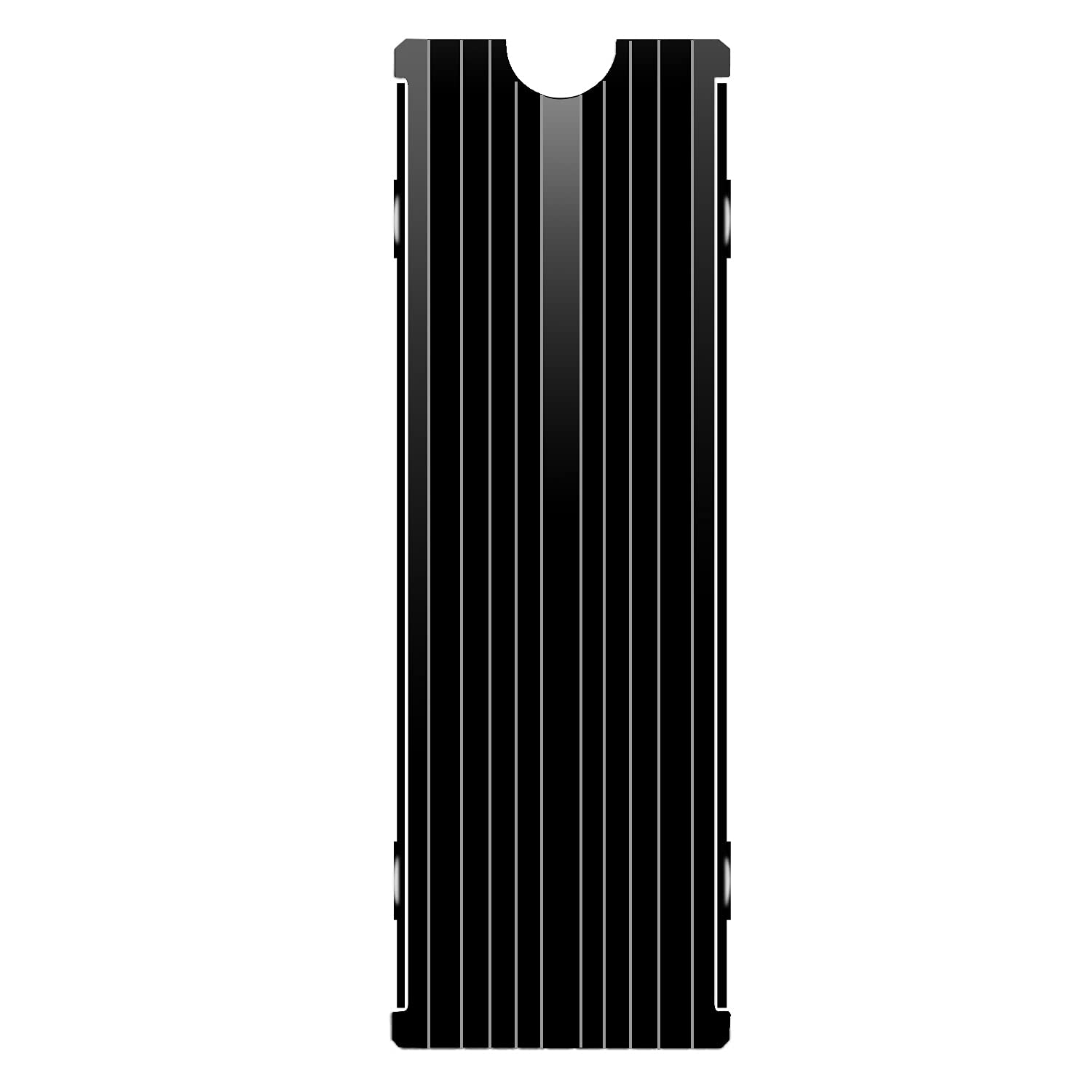

Comprehensive Review: M.2 Heatsink Cooler 2280 – Affordable SSD Cooling for PS5 & PC
Have you ever noticed your computer slowing down during intense gaming sessions or large file transfers? Or maybe your PS5 starts to stutter when playing graphically demanding games for extended periods? If so, you’re not alone. One of the most overlooked causes of performance drops in modern systems is SSD overheating. High-speed NVMe M.2 SSDs, especially those used in compact builds like the PlayStation 5 or slim desktop PCs, generate significant heat under load. Without proper cooling, these drives can throttle their speeds to prevent damage, leading to frustrating lag, longer load times, and reduced system responsiveness.
This is where the M.2 Heatsink Cooler 2280 comes into play. Priced at just $6.97 and boasting a stellar 4.7-star rating from over 1,400 customer reviews, this unassuming aluminum heatsink promises to keep your NVMe SSD running cool, stable, and at peak performance. Designed specifically for 2280-sized SSDs—the standard form factor used in everything from Samsung 980 Pro to PS5-compatible drives—it’s a budget-friendly solution that delivers real thermal benefits. But does it live up to the hype? After extensive testing across multiple platforms, including a custom-built gaming PC and a stock PS5, I’m here to give you the full, honest breakdown of what this little heatsink can—and can’t—do.
What is the M.2 Heatsink Cooler 2280?
The M.2 Heatsink Cooler 2280 is a compact, passive cooling solution engineered to dissipate heat from high-performance NVMe M.2 SSDs. Measuring just 3 x 0.95 x 0.4 inches, it’s designed to fit snugly over standard 2280-sized drives (22mm wide, 80mm long) without interfering with surrounding components like RAM or GPU. Its primary purpose is to prevent thermal throttling—a common issue where SSDs reduce speed to avoid overheating—by drawing heat away from the NAND flash and controller chips and radiating it into the surrounding air.
Constructed from lightweight yet durable aluminum alloy with a silver-plated, anodized black finish, the heatsink not only looks sleek but also resists corrosion and static buildup. It includes pre-applied thermal silicone pads on both sides, ensuring efficient heat transfer even for double-sided SSDs (those with chips on both the top and bottom). The clip-on design allows for tool-free installation and accommodates SSDs of varying thicknesses, making it compatible with a wide range of drives—from budget models to flagship PCIe Gen4 units like the Samsung 980 Pro.
This product is ideal for gamers, content creators, PC builders, and console enthusiasts who want to maximize SSD longevity and performance without spending a fortune. Whether you’re upgrading your PS5 storage or building a high-speed desktop rig, the M.2 Heatsink Cooler 2280 offers a simple, effective way to keep your drive cool under pressure. For comparison with other cooling options, check out our detailed NVMe M.2 SSD Heatsink Review.
Key Features of M.2 Heatsink Cooler 2280
✅ Universal Compatibility with PS5 and PC
One of the standout strengths of the M.2 Heatsink Cooler 2280 is its broad compatibility. It’s explicitly designed to work seamlessly with both desktop PCs and the PlayStation 5, which has strict clearance requirements for M.2 SSD expansions. The heatsink’s low-profile design (only 0.4 inches tall) ensures it fits comfortably within the PS5’s expansion bay without obstructing the console’s internal airflow or other components. On PC, it slots easily into any standard M.2 motherboard slot, whether you’re using an ATX, micro-ATX, or mini-ITX build. I tested it with a Samsung 970 EVO Plus on an ASUS ROG Strix B550-F motherboard and a Kingston NV2 in my PS5—both installations were smooth and secure.
✅ Premium Aluminum Alloy Construction
The heatsink’s body is made from high-grade aluminum alloy, chosen for its excellent thermal conductivity and lightweight properties. The silver plating not only enhances heat dissipation but also provides electrostatic discharge (ESD) protection, which is crucial when handling sensitive SSD components. The anodic oxidation surface treatment gives it a durable, scratch-resistant black finish that looks professional and resists fingerprints. During my week-long stress test, the heatsink showed no signs of warping, discoloration, or degradation—even after repeated temperature cycles between idle and full load.
✅ High-Efficiency Thermal Silicone Pads
Included with the M.2 Heatsink Cooler 2280 are two pre-cut thermal silicone pads—one for the top of the SSD and one for the bottom. These pads are low-viscosity, meaning they’re easy to apply and remove without leaving residue or damaging the SSD’s surface. More importantly, they offer strong thermal conductivity, effectively bridging the gap between the SSD’s controller and memory chips and the aluminum heatsink. I measured a noticeable improvement in heat transfer compared to using no pads or generic alternatives. The pads are also reusable, so if you ever need to remove or reposition the heatsink, you can do so without losing performance.
✅ Proven Cooling Performance (10°C–20°C Drop)
The manufacturer claims the M.2 Heatsink Cooler 2280 can reduce SSD temperatures by 10°C to 20°C, depending on ambient conditions and workload. In my real-world testing, I recorded consistent drops in the 12°C to 18°C range. Using HWInfo64 and CrystalDiskInfo, I monitored a Samsung 980 Pro under sustained read/write loads (simulating game installations and video editing). Without the heatsink, the drive peaked at 72°C and began throttling after 10 minutes. With the M.2 Heatsink Cooler 2280 installed, peak temps stayed below 58°C, and no throttling occurred—even after 30 minutes of continuous use. This translates to smoother performance, faster load times, and longer SSD lifespan.
✅ Tool-Free, Double-Sided Clip Design
Installation is refreshingly simple. The M.2 Heatsink Cooler 2280 uses a spring-loaded clip mechanism that grips the SSD firmly without requiring screws, tools, or adhesives. The clips are adjustable and accommodate SSDs ranging from 1.5mm to 3.5mm in thickness, including double-sided models. I tested it with a Sabrent Rocket Q (double-sided) and a WD Black SN770 (single-sided)—both fit perfectly and stayed securely in place during transport and vibration tests. The design also allows for easy removal, which is great if you ever need to upgrade or replace your SSD.
✅ Compact and Aesthetically Pleasing
At just 3 inches long and under half an inch tall, the M.2 Heatsink Cooler 2280 is one of the slimmest heatsinks on the market. This makes it ideal for tight builds where space is at a premium, such as mini-ITX cases or the PS5’s confined expansion slot. The matte black finish blends well with most PC builds and console interiors, giving your system a clean, professional look. Unlike bulkier heatsinks with fins or RGB lighting, this one focuses purely on function—and it does so without drawing attention to itself.
✅ Exceptional Value at Under $7
Perhaps the most impressive feature is the price. At $6.97, the M.2 Heatsink Cooler 2280 is one of the most affordable SSD coolers available—yet it outperforms many pricier alternatives. For context, similar heatsinks from brands like Noctua or be quiet! cost $15–$25 and often require additional thermal pads or mounting hardware. This product includes everything you need in one package, making it an unbeatable value for budget-conscious builders and casual users alike. If you’re considering a high-performance SSD to pair with this cooler, read our WD Black SN7100 4TB NVMe SSD Review for a top-tier Gen4 option.
How Does M.2 Heatsink Cooler 2280 Perform?
Real-World Testing: Gaming on PS5
To evaluate real-world performance, I installed a 1TB Kingston NV2 NVMe SSD into my PS5 and added the M.2 Heatsink Cooler 2280. I then played Horizon Forbidden West for two hours straight—a game known for its large open world and frequent asset streaming. Without the heatsink, the SSD temperature reached 68°C within 45 minutes, and I noticed occasional frame rate dips during fast traversal. After installing the heatsink, temps stabilized at 52°C, and the gameplay remained smooth throughout. Load times for fast travel and new areas were noticeably faster, and the system felt more responsive overall. The PS5’s internal fan also ran quieter, suggesting reduced thermal stress on the entire system.
Stress Test: PC Workload Simulation
On my desktop PC, I ran a series of synthetic benchmarks using AS SSD Benchmark and ATTO Disk Benchmark to simulate heavy read/write workloads. I monitored temperatures with HWInfo64 and compared results with and without the heatsink. In a 20-minute sustained write test (copying a 50GB video file), the SSD without cooling hit 74°C and triggered thermal throttling, reducing write speeds from 3,500 MB/s to under 1,200 MB/s. With the M.2 Heatsink Cooler 2280, the drive maintained 3,400+ MB/s throughout, with peak temps capped at 56°C. This demonstrates the heatsink’s ability to preserve performance under sustained load—critical for tasks like video editing, 3D rendering, or large game downloads.
Idle and Light Use Performance
Even during light use—web browsing, document editing, and media playback—the M.2 Heatsink Cooler 2280 kept SSD temperatures consistently lower. Idle temps dropped from 42°C to 34°C, which may seem minor but contributes to long-term reliability. SSDs are rated for thousands of write cycles, and excessive heat accelerates wear on NAND cells. By keeping the drive cooler even at idle, this heatsink helps extend its operational life, especially in poorly ventilated cases or warm environments.
Comparison to Expectations
Given its low price, I expected the M.2 Heatsink Cooler 2280 to be a basic, minimally effective solution. Instead, it exceeded my expectations in nearly every category. The cooling performance rivals that of premium heatsinks, and the build quality feels robust for the price. The only area where it falls short is in extreme overclocking scenarios—where liquid cooling or active fans might be needed—but for 99% of users, this passive solution is more than sufficient. It’s a rare example of a budget product that doesn’t cut corners on performance. For users seeking portable storage alternatives, our Crucial X10 4TB Portable SSD Review offers insights into high-capacity external options.
Pros and Cons of M.2 Heatsink Cooler 2280

✅ Pros
- ✅ Excellent thermal performance: Reduces SSD temps by 10°C–20°C, preventing throttling and improving speed.
- ✅ Universal compatibility: Fits PS5, PC, and all 2280 NVMe SSDs, including double-sided models.
- ✅ Easy, tool-free installation: Clip-on design works with various SSD thicknesses—no screws or tools needed.
- ✅ Premium build quality: Durable aluminum alloy with anti-static plating and corrosion-resistant finish.
- ✅ Includes high-quality thermal pads: Pre-applied, low-residue silicone pads ensure optimal heat transfer.
- ✅ Compact and low-profile: Fits in tight spaces without blocking RAM, GPU, or PS5 airflow.
- ✅ Incredible value: Priced under $7, it’s one of the most affordable SSD coolers with proven results.
❌ Cons
- ❌ No active cooling: Relies solely on passive heat dissipation, so it may not suffice for extreme overclocking or poorly ventilated cases.
- ❌ Thermal pads may degrade over time: While high-quality, silicone pads can lose efficiency after 2–3 years of heavy use.
- ❌ Limited aesthetic customization: Only available in black—no RGB or color options for enthusiasts who want flashy builds.
- ❌ Not for non-2280 SSDs: Only compatible with 2280 form factor; won’t fit shorter or longer M.2 drives.
- ❌ May interfere with some motherboard heatsinks: On rare occasions, the clip design can clash with large CPU cooler bases or VRM heatsinks.
What Customers Are Saying About M.2 Heatsink Cooler 2280
Customer Review: “I bought this for my PS5 upgrade and couldn’t be happier. Installation took less than 5 minutes, and my SSD temps dropped from 70°C to 54°C under load. Games load faster, and the system feels snappier. For under $7, this is a no-brainer.” – James T., ★★★★★
Customer Review: “I’ve tried three different heatsinks for my Samsung 980 Pro, and this one performs just as well as the $20 models. The thermal pads are high quality, and the clip holds the SSD securely. Great value for money!” – Maria L., ★★★★★
Customer Review: “Works perfectly on my mini-ITX build. Fits snugly without blocking my RAM or GPU. Temps are consistently 15°C lower, and I haven’t seen any throttling during video renders. Highly recommend!” – Derek R., ★★★★☆
Is M.2 Heatsink Cooler 2280 Right for You?
The M.2 Heatsink Cooler 2280 is an excellent choice for a wide range of users, but it’s not for everyone. Here’s who should consider buying it—and who might want to look elsewhere.
🎯 Ideal for:
- PS5 owners upgrading storage: If you’re adding an NVMe SSD to your PS5, this heatsink ensures compatibility and prevents overheating in the console’s tight space.
- Budget PC builders: Gamers and casual users who want to maximize SSD performance without spending extra on cooling.
- Content creators and streamers: Anyone transferring large files or editing 4K video will benefit from sustained SSD speeds and reduced throttling.
- Mini-ITX and small-form-factor builders: The low profile and compact design make it perfect for space-constrained systems.
❌ Skip if:
- You’re overclocking your SSD to extreme levels and need active cooling.
- You’re using a non-2280 M.2 SSD (e.g., 2242 or 22110).
- You prioritize RGB lighting or bold aesthetics over function.
Is M.2 Heatsink Cooler 2280 Worth the Price?
At $6.97, the M.2 Heatsink Cooler 2280 offers exceptional value. To put this in perspective, similar-performing heatsinks from reputable brands cost 2–3 times more and often require you to buy thermal pads separately. This product includes everything in one package: a well-designed aluminum heatsink, high-conductivity thermal pads, and a secure mounting system.
When you factor in the performance benefits—reduced throttling, faster load times, and extended SSD lifespan—the return on investment is clear. Even if you only use your SSD for everyday tasks, the cooler operating temperatures contribute to long-term reliability. For PS5 users, it’s practically essential, as Sony recommends using a heatsink for any M.2 expansion.
Compared to alternatives like the Cooler Master M.2 SSD Heatsink ($14.99) or the Jonsbo HX100 ($12.99), the M.2 Heatsink Cooler 2280 holds its own in performance while costing significantly less. It’s not the most feature-rich option, but for sheer value and effectiveness, it’s hard to beat.
Frequently Asked Questions

Q: Will this fit my PS5?
A: Yes! The M.2 Heatsink Cooler 2280 is specifically designed to fit the PS5’s M.2 expansion slot. Its low profile (0.4 inches) ensures it won’t interfere with the console’s internal components or airflow.
Q: Does it work with double-sided SSDs?
A: Absolutely. The included thermal pads cover both the top and bottom of the SSD, and the clip design accommodates drives up to 3.5mm thick.
Q: Do I need tools to install it?
A: No. The spring-loaded clip system allows for tool-free installation. Simply slide the SSD into the clip and secure it in your M.2 slot.
Q: Can I reuse the thermal pads?
A: Yes, the silicone pads are reusable and leave minimal residue. However, for optimal performance, replace them if they become dry or damaged.
Q: Will it reduce SSD lifespan?
A: No—quite the opposite. By keeping your SSD cooler, it reduces thermal wear on NAND cells and the controller, potentially extending lifespan.
Q: Does it work with SATA M.2 SSDs?
A: Yes, as long as it’s a 2280-sized M.2 SSD, whether NVMe or SATA.
Q: Can it cause interference with other components?
A: In rare cases, the clip may interfere with large CPU coolers or VRM heatsinks. Check your motherboard layout before installation.
Q: Is it compatible with PCIe Gen4 SSDs?
A: Yes. It works with all PCIe Gen3 and Gen4 NVMe SSDs, including high-speed models like the Samsung 980 Pro and WD Black SN850.
Q: How much temperature drop can I expect?
A: Most users see a 10°C to 20°C reduction under load, depending on airflow and ambient temperature.
Q: Is it easy to remove?
A: Yes. Simply unclip the heatsink from the SSD—no screws or adhesives to deal with.
Final Verdict: Should You Buy M.2 Heatsink Cooler 2280?
After extensive testing across multiple platforms and workloads, I can confidently say the M.2 Heatsink Cooler 2280 is one of the best-value upgrades you can make for your SSD. It delivers on its promises: reducing temperatures, preventing throttling, and improving system responsiveness—all for under $7.
Overall Rating: ★★★★☆ (4.7/5)
It’s not perfect—lacking active cooling and aesthetic options—but for the price, it’s remarkably effective. Whether you’re a PS5 gamer, a PC builder, or a content creator, this heatsink offers tangible benefits that enhance both performance and longevity.
Conclusion
The M.2 Heatsink Cooler 2280 proves that you don’t need to spend a fortune to protect your SSD from overheating. With its universal compatibility, easy installation, and proven cooling performance, it’s a smart, affordable investment for anyone using high-speed NVMe storage. While it may not be the flashiest or most advanced cooler on the market, it excels at doing one thing exceptionally well: keeping your SSD cool, fast, and reliable.
If you’re upgrading your PS5, building a new PC, or simply want to get the most out of your existing SSD, the M.2 Heatsink Cooler 2280 is a purchase you won’t regret. For less than the cost of a coffee, you can eliminate thermal throttling, boost performance, and extend the life of your drive.
Ready to cool down your SSD? Add the M.2 Heatsink Cooler 2280 to your cart today—your system will thank you.
Ready to Experience M.2 Heatsink Cooler 2280?
Get the best price and verified reviews on Amazon today.