
Silicon Power SSDs offer solid performance and affordability, making them a smart choice for budget-conscious users. While they may not match top-tier brands in speed or endurance, they deliver reliable storage for everyday computing, gaming, and light workloads.
Key Takeaways
- Affordable Pricing: Silicon Power SSDs are competitively priced, offering great value for users upgrading from HDDs or expanding storage on a budget.
- Decent Performance: Most models deliver read/write speeds suitable for daily tasks, gaming, and general productivity, though not top-tier.
- Reliable for Everyday Use: With decent build quality and error correction, these SSDs are dependable for home and office environments.
- Limited Warranty and Support: Warranty periods are shorter than premium brands, and customer support can be inconsistent.
- Good Entry-Level Option: Ideal for first-time SSD buyers or those needing extra storage without breaking the bank.
- Not Ideal for Heavy Workloads: Not recommended for intensive tasks like video editing or server use due to lower endurance ratings.
- Wide Compatibility: Available in 2.5-inch SATA and M.2 NVMe formats, fitting most laptops and desktops.
Quick Answers to Common Questions
Is Silicon Power a reliable SSD brand?
Yes, Silicon Power is generally reliable for everyday use. While not as durable as premium brands, their SSDs offer solid performance and decent endurance for home and office tasks.
How fast are Silicon Power SSDs?
Silicon Power SATA SSDs reach up to 560 MB/s read and 530 MB/s write. Their NVMe models, like the P34A80, can hit 3,400 MB/s read and 3,000 MB/s write.
Are Silicon Power SSDs good for gaming?
Yes, especially the NVMe models. They reduce game loading times and improve system responsiveness, making them great for casual and mid-tier gamers.
Do Silicon Power SSDs come with cloning software?
Most models include free cloning software like Acronis True Image, making it easy to transfer your OS and files from an old drive.
What is the warranty on Silicon Power SSDs?
Warranty periods range from 3 to 5 years depending on the model, which is standard for budget SSDs.
📑 Table of Contents
- Is Silicon Power a Good SSD? A Comprehensive Review
- Understanding Silicon Power: Brand Background and Reputation
- Performance and Speed: How Do Silicon Power SSDs Stack Up?
- Reliability and Durability: Can You Trust Silicon Power SSDs?
- Design, Compatibility, and Ease of Use
- Value for Money: Are Silicon Power SSDs Worth It?
- Final Verdict: Is Silicon Power a Good SSD?
Is Silicon Power a Good SSD? A Comprehensive Review
When it comes to upgrading your computer’s storage, solid-state drives (SSDs) have become the go-to choice for faster boot times, quicker file access, and overall snappier performance. But with so many brands on the market—Samsung, Crucial, Western Digital, Kingston—it’s easy to overlook lesser-known names like Silicon Power. So, is Silicon Power a good SSD? That’s the question we’re tackling today.
Silicon Power (often abbreviated as SP) is a Taiwanese company that’s been around since 1998, specializing in memory and storage products. While they may not have the global brand recognition of Samsung or Crucial, they’ve carved out a niche by offering affordable, reliable SSDs that appeal to budget-minded consumers. Whether you’re replacing an old hard drive in your laptop or adding extra storage to your desktop, Silicon Power SSDs are worth considering—especially if you’re looking for a cost-effective upgrade.
In this in-depth review, we’ll explore the performance, reliability, design, and real-world usability of Silicon Power SSDs. We’ll compare them to competitors, examine their strengths and weaknesses, and help you decide whether they’re the right fit for your needs. Whether you’re a casual user, a student, a gamer, or a small business owner, this guide will give you the insights you need to make an informed decision.
Understanding Silicon Power: Brand Background and Reputation
A Brief History of Silicon Power
Founded in 1998, Silicon Power Industrial Co., Ltd. is headquartered in Taipei, Taiwan. The company started as a manufacturer of flash memory products and has since expanded into SSDs, USB drives, memory cards, and industrial storage solutions. Over the years, Silicon Power has built a reputation for producing reliable, budget-friendly storage devices that cater to both consumer and industrial markets.
Visual guide about Is Silicon Power a Good Ssd
Image source: cdn.mos.cms.futurecdn.net
While not as flashy or widely advertised as some of the bigger names, Silicon Power has quietly gained a loyal customer base thanks to its consistent product quality and competitive pricing. They operate globally, with distribution in North America, Europe, and Asia, making their products accessible to a wide audience.
Brand Reputation and Market Position
Silicon Power occupies a unique space in the SSD market. They’re not positioned as a premium brand like Samsung’s 980 Pro or WD Black, nor are they the absolute cheapest option on the market. Instead, they strike a balance between affordability and performance, targeting users who want a noticeable upgrade from traditional hard drives without spending a fortune.
User reviews across platforms like Amazon, Newegg, and Reddit are generally positive, especially for entry-level and mid-range models. Many users praise the drives for their reliability, ease of installation, and noticeable performance boost over HDDs. However, some long-term users have reported occasional failures after a few years of use, which is something to keep in mind when evaluating durability.
Target Audience
Silicon Power SSDs are best suited for everyday users who need reliable storage for general computing tasks. This includes students, home users, office workers, and casual gamers. They’re also a solid choice for anyone building or upgrading a budget PC. If you’re a professional video editor or someone running high-intensity workloads, you might want to consider higher-end SSDs with better endurance and performance. But for most people, Silicon Power offers a practical and affordable solution.
Performance and Speed: How Do Silicon Power SSDs Stack Up?
Read and Write Speeds
One of the most important factors when evaluating an SSD is its speed. Silicon Power offers a range of SSDs, including SATA and NVMe models, each with different performance levels.
For example, the Silicon Power A55 is a popular 2.5-inch SATA SSD that delivers sequential read speeds of up to 560 MB/s and write speeds of up to 530 MB/s. These numbers are typical for SATA III SSDs and are more than enough for everyday tasks like web browsing, document editing, and media playback. When compared to a traditional hard drive, which might average 100–150 MB/s, the A55 offers a dramatic improvement in responsiveness.
On the NVMe side, the Silicon Power P34A80 is a Gen3 x4 M.2 SSD that boasts read speeds up to 3,400 MB/s and write speeds up to 3,000 MB/s. This makes it a solid choice for users who want faster boot times and quicker game loading, especially on systems that support NVMe. While it doesn’t match the speeds of Gen4 drives like the Samsung 980 Pro (which can hit 7,000 MB/s), it’s still a significant upgrade over SATA SSDs and offers excellent value for the price.
Real-World Performance
Specs on paper are one thing, but how do these drives perform in real-world use? Based on user feedback and benchmark tests, Silicon Power SSDs deliver consistent performance for typical workloads. Boot times are noticeably faster than HDDs, and applications launch more quickly. Gamers will appreciate reduced loading screens in titles like Fortnite, Minecraft, or GTA V, especially when installed on an NVMe model.
However, under sustained heavy workloads—like copying large files or running multiple applications simultaneously—some users report a slight drop in performance. This is common in budget SSDs that use lower-grade NAND flash or less advanced controllers. That said, for everyday use, the performance is more than adequate.
Comparison with Competitors
Let’s put Silicon Power in context. How do they compare to similar drives from brands like Crucial, Kingston, or Team Group?
The Crucial BX500, for instance, is a direct competitor to the Silicon Power A55. Both are SATA SSDs with similar specs and price points. In benchmarks, the BX500 often edges out the A55 in write speeds and endurance. However, the difference is marginal for most users, and the A55 still offers excellent value.
On the NVMe side, the Kingston NV2 is another budget Gen3 SSD that competes with the P34A80. The NV2 is slightly cheaper and offers similar speeds, but some users report slower write performance under load. The P34A80 tends to maintain more consistent speeds, making it a better choice for users who prioritize stability.
Overall, Silicon Power SSDs are competitive in their price range. They may not lead the pack in raw performance, but they offer a balanced mix of speed, reliability, and affordability.
Reliability and Durability: Can You Trust Silicon Power SSDs?
Build Quality and Components
Reliability is a major concern when choosing an SSD. After all, you’re trusting your data to this drive. Silicon Power uses a mix of NAND flash types, including TLC (Triple-Level Cell) and QLC (Quad-Level Cell), depending on the model. TLC is more durable and offers better performance, while QLC is cheaper but has lower endurance.
Most of their mainstream drives, like the A55 and P34A80, use TLC NAND, which is a good sign. TLC strikes a balance between cost and longevity, making it ideal for consumer use. The controllers used in these drives are typically sourced from reputable manufacturers like Silicon Motion or Phison, which helps ensure stable performance and error correction.
Endurance Ratings (TBW)
Endurance is measured in terabytes written (TBW)—the total amount of data that can be written to the drive over its lifetime. Higher TBW means longer lifespan.
For example, the 1TB version of the Silicon Power A55 has a TBW rating of 400 TB. That’s more than enough for typical users. If you write 50 GB of data per day, it would take over 20 years to reach that limit. Even heavy users are unlikely to hit the TBW cap under normal conditions.
The P34A80 1TB model has a TBW of 600 TB, which is impressive for a budget NVMe drive. This suggests that Silicon Power is using quality components and not cutting corners on endurance.
Failure Rates and User Feedback
No SSD is immune to failure, but how often do Silicon Power drives fail? According to user reports and third-party reliability studies, failure rates are relatively low, especially in the first few years of use. Most issues arise from manufacturing defects or improper handling during installation.
That said, some long-term users have reported drives failing after 3–5 years, particularly in high-temperature environments or under constant heavy use. This is not uncommon with budget SSDs, and it highlights the importance of regular backups—regardless of the brand.
Silicon Power does offer a limited warranty on their drives, typically ranging from 3 to 5 years depending on the model. This is standard for the industry, though some premium brands offer longer warranties. If your drive fails within the warranty period, you can usually get a replacement, though the process may take time.
Data Recovery and Support
One area where Silicon Power lags behind bigger brands is customer support. While they do have a support portal and FAQ section, response times can be slow, and technical assistance is not always readily available. If you encounter a problem, you may need to rely on community forums or third-party help.
For data recovery, it’s always best to consult a professional service, especially if the drive is no longer recognized by your system. Silicon Power does not offer in-house data recovery, so you’ll need to go through external providers, which can be costly.
Design, Compatibility, and Ease of Use
Form Factors and Models
Silicon Power offers SSDs in several form factors to suit different systems:
- 2.5-inch SATA SSDs: These are the most common and fit into standard laptop and desktop drive bays. Models like the A55 and A60 are plug-and-play replacements for traditional HDDs.
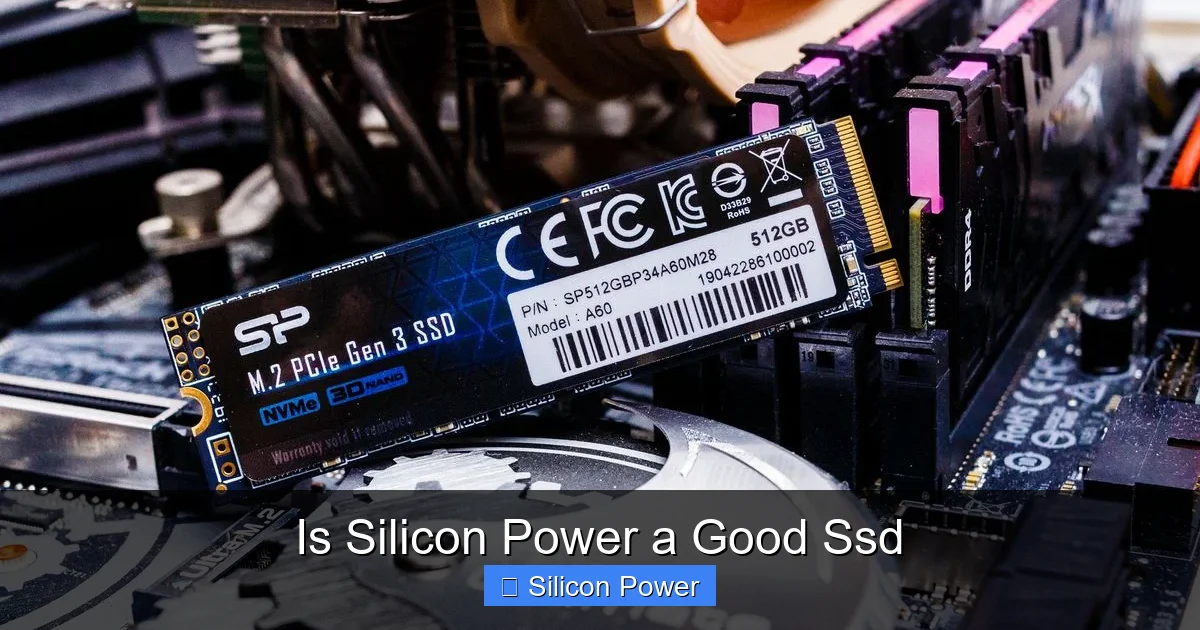
- M.2 NVMe SSDs: Compact and fast, these are ideal for modern laptops and small-form-factor PCs. The P34A80 and P34A60 are popular choices.
- M.2 SATA SSDs: Less common, but available for systems that support M.2 but not NVMe. These offer SATA speeds in a smaller package.
This variety ensures that most users can find a compatible drive for their system, whether it’s an older laptop or a cutting-edge gaming rig.
Installation and Setup
One of the biggest advantages of Silicon Power SSDs is how easy they are to install. Most models come with cloning software (like Acronis True Image) that allows you to copy your existing OS and files from an old drive to the new SSD. This makes upgrading a breeze, even for beginners.
For desktops, simply connect the SSD to the motherboard via SATA and power cables, then install it in a drive bay. For laptops, you may need a 2.5-inch to M.2 adapter or a caddy if replacing an optical drive. M.2 drives slide directly into the motherboard slot—no cables needed.
Once installed, the drive is recognized by Windows or macOS immediately. You can then format it, clone your data, or perform a fresh OS installation.
Aesthetics and Build
While not a major concern for internal drives, the build quality of Silicon Power SSDs is solid. The 2.5-inch models have a sleek, minimalist design with a black aluminum casing that helps with heat dissipation. M.2 drives are bare circuit boards, as is standard, but they’re well-made and free of visible defects.
Some models, like the P34A80, come with a heatsink option for better thermal performance, which is a nice touch for users pushing their systems hard.
Value for Money: Are Silicon Power SSDs Worth It?
Pricing Compared to Competitors
Silicon Power SSDs are consistently priced below premium brands. For example, a 1TB Silicon Power A55 typically costs around $50–$60, while a comparable Crucial BX500 or Samsung 870 EVO might cost $70–$90. The NVMe P34A80 1TB is often available for under $70, making it one of the most affordable Gen3 NVMe drives on the market.
This pricing strategy makes Silicon Power an attractive option for budget builds, school laptops, or secondary storage drives. You’re getting most of the performance of more expensive drives at a significantly lower cost.
Who Should Buy a Silicon Power SSD?
Silicon Power SSDs are ideal for:
- Budget-conscious buyers: If you want to upgrade from an HDD without spending a lot, these drives deliver excellent value.
- Students and home users: Perfect for everyday tasks like browsing, streaming, and office work.
- Casual gamers: Faster load times and smoother gameplay, especially with NVMe models.
- PC builders on a tight budget: Great for budget gaming rigs or office PCs.
They’re not the best choice for professionals who need top-tier performance or enterprise users requiring high endurance and 24/7 operation. But for the average user, they’re a smart, cost-effective upgrade.
Long-Term Value
Considering their price, performance, and reliability, Silicon Power SSDs offer strong long-term value. Even if they don’t last as long as premium drives, the cost savings upfront make them a worthwhile investment. Plus, with proper backups and moderate use, they can easily last 5–7 years or more.
Final Verdict: Is Silicon Power a Good SSD?
So, is Silicon Power a good SSD? The short answer is yes—especially if you’re looking for an affordable, reliable storage upgrade. They may not have the blazing speeds of top-tier NVMe drives or the rock-solid reputation of Samsung, but they deliver solid performance, decent build quality, and excellent value for the price.
For everyday users, students, and budget builders, Silicon Power SSDs are a smart choice. They’ll breathe new life into an old laptop, speed up your desktop, or provide extra storage for games and files—all without breaking the bank. Just remember to back up your data regularly and consider the warranty terms before purchasing.
In a market flooded with options, Silicon Power stands out as a trustworthy, no-nonsense brand that puts affordability and functionality first. If you’re upgrading your storage on a budget, don’t overlook them.
Frequently Asked Questions
Are Silicon Power SSDs compatible with Mac?
Yes, Silicon Power SSDs are compatible with Mac systems, but you may need to reformat the drive to APFS or HFS+ using Disk Utility. Check compatibility with your specific Mac model before purchasing.
Can I use a Silicon Power SSD in a laptop?
Absolutely. Their 2.5-inch SATA SSDs are perfect for laptops with standard drive bays. M.2 models work in laptops that support NVMe or SATA M.2 slots.
Do Silicon Power SSDs overheat?
Most models run cool under normal use. High-performance NVMe drives may get warm during heavy workloads, but they include thermal throttling to prevent damage.
How do I install a Silicon Power SSD?
Installation is straightforward: connect the drive to your motherboard via SATA or M.2 slot, power it (if needed), and use cloning software or a fresh OS install to set it up.
Are Silicon Power SSDs good for video editing?
They can handle light video editing, but for 4K or professional work, consider higher-end SSDs with better sustained write speeds and endurance.
Where can I buy Silicon Power SSDs?
They’re available on major online retailers like Amazon, Newegg, Best Buy, and directly from the Silicon Power website.