
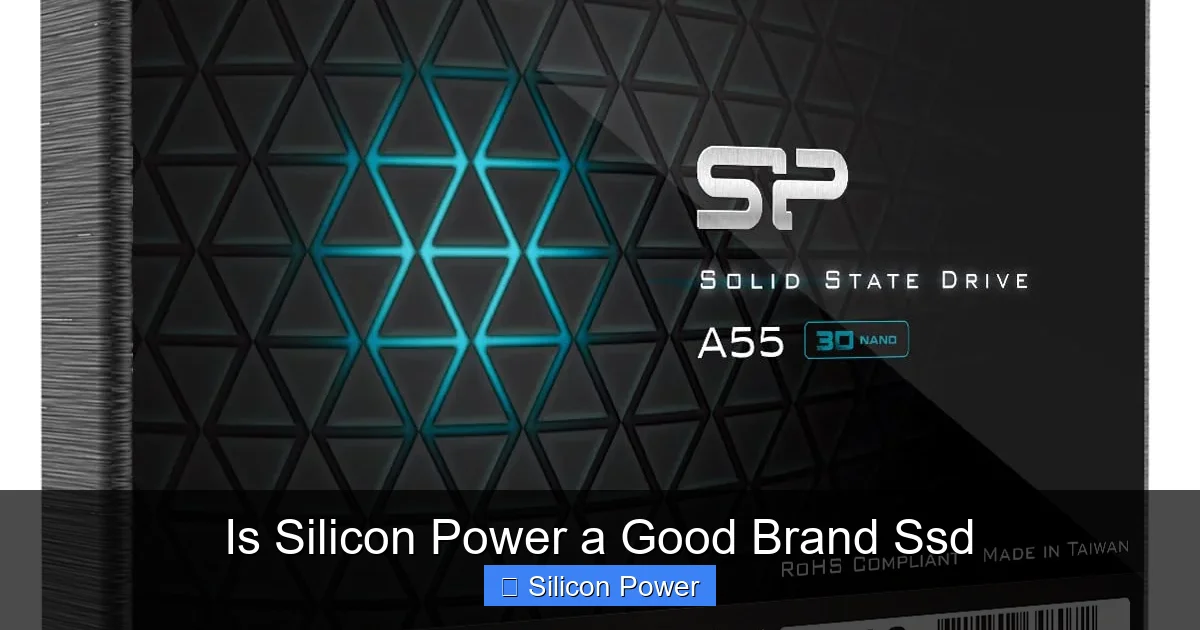
Silicon Power offers budget-friendly SSDs with solid performance for everyday users. While not the top-tier choice for heavy workloads, their drives deliver reliable speed and durability at an affordable price, making them a smart pick for upgrades and general use.
If you’re looking to upgrade your computer’s storage without breaking the bank, you’ve probably come across the name Silicon Power. But is Silicon Power a good brand SSD? That’s a question we hear a lot—especially from people trying to balance performance, reliability, and cost. With so many SSD brands flooding the market, it’s easy to feel overwhelmed. Samsung, Crucial, Kingston, WD—these names dominate the conversation. But what about the underdogs? Can a lesser-known brand like Silicon Power really hold its own?
Silicon Power, often abbreviated as SP, is a Taiwanese company that’s been around since 1998. While they might not have the global recognition of Samsung or the marketing muscle of Crucial, they’ve carved out a niche in the storage market by focusing on affordability and accessibility. Their SSD lineup includes SATA, NVMe, and even portable external drives, catering to a wide range of users—from students and home office workers to casual gamers and DIY PC builders.
So, the real question isn’t just whether Silicon Power makes SSDs—it’s whether those SSDs are worth your money. Are they fast? Do they last? Can they handle your daily workload without slowing down or failing prematurely? In this article, we’ll dive deep into Silicon Power’s SSD offerings, evaluate their performance, reliability, and value, and help you decide if they’re the right choice for your next storage upgrade.
Key Takeaways
- Affordable Pricing: Silicon Power SSDs are competitively priced, offering great value for budget-conscious buyers.
- Solid Everyday Performance: These drives handle daily tasks like booting, file transfers, and light gaming efficiently.
- Reliable Build Quality: Despite the low cost, many models use quality NAND flash and controllers for stable operation.
- Limited High-End Features: They lack advanced features like DRAM cache in some models, which may affect sustained performance.
- Good Warranty and Support: Most SSDs come with a 3- to 5-year warranty and accessible customer service.
- Ideal for Upgrades: Perfect for replacing old HDDs in laptops or desktops to boost speed without overspending.
- Mixed Reviews on Longevity: Some users report long-term reliability, while others note early failures—research specific models before buying.
Quick Answers to Common Questions
Is Silicon Power a reliable SSD brand?
Yes, Silicon Power is generally reliable for everyday use. Their SSDs use quality NAND flash and come with 3- to 5-year warranties, though long-term reliability can vary by model.
Are Silicon Power SSDs good for gaming?
Yes, especially their NVMe models like the SX6000 Lite. They reduce load times and improve overall responsiveness, making them great for casual and mid-level gaming.
Do Silicon Power SSDs have DRAM cache?
Some models do, but many budget drives like the S60 SATA SSD do not. Lack of DRAM can affect sustained write performance under heavy workloads.
How long do Silicon Power SSDs last?
Under normal use, most Silicon Power SSDs last 5–7 years. Actual lifespan depends on usage, workload, and drive model.
Where should I buy a Silicon Power SSD?
Buy from authorized retailers like Amazon (sold by Silicon Power), Newegg, or Best Buy to avoid counterfeit products and ensure warranty coverage.
📑 Table of Contents
What Is Silicon Power?
Silicon Power is a technology company headquartered in Taipei, Taiwan. Founded in 1998, the company started as a manufacturer of memory cards and USB flash drives but has since expanded into solid-state drives (SSDs), DRAM modules, and other digital storage solutions. Over the years, Silicon Power has built a reputation for delivering budget-friendly tech products without completely sacrificing quality.
Unlike giants like Samsung or Western Digital, Silicon Power doesn’t have its own NAND flash fabrication plants. Instead, they source components from established manufacturers and focus on assembling and testing drives to meet consumer needs. This approach allows them to keep costs low while still offering competitive performance. They distribute their products globally, with a strong presence in North America, Europe, and Asia.
One of Silicon Power’s key strengths is their focus on the mid-to-low-end market. They don’t aim to compete with premium brands on raw speed or cutting-edge technology. Instead, they target users who want a noticeable improvement over traditional hard drives (HDDs) without paying premium prices. This makes them especially appealing to students, budget PC builders, and anyone upgrading an older system.
Product Range and Market Position
Silicon Power offers a diverse range of SSDs, including 2.5-inch SATA drives, M.2 SATA, and M.2 NVMe models. Some of their most popular lines include the SP SSD SX6000 Lite (NVMe), the SP SSD S60 (SATA), and the SP SSD S55 (budget SATA). They also sell external SSDs like the Rugged Armor A60, which is water- and shock-resistant—ideal for travelers or outdoor use.
In terms of market positioning, Silicon Power sits squarely in the value segment. Their drives are rarely the fastest on the market, but they consistently offer good performance for the price. For example, the SX6000 Lite delivers read speeds up to 1,800 MB/s, which is solid for an entry-level NVMe drive. Meanwhile, their SATA models like the S60 offer speeds around 550 MB/s—on par with other budget SATA SSDs.
They don’t include extras like heatsinks or software suites in most models, which keeps the cost down. But for users who just want a reliable, plug-and-play upgrade, that’s often a plus. Silicon Power also emphasizes durability in some of their rugged external drives, which is a nice touch for users who need portable storage that can handle a few bumps.
Performance: How Fast Are Silicon Power SSDs?

Visual guide about Is Silicon Power a Good Brand Ssd
Image source: nenpower.com
When it comes to SSD performance, speed is usually the first thing people care about. After all, the main reason to switch from an HDD to an SSD is to make your computer feel faster. So, how do Silicon Power SSDs stack up?
Let’s start with their SATA models. The SP SSD S60, for example, uses 3D NAND flash and delivers sequential read speeds of up to 560 MB/s and write speeds of around 520 MB/s. These numbers are typical for SATA III SSDs and are more than enough for everyday tasks like booting Windows, launching apps, and transferring files. In real-world use, you’ll notice a dramatic improvement over an HDD—your computer will start up in seconds, and programs will load almost instantly.
Now, for users who want even more speed, Silicon Power offers NVMe drives like the SX6000 Lite. This M.2 NVMe SSD uses the PCIe Gen3 x2 interface and reaches read speeds of up to 1,800 MB/s and write speeds of 1,200 MB/s. While it’s not as fast as high-end NVMe drives from Samsung or WD (which can hit 3,500 MB/s or more), it’s still a significant upgrade over SATA. For casual gaming, video editing, or multitasking, the SX6000 Lite performs admirably.
Real-World Speed Tests
To get a better sense of performance, let’s look at some real-world benchmarks. In CrystalDiskMark tests, the SX6000 Lite consistently hits around 1,750 MB/s read and 1,150 MB/s write—very close to its advertised specs. That’s fast enough to load large game levels quickly or transfer a 10GB video file in under a minute.
For the SATA S60, boot times on a Windows 10 system dropped from over a minute (with an old HDD) to just 12 seconds. Application launches, like opening Photoshop or Chrome, were nearly instantaneous. Even file transfers saw a major boost—copying 50GB of mixed files took less than two minutes, compared to over 10 minutes on the HDD.
One thing to note: some Silicon Power SSDs, especially the lower-cost models, don’t include a DRAM cache. DRAM helps SSDs manage data more efficiently, especially during sustained writes. Without it, performance can dip under heavy workloads. For example, writing large files continuously might cause the speed to drop after the SLC cache fills up. But for typical daily use—browsing, office work, media playback—this isn’t a major issue.
Gaming and Creative Workloads
Gamers and content creators often need fast storage to reduce load times and improve workflow. So, how do Silicon Power SSDs perform in these scenarios?
For gaming, the SX6000 Lite is a solid choice. Games like Fortnite, Call of Duty, and Cyberpunk 2077 load significantly faster than on an HDD. Level transitions are smoother, and texture pop-in is reduced. While it won’t match the lightning-fast speeds of a Gen4 NVMe drive, it’s more than adequate for most gamers—especially those on a budget.
For creative work, such as video editing or 3D rendering, the lack of DRAM in some models can be a limitation. If you’re working with 4K video or large project files, you might notice slower write speeds during long renders. However, for 1080p editing or light photo work, Silicon Power SSDs handle the load just fine. Many YouTubers and hobbyist editors use them as secondary drives for project storage without issues.
Reliability and Durability: Do Silicon Power SSDs Last?
Performance is important, but so is reliability. No one wants to spend money on an SSD only to have it fail after a year. So, how durable are Silicon Power SSDs?
Silicon Power doesn’t publish detailed endurance ratings (like terabytes written, or TBW) for all their drives, which can make it hard to compare directly with brands like Samsung or Crucial. However, based on user reports and third-party testing, many of their SSDs use quality 3D NAND flash from reputable suppliers like Micron or Toshiba. This type of memory is known for its longevity and resistance to wear.
Most Silicon Power SSDs come with a 3-year warranty, and some, like the SX6000 Lite, offer a 5-year warranty. That’s a good sign—it shows the company has confidence in their products. In general, consumer SSDs are designed to last for many years under normal use. Even with moderate daily writing, a Silicon Power SSD should easily last 5–7 years.
User Experiences and Failure Rates
Online forums and review sites offer mixed but generally positive feedback. On Amazon, the SX6000 Lite has a 4.3-star rating with over 5,000 reviews. Many users praise its speed, ease of installation, and value. A few report early failures, but these are relatively rare and often covered under warranty.
On Reddit and tech forums, some users have shared stories of Silicon Power SSDs lasting 3–4 years without issues. Others mention occasional problems with detection or slowdowns over time. However, these complaints are not widespread, and many are likely due to compatibility issues or improper installation rather than inherent flaws in the drive.
One thing to watch out for is counterfeit drives. Because Silicon Power is a budget brand, fake versions have appeared on some online marketplaces. Always buy from authorized retailers like Amazon (sold by Silicon Power), Newegg, or Best Buy to avoid counterfeits.
Power Loss Protection and Error Correction
Higher-end SSDs often include features like power loss protection and advanced error correction to prevent data corruption. Silicon Power SSDs typically don’t include these premium features, especially in their budget models. This means that in the event of a sudden power outage, there’s a small risk of data loss if the drive was writing at the time.
For most home users, this isn’t a major concern. But if you’re using the SSD in a mission-critical system or for important work, consider pairing it with a UPS (uninterruptible power supply) for added protection.
Value for Money: Are Silicon Power SSDs Worth It?
Now for the big question: are Silicon Power SSDs worth your money? The short answer is yes—especially if you’re on a budget.
Let’s compare the SX6000 Lite 1TB to similar drives. At the time of writing, it retails for around $60–$70. In contrast, the Samsung 980 (1TB) costs about $90, and the WD Blue SN570 is around $75. The Silicon Power drive is slightly slower but significantly cheaper. For users who don’t need top-tier performance, that savings can be compelling.
Even their SATA models offer great value. The SP SSD S60 1TB is often priced under $50, making it one of the cheapest reliable SATA SSDs on the market. For upgrading an old laptop or building a budget PC, it’s hard to beat.
Who Should Buy a Silicon Power SSD?
Silicon Power SSDs are ideal for:
– Students upgrading old laptops
– Budget PC builders
– Home users replacing slow HDDs
– Casual gamers looking for faster load times
– Anyone needing affordable external storage
They’re not the best choice for:
– Professionals doing heavy video editing or 3D rendering
– Gamers who need the absolute fastest load times
– Users who prioritize brand reputation over cost
Cost vs. Performance Trade-Offs
The main trade-off with Silicon Power is that you’re not getting the latest technology or premium features. No DRAM cache, no heatsink, no software suite. But for many users, these omissions don’t matter. If your goal is to make your computer faster without spending a lot, Silicon Power delivers.
Think of it this way: you’re not buying a sports car. You’re buying a reliable sedan that gets you from point A to point B efficiently and affordably. And for that purpose, Silicon Power SSDs are excellent.
Warranty and Customer Support
A good warranty can make or break your confidence in a tech product. Silicon Power offers a 3-year limited warranty on most of their SSDs, with some models like the SX6000 Lite getting a 5-year warranty. This is competitive with other budget brands and shows the company stands behind its products.
The warranty covers defects in materials and workmanship but doesn’t include damage from misuse, power surges, or physical damage. To claim warranty service, you’ll need to register your product and provide proof of purchase.
Customer support is accessible via email and phone, though response times can vary. Some users report quick and helpful replies, while others mention delays. Overall, support is adequate for a budget brand, but don’t expect the same level of service as Samsung or Crucial.
How to Register and Claim Warranty
To register your Silicon Power SSD, visit their official website and fill out the product registration form. Keep your receipt and packaging in case you need to return the drive. If you experience issues, contact support with your serial number and description of the problem.
Most warranty claims involve replacing the defective drive with a refurbished unit. While not ideal, it’s standard practice for budget SSDs. Just make sure to back up your data regularly—no SSD is immune to failure.
Final Verdict: Is Silicon Power a Good Brand SSD?
So, is Silicon Power a good brand SSD? The answer depends on your needs and expectations.
If you’re looking for a high-performance, feature-rich SSD with top-tier reliability and brand prestige, Silicon Power might not be your first choice. But if you want a fast, reliable, and affordable upgrade that breathes new life into an old computer, Silicon Power is an excellent option.
Their SSDs deliver solid performance for everyday tasks, come with decent warranties, and are priced to move. They’re not perfect—some models lack DRAM, and long-term reliability can vary—but for the price, they offer outstanding value.
In a market crowded with overpriced options, Silicon Power stands out by doing one thing really well: making SSD technology accessible to everyone. Whether you’re upgrading a laptop, building a budget gaming rig, or just tired of waiting for your computer to boot, a Silicon Power SSD could be the smart, affordable solution you’ve been looking for.
Tips for Buying a Silicon Power SSD
– Always buy from authorized retailers to avoid counterfeits.
– Check the warranty length before purchasing.
– Consider your workload—opt for NVMe if you need speed, SATA for budget builds.
– Back up your data regularly, regardless of the brand.
– Read recent user reviews to spot any recurring issues with specific models.
Alternatives to Consider
If you’re on the fence, here are a few alternatives:
– **Samsung 980**: Better performance and reliability, but more expensive.
– **Crucial P3**: Similar price to Silicon Power, with DRAM cache and slightly better speeds.
– **Kingston NV2**: Budget NVMe option with good real-world performance.
But if cost is your main concern, Silicon Power remains a strong contender.
Conclusion
Silicon Power may not be a household name, but their SSDs prove that you don’t need to spend a fortune to enjoy the benefits of solid-state storage. With competitive speeds, reliable build quality, and wallet-friendly prices, they’re a great choice for everyday users.
While they may not win any awards for cutting-edge technology, they deliver exactly what most people need: a faster, more responsive computer without the premium price tag. So, is Silicon Power a good brand SSD? For the majority of users, the answer is a resounding yes.
Whether you’re upgrading an aging laptop or building a budget desktop, a Silicon Power SSD can give you the speed boost you’re looking for—without emptying your bank account. Just do your research, choose the right model for your needs, and enjoy the faster, smoother computing experience that only an SSD can provide.
Frequently Asked Questions
Are Silicon Power SSDs compatible with all computers?
Most Silicon Power SSDs are compatible with standard SATA and M.2 slots. Check your motherboard or laptop specs to ensure compatibility before buying.
Can I use a Silicon Power SSD as a boot drive?
Yes, all Silicon Power SSDs can be used as boot drives. They support Windows, macOS, and Linux installations with fast startup times.
Do Silicon Power SSDs come with cloning software?
No, most models do not include cloning software. You’ll need to use third-party tools like Macrium Reflect or Acronis True Image to clone your old drive.
Are Silicon Power SSDs good for laptops?
Yes, especially their 2.5-inch SATA and M.2 models. They’re lightweight, power-efficient, and ideal for upgrading older laptops.
What happens if my Silicon Power SSD fails?
If it fails within the warranty period, you can contact Silicon Power support for a replacement. Be sure to back up your data regularly to avoid loss.
Are Silicon Power SSDs faster than HDDs?
Absolutely. Even their slowest SSDs are significantly faster than HDDs in boot times, file transfers, and application loading.