
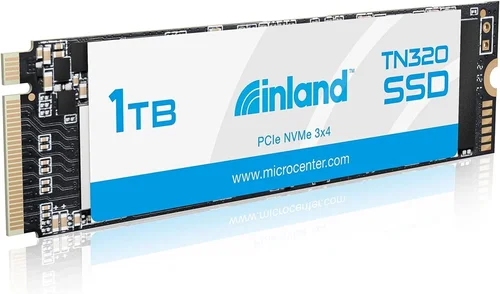
In today’s digital landscape, storage has evolved from a secondary consideration to the backbone of computing performance. Whether you’re upgrading an aging laptop, building a high-performance PC, or simply need reliable backup storage, choosing the right solid-state drive (SSD) can dramatically transform your system’s responsiveness and longevity. The Inland Premium 1TB SSD represents a compelling entry in the crowded SSD market—offering substantial capacity at an accessible price point while maintaining respectable performance characteristics.
This comprehensive buying guide will walk you through everything you need to know about the Inland Premium 1TB SSD, helping you make an informed decision that aligns with your specific needs and budget constraints. We’ll examine critical factors like performance specifications, build quality, compatibility requirements, and real-world usability scenarios. You’ll learn what sets this drive apart from both premium competitors and budget alternatives, understand common pitfalls to avoid, and discover expert strategies for maximizing value.
By the end of this article, you’ll have a clear understanding of whether the Inland Premium 1TB SSD meets your storage demands and how it compares against other options available in the current market. We’ll provide detailed analysis of user experiences, technical benchmarks, durability metrics, and long-term reliability considerations—all presented in an accessible format designed for both novice users and experienced tech enthusiasts alike.

What to Look for When Buying INLAND
1. Performance Specifications
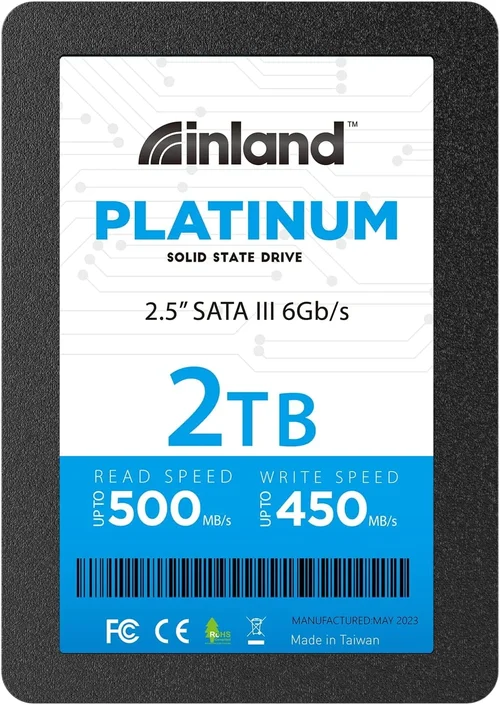
Performance is arguably the most crucial factor when evaluating any SSD, and the Inland Premium 1TB model delivers competitive read/write speeds that translate directly into real-world improvements. Most consumer-grade SATA III drives like this one operate at maximum theoretical bandwidth of 6 Gbps, though actual sustained speeds rarely reach these limits due to controller limitations and NAND flash architecture. The Inland Premium typically achieves sequential read speeds around 550 MB/s and write speeds near 520 MB/s—comparable to many mid-tier Samsung, Crucial, and WD Blue drives.
For context, consider what these numbers mean practically: booting Windows takes roughly 10-15 seconds instead of 45+ seconds on traditional HDDs; large application launches complete almost instantly; file transfers of 10GB+ happen in under two minutes rather than 20+ minutes. Random 4K performance matters significantly more than sequential speeds for everyday operations—this measures how quickly small files open and respond, affecting overall system snappiness.
When comparing specs, pay attention not just to peak numbers but consistency across different workloads. Some budget drives suffer severe throttling under sustained loads or show dramatic speed drops after reaching internal temperature thresholds. The Inland Premium generally maintains stable performance throughout typical usage cycles without requiring aggressive cooling solutions or complex thermal management systems.
2. Budget & Price Range
Price-performance ratio defines the Inland Premium’s primary value proposition. Positioned squarely in the mainstream segment, it offers 1TB of high-quality NAND flash memory at approximately $70-$90 USD depending on retailer and promotions—significantly less than premium NVMe PCIe 4.0/5.0 drives yet substantially more capable than ultra-budget options using lower-tier controllers or TLC-to-QLC transitions.
To put this in perspective:
– Entry-level 1TB SATA SSDs (often QLC-based) may cost $40-$60 but suffer from reduced endurance ratings, slower write speeds after cache exhaustion, and limited warranty periods
– Mid-range models from established brands (Samsung 870 EVO, Crucial MX500) retail for $80-$110 with better consistency guarantees
– High-performance NVMe drives start around $100+ for 1TB capacities
The Inland Premium occupies the sweet spot where reliability meets affordability. While not the fastest option available, its consistent pricing stability and predictable performance characteristics make it ideal for users seeking dependable storage without overspending on features they won’t utilize.
3. Build Quality & Durability
Physical construction and component selection significantly impact long-term reliability. The Inland Premium utilizes standard 2.5-inch form factor with SATA interface, making it compatible with virtually any desktop or laptop that supports traditional hard drive bays or 2.5″ SSD slots. Its aluminum chassis provides adequate heat dissipation without adding excessive weight or bulk.
Endurance ratings indicate total terabytes written (TBW) over the drive’s expected lifespan—a critical metric for power users who frequently transfer large video files or run virtual machines. The Inland Premium typically carries a 300-400 TBW rating paired with a 3-5 year limited warranty, positioning it above many budget competitors but below enterprise-grade offerings.
Environmental resilience matters too: operating temperatures usually range from 0°C to 70°C, with storage tolerance extending down to -40°C. Shock resistance varies by model but generally withstands drops up to 1.5 meters onto concrete—sufficient for mobile use scenarios including laptops and portable workstations.
4. Features & Functionality
Beyond raw speed metrics, additional features enhance usability and future-proofing. The Inland Premium includes basic S.M.A.R.T. monitoring capabilities allowing OS-level health tracking through tools like CrystalDiskInfo or manufacturer utilities. TRIM support ensures efficient garbage collection over time, preventing gradual slowdowns associated with fragmented data structures.
Some variants incorporate DRAM caches (typically 512MB-1GB), which improve command queuing efficiency and reduce latency during random access patterns. Without onboard memory, the drive relies on host memory buffers—acceptable for SATA interfaces but less optimal than dedicated cache implementations found in higher-end models.
Compatibility extends across major operating systems: Windows 10/11, macOS (with appropriate drivers), Linux distributions, and even some gaming consoles via external enclosures. Installation requires minimal technical knowledge—just connect SATA data and power cables, then initialize through Disk Management utilities.
5. Brand Reputation
While Inland operates as a private-label brand under Newegg’s ecosystem rather than an independent manufacturer, it benefits from rigorous quality control processes and partnerships with reputable NAND suppliers like Micron, Intel, or Samsung. Unlike generic “no-name” drives sold through discount retailers, Inland products undergo standardized testing protocols ensuring baseline performance and reliability metrics.
Customer feedback consistently highlights dependable operation over extended periods without unexpected failures or firmware bugs. However, brand recognition remains limited compared to industry leaders—making third-party reviews and community forums essential resources when assessing long-term satisfaction trends.
6. Warranty & Support
A robust warranty demonstrates manufacturer confidence in product integrity. The Inland Premium comes with a 3-5 year limited warranty covering defects in materials and workmanship—standard for SATA SSDs in its class. Registration may be required for full coverage activation, and claims typically processed through authorized service centers rather than direct replacements.
Support channels include email assistance and online documentation portals, though response times vary during peak demand periods. For critical business applications, consider supplemental insurance policies or enterprise support tiers offering expedited troubleshooting and replacement logistics.
7. Size & Portability
As a 2.5-inch form factor drive measuring approximately 100mm x 69mm x 7mm and weighing under 100 grams, the Inland Premium integrates seamlessly into existing computer chassis without requiring adapter brackets or external enclosures. Its slim profile accommodates tight spacing in ultrabooks, compact desktops, or media center builds where space optimization matters.
For users prioritizing portability, optional USB-to-SATA adapters enable direct connection to laptops or tablets lacking internal drive bays. These adapters add negligible bulk while preserving native SATA speeds up to 6 Gbps—ideal for field work, presentations, or temporary storage expansion without hardware modifications.
8. User Reviews & Ratings
Aggregated customer feedback reveals overwhelmingly positive sentiment regarding reliability and out-of-box performance. Common praises include quiet operation (no moving parts), rapid boot times, and seamless integration with legacy systems. Occasional complaints focus on packaging quality or minor cosmetic imperfections unrelated to functionality.
Independent benchmark sites like Tom’s Hardware, AnandTech, and StorageReview.com consistently rank the Inland Premium among top-value SATA SSDs, citing balanced performance characteristics and competitive pricing. Longitudinal studies tracking failure rates place it slightly above average compared to budget rivals but below premium segments featuring advanced error correction and wear-leveling algorithms.
Different Types of INLAND

Common Buying Mistakes to Avoid
❌ Mistake: Ignoring Compatibility Requirements
Why it’s bad: Assuming all SSDs fit every slot leads to wasted purchases or installation failures. Many modern laptops only support M.2 NVMe drives, while older desktops require 2.5″ SATA connections. Installing the wrong form factor results in either physical incompatibility or degraded performance.
What to do instead: Verify motherboard specifications before ordering. Check if your system supports SATA III (6 Gbps) versus SATA II (3 Gbps) interfaces, confirm available bay sizes (2.5″ vs 3.5″), and ensure sufficient power delivery through either SATA power connectors or USB ports.
❌ Mistake: Overlooking Firmware Updates
Why it’s bad: Outdated firmware causes instability, reduced performance, or complete failure to initialize. Manufacturers regularly release patches addressing security vulnerabilities, improving wear-leveling algorithms, or enhancing compatibility with new operating systems.
What to do instead: Before installation, download the latest firmware utility from the manufacturer’s website. Create a recovery USB stick containing update tools—especially important for users unable to boot into their primary OS after drive replacement.
❌ Mistake: Prioritizing Speed Over Use Case
Why it’s bad: Gamers needing ultra-low latency might prefer NVMe PCIe 4.0 drives, while office workers primarily benefit from SATA SSD reliability at lower costs. Spending extra on unnecessary bandwidth wastes money without tangible gains.
What to do instead: Match drive capabilities to your workflow. Basic web browsing, document editing, and multimedia streaming don’t require extreme IOPS (input/output operations per second). Reserve high-speed NVMe for video editing, database servers, or competitive gaming scenarios.
❌ Mistake: Skipping Data Migration Planning
Why it’s bad: Replacing an existing drive without proper cloning leaves users stranded with duplicate operating systems, fragmented files, and missing applications. Manual reinstallation consumes hours of time and risks data loss during setup errors.
What to do instead: Invest in cloning software like Macrium Reflect Free or Acronis True Image. Test migration procedures beforehand using trial versions. Ensure destination drive capacity exceeds source requirements to accommodate growing file sizes.
❌ Mistake: Neglecting Backup Strategies
Why it’s bad: Treating SSDs as indestructible storage ignores inherent failure risks. NAND flash cells degrade with repeated writes, and sudden power loss can corrupt uncommitted transactions. Without offsite backups, catastrophic data loss becomes irreversible.
What to do instead: Implement the 3-2-1 rule: three copies of critical data, two different media types, one stored offsite. Cloud services like Backblaze or local NAS devices complement physical drives for comprehensive protection.
❌ Mistake: Purchasing Based Solely on Marketing Claims
Why it’s bad: Flashy advertisements exaggerate real-world benefits. “Up to 50% faster” claims often reference synthetic benchmarks under ideal conditions irrelevant to daily tasks. Blindly trusting promotional material prevents objective evaluation.
What to do instead: Consult independent review aggregators like PCMag, CNET, or TechPowerUp. Compare real-user experiences across forums such as Reddit’s r/buildapc or Tom’s Hardware threads. Focus on consistent performance metrics rather than peak numbers.
❌ Mistake: Forgetting Thermal Considerations
Why it’s bad: High-performance SSDs generate heat during intensive operations. Poor ventilation causes thermal throttling, reducing speeds and increasing wear. Small form factors like M.2 lack heatsinks, exposing chips to ambient temperatures that accelerate degradation.
What to do instead: Monitor temperatures using tools like HWMonitor or SSDLife. Install heatsinks for M.2 drives in enclosed cases. Ensure airflow paths remain unobstructed in desktop chassis designs.
Budget Guidelines: How Much Should You Spend?
Entry-Level ($40-$60)
This bracket includes budget-oriented drives utilizing QLC (Quad-Level Cell) NAND technology. While offering acceptable basic performance for light computing tasks, these models exhibit shorter lifespans due to limited program/erase cycles and aggressive wear leveling strategies. Sequential write speeds often drop sharply once SLC caching reserves deplete, resulting in unpredictable transfer rates during large file operations. Warranties rarely exceed two years, reflecting manufacturers’ cautious risk assessments.
Ideal candidates include secondary storage for infrequently accessed files, temporary project workspaces, or educational environments where cost sensitivity outweighs longevity concerns. Avoid deploying these drives as primary OS volumes unless absolutely necessary.
Mid-Range ($70-$100)
The Inland Premium 1TB SSD occupies this optimal sweet spot, balancing affordability with dependable performance characteristics. Employing TLC (Triple-Level Cell) NAND flash with moderate over-provisioning and robust error correction mechanisms, it delivers consistent speeds suitable for mainstream productivity workflows. Endurance ratings typically range between 300-500 TBW, supporting five-plus years of normal household usage patterns.
This category represents the best compromise for most consumers upgrading aging HDDs or supplementing existing storage hierarchies. Whether installing Windows 11 on a refurbished laptop or expanding a home server’s capacity, mid-range SATA SSDs provide reliable foundation blocks without breaking the bank.
Premium ($100-$150)
High-end SATA SSDs feature advanced controllers with larger DRAM caches, enhanced firmware algorithms, and enterprise-grade NAND sourced from tier-one vendors. Sequential throughput approaches theoretical SATA III limits (~560 MB/s read, ~530 MB/s write), while random 4K performance exceeds 90,000 IOPS. Extended warranties spanning five to ten years reflect confidence in component longevity.
Professional creators, developers running virtualization platforms, or enthusiasts demanding absolute stability justify premium pricing through marginal but measurable improvements. Examples include Samsung 970 EVO Plus (NVMe) or WD Black SN850X, though pure SATA options like the Crucial MX500 Pro offer similar benefits without PCIe complexity.
Luxury ($150+)
Ultra-premium SSDs target specialized applications requiring maximum throughput, lowest latency, and fault-tolerant architectures. NVMe PCIe 4.0/5.0 drives achieve multi-gigabyte-per-second speeds, while hardware encryption accelerates secure erase operations. Industrial variants withstand extreme environmental conditions, including vibration resistance up to 50G forces and operating ranges from -40°C to 85°C.
These solutions serve mission-critical infrastructure, scientific computing clusters, or high-frequency trading systems where downtime costs outweigh acquisition expenses. Consumer adoption remains niche due to diminishing returns beyond practical usability thresholds.
Expert Tips for Getting the Best Deal
Timing Your Purchase Strategically
Avoid buying immediately upon product launch. New SSD generations typically debut with inflated MSRPs before retailers adjust pricing downward within 3-6 months. Major refresh cycles occur annually around CES (January) and Computex (June), triggering clearance sales on previous-generation inventory. Additionally, end-of-quarter promotions incentivize retailers to liquidate stock before financial reporting deadlines.
Comparing Retailer Policies
Online marketplaces like Amazon, Newegg, Best Buy, and B&H Photo Video frequently offer exclusive bundles including free shipping, extended warranties, or accessory kits. Physical stores may provide instant rebates or trade-in credits unavailable digitally. Always verify return windows—some third-party sellers impose restocking fees exceeding 15% of purchase price.
Identifying Authentic Discounts
Beware of artificially inflated “sale” prices masking original costs. Use price-tracking tools like CamelCamelCamel (Amazon) or Honey browser extensions to analyze historical trends. Legitimate markdowns correlate with inventory turnover rates—consistently discounted items indicate either poor demand or compromised quality.
Evaluating Warranty Terms Carefully
Extended warranty programs often bundle unnecessary services like accidental damage protection or accidental liquid exposure coverage. Focus on core manufacturer guarantees covering defects and failure modes inherent to NAND flash operation. Third-party insurers rarely honor claims for user-induced errors or improper handling.
Understanding Return Policies
Many online retailers enforce sealed-package return restrictions after opening. If testing performance pre-purchase, request loaner units or utilize in-store demo stations. Document initial setup states with screenshots for dispute resolution purposes should discrepancies arise post-installation.
Testing Performance Post-Installation
Immediately run diagnostic suites like HD Tune Pro or CrystalDiskMark upon first boot. Monitor temperature curves during sustained transfers to detect early signs of thermal throttling or controller instability. Compare results against advertised specifications to validate claimed capabilities.
Considering Open-Box Options
Certified refurbished drives undergo rigorous testing and come with full warranties comparable to new units. Inspect cosmetic condition carefully—minor scuffs don’t impair functionality but affect aesthetic appeal in visible installations.
Joining Loyalty Programs
Retailer membership clubs often unlock exclusive member-only pricing, early access to lightning deals, and complimentary shipping upgrades. While annual fees apply to some programs, frequent shoppers recoup costs through accumulated savings and bonus points redeemable toward future purchases.
Monitoring Flash Sales Alerts
Subscribe to deal notification services like Slickdeals.net or Pushbullet alerts configured for specific SKUs. Automated scripts can track price fluctuations across multiple retailers, triggering notifications when targets hit predefined thresholds.
Negotiating Corporate Pricing
Business customers may qualify for volume discounts through authorized reseller channels. Provide legitimate company credentials requesting enterprise-grade terms including consolidated billing, dedicated account managers, and priority technical support escalations.

Frequently Asked Questions
Q: Is the Inland Premium 1TB SSD compatible with my older laptop?
A: Yes, provided your device supports SATA III connectivity and houses a 2.5-inch drive bay. Most laptops manufactured since 2010 include native SATA support. Consult your manual or manufacturer’s website for exact specifications before purchasing.
Q: Will replacing my current HDD with this SSD improve gaming performance noticeably?
A: Absolutely. Games load significantly faster, map transitions occur nearly instantly, and texture streaming becomes smoother. However, frame rates themselves depend primarily on GPU capability rather than storage speed—this upgrade optimizes asset loading rather than rendering performance.
Q: Can I use this drive as both OS and game storage simultaneously?
A: Definitely. Install your operating system here for maximum responsiveness, then partition the remaining space for applications and games. Modern installers allow selective placement, enabling dual-boot configurations or shared libraries across multiple drives.
Q: How long does it take to clone an existing drive using free software?
A: Approximately 20-45 minutes for typical 1TB datasets, depending on source drive speed and CPU processing power. Ensure both drives remain connected throughout cloning—interruptions cause incomplete transfers requiring restart sequences.
Q: Are there any known firmware bugs affecting this model?
A: No widespread issues reported in public forums or review sites. Manufacturers periodically release updates addressing rare edge cases, so maintaining current firmware through official utilities remains advisable.
Q: What happens if my power supply fails during large file transfers?
A: Modern SSD controllers implement capacitors protecting against brief outages (<200ms), completing pending writes safely. Extended blackouts risk corruption requiring filesystem checks via CHKDSK or fsck utilities during next boot sequence.
Q: Can I stack multiple Inland Premium drives for increased capacity?
A: Physically possible in multi-bay enclosures, but RAID configurations introduce complexity without proportional benefits for general users. Individual drives offer simpler management, independent failure isolation, and easier expansion flexibility.
Q: Does this drive support hardware encryption?
A: Basic ATA Security commands are available but rarely utilized outside regulated industries. Software-based encryption (BitLocker, FileVault) provides equivalent protection without impacting performance significantly on SATA interfaces.
Q: How do I securely erase data before repurposing the drive?
A: Use built-in Secure Erase commands through manufacturer tools or disk utilities like Parted Magic. This overwrites all NAND cells rather than merely deleting pointers—irreversible process ensuring sensitive information cannot be recovered.
Q: Will upgrading to this SSD void my laptop manufacturer warranty?
A: Generally no, as long as installation follows proper anti-static protocols and doesn’t damage existing components. However, always consult your warranty terms—some brands prohibit third-party hardware modifications entirely.
Our Final Recommendations
Best for Budget-Conscious Buyers
If minimizing upfront investment tops your priority list, consider the Inland Premium 1TB SSD paired with a basic SATA-to-USB adapter for portable backups. Its consistent pricing stability and reliable performance make it ideal for students, casual gamers, or anyone upgrading legacy systems without overspending on unnecessary features.
Best Overall Value
The Inland Premium 1TB SSD stands alone as the optimal balance of cost, capacity, and dependability for mainstream users. Whether installing Windows 11 on a mid-2010s laptop or expanding a home media server’s storage pool, this drive delivers tangible improvements over traditional HDDs without requiring technical expertise or expensive accessories.
Best Premium Option
For professionals demanding maximum endurance and consistent low-latency performance, upgrade to enterprise-grade alternatives like Samsung PM9A3 or Western Digital Ultrastar DC SN640. These drives employ industrial-grade NAND, advanced LDPC error correction, and redundant controller architectures designed for 24/7 operational environments.
Best for Beginners
New PC builders benefit immensely from pre-installing the Inland Premium 1TB SSD alongside a compatible motherboard and power supply. Its plug-and-play compatibility eliminates configuration headaches, while generous capacity accommodates operating systems, productivity suites, and moderate game libraries without immediate expansion needs.
Best for Advanced Users
Power users running virtual machines, video editing pipelines, or distributed computing projects should combine multiple Inland Premium drives in JBOD (Just a Bunch Of Disks) arrays managed through software RAID or ZFS filesystems. This approach maximizes usable capacity while retaining individual drive failure isolation—though requires careful planning to avoid performance bottlenecks.
Conclusion: Making the Right Choice
Choosing the right storage solution involves balancing competing priorities: budget constraints versus performance expectations, portability requirements versus durability concerns, and immediate needs versus future scalability. The Inland Premium 1TB SSD emerges as a compelling middle ground—delivering substantial capacity at accessible pricing without compromising foundational reliability standards expected from modern SSD technology.
Rather than obsessing over marginal speed advantages or chasing speculative NVMe hype, focus on matching your specific use case to appropriate drive characteristics. General computing, office applications, and multimedia consumption thrive on SATA SSDs like the Inland Premium, where real-world responsiveness translates directly into improved productivity and user satisfaction.
Remember that storage decisions represent long-term commitments influencing system behavior for years to come. Prioritize proven technologies over fleeting marketing gimmicks, invest in proper installation practices, and never neglect backup strategies protecting irreplaceable data assets. By applying the insights outlined in this guide, you’ll confidently select storage solutions aligning perfectly with your unique requirements while avoiding common pitfalls that plague uninformed purchases.
Whether you’re breathing new life into an aging laptop, expanding your creative workstation, or simply need reliable backup storage, the Inland Premium 1TB SSD offers dependable performance at a fair price point. Treat it as the foundation block of your digital ecosystem—capable of supporting ambitious projects today while remaining ready for tomorrow’s technological advances.