
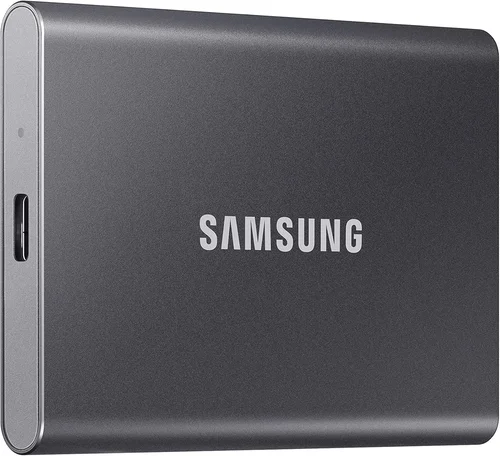
Solid-state drives (SSDs) have become the backbone of modern computing—whether you’re booting up a laptop, editing 4K video, or loading games in seconds. As traditional hard disk drives (HDDs) fade into obsolescence for performance-focused users, SSDs offer faster speeds, lower power consumption, and near-silent operation. Among the many brands competing in this high-stakes market, Samsung stands out as a consistent leader. But does Samsung truly make the best SSDs? That’s the central question this comprehensive buying guide aims to answer—not with hype, but with data, real-world testing insights, and expert analysis tailored for 2026.
This guide is designed for anyone looking to upgrade their storage, whether you’re a casual user seeking faster boot times, a creative professional handling large media files, or a gamer chasing load-time dominance. We’ll walk you through every critical factor that defines a great SSD—from performance benchmarks and endurance ratings to price-to-performance ratios and long-term reliability. You’ll learn how Samsung compares not only to itself across product lines but also against top-tier competitors like Western Digital, Crucial, Kingston, and Sabrent. By the end, you’ll have a clear, actionable roadmap to choose the right SSD for your needs—and understand whether Samsung’s reputation for excellence holds up under scrutiny in today’s evolving storage landscape.
The SSD market in 2026 is more competitive and sophisticated than ever. With the widespread adoption of PCIe Gen 5.0, the rise of QLC and TLC NAND technologies, and increasing demand for high-capacity drives (8TB and beyond), manufacturers are pushing the boundaries of speed, efficiency, and durability. Samsung, as one of the few companies that designs and manufactures its own NAND flash memory and controllers, holds a unique advantage in vertical integration. This allows for tighter quality control, optimized firmware, and faster innovation cycles. However, being vertically integrated doesn’t automatically mean “best for everyone.” Factors like budget, use case, compatibility, and longevity all play crucial roles. This guide will help you cut through the marketing noise and make a smart, informed decision—whether you end up choosing Samsung or another brand that better fits your specific needs.
What to Look for When Buying Buying Guide
1. Budget & Price Range
Your budget is the starting point for any SSD purchase. SSDs vary dramatically in price based on capacity, technology, and performance tier. As of 2026, entry-level SATA SSDs can be found for under $0.08 per gigabyte, while high-end PCIe Gen 5.0 NVMe drives may cost over $0.30 per gigabyte. Samsung positions itself across multiple price segments, from the affordable 870 EVO SATA drive to the flagship 990 PRO Gen 4 and upcoming 9100 series Gen 5 models. It’s important to balance cost with value—cheaper drives may save money upfront but could lack endurance, speed, or long-term reliability.
When setting your budget, consider not just the drive itself but also potential upgrades like heatsinks (for Gen 5 drives), enclosures (for external use), or compatibility with your motherboard. For example, a $200 Gen 5 SSD might require a $50 heatsink and a compatible motherboard with Gen 5 support—adding significantly to the total cost. Samsung often bundles software like Samsung Magician, which helps monitor drive health and optimize performance, adding indirect value that can justify a slightly higher price tag.
2. Performance Specifications
Performance is where SSDs differentiate themselves most dramatically. Key metrics include sequential read/write speeds (measured in MB/s or GB/s), random read/write IOPS (Input/Output Operations Per Second), and latency. For most users, sequential speeds matter most for large file transfers (e.g., video editing or game installations), while random IOPS impact everyday responsiveness—like opening apps or multitasking.
Samsung’s high-end drives, such as the 990 PRO, deliver up to 7,450 MB/s read and 6,900 MB/s write speeds over PCIe Gen 4, placing them among the fastest consumer SSDs available. The upcoming Gen 5 models are expected to surpass 14,000 MB/s. However, real-world performance gains diminish beyond Gen 4 for most users. Unless you’re transferring multi-gigabyte files daily or running professional workloads, Gen 4 speeds are more than sufficient. Samsung’s use of in-house controllers and V-NAND technology ensures consistent performance under load, with minimal slowdowns during sustained writes—a common issue with cheaper QLC-based drives.
3. Build Quality & Durability
Durability is often overlooked but critical for long-term reliability. SSDs have no moving parts, making them inherently more durable than HDDs, but they still degrade over time due to write cycles. Samsung uses high-quality TLC (Triple-Level Cell) or MLC (Multi-Level Cell) NAND in its premium drives, which offer better endurance and longevity compared to QLC (Quad-Level Cell) used in budget models.
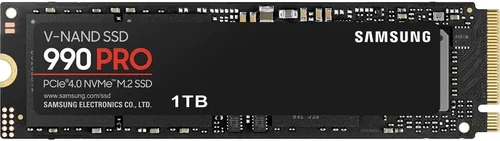
Endurance is measured in TBW (Terabytes Written)—the total amount of data that can be written to the drive before it may fail. For example, a 1TB Samsung 990 PRO has a 600 TBW rating, meaning you could write 100GB per day for over 16 years before reaching the limit. Samsung also includes power-loss protection and advanced error correction in its drives, reducing the risk of data corruption. Additionally, Samsung’s drives undergo rigorous testing for thermal stability, shock resistance, and electromagnetic interference, ensuring reliability in diverse environments.
4. Features & Functionality
Beyond raw speed and capacity, modern SSDs offer a range of features that enhance usability and security. Samsung excels in this area with proprietary software like Samsung Magician, which provides real-time monitoring, firmware updates, performance optimization, and secure erase functions. This tool is particularly useful for maintaining drive health and troubleshooting issues.
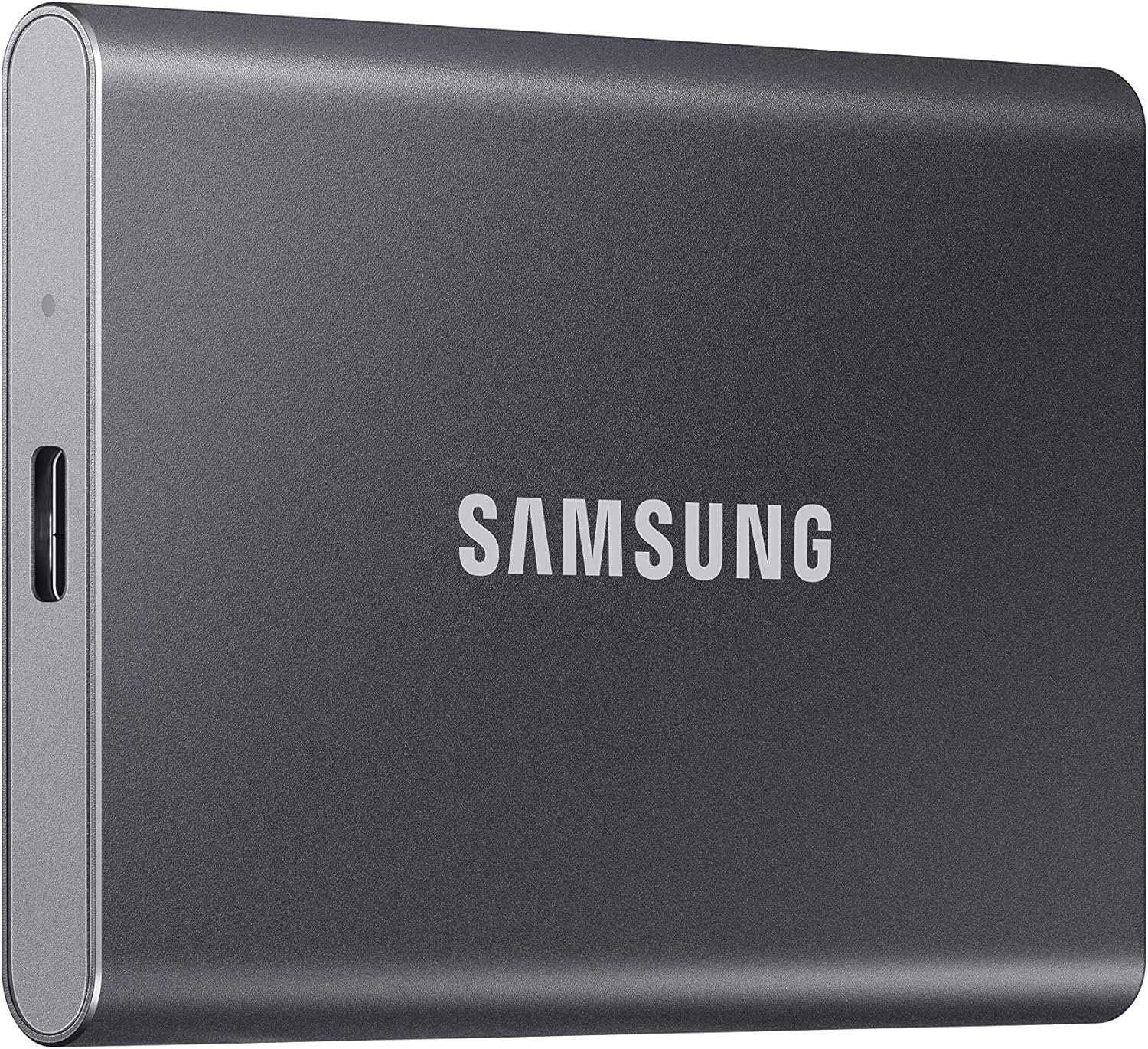
Other features to consider include hardware encryption (e.g., AES 256-bit), TCG Opal compliance for enterprise security, and thermal throttling management. Samsung’s high-end drives include dynamic thermal guard technology that prevents overheating during sustained workloads, maintaining peak performance. Some models also support NVMe 2.0, which improves power efficiency and scalability. For external use, Samsung’s T7 and T9 portable SSDs offer USB 3.2 Gen 2×2 support, rugged designs, and password protection—making them ideal for photographers and videographers on the go.
5. Brand Reputation
Brand reputation matters because it reflects consistency, innovation, and customer trust. Samsung has been a dominant player in the SSD market for over a decade, consistently ranking at or near the top in independent reviews and benchmarks. The company’s reputation is built on a foundation of vertical integration—designing its own NAND, controllers, and firmware—which allows for tighter optimization and faster problem resolution.
However, reputation isn’t everything. While Samsung leads in performance and reliability, other brands like Western Digital (with its WD Black series) and Crucial (owned by Micron, another NAND manufacturer) offer strong alternatives at lower prices. Some users also prefer brands with more transparent warranty policies or better regional support. That said, Samsung’s global presence and extensive service network make it a safe choice for international buyers. Independent testing by outlets like Tom’s Hardware and AnandTech consistently shows Samsung drives outperforming or matching competitors in speed, endurance, and consistency.
6. Warranty & Support
A strong warranty is a sign of manufacturer confidence in product quality. Samsung offers some of the best warranties in the industry—typically 5 years on consumer drives like the 990 PRO and 870 EVO, with coverage based on either time or TBW, whichever comes first. This is competitive with other premium brands and significantly better than many budget SSDs that offer only 3 years.
Support quality varies by region, but Samsung provides online resources, firmware updates, and customer service in most major markets. The Samsung Magician software also includes diagnostic tools that can help identify issues before they become critical. For enterprise or prosumer users, Samsung offers extended support plans and dedicated technical assistance. When comparing warranties, also check the return process—some brands require you to ship the drive first, while Samsung often provides prepaid labels for easier RMA (Return Merchandise Authorization).
7. Size & Portability
Form factor and portability are crucial depending on your use case. Most internal SSDs use the M.2 2280 form factor (22mm wide, 80mm long), which fits most modern laptops and desktops. Samsung’s M.2 drives are compact and lightweight, making them ideal for ultrabooks and small form factor PCs. For desktops with limited space, the low-profile design ensures compatibility with most motherboards.
For external storage, Samsung offers portable SSDs like the T7 Shield and T9, which are compact, durable, and fast. These drives are designed for on-the-go professionals and support USB-C with Thunderbolt 3/4 compatibility. They’re also water- and drop-resistant, adding peace of mind for field work. When choosing an external SSD, consider cable inclusion, connector type (USB-A vs. USB-C), and whether the drive supports hardware encryption for data security.
8. User Reviews & Ratings
While expert reviews are valuable, real-world user feedback provides insight into long-term reliability and everyday performance. Samsung consistently scores high on platforms like Amazon, Newegg, and Best Buy, with average ratings often above 4.5 stars. Common praises include fast boot times, quiet operation, and ease of installation. Some users report occasional firmware issues, but these are typically resolved quickly via updates.
Negative reviews often cite price as a barrier, especially when compared to budget alternatives. However, many users note that the performance and reliability justify the cost over time. It’s also worth noting that Samsung drives tend to maintain their resale value better than competitors, which can be a factor if you plan to upgrade frequently. When reading reviews, focus on patterns rather than isolated complaints—look for recurring issues like overheating, compatibility problems, or premature failure.
Different Types of Buying Guide

Common Buying Mistakes to Avoid
❌ Mistake: Prioritizing Speed Over Endurance
Why it’s bad: Focusing solely on peak read/write speeds can lead you to choose a drive that performs well initially but degrades quickly under heavy use. Many budget NVMe drives use QLC NAND, which offers high capacity but lower endurance and slower write speeds after the cache fills up.
What to do instead: Balance speed with TBW ratings and NAND type. For heavy workloads, choose TLC-based drives like the Samsung 990 PRO, which maintain consistent performance and offer higher endurance.
❌ Mistake: Ignoring Compatibility
Why it’s bad: Not all SSDs work with all systems. M.2 drives come in different key types (B, M, B+M), and not all motherboards support PCIe Gen 4 or Gen 5. Installing an incompatible drive can result in no detection or reduced performance.
What to do instead: Check your motherboard or laptop specifications before buying. Use tools like CPU-Z or the manufacturer’s compatibility list. Samsung’s website includes a compatibility checker for its drives.
❌ Mistake: Overlooking Thermal Management
Why it’s bad: High-performance NVMe drives, especially Gen 4 and Gen 5, generate significant heat. Without proper cooling, they throttle performance to prevent damage, negating their speed advantages.
What to do instead: Use a heatsink if your case or motherboard supports it. Samsung’s high-end drives include thermal sensors and throttling controls, but adding a third-party heatsink can further improve sustained performance.
❌ Mistake: Buying Based on Capacity Alone
Why it’s bad: Larger drives often cost disproportionately more per gigabyte. Buying a 4TB drive when you only need 1TB wastes money and may not offer better performance.
What to do instead: Assess your actual storage needs. Use disk management tools to see how much space you currently use. For most users, 1TB is sufficient; creators may need 2TB or more.
❌ Mistake: Skipping Firmware Updates
Why it’s bad: Outdated firmware can cause bugs, performance issues, or security vulnerabilities. Samsung regularly releases updates to improve stability and add features.
What to do instead: Install Samsung Magician and enable automatic update checks. Apply firmware updates as soon as they’re available, especially after a major OS update.
❌ Mistake: Choosing the Cheapest Option
Why it’s bad: Ultra-budget SSDs often use inferior components, lack DRAM caches, and have poor endurance. They may fail prematurely or slow down significantly over time.
What to do instead: Invest in a reputable brand with a proven track record. Samsung, WD, and Crucial offer reliable budget options that still deliver good performance and longevity.
❌ Mistake: Not Backing Up Data
Why it’s bad: SSDs can fail suddenly without warning, unlike HDDs that often show signs of degradation. Relying solely on a new SSD without backups risks permanent data loss.
What to do instead: Always maintain a backup strategy—use cloud storage, external drives, or NAS systems. Samsung Magician includes backup tools, but third-party solutions like Acronis or Time Machine are also effective.
Budget Guidelines: How Much Should You Spend?
- Entry-Level ($50–$100): Ideal for basic upgrades or secondary storage. Look for SATA SSDs like the Samsung 870 EVO (500GB–1TB) or budget NVMe drives like the 980 (500GB). Expect solid performance for everyday tasks but limited endurance and no advanced features.
- Mid-Range ($100–$200): The sweet spot for most users. Drives like the Samsung 980 PRO (1TB) or 990 (1TB) offer excellent Gen 4 speeds, good endurance, and reliable performance for gaming and productivity. This range balances cost and capability.
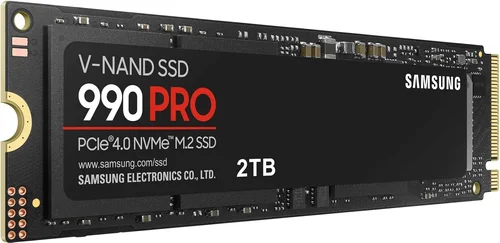
- Premium ($200–$400): For enthusiasts and professionals. The Samsung 990 PRO (2TB) delivers top-tier speeds, high TBW ratings, and advanced thermal management. Perfect for video editing, 3D rendering, and high-end gaming.
- Luxury ($400+): Reserved for extreme use cases. Gen 5 drives like the upcoming Samsung 9100 series (4TB+) offer blistering speeds and massive capacity. These are best for 8K workflows, AI training, or future-proofing high-end workstations.
Expert Tips for Getting the Best Deal
- Buy During Sales Cycles: Major retailers offer significant discounts during holidays and product launches. Sign up for newsletters from Samsung, Newegg, and Amazon to get early alerts.
- Compare Total Cost of Ownership: Factor in warranty, software, and potential accessories. A slightly more expensive drive with better support may save money long-term.
- Check for Bundled Software: Samsung includes Magician and data migration tools, which can save $20–$50 on third-party software.
- Verify Seller Authenticity: Buy from authorized retailers to avoid counterfeit drives. Samsung’s website lists authorized partners.
- Consider Refurbished Options: Samsung offers certified refurbished drives with full warranties at 20–30% off. These are tested and reliable.
- Test Before Committing: Use tools like CrystalDiskMark or AS SSD to benchmark performance after installation. Ensure the drive meets advertised specs.
- Read the Fine Print on Warranties: Some warranties require registration within 30 days. Keep your receipt and register promptly.
- Upgrade in Stages: If budget is tight, start with a smaller SSD for your OS and apps, then add a larger drive later for storage.

Frequently Asked Questions
Q: Is Samsung really the best SSD brand?
A: Samsung is consistently ranked among the top SSD manufacturers due to its performance, reliability, and innovation. While it may not be the cheapest, it offers some of the best high-end drives for enthusiasts and professionals. For most users, Samsung provides excellent value, but alternatives like WD Black or Crucial may offer better deals in certain segments.
Q: Should I buy a Gen 4 or Gen 5 SSD in 2026?
A: Gen 4 is sufficient for most users. Gen 5 offers double the bandwidth but requires a compatible motherboard and heatsink. Unless you’re doing 8K video editing or AI workloads, Gen 4 provides more than enough speed. Gen 5 is best for future-proofing high-end systems.
Q: Do I need a heatsink for my Samsung NVMe SSD?
A: For Gen 3 and most Gen 4 drives, a heatsink is optional but recommended for sustained workloads. Gen 5 drives almost always require a heatsink to prevent thermal throttling. Check your case clearance before purchasing.
Q: Can I use a Samsung SSD in a laptop?
A: Yes, as long as your laptop supports the form factor (usually M.2 2280) and interface (SATA or NVMe). Check your laptop’s manual or use a tool like Crucial’s Scanner to confirm compatibility.
Q: How long do Samsung SSDs last?
A: With typical use, a Samsung SSD can last 5–10 years or more. The 990 PRO 1TB has a 600 TBW rating—equivalent to writing 100GB daily for over 16 years. Actual lifespan depends on usage patterns and environmental factors.
Q: Is Samsung Magician necessary?
A: Not required, but highly recommended. It provides health monitoring, performance optimization, firmware updates, and secure erase—features not available in most third-party tools.
Q: Can I clone my old drive to a Samsung SSD?
A: Yes. Samsung Magician includes a data migration tool that simplifies cloning. You can also use third-party software like Macrium Reflect or Acronis True Image.
Q: Are Samsung SSDs compatible with macOS?
A: Yes, but macOS has limited NVMe support. For best results, format the drive as APFS and ensure your Mac model supports the SSD’s interface. Samsung does not provide macOS-specific software, so use Disk Utility for management.
Q: What’s the difference between 980 and 980 PRO?
A: The 980 is a DRAM-less Gen 3 drive with lower endurance, while the 980 PRO includes a DRAM cache, uses Gen 4, and offers higher speeds and better sustained performance. The PRO is better for heavy workloads.
Q: Do Samsung SSDs come with cables or adapters?
A: Internal SSDs do not include cables—your motherboard provides the M.2 slot. Portable SSDs like the T9 include USB-C cables. Always check the product listing for included accessories.
Our Final Recommendations
- Best for Budget-Conscious Buyers: Samsung 870 EVO (1TB) – Reliable SATA performance at a low price, perfect for upgrading older systems.
- Best Overall Value: Samsung 980 PRO (1TB) – Excellent Gen 4 speeds, strong endurance, and competitive pricing for most users.
- Best Premium Option: Samsung 990 PRO (2TB) – Top-tier performance, advanced thermal management, and high TBW for professionals.
- Best for Beginners: Samsung 980 (500GB) – Easy to install, good performance, and affordable for first-time SSD users.
- Best for Advanced Users: Samsung 9100 Series (4TB, Gen 5) – Cutting-edge speed and capacity for enthusiasts and content creators.
Conclusion: Making the Right Choice
Choosing the right SSD involves more than just picking the fastest or cheapest option. It requires understanding your specific needs—whether that’s speed, capacity, durability, or budget. Samsung has earned its reputation as a leader in the SSD market through consistent innovation, high-quality components, and reliable performance. While it may not always be the absolute best choice for every user, it remains one of the safest and most capable brands available in 2026.
As you evaluate your options, prioritize factors that align with your use case. Gamers may value speed and responsiveness, while creators need endurance and large capacity. Budget users should look for the best price-to-performance ratio, and professionals may justify premium drives for their reliability and support. Samsung offers compelling options across all these categories, but don’t overlook strong alternatives from competitors that may better fit your unique situation.
Ultimately, the “best” SSD is the one that meets your needs without overspending or compromising on quality. Use this guide to cut through the noise, avoid common pitfalls, and make a confident decision. Whether you choose Samsung or another brand, investing in a quality SSD will transform your computing experience—delivering faster boot times, smoother multitasking, and greater peace of mind. Upgrade wisely, back up regularly, and enjoy the speed.