
Hey there, Mac users! Are you feeling the pinch of slow storage or running out of precious space on your beloved Apple device? Whether you’re a creative professional dealing with massive video files, a student juggling countless documents, or just someone who wants snappier performance, upgrading your storage is often the answer. And when it comes to reliable, high-speed external storage, Sabrent has truly made a name for itself.
Sabrent offers a fantastic range of solid-state drives (SSDs) that are perfectly suited for the macOS ecosystem. They’re known for their robust build quality, impressive transfer speeds, and excellent compatibility. In this article, we’re going to dive deep and explore 7 of the Sabrent best SSD drives for Mac that can genuinely revolutionize your digital workflow. Get ready to supercharge your Mac!
Why Sabrent SSDs are a Smart Choice for Mac Users
Macs are powerhouses, but even they can benefit from an external performance boost, especially with demanding tasks like video editing, graphic design, or simply running multiple virtual machines. Sabrent SSDs shine here for several reasons:
- Blazing Fast Speeds: Many Sabrent SSDs leverage cutting-edge interfaces like USB 3.2 Gen 2×2 or Thunderbolt, delivering read and write speeds that can outpace traditional hard drives by leaps and bounds. This means quicker file transfers, faster application loading, and smoother project work.
- Robust & Portable Design: Sabrent understands that Mac users are often on the go. Their drives frequently feature durable aluminum casings, sometimes paired with silicone sleeves, offering excellent heat dissipation and protection against bumps and drops.
- Seamless Mac Compatibility: These drives are designed to play nice with macOS right out of the box, often requiring no drivers. Plug it in, and you’re good to go.
- Future-Proofing: With options like Thunderbolt 5, Sabrent is at the forefront, offering storage solutions that will serve you well for years to come, even as your Mac setup evolves.
Let’s break down some of the top picks from Sabrent’s lineup that are tailor-made for your Mac.
Product Reviews: The 7 Best Sabrent SSD Drives for Mac
1. SABRENT 2TB External Aluminum SSD, Rocket Nano V2, USB

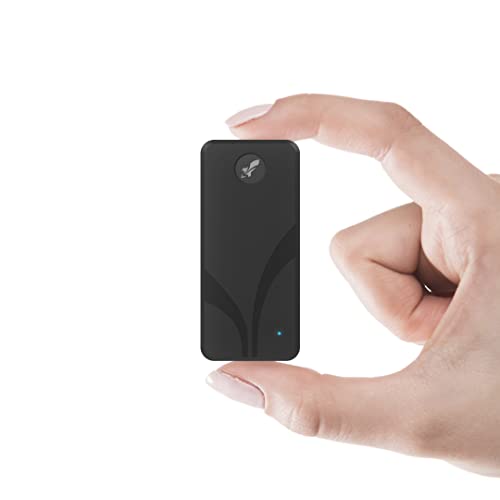
The Sabrent Rocket Nano V2 is a fantastic blend of speed, ruggedness, and portability, making it an excellent companion for any Mac user. If you’re into recording and editing high-resolution video, you’ll be glad to hear this little powerhouse can handle smooth 8K video recording thanks to its sustained performance. Its aluminum body paired with a silicone sleeve means it’s built to last and can take a beating while looking sleek on your desk or in your bag.
Key Features:
– Burst transfers over 1500 MB/s with sustained performance for smooth 8K video.
– Utilizes USB 3.2 Gen 2×2 interface for maximum compatible speed.
– Constructed of aluminum with an external silicone sleeve for durability and heat management.
– Available up to 4TB to meet various storage needs.
– Includes both Type-C to Type-A and Type-C to Type-C cables for broad compatibility.
Pros:
– Exceptional speed for demanding tasks like 8K video.
– Highly durable and protected design.
– Excellent portability due to compact size.
– Flexible connectivity with included dual cables.
– Good capacity options.
Cons:
– USB 3.2 Gen 2×2 speed is very fast, but not Thunderbolt-level for those needing the absolute maximum.
– May be overkill for users with basic storage needs.
User Impressions:
Users frequently rave about the Rocket Nano V2’s impressive speeds and its tough, travel-friendly design. Many highlight its reliability for large file transfers and its ability to keep cool under heavy load, making it a favorite for content creators.
2. SABRENT 1TB Rocket Nano XTRM External SSD, USB 3.2 / Thunderbolt 3
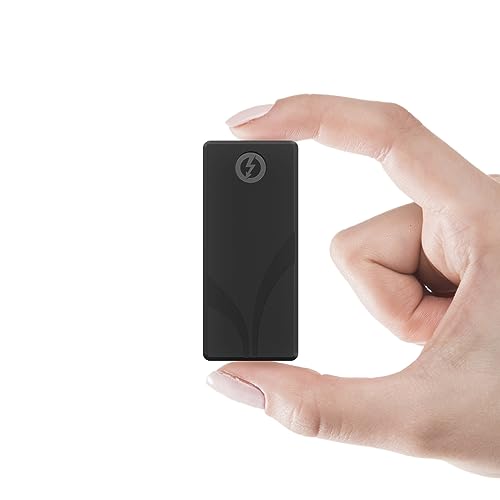
When speed is paramount, the Sabrent Rocket Nano XTRM steps up to the plate. This drive is a speed demon, especially when connected via Thunderbolt 3, offering blazing fast transfers that will make short work of even the largest files. But don’t worry if you don’t always have Thunderbolt available; it’s also backward compatible with USB systems, ensuring you can use it just about anywhere. Its solid aluminum body helps dissipate heat and ensures it can handle the rigors of being a portable workhorse.
Key Features:
– Thunderbolt 3 mode delivers up to 2700MBps (40Gbps connection).
– Compatible with older USB systems, offering up to 900MBps via USB 3.2 Gen 2×1.
– Rugged solid aluminum body for durability and heat dissipation.
– Includes an optional silicon sleeve for extra drop protection.
– Plug-and-play, bus-powered, with both Thunderbolt and USB-C to USB-A cables included.
Pros:
– Phenomenal speeds with Thunderbolt 3, ideal for professionals.
– Broad compatibility with both Thunderbolt and USB devices.
– Highly durable and travel-ready design.
– Convenient bus-powered operation, no external adapter needed.
– Comes with all necessary cables.
Cons:
– Premium price due to Thunderbolt 3 technology.
– USB mode, while fast, is significantly slower than its Thunderbolt performance.
User Impressions:
Customers consistently praise the Nano XTRM for its incredible speed, especially when hooked up to a Thunderbolt-enabled Mac. Its robust construction also gets high marks, giving users peace of mind when taking their data on the go.
3. SABRENT Rocket Nano Rugged 1TB USB 3.2 10Gb/s External SSD
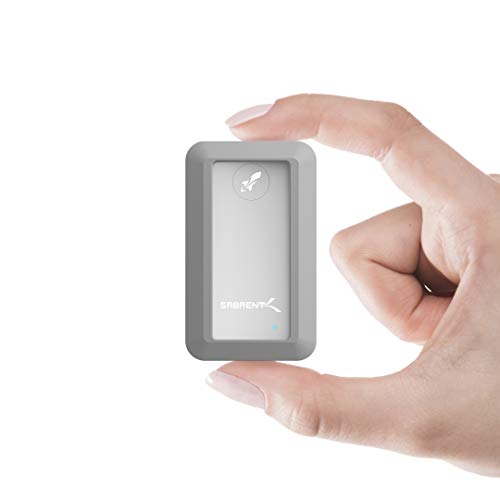
For those who need their data to survive the elements, the Sabrent Rocket Nano Rugged is your go-to. This isn’t just “durable” – it’s fully compliant with IP67 water resistance and 1-meter drop tested, meaning it can handle splashes, dust, and accidental drops like a champ. Despite its tough exterior, it maintains a sleek, ultra-slim design and offers speedy 10Gbps USB 3.2 performance, perfect for transferring large files quickly and securely.
Key Features:
– IP67 water resistance (1 meter for up to 30 minutes) and 1-meter drop tested.
– Compatible with both Windows and Mac OS.
– Plug & play, OS independent, and fully bus powered.
– Ultra-fast 10Gbps throughput, reaching up to 1000MB/s.
– Ultra-slim aluminum alloy sandblasted shell for sleekness and durability.
Pros:
– Extreme ruggedness with water and drop resistance.
– Excellent cross-platform compatibility.
– Fast USB 3.2 Gen 2 speeds.
– Highly portable and bus-powered.
– Sleek yet tough design.
Cons:
– Speed is limited to 10Gbps (1000MB/s), not as fast as Thunderbolt options.
– 1TB capacity might be limiting for some extreme users.
User Impressions:
Reviewers love the peace of mind this drive offers, knowing their data is protected from environmental hazards. Its speedy performance and compact size make it a favorite for photographers, videographers, and anyone who needs reliable storage in unpredictable conditions.
4. SABRENT 1TB Rocket Nano V2 External SSD – USB 3.2
The Sabrent Rocket Nano V2 (1TB variant) brings serious performance to your Mac in a small, mighty package. Tailor-made for demanding tasks, it boasts unrivaled speeds over 1500 MB/s, making it perfect for real-time 8K video recording or lightning-fast backups. Its rugged design, featuring an anodized aluminum housing and shock-absorbing silicone sleeve, ensures your data stays safe while the drive remains cool under pressure. Plus, with dual-cable convenience, you’re always ready to connect to any device.
Key Features:
– Sustained transfer speeds over 1500 MB/s, ideal for 8K video.
– Rugged anodized aluminum housing with shock-absorbing silicone sleeve.
– Compact, travel-friendly design with 1TB capacity.
– Includes USB-C to USB-C and USB-C to USB-A cables for universal compatibility.
– Engineered for longevity with high-endurance NAND flash.
Pros:
– Excellent speed for professional multimedia tasks.
– Superior durability and protection.
– Highly portable and convenient.
– Comprehensive cable support for broad device compatibility.
– Built for long-term reliability.
Cons:
– Not equipped with Thunderbolt, so speeds are not at the absolute maximum possible for some Macs.
– 1TB might not be enough for professionals with enormous project libraries.
User Impressions:
Mac users commend this drive for its robust performance, especially when editing directly from it. The combination of speed, protection, and compact design makes it a highly recommended choice for those needing reliable external storage for creative work.
5. SABRENT USB-C Lay Flat Docking Station – NVMe M.2 + SATA

While not an SSD itself, this Sabrent docking station is an invaluable tool for any Mac user dealing with multiple drives or needing to clone, backup, or recover data. It’s a versatile powerhouse that supports both M.2 NVMe SSDs and traditional 2.5”/3.5” SATA drives, making it incredibly flexible. Its tool-free installation and offline cloning function are game-changers, allowing you to swap drives and copy data without even needing a PC. It’s a must-have for tech enthusiasts and professionals alike.
Key Features:
– Dual-format support for M.2 PCIe NVMe SSDs (2242, 2260, 2280) and 2.5”/3.5” SATA SSDs/HDDs.
– 10Gbps High-Speed USB 3.2 Gen 2 Type-C port.
– Tool-free installation for easy drive swapping.
– Offline clone function allows drive copying without a computer.
– Cross-platform compatible with Windows, macOS, and Linux.
Pros:
– Extremely versatile, supporting two major drive types.
– Super convenient tool-free design.
– Offline cloning is a significant time-saver and incredibly useful.
– Fast 10Gbps USB-C connectivity.
– Broad operating system compatibility.
Cons:
– Not a portable drive itself, it’s a desktop accessory.
– Requires external power, especially for 3.5” drives.
– Speed is limited to 10Gbps USB-C.
User Impressions:
This docking station is a hit with users who regularly work with different types of drives. The offline cloning feature frequently receives high praise for its ease of use and effectiveness, making data migration a breeze.
6. SABRENT Rocket XTRM 5 4TB Thunderbolt 5 Portable SSD

Prepare for the future with the Sabrent Rocket XTRM 5. This is where cutting-edge technology meets massive storage, bringing next-generation Thunderbolt 5 performance to your Mac. With incredible transfer speeds up to 64Gbps (80Gbps connection), this drive is built for the most demanding workloads imaginable, from uncompressed 8K video editing to heavy-duty gaming. It’s also smartly designed with broad backward compatibility, ensuring it works seamlessly with your current and future setups.
Key Features:
– Ultra-Fast Thunderbolt 5 Performance: Up to 64Gbps transfer with 80Gbps connection.
– Broad Compatibility: Backward compatible with Thunderbolt 3, Thunderbolt 4, USB4, and various USB speeds.
– Rugged and Durable: Aluminum body for heat dissipation, includes silicone sleeve.
– Plug and Play: Bus-powered, no external power needed, premium Thunderbolt cable included.
– Reliable, Future-Proof Storage: Ideal for creators, professionals, and gamers.
Pros:
– Unprecedented speed with Thunderbolt 5, setting a new benchmark.
– Excellent future-proofing for evolving hardware.
– Wide-ranging backward compatibility for versatile use.
– Extremely durable and protective construction.
– Convenient bus-powered operation.
Cons:
– High premium price reflecting cutting-edge technology.
– Full Thunderbolt 5 speeds require a Thunderbolt 5 host device (currently rare).
User Impressions:
Early adopters are genuinely impressed by the sheer speed and robust build of the Rocket XTRM 5. They view it as a significant investment that delivers unparalleled performance for their most intensive creative and professional tasks.
7. SABRENT Rocket XTRM 5 2TB Thunderbolt 5 Portable SSD
Like its 4TB sibling, the Sabrent Rocket XTRM 5 2TB is a true powerhouse, offering the absolute pinnacle of external SSD performance with Thunderbolt 5 technology. This drive is engineered for those who refuse to compromise on speed and reliability. Whether you’re a high-end content creator, a professional working with massive datasets, or a gamer demanding the fastest load times, this 2TB version offers a perfect balance of cutting-edge speed and generous capacity in a future-ready package.
Key Features:
– Ultra-Fast Thunderbolt 5 Performance: Achieve up to 64Gbps transfer speeds with 80Gbps connection.
– Broad Compatibility: Backward compatible with Thunderbolt 3, Thunderbolt 4, USB4, and various USB speeds.
– Rugged and Durable: Built with an aluminum body for heat dissipation, includes a silicone sleeve for protection.
– Plug and Play: Bus-powered for easy use, comes with a premium Thunderbolt cable.
– Reliable, Future-Proof Storage Solution: Designed for evolving hardware and demanding workflows.
Pros:
– Extreme Thunderbolt 5 performance for the fastest possible data access.
– Excellent future-proofing, ready for upcoming Mac models.
– Extensive backward compatibility ensures broad usability.
– Robust and durable design for reliability on the go.
– Convenient bus-powered operation.
Cons:
– Premium price due to cutting-edge Thunderbolt 5 technology.
– Full performance requires a Thunderbolt 5 compatible Mac, which are not widely available yet.
User Impressions:
Users are ecstatic about the lightning-fast performance and sturdy build quality. They highlight its value as a long-term investment for high-demand tasks, appreciating that it’s designed to keep up with future technological advancements.
Choosing Your Ideal Sabrent SSD
Selecting the perfect external SSD for your Mac boils down to a few key considerations:
- Speed: Do you need maximum Thunderbolt speed for 8K video editing, or is fast USB 3.2 Gen 2 enough for your daily backups and photo editing?
- Capacity: How much space do you truly need? Sabrent offers everything from 1TB to 4TB and beyond in some models.
- Durability: Will your drive be traveling a lot? Consider rugged, water-resistant options for peace of mind.
- Connectivity: Check your Mac’s ports (Thunderbolt 3/4, USB-C, USB-A) and choose a drive that matches or provides versatile cable options.
No matter your specific needs, these Sabrent best SSD drives for Mac offer fantastic solutions to boost your Mac’s performance and give you the storage freedom you deserve.
Frequently Asked Questions (FAQ)
Q1: What makes Sabrent SSDs particularly good for Mac users?
A1: Sabrent SSDs are known for their high-speed performance (especially with Thunderbolt and fast USB-C connections), robust build quality, and excellent out-of-the-box compatibility with macOS, often requiring no special drivers. They’re designed to seamlessly integrate with Apple’s ecosystem.
Q2: What’s the main difference between USB-C and Thunderbolt SSDs?
A2: The main difference is speed and capability. Thunderbolt (e.g., Thunderbolt 3/4/5) offers significantly higher transfer speeds (up to 40Gbps for T3/T4, 80Gbps for T5) and can carry video and power, making it ideal for professional workflows. USB-C (specifically USB 3.2 Gen 2) offers up to 10Gbps, while USB 3.2 Gen 2×2 offers 20Gbps. While fast, they don’t reach Thunderbolt’s top speeds.
Q3: Do I need to format a Sabrent SSD before using it with my Mac?
A3: Most Sabrent SSDs come pre-formatted for broad compatibility. However, for optimal performance and full macOS features (like Time Machine backups), it’s often recommended to format it to APFS (Apple File System) using Disk Utility on your Mac.
Q4: How much storage capacity do I actually need?
A4: This depends on your usage!
* 1TB: Good for general use, photo libraries, and smaller video projects.
* 2TB: Ideal for extensive photo/video libraries, larger creative projects, or a robust backup solution.
* 4TB+: Essential for professionals working with large 4K/8K video files, extensive gaming libraries, or comprehensive archival.
Q5: Are Sabrent external SSDs durable enough for travel?
A5: Absolutely! Many Sabrent portable SSDs, like the Rocket Nano series, feature rugged aluminum enclosures and often include silicone sleeves for added shock absorption. Some models, like the Rocket Nano Rugged, even boast IP67 water resistance, making them exceptionally tough for on-the-go professionals.
Q6: Can I use a Sabrent external SSD for Time Machine backups on my Mac?
A6: Yes, you certainly can! Sabrent external SSDs are excellent choices for Time Machine. For best results, it’s recommended to format the drive to APFS (or Mac OS Extended Journaled for older macOS versions) through Disk Utility on your Mac, then select it as your Time Machine backup disk.
Q7: What does “bus-powered” mean for an external SSD?
A7: “Bus-powered” means the SSD draws all its necessary power directly from the Mac’s USB or Thunderbolt port it’s connected to. This eliminates the need for a separate power adapter, making the drive more portable and convenient to use on the go.
Q8: How do I ensure I’m getting the best speeds from my Sabrent SSD on Mac?
A8: To maximize speeds, ensure:
1. Your Mac supports the SSD’s interface (e.g., Thunderbolt 3/4/5 or USB 3.2 Gen 2×2).
2. You’re using the correct cable (Thunderbolt cable for Thunderbolt drives, USB-C to C for USB-C drives).
3. You’re connecting to the fastest available port on your Mac.
4. The drive is formatted to APFS for optimal macOS performance.