
Upgrading your computer’s storage can feel like giving it a brand new lease on life, especially when you’re targeting the core of your system: the operating system. If you’re tired of sluggish boot times, slow application launches, and general system lag, investing in the best SSD for OS is one of the smartest upgrades you can make. A solid-state drive (SSD) dramatically outperforms traditional hard disk drives (HDDs) in speed, durability, and power efficiency, making it the ideal home for your Windows, macOS, or Linux installation.
But with so many options out there – different form factors, interfaces, and capacities – how do you pick the perfect one? Don’t sweat it! We’ve scoured the market to bring you our top 7 picks for the best SSD for OS in 2024, covering a range of needs and budgets. Whether you’re building a new PC, upgrading an old laptop, or even looking for a portable solution, we’ve got you covered. Let’s dive in and find the ultimate storage solution to supercharge your system performance.
Understanding SSD Types: SATA vs. NVMe
Before we jump into the reviews, a quick rundown on the two main types of internal SSDs you’ll encounter:
- SATA SSDs: These are typically 2.5-inch drives that look similar to traditional laptop HDDs and connect via a SATA cable. They offer significantly faster speeds than HDDs (up to around 550MB/s) and are very affordable. They’re a great choice for older systems or budget builds.
- NVMe SSDs: These are smaller, stick-like drives that plug directly into an M.2 slot on your motherboard. They use the PCIe interface, offering incredibly fast speeds (thousands of MB/s, far beyond SATA). NVMe drives are the gold standard for high-performance computing, gaming, and demanding professional tasks.
Our Top Picks for the Best SSD for OS
Here are our detailed reviews of the top SSDs that will make your operating system sing.
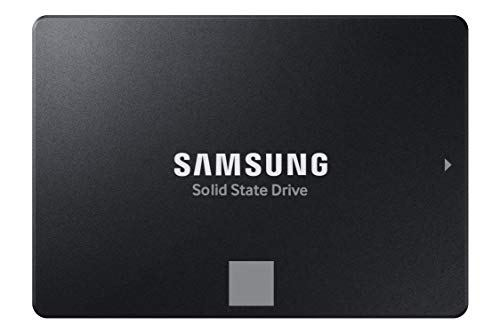
1. Samsung 870 EVO SATA III SSD 1TB 2.5” Internal Solid State Drive

The Samsung 870 EVO is truly an all-star in the SATA SSD world, consistently delivering reliable performance and excellent compatibility. It’s built on Samsung’s renowned flash memory technology, making it a fantastic choice for anyone looking to upgrade from an old hard drive or even an older SATA SSD. This drive excels at maximizing the SATA interface, offering impressive sequential read/write speeds that translate to snappy OS boot times and quick application loading. It’s a workhorse designed for daily computing, light gaming, and even more demanding tasks like 8K video processing.
-
Key Features:
- Maximized SATA interface performance: up to 560/530 MB/s sequential speeds.
- Industry-defining reliability with up to 600 TBW under a 5-year limited warranty.
- Broad compatibility with major host systems and applications.
- Easy upgrade process with standard 2.5-inch SATA form factor.
- Includes Samsung Magician 6 software for drive management and optimization.
- AES 256-bit Encryption for enhanced security.
-
Pros:
- Excellent balance of performance, reliability, and price.
- Widely compatible with most laptops and desktops.
- Samsung’s reputable brand and strong warranty.
- User-friendly migration software and management tools.
-
Cons:
- SATA speeds are much slower than NVMe.
- May not be the absolute cheapest option in its category.
-
User Impressions: Users frequently praise the 870 EVO for its noticeable speed boost over HDDs and its consistent performance. Many highlight the ease of installation and the usefulness of Samsung’s Magician software. It’s often cited as the go-to SATA SSD for a reliable system upgrade.
- See it on Amazon here
2. PNY CS900 500GB 3D NAND 2.5″ SATA III Internal Solid State Drive

If you’re looking for an affordable yet effective way to ditch your old spinning hard drive and give your PC a significant performance kick, the PNY CS900 is an excellent budget-friendly contender. This 2.5-inch SATA III SSD offers a substantial upgrade in terms of OS boot times and application loading, making your everyday computing experience much smoother. It’s a no-frills, reliable option that delivers exactly what most users need for a primary boot drive without breaking the bank.
-
Key Features:
- Super-fast OS boot times and application loads.
- Exceptional performance: up to 550MB/s seq. Read and 500MB/s seq. Write speeds.
- Superior performance compared to traditional hard drives (HDD).
- Ultra-low power consumption, beneficial for laptops.
- Backwards compatible with SATA II 3GB/sec.
-
Pros:
- Very affordable entry point into SSD technology.
- Significant speed improvement over HDDs.
- Low power consumption helps laptop battery life.
- Simple plug-and-play upgrade.
-
Cons:
- Performance caps at SATA limits, not as fast as NVMe.
- Lower capacity options might fill up quickly with many applications.
-
User Impressions: Customers love the PNY CS900 for its fantastic value. Many report a dramatic improvement in their system’s responsiveness after switching from an HDD. It’s highly recommended for users on a tight budget who still want a reliable performance boost for their operating system.
- See it on Amazon here
3. Crucial BX500 1TB 3D NAND SATA 2.5-Inch Internal SSD

The Crucial BX500 is another champion in the value-oriented SATA SSD market, offering a simple and effective way to speed up an aging desktop or laptop. Powered by Micron’s reliable 3D NAND technology, this drive promises boot times up to three times faster than a typical hard drive. Beyond just speed, it’s also incredibly energy-efficient, which means better battery life for your laptop – a small but significant perk that makes it one of the best SSD for OS for portable machines.
-
Key Features:
- Boot up faster, load files quicker, improve overall system responsiveness.
- 300% faster than a typical hard drive.
- 45x more energy efficient than a typical hard drive.
- Built with Micron 3D NAND technology.
- Crucial 3-year limited warranty.
-
Pros:
- Excellent value for a 1TB SSD.
- Substantial performance boost over HDDs.
- Highly energy-efficient, great for laptop users.
- Simple and straightforward upgrade.
-
Cons:
- SATA performance limitations compared to NVMe drives.
- Some competitors might offer slightly better endurance (TBW) ratings.
-
User Impressions: Users are consistently impressed by the performance uplift the BX500 provides for its price. It’s a popular choice for revitalizing older computers, with many noting how quickly their systems now boot up and open applications. Its energy efficiency is also a big plus for laptop owners.
- See it on Amazon here
4. Samsung T7 Shield 2TB, Portable SSD, up-to 1050MB/s, USB 3.2 Gen 2
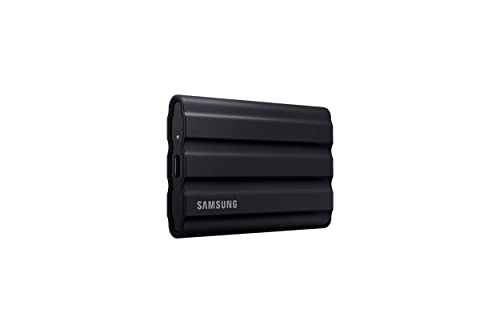
While most users look for an internal SSD for their OS, the Samsung T7 Shield is an exceptional choice if you need a portable operating system solution, perhaps for running a specific OS on multiple computers, creating a bootable recovery drive, or even for certain gaming console setups. This rugged portable SSD is built to brave the elements with water, dust, and drop resistance, ensuring your data—or your portable OS—is safe on the go. Its incredible USB 3.2 Gen 2 speeds make running an OS externally remarkably smooth.
-
Key Features:
- Rugged design with IP65 water and dust resistance, and 9.8 feet drop protection.
- Fast read/write speeds up to 1,050/1,000 MB/s via USB 3.2 Gen 2 (PCIe NVMe technology).
- Compatible with PC, Mac, Android devices, gaming consoles, and iPhone 15 Pro.
- Available in capacities from 1TB to 4TB.
- Samsung Magician software for optimization and monitoring.
- World’s #1 flash memory brand for reliability.
-
Pros:
- Outstanding durability for outdoor or travel use.
- NVMe-level performance in a portable package.
- Versatile compatibility across many devices.
- Excellent for a portable boot drive or quick data transfers.
-
Cons:
- An external drive, not suitable for internal PC OS installations.
- Requires a USB-C connection for full speed.
- More expensive than internal SATA SSDs of similar capacity.
-
User Impressions: Reviewers rave about the T7 Shield’s robust build quality and blazing-fast transfer speeds. It’s highly recommended for professionals who need to move large files quickly in rough environments, or for tech enthusiasts experimenting with portable operating system installations.
- See it on Amazon here
5. Samsung 990 PRO SSD NVMe M.2 PCIe Gen4, M.2 2280

For those building a high-end gaming rig, a professional workstation, or simply demanding the absolute pinnacle of speed for their operating system, the Samsung 990 PRO is an undisputed champion. This NVMe M.2 SSD leverages PCIe Gen4 technology to deliver breathtaking read and write speeds, pushing near the limits of what the interface can offer. It’s the ultimate choice for reducing load times to fractions of a second and ensuring your OS, applications, and games launch at warp speed. If you’re looking for the absolute best SSD for OS performance in a modern system, this is it.
-
Key Features:
- Near max PCIe 4.0 performance with read/write speeds up to 7450/6900 MB/s.
- Over 55% improvement in random performance compared to 980 PRO.
- High capacity options from 1TB to 4TB.
- Enhanced power efficiency, up to 50% improved performance per watt over 980 PRO.
- Ideal for heavy computing, gaming, video editing, and data analysis.
- Backed by Samsung, the world’s #1 flash memory brand.
-
Pros:
- Industry-leading NVMe performance.
- Exceptional for gaming and professional applications.
- Improved power efficiency for a high-performance drive.
- Samsung’s renowned reliability and in-house component production.
-
Cons:
- Requires a motherboard with an M.2 PCIe Gen4 slot.
- Premium price point.
- Overkill for basic computing needs.
-
User Impressions: Users consistently praise the 990 PRO for its mind-boggling speed, confirming it truly makes a difference in load times for games and large applications. It’s frequently recommended for enthusiasts and professionals who want the absolute fastest storage solution available.
- See it on Amazon here
6. Western Digital 1TB WD Blue SA510 SATA Internal Solid State Drive

The Western Digital WD Blue SA510 is a solid, reliable choice if you’re looking to upgrade an existing desktop or laptop that might not have an M.2 slot, or if you simply prefer the traditional 2.5-inch form factor. Part of WD’s trusted Blue line, this SATA SSD delivers a strong performance boost over mechanical hard drives, ensuring your operating system boots up quickly and your daily tasks feel much snappier. It’s a dependable, no-fuss option for improving your system’s responsiveness.
-
Key Features:
- 1TB storage capacity, providing ample space for OS and applications.
- Standard SATA drive interface.
- 2.5″ internal form factor, widely compatible.
- Designed for everyday computing needs.
-
Pros:
- Trusted Western Digital brand reliability.
- Good capacity for the price.
- Easy to install in most desktops and laptops.
- Significant speed improvement over HDDs.
-
Cons:
- Performance limited by the SATA III interface.
- Not as fast as NVMe alternatives.
- Specific features list is less detailed than competitors.
-
User Impressions: Many users find the WD Blue SA510 to be a straightforward and effective upgrade. They report noticeable improvements in system boot times and overall fluidity. It’s often recommended for users seeking a reliable, mainstream SSD from a well-known brand.
- See it on Amazon here
7. SanDisk 1TB Extreme Portable SSD – Up to 1050MB/s, USB-C, IP65 Water & Dust Resistant

Similar to the Samsung T7 Shield, the SanDisk Extreme Portable SSD is an excellent choice if your concept of the “best SSD for OS” involves portability. Whether you’re a creative professional needing a fast scratch disk, a student who wants to boot a specific OS from a pocket-sized drive, or anyone needing robust, high-speed external storage, this drive fits the bill. Its rugged design can withstand drops and elements, making it perfect for taking your work (or even a full OS installation) wherever you go.
-
Key Features:
- NVMe solid-state performance with up to 1050MB/s read and 1000MB/s write speeds.
- Up to 3-meter drop protection and IP65 water and dust resistance.
- Handy carabiner loop for securing to bags.
- Password protection with 256-bit AES hardware encryption.
- SanDisk Memory Zone app for file management.
- USB-C connectivity.
-
Pros:
- Exceptional durability and portability.
- Fast NVMe-level speeds for an external drive.
- Hardware encryption for data security.
- Great for creative professionals and mobile users.
-
Cons:
- An external drive, not designed for internal OS installation.
- Relies on USB-C port for optimal performance.
- Can be pricier than internal SATA options.
-
User Impressions: Customers frequently praise the SanDisk Extreme Portable SSD for its ruggedness and impressive speed, especially for video editing and photography on the go. Many appreciate its compact size and the peace of mind offered by its water and drop resistance. It’s a top pick for external, high-performance storage.
- See it on Amazon here
Frequently Asked Questions (FAQ)
Q1: What is the main difference between SATA and NVMe SSDs for an OS drive?
A1: The main difference is speed and connection. SATA SSDs use the older SATA interface and offer speeds up to around 550 MB/s, while NVMe SSDs use the PCIe interface and can reach speeds of several thousands of MB/s. For an OS drive, NVMe will result in much faster boot times, quicker application launches, and overall snappier system responsiveness, assuming your motherboard supports it.
Q2: How much storage capacity do I need for my OS drive?
A2: For just the operating system (Windows, macOS, or Linux) and essential applications, a 250GB or 500GB SSD is usually sufficient. However, if you plan to install many games, large programs, or store personal files on the same drive, a 1TB or larger SSD is highly recommended to avoid running out of space quickly.
Q3: Can I use an external SSD as my main OS drive?
A3: Yes, it’s possible, especially with macOS or Linux, or for portable Windows installations (like Windows To Go). Portable SSDs like the Samsung T7 Shield or SanDisk Extreme Portable are excellent for this. However, it’s generally less ideal than an internal drive due to potential cable issues, slightly lower performance, and the inconvenience of having an external drive constantly connected.
Q4: Is an SSD really worth it just for my OS?
A4: Absolutely! Upgrading to an SSD for your OS is often considered the single most impactful upgrade you can make to an older computer. The difference in boot times, application loading, and overall system responsiveness is dramatic and immediately noticeable, making your daily computing experience far more enjoyable.
Q5: Will installing an SSD improve my gaming performance?
A5: While an SSD won’t directly increase your frame rates in games, it will drastically reduce game loading times, map loading times, and texture streaming issues. For games with large open worlds or frequent loading screens, an SSD (especially an NVMe one) makes a huge difference in the gaming experience.
Q6: How do I install an SSD as my OS drive?
A6: For 2.5-inch SATA SSDs, you simply connect it via a SATA data and power cable. For M.2 NVMe SSDs, you plug it directly into an M.2 slot on your motherboard and secure it with a screw. After physical installation, you’ll typically need to install your operating system onto the new drive (either cleanly or by cloning your old drive). Many SSD manufacturers provide migration software to make this process easier.
Q7: Should I choose a 2.5-inch SATA SSD or an M.2 NVMe SSD?
A7: If your computer has an M.2 slot that supports NVMe, an M.2 NVMe SSD is generally the superior choice due to its much higher speeds and smaller form factor. If your computer only has SATA ports (common in older laptops or desktops) or you’re on a tight budget, a 2.5-inch SATA SSD is still a fantastic and worthwhile upgrade over a hard drive.