
Is your computer feeling a bit sluggish? Does it take ages to boot up, or do applications seem to crawl? If you’re still relying on an old-school hard disk drive (HDD), that’s probably why! Upgrading to a Solid State Drive (SSD) is one of the most impactful improvements you can make to breathe new life into an aging system or simply get snappier performance from a newer one. And for many users, especially those with older PCs or a need for cost-effective storage, a SATA SSD is the perfect sweet spot.
SATA SSDs connect via the widely compatible SATA interface, making them easy to install in almost any desktop or laptop. They offer significant speed improvements over traditional HDDs at a much more accessible price point than their NVMe counterparts, making them a fantastic value proposition. But with so many options out there, how do you pick the best SATA SSD for PC? Don’t worry, we’ve got you covered! We’ve hand-picked seven top-notch SATA SSDs that offer a great blend of performance, reliability, and value. Let’s dive in and find the perfect upgrade for your rig!
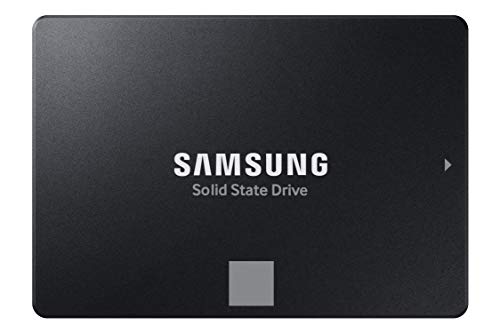
1. Samsung 870 EVO SATA III SSD 1TB 2.5” Internal Solid State Drive

When it comes to SSDs, Samsung often sets the benchmark, and the 870 EVO is a prime example of their engineering prowess. This drive isn’t just about raw speed; it’s about delivering consistent, professional-level performance coupled with industry-leading reliability. Designed for everyone from casual users to gamers and professionals handling demanding workloads, the 870 EVO maximizes the SATA III interface, ensuring your data transfers and application loads are as fast as they can possibly be. Its robust build, backed by Samsung’s in-house component production and a generous warranty, makes it a true all-star in the SATA SSD lineup.
-
Key Features:
- Maximizes SATA interface with sequential speeds up to 560MB/s read and 530MB/s write.
- Industry-defining reliability with up to 600 TBW under a 5-year limited warranty.
- Highly compatible with major host systems, chipsets, motherboards, and NAS devices.
- Easy plug-and-play installation in a standard 2.5-inch SATA form factor.
- Samsung Magician 6 software for easy drive management and performance enhancement.
- AES 256-bit Encryption for enhanced security.
-
Pros:
- Exceptional and consistent performance, hitting SATA III limits.
- Unmatched reliability and durability, perfect for heavy use.
- Wide compatibility across various systems and devices.
- Excellent software support for drive health and optimization.
- Backed by Samsung’s reputation as a flash memory leader.
-
Cons:
- Often priced slightly higher than budget alternatives.
- Performance is limited by the SATA III interface, not as fast as NVMe.
-
User Impressions: Users consistently praise the 870 EVO for its rock-solid performance and ease of installation. Many note a dramatic improvement in boot times and application responsiveness, affirming its status as a premium choice for a reliable system upgrade.
2. PNY CS900 500GB 3D NAND 2.5″ SATA III Internal Solid State Drive

Looking for an affordable yet powerful upgrade? The PNY CS900 is an excellent choice for breathing new life into your laptop or desktop without breaking the bank. This 2.5-inch SATA III SSD delivers a significant boost over traditional hard drives, offering super-fast OS boot times and quick application loading. It’s perfect for everyday computing tasks, enhancing your overall system responsiveness, and making your PC feel brand new again. Plus, its ultra-low power consumption means better battery life for laptops!
-
Key Features:
- Up to 550MB/s sequential read and 500MB/s sequential write speeds.
- Utilizes 3D NAND technology for improved density and efficiency.
- Superior performance compared to traditional HDDs.
- Ultra-low power consumption for energy efficiency.
- Backwards compatible with SATA II (3GB/sec).
-
Pros:
- Great value for performance, highly budget-friendly.
- Noticeable improvements in boot and load times.
- Energy-efficient, beneficial for laptop battery life.
- Simple and straightforward upgrade for most systems.
-
Cons:
- May not offer the absolute peak performance seen in premium drives.
- Warranty period might be shorter than top-tier brands (check specific model).
-
User Impressions: Customers frequently highlight the PNY CS900 as a fantastic budget upgrade. They love how easy it is to install and the immediate performance boost it provides, making older systems feel much snappier.
3. Western Digital 1TB WD Blue SA510 SATA Internal Solid State Drive

Western Digital has long been a trusted name in storage, and their WD Blue SA510 SATA SSD continues that legacy by offering dependable performance tailored for content creators and everyday users alike. This 1TB drive provides ample storage for your operating system, applications, and a good chunk of your files, all while delivering the speed benefits of an SSD. It’s designed for reliability and ease of use, making it a solid choice for those seeking a balance of capacity, performance, and brand trust.
-
Key Features:
- 1TB storage capacity.
- Standard 2.5-inch form factor.
- SATA III (6Gb/s) interface.
- Internal drive type.
- Designed for enhanced reliability and everyday computing.
-
Pros:
- Trusted brand with a history of reliable storage solutions.
- Good capacity for general use and storing large files.
- Offers a substantial speed upgrade over HDDs.
- Easy to install in most desktops and laptops.
-
Cons:
- Performance, while good, might not reach the very peak of the SATA III interface compared to some competitors.
- Specific speeds aren’t prominently advertised, suggesting it’s more about reliability than raw speed records.
-
User Impressions: Users appreciate the WD Blue SA510 for its reliability and the noticeable speed boost it provides. It’s often recommended as a no-fuss, dependable upgrade for those who value stability from a reputable brand.
4. fanxiang S101 SATA SSD 1TB, Internal State Drive SATA III

The fanxiang S101 SATA SSD is an excellent option for users looking for a cost-effective way to supercharge their computer. Boasting impressive read and write speeds, this drive dramatically cuts down on boot times and file transfers, letting you jump into your work or games much faster. What makes it stand out in the budget category is its use of 3D NAND TLC chips, which generally offer better endurance and a longer lifespan compared to QLC-based drives, providing more reliable data storage for your peace of mind.
-
Key Features:
- Blazing read/write speeds of 550MB/s.
- Significantly faster boot times (at least 50% faster than HDDs).
- Utilizes 3D NAND TLC chips for enhanced durability and lifespan.
- Extensive compatibility with desktops, laptops, and all-in-one PCs.
- Supports various operating systems including Windows, Linux, and Mac OS.
- Up to 3 years of quality assurance.
-
Pros:
- Excellent speed for its price point.
- Durable 3D NAND TLC chips ensure longevity.
- Wide compatibility across different systems and OS.
- Very attractive price for a 1TB capacity.
- Decent warranty for a budget brand.
-
Cons:
- Brand recognition is lower than established names like Samsung or Crucial.
- Long-term reliability might be less proven compared to premium brands.
-
User Impressions: Many users are pleasantly surprised by the performance of the fanxiang S101, especially given its budget-friendly price. They report quick boot-ups and smoother overall system operation, making it a popular choice for value-conscious upgraders.
5. KingSpec 512GB 2.5 SSD SATA III Internal – 550MB/s Read, 520MB/s Write

For those seeking a performance boost on a tighter budget, the KingSpec 2.5-inch SATA III SSD offers a compelling package. Leveraging 3D NAND flash memory, this drive provides fast sequential read and write speeds, significantly enhancing your computer’s responsiveness. Beyond just speed, KingSpec emphasizes durability and stability, designing this SSD to be shockproof and quiet, with low power consumption. It also supports a range of advanced features like TRIM and S.M.A.R.T, ensuring its performance and longevity are well-maintained.
-
Key Features:
- Max sequential read speeds up to 550MB/s, write speeds up to 520MB/s.
- Adopts 3D NAND flash memory for high performance and reliability.
- Shockproof, anti-drop, quiet, noiseless, and low power consumption.
- Supports wear leveling, garbage collection, TRIM, S.M.A.R.T. for stable performance.
- Wide compatibility with Windows, DOS, Linux, Unix, and various devices.
- Backward compatible with SATA Rev. 2.0.
- 3-year limited warranty with lifetime technical support.
-
Pros:
- Excellent read/write speeds for its price segment.
- Durable and robust design features (shockproof, anti-drop).
- Supports advanced features for data integrity and longevity.
- Broad compatibility with older and newer systems.
- Good warranty and technical support for a lesser-known brand.
-
Cons:
- Brand recognition might be a factor for some buyers.
- Actual long-term performance consistency may vary compared to premium brands.
-
User Impressions: Reviewers often highlight the KingSpec SSD’s surprisingly strong performance for its cost. They frequently mention noticeable improvements in system speed and appreciate the quiet operation, making it a solid choice for a cost-effective upgrade.
6. Crucial BX500 1TB 3D NAND SATA 2.5-Inch Internal SSD

Crucial, a brand from Micron, is known for reliable memory and storage solutions, and the BX500 series is their answer for a straightforward, highly accessible SSD upgrade. This 1TB model is all about practical benefits: faster boot-ups, quicker file loading, and a significant improvement in overall system responsiveness – making your PC feel up to 300% faster than an old HDD. Beyond speed, it’s remarkably energy-efficient, extending laptop battery life. For a hassle-free and effective upgrade, the BX500 is a consistent and dependable choice.
-
Key Features:
- Improves overall system responsiveness by up to 300% compared to HDDs.
- Boot up faster, load files quicker.
- 45x more energy efficient than a typical hard drive, enhancing battery life.
- Utilizes Micron 3D NAND technology.
- Crucial 3-year limited warranty.
-
Pros:
- Significant performance uplift over HDDs.
- Excellent energy efficiency, great for laptops.
- Backed by Crucial/Micron, a reputable memory manufacturer.
- Simple and effective upgrade for everyday computing.
- Good balance of price and performance.
-
Cons:
- No specific sequential read/write speeds listed, suggesting performance is good but not top-tier.
- May not include advanced software tools like some competitors.
-
User Impressions: The Crucial BX500 receives widespread praise for its ease of installation and the immediate, noticeable speed improvements. Users often choose it as a reliable and affordable workhorse for general computing tasks and system upgrades.
7. TEAMGROUP T-FORCE VULCAN Z 1TB SLC Cache 3D NAND TLC SATA III SSD

The TEAMGROUP T-FORCE VULCAN Z is a robust 1TB SATA SSD designed to offer a smooth and responsive experience, especially beneficial for gamers and users who appreciate seamless performance. Its inclusion of SLC Cache and 3D NAND TLC technology ensures enhanced performance for tasks like loading games or demanding applications, preventing stutters and improving overall fluidity. Beyond speed, this drive boasts impressive durability with shock-resistant and vibration-resistant features, along with reduced noise interference, making it a reliable and quiet addition to any PC build.
-
Key Features:
- Enhanced performance for seamless cutscenes and smooth operation.
- Utilizes SLC Cache and 3D NAND TLC for improved speed and endurance.
- Shock-resistant and vibration-resistant for enhanced durability.
- Reduced noise interference for quieter operation.
- 1TB capacity for ample storage.
-
Pros:
- Designed for smoother performance, great for gaming and multimedia.
- Robust build with shock and vibration resistance.
- Quiet operation, ideal for silent PC builds.
- Good capacity at a competitive price point.
- SLC cache helps maintain high write speeds.
-
Cons:
- Specific sequential read/write speeds are not explicitly detailed in the provided features.
- Brand may be less familiar to some users compared to market leaders.
-
User Impressions: Gamers and general users alike commend the T-FORCE VULCAN Z for its reliable performance and quiet operation. Many find it to be an excellent value for a 1TB SSD that delivers a noticeable upgrade, particularly in application and game loading times.
Choosing the Best SATA SSD for PC: Your Ultimate Guide
Upgrading to an SSD is undeniably one of the smartest moves you can make for your computer’s performance. The best SATA SSD for PC will ultimately depend on your specific needs, budget, and how you plan to use it. Whether you prioritize top-tier performance from a Samsung 870 EVO, seek an affordable yet powerful option like the PNY CS900 or fanxiang S101, or prefer the trusted reliability of a WD Blue or Crucial BX500, there’s a perfect SATA SSD out there for you.
Remember, even the “slower” SATA III SSDs are dramatically faster than any traditional hard drive. So, no matter which one you choose from our list, you’re in for a significant speed boost!
Frequently Asked Questions (FAQs)
Q1: What is a SATA SSD and why should I get one?
A: A SATA SSD (Solid State Drive) is a type of storage device that uses flash memory to store data, rather than the spinning platters of a traditional Hard Disk Drive (HDD). You should get one because they offer dramatically faster boot times, quicker application loading, and overall snappier system responsiveness compared to HDDs, all while being more durable, quieter, and more energy-efficient.
Q2: How is a SATA SSD different from an NVMe SSD?
A: Both are types of SSDs, but they use different interfaces. SATA SSDs connect via the SATA III interface, which has a theoretical speed limit of 600MB/s. NVMe SSDs use the PCIe interface, which is much faster, offering speeds up to 7,000MB/s or more. SATA SSDs are generally more affordable and widely compatible with older motherboards, while NVMe SSDs are for newer systems that support M.2 slots with PCIe lanes and are ideal for users needing maximum speed.
Q3: Can I use a SATA SSD in any PC?
A: Most desktop PCs and laptops manufactured in the last 10-15 years will have SATA ports and a 2.5-inch drive bay, making them compatible with 2.5-inch SATA SSDs. If your PC currently uses an HDD, it’s highly likely a SATA SSD will fit and work perfectly. Always double-check your system’s specifications or physical connectors if you’re unsure.
Q4: How do I install a SATA SSD?
A: Installing a 2.5-inch SATA SSD is relatively straightforward. For desktops, you typically slide it into a 2.5-inch drive bay (you might need a 3.5-inch adapter if only larger bays are available) and connect two cables: a SATA data cable (to your motherboard) and a SATA power cable (from your power supply). For laptops, you usually just swap out the existing 2.5-inch drive. After installation, you’ll need to initialize and format the drive, and then either install your operating system or clone it from your old drive.
Q5: What capacity SATA SSD should I get?
A: This depends on your usage.
* 250GB-500GB: Good for a boot drive and essential applications if you have other storage or limited needs.
* 500GB-1TB: A popular choice, offering enough space for your OS, many applications, and some games/files. This is often the best SATA SSD for PC users seeking a good balance.
* 2TB+: Ideal for users with large game libraries, extensive media files, or professionals needing lots of fast storage.
Q6: Do SATA SSDs improve gaming performance?
A: Yes, they do! While an SSD won’t directly increase your frame rate (that’s more about your CPU and GPU), it dramatically reduces game loading times, texture pop-in, and level transitions. Games will feel much snappier and more responsive, allowing you to get into the action quicker.
Q7: How long do SATA SSDs last?
A: SSDs have a finite number of write cycles, but for typical home users, they are incredibly durable and long-lasting. Most modern SATA SSDs are rated for hundreds of Terabytes Written (TBW) and come with 3-5 year warranties. For an average user, a SATA SSD will likely last many years, often outliving the computer it’s installed in.