
Struggling with slow transfers or running out of space on your Mac? You’re not alone! As creative professionals, students, and everyday users demand more from their Apple devices, external storage has become a crucial upgrade. And when it comes to combining blazing-fast performance with robust reliability, Sabrent often stands out from the crowd. If you’re hunting for the Sabrent best external SSD for Mac 2025, you’ve landed in the right spot.
In this comprehensive guide, we’ll dive deep into the top Sabrent external SSDs specifically chosen for Mac users in 2025, plus a top alternative. We’re talking about drives that offer the speed, durability, and compatibility your Mac needs to handle everything from massive video edits to extensive game libraries. Get ready to supercharge your workflow!
Why Choose Sabrent for Your Mac?
Sabrent has made a name for itself by delivering high-performance storage solutions at competitive prices. Their external SSDs often feature cutting-edge technologies like Thunderbolt 3, Thunderbolt 5, and NVMe, ensuring you get the fastest possible data transfer speeds. For Mac users, this translates to quicker file backups, smoother video editing directly from the drive, and responsive access to large applications. Plus, many Sabrent drives boast rugged designs, making them perfect for on-the-go professionals. They’re built to last and keep up with demanding Apple ecosystems, solidifying their reputation as a go-to for the best external SSD for Mac 2025.
How We Picked the Best Sabrent External SSDs
To bring you the most relevant and powerful options, we considered several key factors:
- Speed: Prioritizing Thunderbolt 5, Thunderbolt 3, and high-speed USB 3.2 Gen 2×2/2×1 interfaces.
- Compatibility: Ensuring seamless integration with macOS, including newer M-series Macs.
- Durability & Portability: Looking for drives that can withstand daily use and travel.
- Capacity: Offering a range of sizes to suit different needs, from 1TB to 4TB.
- Value: Balancing performance, features, and price.
Let’s jump into the reviews!
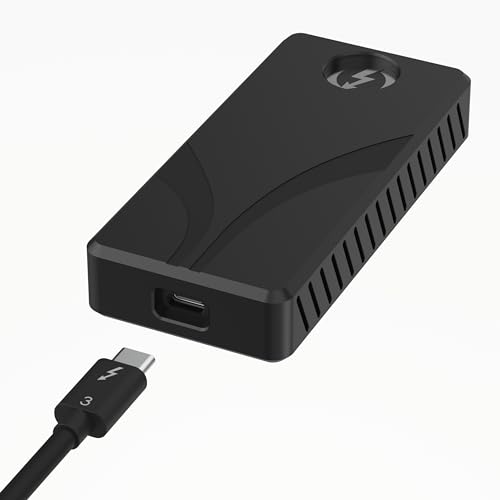
SABRENT Rocket XTRM Plus 2TB Thunderbolt 3 Portable SSD

The Sabrent Rocket XTRM Plus 2TB is a fantastic choice if you’re looking for a tried-and-true performer that balances speed and robust build quality. This drive leverages Thunderbolt 3 to deliver incredibly fast transfer rates, making it ideal for creative professionals who regularly deal with large files like 4K video footage or high-resolution images. Its durable aluminum casing not only protects your data but also aids in heat dissipation, ensuring sustained performance even during intensive tasks.
-
Key Features:
- Upgraded Thunderbolt 3/USB SSD for enhanced performance.
- Flexible High-Speed Performance: Up to 2,700 MB/s (Thunderbolt 3) or 900 MB/s (USB 3.2 Gen 2×1).
- Built with a rugged aluminum shell and a removable silicone sleeve for protection.
- Includes both Thunderbolt 3 and USB-A to USB-C cables for broad compatibility.
- Plug-and-play and bus-powered, no external power needed.
- Universal compatibility with Windows, macOS, and Linux.
-
Pros:
- Excellent speeds for demanding workflows like video editing.
- Robust, heat-dissipating aluminum design.
- Includes all necessary cables for versatile connectivity.
- Bus-powered convenience.
- Strong sustained performance for heavy loads.
-
Cons:
- Thunderbolt 3 is still incredibly fast, but not the very latest Thunderbolt 5.
- May be overkill for basic file storage needs.
-
User Impressions: Users frequently praise the XTRM Plus for its incredible speed and solid build quality, often noting how it significantly reduces transfer times for large media projects. Many appreciate the included cables, which simplify connectivity across various devices, and its ability to handle demanding tasks without throttling.
SABRENT Rocket XTRM 5 2TB Thunderbolt 5 Portable SSD

Future-proof your Mac setup with the Sabrent Rocket XTRM 5 2TB. This powerhouse is equipped with the latest Thunderbolt 5 technology, offering staggering transfer speeds that push the boundaries of portable storage. If you’re a professional dealing with 8K video, high-fidelity audio, or massive datasets, this drive is designed to keep up with — and even exceed — your demands. Its broad backward compatibility also means it’ll work seamlessly with your current and future Mac models.
-
Key Features:
- Ultra-Fast Thunderbolt 5 Performance: Up to 64Gbps transfer speeds (80Gbps connection).
- Broad backward compatibility with Thunderbolt 3, Thunderbolt 4, and USB4/USB 3.2.
- Rugged aluminum body for heat dissipation and durability, plus a silicone sleeve.
- Plug-and-play and bus-powered, with a premium Thunderbolt cable included.
- Reliable and future-proof storage for creators, professionals, and gamers.
-
Pros:
- Cutting-edge Thunderbolt 5 speeds for ultimate performance.
- Exceptional future-proofing for next-gen Macs.
- Extensive backward compatibility for versatility.
- Superior heat management and drop protection.
- Bus-powered design enhances portability.
-
Cons:
- Thunderbolt 5 devices are new, so few Macs currently support its full speed (though backward compatibility is excellent).
- Premium price point due to advanced technology.
-
User Impressions: Early adopters are thrilled with the XTRM 5’s blistering speeds, often calling it a game-changer for their workflows. They appreciate the solid build and the peace of mind that comes with knowing their storage is ready for future tech advancements. The backward compatibility is a big plus for users with older machines.
SABRENT 1TB Rocket Nano XTRM External SSD, USB 3.2 / Thunderbolt 3
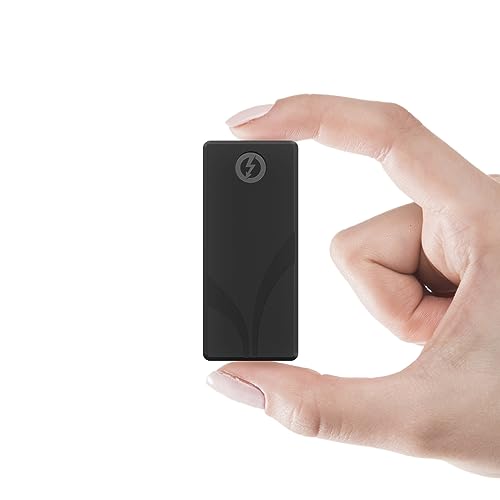
The Sabrent Rocket Nano XTRM is the epitome of portable power. This tiny titan packs a serious punch with Thunderbolt 3 speeds in an incredibly compact, pocket-friendly design. It’s perfect for users who need uncompromised speed on the go, whether you’re jumping between client sites, coffee shop edits, or just want a sleek, high-performance drive that won’t weigh you down. Its dual Thunderbolt/USB compatibility also makes it incredibly versatile.
-
Key Features:
- Thunderbolt 3 (40Gbps) for up to 2700MBps, and USB 3.2 Gen 2×1 (10Gbps) for up to 900MBps.
- Rugged portability: Small, solid aluminum body with optional silicone sleeve for durability.
- Plug-and-play, bus-powered, and no drivers required.
- Includes both Thunderbolt and USB-C to USB-A cables.
- Compatible with Windows and macOS systems.
-
Pros:
- Extremely compact and lightweight, ideal for travel.
- Blazing-fast Thunderbolt 3 speeds.
- Excellent backward compatibility with USB systems.
- Durable aluminum and silicone construction.
- All cables included for immediate use.
-
Cons:
- 1TB might be limiting for some users with massive storage needs.
- Thunderbolt 3 is great, but not Thunderbolt 5.
-
User Impressions: Reviewers consistently highlight the Nano XTRM’s perfect blend of portability and performance. They love how small it is while still delivering speeds comparable to larger drives, making it an essential tool for mobile workflows. The inclusion of both cable types is a commonly appreciated detail.
SABRENT Rocket XTRM 5 4TB Thunderbolt 5 Portable SSD
If the 2TB version of the Rocket XTRM 5 caught your eye, but you simply need more space, then the Sabrent Rocket XTRM 5 4TB is your answer. This model delivers all the bleeding-edge performance of Thunderbolt 5 with a generous 4TB capacity, making it an absolute beast for professionals who can’t compromise on either speed or storage. Think massive project archives, extensive media libraries, or dual-booting multiple operating systems – this drive can handle it all. It’s a true contender for the Sabrent best external SSD for Mac 2025 for high-end users.
-
Key Features:
- Ultra-Fast Thunderbolt 5 Performance: Up to 64Gbps transfer speeds (80Gbps connection).
- Broad backward compatibility with Thunderbolt 3, Thunderbolt 4, and USB4/USB 3.2.
- Rugged aluminum body for heat dissipation and durability, plus a silicone sleeve.
- Plug-and-play and bus-powered, with a premium Thunderbolt cable included.
- Reliable and future-proof storage for creators, professionals, and gamers.
-
Pros:
- Massive 4TB capacity combined with top-tier Thunderbolt 5 speed.
- Ultimate future-proofing for upcoming Macs.
- Exceptional backward compatibility ensures broad use.
- Superior heat management and robust protection.
- Bus-powered design maintains portability despite large capacity.
-
Cons:
- High initial investment due to advanced technology and capacity.
- Requires a Thunderbolt 5 port to achieve maximum speeds, which is still rare.
-
User Impressions: Users with high-demand storage needs are immensely satisfied with the 4TB XTRM 5, praising its ability to house vast amounts of data without sacrificing performance. The speed and future-readiness are frequently cited as key selling points, making it a valuable asset for long-term professional use.
SABRENT Rocket Nano Rugged 1TB USB 3.2 10Gb/s External SSD
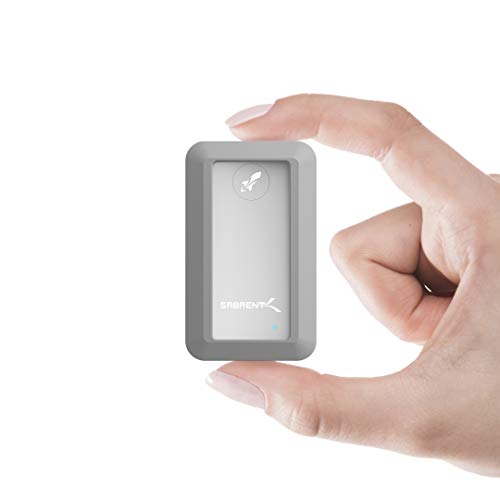
Adventure seekers and field professionals, take note! The Sabrent Rocket Nano Rugged 1TB is built to survive. This drive is IP67 water and dust resistant, meaning it can handle splashes, spills, and even a brief dunk in water. Coupled with its 1-meter drop protection, it’s an ideal choice for anyone needing reliable storage in challenging environments. Despite its tough exterior, it still offers excellent USB 3.2 Gen 2 (10Gbps) speeds, making it a versatile and dependable companion for any Mac.
-
Key Features:
- IP67 water resistance (1 meter for up to 30 minutes) and 1-meter drop tested.
- Compatible with Windows and Mac OS, supports Trim and UASP.
- Plug & Play, OS independent, and fully bus powered.
- Ultra-fast 10Gbps throughput (up to 1000MB/s).
- Ultra-slim aluminum alloy sandblasted shell for sleek durability.
- Perfect for data transfer, high-speed storage, and backup.
-
Pros:
- Exceptional water and dust resistance for extreme conditions.
- Robust drop protection for peace of mind.
- Good USB 3.2 Gen 2 speeds (1000MB/s).
- Compact and stylish design.
- Bus-powered and driverless operation.
-
Cons:
- USB 3.2 Gen 2 speeds are slower than Thunderbolt 3/5 options.
- 1TB capacity might be insufficient for very large projects.
-
User Impressions: Customers love the peace of mind the Rocket Nano Rugged provides. Its durability is a common highlight, with many users reporting it holding up well in various demanding scenarios. The balance of ruggedness, speed, and portability makes it a standout for those who work in less-than-pristine environments.
SABRENT 1TB Rocket Nano V2 External SSD – USB 3.2

The Sabrent Rocket Nano V2 1TB strikes a superb balance between performance, durability, and a sleek form factor. This refined portable SSD delivers sustained speeds of over 1500MB/s via USB 3.2 Gen 2×2, making it excellent for high-bitrate content, real-time 8K video recording, and rapid backups. Its anodized aluminum housing with a shock-absorbing silicone sleeve provides robust protection while keeping the drive cool. It’s a fantastic all-rounder for Mac users needing serious speed without the Thunderbolt price tag.
-
Key Features:
- Unrivaled Speed Performance: Over 1500 MB/s via USB 3.2 Gen 2×2.
- Rugged Yet Refined Design: Anodized aluminum housing and shock-absorbing silicone sleeve.
- Compact, travel-friendly design fits easily in a pocket.
- Dual-Cable Convenience: Includes USB-C to USB-C and USB-C to USB-A cables.
- Engineered for Longevity: High-endurance NAND flash with advanced wear leveling and health monitoring.
-
Pros:
- Impressive USB 3.2 Gen 2×2 speeds, nearing Thunderbolt 3 performance.
- Excellent build quality with enhanced drop and dust protection.
- Highly portable and travel-friendly.
- Comprehensive cable package for broad compatibility.
- Designed for long-term reliability.
-
Cons:
- Requires a USB 3.2 Gen 2×2 port on your Mac to achieve maximum speeds, which is less common than Gen 2×1 or Thunderbolt.
- Still slower than native Thunderbolt drives.
-
User Impressions: Users are consistently impressed by the V2’s speed, especially considering it’s a USB-based drive. They often mention its premium feel and robust build, noting that it’s a reliable workhorse for backing up large projects and editing directly from the drive. The inclusion of both types of USB cables is a definite plus.
Top Alternative: SanDisk 2TB Extreme Portable SSD

While this article focuses on the Sabrent best external SSD for Mac 2025, it’s worth mentioning a highly popular alternative: the SanDisk 2TB Extreme Portable SSD. SanDisk is a household name in storage, and their Extreme Portable SSD series is consistently praised for its blend of performance, ruggedness, and widespread compatibility. If you’re open to options beyond Sabrent, this drive offers excellent NVMe speeds and an incredibly durable design that makes it a favorite among photographers and videographers who work outdoors.
-
Key Features:
- NVMe solid state performance: Up to 1050MB/s read and 1000MB/s write speeds.
- Up to 3-meter drop protection and IP65 water and dust resistance.
- Handy carabiner loop for secure attachment.
- Password protection featuring 256-bit AES hardware encryption.
- SanDisk Memory Zone app for file management.
-
Pros:
- Excellent read/write speeds for a USB 3.2 Gen 2 drive.
- Outstanding durability with high drop and IP ratings.
- Hardware encryption adds a layer of security.
- Extremely portable and easy to secure.
- Reputable brand with strong user support.
-
Cons:
- Slower than Thunderbolt-enabled Sabrent drives.
- No Thunderbolt connectivity option.
-
User Impressions: The SanDisk Extreme Portable SSD consistently receives rave reviews for its reliability and tough design. Users, particularly those in creative fields, appreciate its ability to withstand elements while delivering consistent performance. The security features and the carabiner loop are frequently highlighted as thoughtful additions.
Your Mac Deserves the Best: Picking Your Perfect Sabrent SSD
Choosing the right external SSD for your Mac comes down to balancing your needs for speed, capacity, durability, and budget. If you’re constantly pushing the limits with 8K video or large data sets, a Thunderbolt 5 drive like the Sabrent Rocket XTRM 5 in either 2TB or 4TB is a stellar investment, truly embodying the spirit of the Sabrent best external SSD for Mac 2025. For a blend of high performance and proven Thunderbolt 3 reliability, the Rocket XTRM Plus or Rocket Nano XTRM are fantastic. And for those who need a rugged companion for their adventures, the Rocket Nano Rugged offers unmatched protection.
No matter which Sabrent drive you choose, you’re investing in a reliable, high-speed storage solution that will empower your Mac for years to come.
Frequently Asked Questions (FAQ)
Q1: Why do I need an external SSD for my Mac?
A1: External SSDs offer several key benefits for Mac users:
* Expand Storage: Macs, especially newer models, often have limited internal storage that can’t be upgraded. An external SSD provides a fast and convenient way to add more space.
* Boost Performance: Running demanding applications or editing large files (like 4K/8K video) directly from a fast external SSD can be quicker than using a slower internal drive or a traditional HDD.
* Portability: Take your important files, projects, or even a bootable macOS installation with you on a compact, high-speed drive.
* Backup & Archiving: Essential for safely backing up your data or archiving large projects without cluttering your main drive.
Q2: What’s the main difference between Thunderbolt and USB-C for external SSDs?
A2: While both use the same USB-C connector shape, Thunderbolt (especially Thunderbolt 3, 4, and 5) offers significantly higher bandwidth than standard USB-C (which typically refers to USB 3.2 Gen 1 or Gen 2).
* Thunderbolt 3/4: Up to 40Gbps (around 2,700 MB/s real-world).
* Thunderbolt 5: Up to 80Gbps (even higher real-world speeds).
* USB 3.2 Gen 2 (10Gbps): Up to 10Gbps (around 1,000 MB/s).
* USB 3.2 Gen 2×2 (20Gbps): Up to 20Gbps (around 2,000 MB/s).
Thunderbolt drives are generally faster and ideal for professionals, while high-speed USB-C drives offer excellent performance for most users at a lower cost.
Q3: How much storage capacity do I really need?
A3: This depends entirely on your usage:
* 1TB: Good for general use, photo editing, and storing a moderate amount of video.
* 2TB: A sweet spot for most professionals, offering ample space for larger video projects, extensive photo libraries, and multiple applications.
* 4TB+: Ideal for high-end video editors, designers working with massive files, or users who need to store vast amounts of data and future-proof their storage.
Q4: Are Sabrent SSDs compatible with older Macs, or just the newest M-series?
A4: Sabrent external SSDs are designed for broad compatibility. While newer M-series Macs benefit most from the fastest Thunderbolt 3/5 speeds, most Sabrent drives are also backward compatible. For example, a Thunderbolt 3 drive will work with older Intel Macs that have Thunderbolt 3 ports. Drives with USB 3.2 connectivity will work with virtually any Mac (and PC) that has a compatible USB-C or USB-A port, often with an included adapter cable.
Q5: Can I boot macOS from an external Sabrent SSD?
A5: Yes, you absolutely can! Installing macOS onto a fast external Sabrent SSD is a common practice, especially for M-series Macs where internal storage upgrades are impossible. It can often provide a faster and more responsive experience than the base internal drives in some older Mac models, and offers a convenient way to run a different macOS version or a clean system for testing.
Q6: How do I ensure I get maximum speed from my external Sabrent SSD?
A6: To achieve the advertised maximum speeds:
* Matching Ports: Ensure your Mac has a matching port (e.g., a Thunderbolt 3 drive needs a Thunderbolt 3 port on your Mac).
* Quality Cables: Always use the high-quality cables provided with the Sabrent drive, or certified third-party cables.
* Direct Connection: Connect the drive directly to your Mac, not through a hub or adapter unless it’s a high-quality, powered Thunderbolt hub.
* File Type & Size: Many small files transfer slower than one large file of the same total size.
* Mac Performance: Your Mac’s CPU, RAM, and internal drive speed can also affect overall transfer performance.
Q7: What does “bus-powered” mean for an external SSD?
A7: “Bus-powered” means the external SSD draws all the necessary power directly from the Mac’s USB-C or Thunderbolt port, without needing a separate power adapter. This significantly increases portability and reduces cable clutter, making the drive easier to use on the go. All the Sabrent drives reviewed here are bus-powered.