
Are you tired of sluggish load times, slow file transfers, and games that take ages to launch on your gaming laptop? If so, it might be time for an upgrade, and an M.2 NVMe SSD is precisely what your rig needs! These tiny, mighty storage devices are the heart of a fast gaming experience, offering incredible speed that traditional hard drives (HDDs) or even older SATA SSDs just can’t match.
Picking the best M.2 NVMe SSD for gaming laptop can feel a bit overwhelming with so many options out there. But don’t sweat it! We’ve done the heavy lifting for you, diving deep into the world of high-speed storage to bring you our top picks. We’ll explore a range of drives, from blazing-fast PCIe Gen4 monsters to highly efficient Gen3 options, all designed to give your gaming laptop the performance boost it deserves. Get ready for quicker boot-ups, seamless game loading, and a genuinely snappier system!
Here’s our breakdown of the top M.2 NVMe SSDs that will transform your gaming experience:
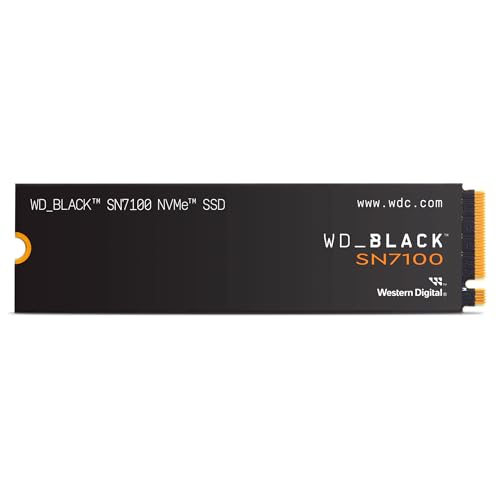
1. WD_BLACK 1TB SN7100 NVMe Internal Gaming SSD

The WD_BLACK SN7100 is an excellent choice for gamers who want a solid performance upgrade without breaking the bank. This Gen4 drive strikes a fantastic balance between speed and efficiency, making it particularly well-suited for gaming laptops where power consumption and heat can be concerns. It’s built to deliver a noticeable improvement in game load times and overall system responsiveness, ensuring your laptop keeps up with your gaming sessions.
Key Features:
– Experience speeds up to 7,250MB/s read and 6,900MB/s write (1-2TB models)
– Up to 35% faster performance than previous drives
– Designed for serious gamers with a PCIe Gen4 interface and TLC 3D NAND
– Available in capacities up to 4TB
– Built with laptops and handheld gaming devices in mind, with up to 100% more power efficiency over the previous generation
– Up to 2,400TBW (4TB model) endurance
Pros:
– Excellent balance of speed and power efficiency, ideal for laptops
– Strong performance gains over older generations
– High endurance for long-term use
– Good range of capacities available
Cons:
– Not the absolute fastest Gen4 drive on the market, but still very fast
User Impressions:
Users frequently praise the SN7100 for its reliability and noticeable speed boost. Many laptop owners highlight its cool operation and energy efficiency as major benefits, making it a popular choice for gaming upgrades.
2. WD_BLACK 2TB SN850X NVMe Internal Gaming SSD

If you’re a hardcore gamer who demands the absolute best, the WD_BLACK SN850X is your ultimate weapon. This NVMe SSD is engineered for peak performance, offering ridiculously fast speeds that slash load times in the most demanding games. With its optional heatsink version (check compatibility for your laptop), it’s designed to maintain optimal performance even during intense, prolonged gaming sessions. This truly is a top contender for the best M.2 NVMe SSD for gaming laptop if raw speed is your priority.
Key Features:
– Insane speeds up to 7,300 MB/s
– Capacities up to 8TB built with Western Digital TLC 3D NAND
– Optional heatsink version to help maintain peak performance
– Downloadable WD_BLACK Dashboard (Windows only) for monitoring, RGB customization (heatsink versions), and Game Mode 2.0
– Future-forward features including Predictive Loading, Overhead Balancing, and Adaptive Thermal Management (ATM)
Pros:
– Blazing-fast sequential and random speeds
– Massive storage capacities available
– Heatsink option for superior thermal management (check laptop space)
– Gaming-specific features like Game Mode 2.0 and Predictive Loading
Cons:
– Premium price tag
– Heatsink version may not fit all ultra-thin laptops
User Impressions:
Gamers consistently rave about the SN850X’s ability to virtually eliminate loading screens. Its speed and reliability make it a favorite for high-end gaming builds, with many noting how it transforms their overall system responsiveness.
3. Samsung 980 SSD 1TB PCIe 3.0×4, NVMe M.2 2280

While it’s a PCIe Gen3 drive, the Samsung 980 SSD still offers an impressive performance jump over older storage solutions and is a fantastic value proposition. If your laptop doesn’t support PCIe Gen4 or you’re looking for a cost-effective yet powerful upgrade, this drive delivers. It’s built with Samsung’s renowned reliability and features a “Full Power Mode” to ensure consistent high performance during intense gaming or heavy graphic workflows.
Key Features:
– Impressive NVMe speed with PCIe 3.0×4 interface
– 3,500MB/s Sequential Reads, 3,000MB/s Sequential Writes
– “Full Power Mode” for continuous and consistent high performance
– Up to 600 TBW endurance and optimized reliability
– AES 256-bit Full Disk Encryption, TCG/Opal V2.0
Pros:
– Excellent performance for a PCIe Gen3 drive
– Great value for the speed and reliability offered
– Samsung’s trusted brand quality and endurance
– Good for general use and gaming alike
Cons:
– PCIe Gen3 speeds are slower than newer Gen4 drives
User Impressions:
Customers find the Samsung 980 to be a significant upgrade from SATA SSDs, praising its snappy performance for daily tasks and gaming. Its reliability and affordability make it a popular choice for mainstream users.
4. Crucial T500 1TB Gen4 NVMe M.2 Internal Gaming SSD

The Crucial T500 is another stellar Gen4 contender, specifically designed to supercharge your gaming and content creation tasks. It boasts lightning-fast speeds that not only load games up to 16% faster but also improve texture rendering and reduce CPU utilization thanks to Microsoft DirectStorage compatibility. For gamers and creatives alike, this SSD offers a tangible performance boost in critical areas.
Key Features:
– Lightning speeds with sequential reads/writes up to 7,300/6,800MB/s
– Random read/writes up to 1.15M/1.44M IOPs
– Compatible and easy to install in M.2 slots for laptops, desktops, or workstations
– Loads games up to 16% faster and gets faster texture renders with DirectStorage
– Up to 42% faster performance in content creation apps
– Includes one month of Adobe Creative Cloud All-Apps plan
Pros:
– Extremely high Gen4 speeds perfect for demanding games
– Optimized for Microsoft DirectStorage, improving gaming performance
– Excellent for content creation workloads
– Simple installation process
Cons:
– No integrated heatsink on this model (though often not needed for 1TB in laptops, or can be added separately)
User Impressions:
Users frequently comment on the “snappiness” the T500 brings to their systems, noting dramatically faster game loads and smoother application performance. Its compatibility with DirectStorage is a big plus for future-proofing.
5. Predator M.2 SSD 2TB GM7000 with DRAM Cache NVMe 1.4

Don’t let the “Predator” name fool you into thinking it’s just for Acer systems – the GM7000 is a powerhouse NVMe SSD compatible with any system supporting M.2 NVMe. This drive stands out with its top-tier PCIe Gen4 speeds and a custom-designed heat spreader that ensures efficient heat dissipation, keeping performance consistent even under heavy loads. The inclusion of Acronis Clone Software is a nice bonus, making data migration a breeze.
Key Features:
– PCIe Gen4 standard with impressive sequential read speeds up to 7400 MB/s and write speeds up to 6700 MB/s
– Customized heat spreader designed to enhance heat dissipation
– Integrated PMU (Power Management Unit) optimizes energy efficiency
– Free Acronis True Image clone software included for easy data transfer
– Robust 5-year limited warranty, covering up to 1300TBW
– Built with 3D NAND TLC and DRAM cache for reliability and endurance
Pros:
– Among the fastest Gen4 drives available
– Excellent thermal design helps maintain performance
– Energy-efficient operation, good for laptop battery life
– Included cloning software is very helpful
– Strong warranty and endurance
Cons:
– Predator brand might be less familiar to some users compared to mainstream SSD brands
User Impressions:
Customers are highly impressed by the GM7000’s raw speed and the benefits of its efficient heat management, especially during extended gaming sessions. The bundled Acronis software is also a widely appreciated addition.
6. Samsung 980 PRO SSD 2TB PCIe NVMe Gen 4 Gaming
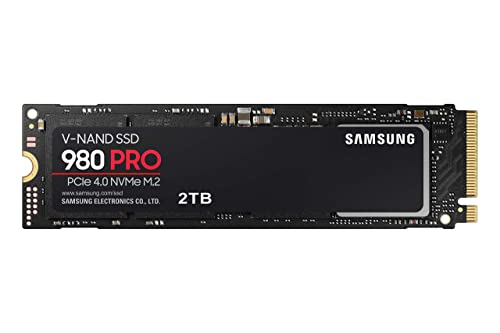
The Samsung 980 PRO is a legendary name in the NVMe SSD world, and for good reason. As a premier PCIe Gen4 drive, it delivers next-level performance that pushes the boundaries of what SSDs can do. Designed for hardcore gamers, professional content creators, and tech-savvy users, the 980 PRO offers immense bandwidth and throughput for the most demanding applications. It’s compact, incredibly efficient, and built with Samsung’s industry-leading thermal control for stable, lasting performance, making it a strong contender for the best M.2 NVMe SSD for gaming laptop for enthusiasts.
Key Features:
– Next-level SSD performance with PCIe 4.0 NVMe SSD
– Read speeds up to 7,000 MB/s
– Powered by a new Elpsis controller for superior speed
– 2x faster than PCIe 3.0 SSDs and 12x faster than Samsung SATA SSDs
– Optimized for heavy-duty applications in gaming, graphics, data analytics
– Compact M.2 2280 form factor
– Reliable thermal control using nickel coating and a heat spreader label
Pros:
– Elite-tier Gen4 performance
– Unmatched Samsung reliability and quality
– Excellent for gaming and professional workloads
– Superior thermal management for sustained performance
Cons:
– One of the more expensive options on the market
User Impressions:
The 980 PRO receives near-universal acclaim for its unparalleled speed and consistent performance. Users often report a dramatic improvement in system responsiveness and game load times, cementing its reputation as a top-tier choice.
7. Crucial P310 500GB 2280 PCIe Gen4 3D NAND NVMe M.2

The Crucial P310 offers an accessible entry point into the world of Gen4 NVMe performance. While not aiming for the absolute top speeds of its Gen4 peers, it provides a significant upgrade over Gen3 drives and offers remarkable value. It’s particularly appealing for laptop users due to its exceptional power efficiency, delivering impressive performance-to-power ratio. If you’re looking for a solid upgrade that boosts boot-ups, game loads, and overall productivity without breaking the bank, the P310 is a fantastic choice.
Key Features:
– Gen4 performance at up to 6,600MB/s
– Speed up bootups, file transfers, and game loads
– Increase device’s capacity and lifecycle
– Nearly 20% faster performance in bootups and gameplay
– Up to 20% faster performance in real-world tasks compared to other Gen4 SSDs
– Provides up to 40% better performance-to-power ratio than previous Gen4 SSDs
Pros:
– Good Gen4 speeds for its price point
– Excellent power efficiency, extending laptop battery life
– Noticeable improvements in everyday use and gaming
– Great value proposition
Cons:
– Not the fastest Gen4 drive compared to premium options
– Lower capacities like 500GB might be limiting for large game libraries
User Impressions:
Many users commend the P310 for its impressive performance given its price point. Its energy efficiency is a frequently highlighted benefit for laptop users, who appreciate the balance of speed and extended battery life.
Conclusion
Choosing the best M.2 NVMe SSD for gaming laptop really boils down to your specific needs, budget, and what your laptop can support. If you’re chasing the absolute fastest load times and your laptop has a PCIe Gen4 slot, drives like the WD_BLACK SN850X, Samsung 980 PRO, Crucial T500, or Predator GM7000 are king. For a great balance of performance and efficiency, especially in laptops, the WD_BLACK SN7100 or Crucial P310 are solid picks. And if you’re on a tighter budget or have a Gen3-only laptop, the Samsung 980 SSD still offers a massive improvement over older storage.
No matter which one you choose, upgrading to an M.2 NVMe SSD is one of the most impactful improvements you can make to your gaming laptop. Get ready to game faster and smoother!
FAQ Section
Q1: What is an M.2 NVMe SSD?
A1: An M.2 NVMe SSD (Non-Volatile Memory Express Solid State Drive) is a type of high-performance storage device. “M.2” refers to its small, rectangular form factor, which plugs directly into a compatible slot on your motherboard. “NVMe” is the communication protocol it uses, allowing it to communicate directly with your system’s CPU over the PCIe (Peripheral Component Interconnect Express) bus, leading to significantly faster data transfer speeds compared to older SATA-based SSDs.
Q2: Why is an NVMe SSD better for gaming laptops than a SATA SSD?
A2: NVMe SSDs are vastly superior to SATA SSDs for gaming because of their speed. SATA SSDs are limited to theoretical speeds of around 600 MB/s, whereas NVMe SSDs can reach speeds of over 7,000 MB/s (for PCIe Gen4). This translates to much faster game loading, quicker boot times, snappier application launches, and smoother in-game asset streaming, all of which contribute to a better gaming experience.
Q3: What’s the difference between PCIe Gen3 and Gen4 NVMe SSDs?
A3: PCIe Gen3 and Gen4 refer to different generations of the PCIe interface, which defines the maximum bandwidth available. PCIe Gen4 doubles the bandwidth of Gen3, meaning Gen4 NVMe SSDs can achieve significantly higher read and write speeds (e.g., 7000 MB/s vs. 3500 MB/s). For gaming, Gen4 can offer noticeable improvements in game load times, especially with titles optimized for technologies like Microsoft DirectStorage. However, your laptop must have a PCIe Gen4 compatible M.2 slot to take advantage of Gen4 speeds. Gen4 drives are backward compatible with Gen3 slots but will operate at Gen3 speeds.
Q4: Do I need a heatsink for my gaming laptop NVMe SSD?
A4: Generally, for an NVMe SSD in a gaming laptop, a heatsink isn’t strictly necessary for most users under typical gaming loads, as laptops often have limited space for them. However, for prolonged, intense gaming sessions or heavy data transfers, NVMe SSDs, especially high-performance Gen4 drives, can generate heat. Some high-end laptops have built-in thermal pads for M.2 slots. If your laptop’s cooling system is robust and the drive is not constantly throttled, you might be fine. If you notice performance drops during long sessions, an SSD with good built-in thermal management (like the Samsung 980 PRO or Predator GM7000) is a better solution than trying to fit an aftermarket heatsink in a tight laptop chassis.
Q5: How much storage capacity do I need for gaming?
A5: For a gaming laptop, 1TB is generally considered the sweet spot for an NVMe SSD. This allows you to install Windows, several AAA games, and essential applications without constantly managing space. If you play many large games or also use your laptop for content creation, 2TB would be ideal. 500GB is viable for lighter gaming or as a boot drive with a secondary storage solution.
Q6: Is it hard to install an NVMe SSD in a gaming laptop?
A6: For most modern gaming laptops, installing an M.2 NVMe SSD is relatively straightforward. It usually involves opening the laptop’s bottom panel, locating the M.2 slot, inserting the SSD, and securing it with a small screw. You might need to transfer your operating system or perform a fresh install afterward. It’s always best to consult your laptop’s specific user manual or look up a YouTube tutorial for your exact model before attempting the installation.
Q7: Will an M.2 NVMe SSD improve my laptop’s battery life?
A7: Compared to traditional spinning HDDs, NVMe SSDs are much more power-efficient, leading to better battery life. When comparing between SSDs, some NVMe drives are designed with even greater power efficiency (like the WD_BLACK SN7100 or Crucial P310). While the improvement might not be dramatic for continuous heavy gaming (which primarily draws power for the CPU and GPU), for light usage and general computing tasks, you might notice a slight extension in battery longevity.