
Are you tired of sluggish load times, slow file transfers, and games that take ages to launch? If you’re looking to give your PC a serious performance upgrade, investing in one of the best 2TB NVMe SSDs is a fantastic move. These tiny powerhouses offer a massive leap in speed compared to traditional SATA SSDs and hard drives, making your entire system feel snappier and more responsive.
A 2TB NVMe SSD provides the perfect sweet spot for many users: ample space for your operating system, a vast game library, large creative files, and all your essential applications, all while delivering lightning-fast data access. Whether you’re a hardcore gamer, a video editor, or just someone who craves a faster computing experience, a top-tier 2TB NVMe solid-state drive is an essential component for modern PCs.
In this guide, we’ve rounded up and reviewed some of the top contenders on the market to help you pick the perfect one for your needs. Let’s dive in!
Why Upgrade to a 2TB NVMe SSD?
- Blazing Fast Speeds: NVMe (Non-Volatile Memory Express) SSDs connect directly to your motherboard via the PCIe interface, offering significantly higher read and write speeds than older SATA SSDs. This means faster boot times, quicker application launches, and near-instant file transfers.
- Ample Storage: A 2TB capacity provides plenty of room for Windows, multiple AAA games (which can easily take up 100GB+ each!), large software suites, and extensive media libraries without constantly worrying about running out of space.
- Compact Form Factor: NVMe drives come in the M.2 form factor, which is tiny – about the size of a stick of gum. This makes them ideal for sleek PC builds, laptops, and even some handheld gaming devices.
- Improved Responsiveness: Beyond just raw speed, an NVMe SSD dramatically improves your system’s overall responsiveness, making multitasking smoother and reducing frustrating delays.
Our Top Picks for the Best 2TB NVMe SSDs
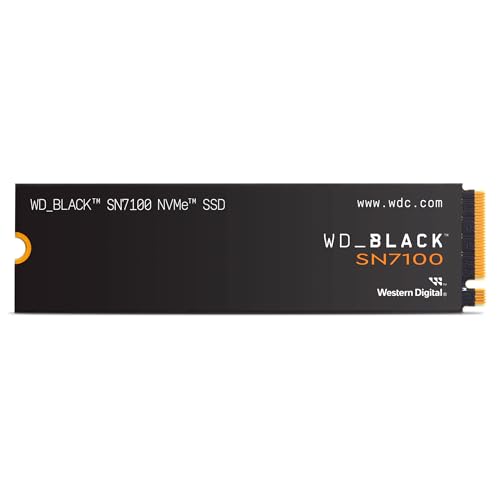
WD_BLACK 2TB SN7100 NVMe Internal Gaming SSD

The WD_BLACK SN7100 is purpose-built for serious on-the-go gamers and desktop warriors alike, offering a potent blend of speed and power efficiency. It’s an excellent choice if you’re upgrading a gaming laptop or building a high-performance desktop, delivering speeds that keep up with demanding titles and large file transfers without breaking a sweat. It’s designed to give you more game time and less load time.
Key Features:
– Speeds up to 7,250MB/s read and 6,900MB/s write (1-2TB models)
– PCIe Gen4 interface with Western Digital’s next-gen TLC 3D NAND
– Up to 100% more power efficiency over the previous generation
– Compatible with WD_BLACK Dashboard (Windows only) for optimization
– High endurance for gameplay streaming and content creation
Pros:
– Exceptional speeds perfect for gaming and heavy use
– Excellent power efficiency, ideal for laptops
– High endurance rating for demanding tasks
– Reliable Western Digital brand quality
Cons:
– WD_BLACK Dashboard is Windows-only
– Not the absolute top speed of some competitors, but still very fast
User Impressions:
Users frequently praise the SN7100 for its noticeable speed boost in games and applications, especially appreciating its power efficiency for laptop use. Many report seamless installation and immediate performance improvements.
Call-to-Action:
See it on Amazon here
Samsung 990 PRO SSD NVMe M.2 PCIe Gen4

The Samsung 990 PRO is a flagship drive that truly pushes the limits of PCIe Gen4 performance. Designed for hardcore gamers, tech enthusiasts, and professional creators, this SSD delivers blistering speeds and robust power efficiency, making it the perfect “cheat code” for any system demanding the absolute best. If you want a top-tier best 2tb ssd nvme that can handle anything you throw at it, this is a prime contender.
Key Features:
– Near max PCIe 4.0 performance with read/write speeds up to 7450/6900 MB/s
– Over 55% improvement in random performance compared to 980 PRO
– Available in capacities from 1TB to 4TB
– Up to 50% improved performance per watt over the 980 PRO
– Optimized for gaming, video editing, and data analysis
Pros:
– One of the fastest consumer Gen4 SSDs available
– Excellent power efficiency, reducing heat and power draw
– Unmatched random performance for demanding workloads
– Trusted Samsung reliability and brand reputation
Cons:
– Premium price point
– May require a heatsink for sustained heavy loads
User Impressions:
Customers consistently rate the 990 PRO highly for its unparalleled speed and responsiveness. Many note significant reductions in loading times for games and large applications, affirming its status as a top-tier choice for performance.
Call-to-Action:
See it on Amazon here
Crucial P3 Plus 2TB PCIe Gen4 3D NAND NVMe M.2

The Crucial P3 Plus offers a compelling entry point into PCIe Gen4 speeds without breaking the bank. It provides a significant upgrade over Gen3 NVMe drives, making it an excellent choice for mainstream users, gamers on a budget, and those building new systems or upgrading older ones. It strikes a great balance between performance, capacity, and affordability.
Key Features:
– NVMe (PCIe Gen4 x4) technology with up to 5000MB/s sequential reads
– Random read/write up to 680K/850K IOPS
– Spacious storage up to 4TB
– Performs up to 43% faster than the fastest Gen3 NVMe SSDs
– Rated at MTTF greater than 1.5 million hours for extended longevity
– Backward compatible with Gen3 systems
Pros:
– More affordable Gen4 option
– Noticeably faster than Gen3 SSDs
– High reliability and longevity
– Good for general use, gaming, and business applications
Cons:
– Slower than high-end Gen4 drives like Samsung 990 Pro or WD SN850X
– Less suitable for extreme, sustained workloads
User Impressions:
Users appreciate the P3 Plus for its cost-effectiveness and noticeable speed improvement over older drives. It’s frequently recommended for everyday computing and casual gaming where top-tier speeds aren’t strictly necessary.
Call-to-Action:
See it on Amazon here
WD_BLACK 2TB SN850X NVMe Internal Gaming SSD

For the ultimate gaming performance, the WD_BLACK SN850X stands out. This drive is built to transform your PC with ridiculously short load times and insane speeds, making it a dream come true for competitive gamers and workstation users alike. With features like Predictive Loading and an optional heatsink, it’s designed for sustained, peak performance during your most intense sessions.
Key Features:
– Insane speeds up to 7,300 MB/s read
– Capacities up to 8TB
– Optional heatsink version available for all capacities
– Downloadable WD_BLACK Dashboard with Game Mode 2.0
– Future-forward features like Predictive Loading and Adaptive Thermal Management (ATM)
Pros:
– Extremely high speeds for gaming and demanding applications
– Optional heatsink helps maintain performance under heavy load
– Massive capacities available, reducing need to delete games
– Game Mode 2.0 optimizes performance for gaming
Cons:
– Higher price point, especially with the heatsink
– Heatsink version might not fit all laptop or console slots
User Impressions:
Reviewers rave about the SN850X’s ability to nearly eliminate loading screens in games and its robust performance in data-heavy tasks. The optional heatsink is a big plus for those concerned about thermal throttling during long gaming sessions.
Call-to-Action:
See it on Amazon here
Silicon Power 2TB NVMe M.2 PCIe Gen3x4 2280 SSD

If you’re on a tighter budget but still want the benefits of an NVMe SSD, the Silicon Power 2TB PCIe Gen3x4 drive is a solid, reliable choice. While it operates on the Gen3 standard, it still offers a significant speed upgrade over traditional SATA drives, making it perfect for general computing, older motherboards, and users who prioritize value without sacrificing too much performance.
Key Features:
– PCIe Gen 3×4 interface with read speeds up to 2,200MB/s and write speeds up to 1,600MB/s
– High TBW (Total Bytes Written) of 1200 for longevity
– Requires an M.2 connector with an M key on the system
– Responsive U.S. Tech Support for troubleshooting
– Good for general use and everyday tasks
Pros:
– Very budget-friendly price point for a 2TB NVMe
– Decent speeds for a Gen3 drive, much faster than SATA
– High endurance rating for reliability
– Dedicated U.S. tech support
Cons:
– Gen3 speeds are significantly slower than Gen4 drives
– More basic features compared to premium brands
User Impressions:
Many users choose this drive for its excellent price-to-performance ratio, finding it perfectly adequate for everyday computing, general gaming, and as an affordable storage expansion. The responsive tech support is also a highlight for those who need assistance.
Call-to-Action:
See it on Amazon here
Samsung 990 EVO Plus SSD 2TB

The Samsung 990 EVO Plus is an interesting bridge between current and future technologies, offering strong PCIe Gen4 performance with limited PCIe 5.0 compatibility. It’s a versatile drive that delivers fast read/write speeds, excellent thermal control, and is backed by Samsung’s reliable Magician Software, making it a great all-rounder for various tasks.
Key Features:
– Sequential read/write speeds up to 7,250/6,300MB/s
– Enhanced large-file performance with Intelligent TurboWrite 2.0
– Exceptional thermal control via an efficiency-boosting nickel-coated controller
– Compatible with PCIe 4.0 x4 and PCIe 5.0 x2 for future-proofing
– Magician Software for firmware updates and drive health monitoring
Pros:
– Good Gen4 speeds with some Gen5 compatibility
– Excellent thermal management, staying cool under load
– Reliable Samsung build quality and software support
– Suitable for a wide range of tasks from gaming to professional use
Cons:
– PCIe 5.0 compatibility is limited to x2, not full x4
– Performance isn’t quite at the level of the 990 PRO
User Impressions:
Users find the 990 EVO Plus to be a reliable and speedy performer for their daily tasks and gaming. The efficient thermal design is frequently mentioned, ensuring stable performance without throttling concerns.
Call-to-Action:
See it on Amazon here
Silicon Power 2TB UD90 NVMe 4.0 Gen4 PCIe M.2 SSD

The Silicon Power UD90 is another strong contender for the best 2TB NVMe SSD if you’re looking for a budget-friendly Gen4 option that prioritizes data integrity. It offers improved bandwidth and speeds over Gen3 drives, along with robust data protection features, making it a reliable choice for everyday users and those who value data security.
Key Features:
– PCIe 4.0 Gen4 interface with nearly double the bandwidth of PCIe 3.0
– Supports SLC Caching for improved sequential and random performance
– Low Density Parity Check (LDPC) coding for data accuracy
– Supports RAID and built-in E2E data protection
– Comes with a 5-year limited warranty
Pros:
– Affordable Gen4 NVMe SSD
– Excellent data integrity and protection features (LDPC, RAID, E2E)
– Good bandwidth for faster downloads and file transfers
– Solid 5-year warranty for peace of mind
Cons:
– Not the fastest Gen4 drive on the market
– Silicon Power is less recognized than major brands
User Impressions:
Customers often highlight the UD90’s great value for a Gen4 drive and its robust data protection features. It’s seen as a reliable workhorse for everyday computing and gaming where top-tier speeds are not the only consideration.
Call-to-Action:
See it on Amazon here
Understanding the Specs: A Quick Buying Guide
When picking your new 2TB NVMe SSD, keep these factors in mind:
- PCIe Generation (Gen3 vs. Gen4 vs. Gen5): Gen4 offers significantly higher speeds than Gen3. Gen5 is the latest but still very new and expensive. For most users, Gen4 is the sweet spot. Make sure your motherboard supports the generation you choose!
- Read/Write Speeds: Higher numbers mean faster performance. Look for sequential read/write speeds, but also consider random IOPS for general responsiveness.
- Endurance (TBW): Total Bytes Written indicates how much data can be written to the drive over its lifetime. Higher TBW means longer durability. For a 2TB drive, anything above 600-1000 TBW is generally excellent for typical use.
- Heatsink: High-performance NVMe SSDs can get hot under sustained load, potentially leading to thermal throttling (slower speeds). Some drives come with a heatsink, or you can buy one separately. It’s often recommended for Gen4 drives, especially in gaming rigs.
- Brand Reputation: Stick with reputable brands like Samsung, Western Digital, Crucial, and Silicon Power, which offer good warranties and customer support.
Conclusion
Upgrading to one of the best 2TB NVMe SSDs is one of the most impactful improvements you can make to your computer. The boost in speed and overall responsiveness is immediately noticeable, making everything from booting up your system to loading the latest games a breeze.
Whether you prioritize raw speed like the Samsung 990 PRO or WD_BLACK SN850X, value for money with the Crucial P3 Plus or Silicon Power UD90, or power efficiency with the WD_BLACK SN7100, there’s a perfect 2TB NVMe solid-state drive out there for your setup. Carefully consider your budget, usage needs, and motherboard compatibility, and you’ll be enjoying blazing-fast performance in no time!
Frequently Asked Questions (FAQ)
Q1: What is the difference between an NVMe SSD and a SATA SSD?
A1: The main difference lies in their interface and speed. SATA SSDs connect via the SATA interface, which has a theoretical speed limit of around 600 MB/s. NVMe SSDs connect directly to the motherboard via the PCIe interface, offering significantly higher speeds, often reaching thousands of MB/s, because they can use more data lanes.
Q2: Do I need a PCIe Gen4 NVMe SSD, or is Gen3 enough?
A2: If your motherboard supports PCIe Gen4 (most modern motherboards do), a Gen4 NVMe SSD will offer substantially faster speeds, especially noticeable in large file transfers, game loading, and demanding applications. However, if your motherboard only supports Gen3, or if you’re on a tighter budget and primarily do light computing, a Gen3 NVMe SSD still offers a massive performance upgrade over traditional hard drives and even SATA SSDs.
Q3: How do I install an NVMe SSD?
A3: Installing an NVMe SSD is generally straightforward. You’ll need an M.2 slot on your motherboard. Simply insert the NVMe drive into the M.2 slot, secure it with a small screw, and then initialize it in your operating system’s Disk Management utility. Many motherboards have multiple M.2 slots.
Q4: Is 2TB enough storage for gaming and general use?
A4: For most users, 2TB is a generous amount of storage. It’s typically ample for your operating system, several large AAA games (which can be 100GB+ each), extensive software suites, and plenty of personal documents and media files. If you have an exceptionally massive game library or handle extremely large video files professionally, you might consider a secondary drive or a 4TB NVMe SSD.
Q5: What is TBW (Total Bytes Written) and why is it important for SSDs?
A5: TBW stands for Total Bytes Written. It’s a measure of an SSD’s endurance, indicating the total amount of data that can be written to the drive over its lifespan before its warranty expires or it might start to fail. A higher TBW rating suggests greater durability. For typical consumer use, even a lower TBW (e.g., 600 TBW for a 1TB drive) is usually more than enough for many years of use.
Q6: Will an NVMe SSD improve my gaming performance?
A6: Yes, an NVMe SSD will significantly improve gaming performance by drastically reducing game loading times, texture pop-in, and level transitions. While it won’t directly increase your in-game frame rates (that’s more dependent on your CPU and GPU), it will make the overall gaming experience much smoother and more enjoyable by minimizing waiting times.
Q7: Do NVMe SSDs need heatsinks?
A7: High-performance NVMe SSDs, particularly PCIe Gen4 and Gen5 drives, can generate a significant amount of heat during sustained heavy workloads (like large file transfers or intense gaming sessions). This heat can lead to “thermal throttling,” where the drive slows down to prevent overheating. A heatsink helps dissipate this heat, allowing the SSD to maintain peak performance for longer periods. While not always strictly necessary for light use, it’s highly recommended for demanding users or if your PC case has limited airflow.