
Running out of space on your Xbox Series X can be a real headache, especially with today’s massive game file sizes. You download a new title, and suddenly, you’re faced with the dreaded “storage full” message. Nobody wants to spend precious gaming time deleting games just to make room for new ones. That’s where an external storage solution comes in handy.
While many external drives can store your games, not all are created equal when it comes to the Xbox Series X. For true next-gen performance, you need a drive that can keep up with the console’s incredible speed, especially when it comes to playing optimized Series X|S games. That’s why finding the best external SSD for Xbox Series X is crucial for a seamless gaming experience.
In this guide, we’re diving deep into some of the top options available, helping you pick the perfect storage expansion that keeps you in the game, not in the storage menu. We’ll explore officially licensed SSDs and other high-capacity solutions to ensure you make the right choice for your gaming needs.
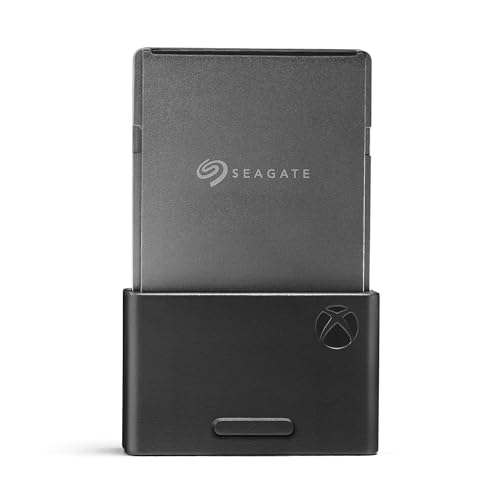
1. Seagate Storage Expansion Card 2TB Solid State Drive

If you’re looking for the ultimate seamless experience, the Seagate Storage Expansion Card is truly designed with the Xbox Series X in mind. It’s the only 2TB expansion card available that integrates directly with the Xbox Velocity Architecture, meaning you can play all your Xbox Series X|S optimized games directly from the card without any performance compromise. Think of it as simply adding more of your console’s internal storage, but in a convenient, plug-and-play format. This officially licensed SSD ensures you never have to sacrifice graphics, latency, or load times.
-
Key Features:
- Designed in partnership with Xbox for seamless gameplay
- Highest capacity 2TB expansion card available
- Leverages official Xbox Velocity Architecture for optimal performance
- Allows direct play of Xbox Series X|S optimized games
- 3-year warranty for peace of mind
-
Pros:
- True plug-and-play functionality, no setup required
- Identical performance to the internal SSD
- Compact and discreet design
- Official Xbox licensing guarantees compatibility and quality
- Massive 2TB capacity for a huge game library
-
Cons:
- Premium price point due to proprietary technology
-
User Impressions: Users consistently praise its effortless installation and the fact that games load and perform exactly as if they were on the internal drive. The convenience of not having to transfer games back and forth is a huge plus, making it a favorite for serious gamers.
2. Seagate Expansion Card for Xbox Series X/S, 1TB Solid State Drive
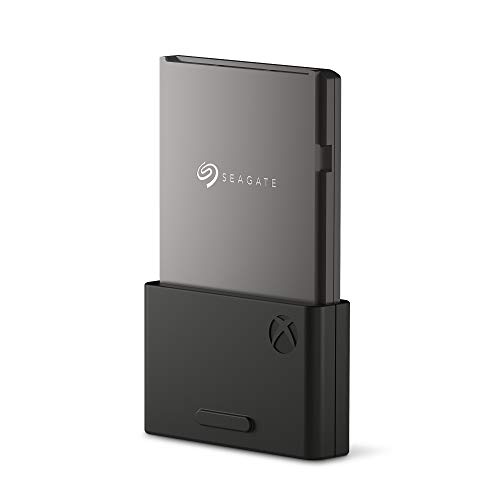
Just like its 2TB sibling, the 1TB Seagate Expansion Card delivers the same lightning-fast, officially licensed performance for your Xbox Series X. This option is perfect if you need significant storage but don’t quite need the top-tier 2TB capacity. It plugs directly into the dedicated expansion port, instantly boosting your console’s storage with an SSD that performs identically to the internal drive. This means all your Series X|S optimized games will run flawlessly, maintaining their stunning graphics, minimal load times, and smooth framerates.
-
Key Features:
- Seamless gameplay experience, identical to internal SSD
- Official Xbox Velocity Architecture integration
- Allows direct play of Xbox Series X|S optimized games
- Convenient 1TB storage expansion
- Backed by a 3-year warranty
-
Pros:
- Instant storage upgrade with zero performance loss
- Officially licensed, guaranteeing full compatibility
- Ideal for current-gen game storage
- Easy plug-and-play setup
- More affordable than the 2TB version
-
Cons:
- Still a premium price compared to generic external SSDs
- 1TB might still fill up quickly for avid gamers
-
User Impressions: Many gamers find the 1TB model to be the perfect balance of capacity and cost. They appreciate the simplicity of use and the fact that there’s no noticeable difference in game performance, making it a truly essential accessory for their Xbox Series X.
3. WD_Black 1TB C50 Storage Expansion Card, Officially Licensed

The WD_Black C50 Storage Expansion Card is another fantastic officially licensed option that leverages the Xbox Velocity Architecture, offering the exact same blazing-fast performance as your Xbox Series X|S internal storage. If you’re looking for an alternative to Seagate’s official card but still want that seamless “play-from-external” capability for your optimized Series X|S games, this is it. Its sleek, industrial design also perfectly complements your Xbox console, giving your setup a cool, unified look.
-
Key Features:
- Utilizes Xbox Velocity Architecture for internal storage-level performance
- Officially licensed for Xbox Series X|S
- Plug-and-play functionality
- Designed to match Xbox console aesthetics
- Allows direct play of all Xbox Series X|S games
-
Pros:
- Matches internal SSD performance for next-gen games
- Effortless installation, truly plug-and-play
- Reliable performance from a trusted brand (WD_Black)
- No need to transfer games back and forth for optimized titles
- Stylish design that complements the Xbox
-
Cons:
- Similar premium pricing to the Seagate official cards
- Currently available in fewer capacity options compared to some external SSDs
-
User Impressions: Users love the WD_Black C50 for its consistent performance and easy setup. It’s often highlighted as a strong competitor to the Seagate card, with many appreciating its robust build quality and the peace of mind that comes with official licensing.
4. Avolusion HDDGear Pro X 10TB USB 3.0 External Gaming Hard Drive

While our main focus is on the best external SSD for Xbox Series X, it’s important to understand that not all external drives are built for the same purpose. The Avolusion HDDGear Pro X is a massive 10TB external hard drive (HDD) that offers an incredible amount of storage for your Xbox. While it cannot directly play Xbox Series X|S optimized games (which require the console’s internal SSD or an official expansion card), it’s a phenomenal solution for storing your older Xbox One, 360, and original Xbox titles. It also serves as a fantastic “overflow” drive, allowing you to quickly transfer large Series X|S games to free up your internal SSD, then transfer them back when you want to play – much faster than re-downloading!
-
Key Features:
- Massive 10TB storage capacity
- USB 3.0 connectivity for fast transfers
- Pre-formatted for Xbox consoles
- Ideal for storing older generation Xbox games
- Can be used to quickly offload/re-load Series X|S games
-
Pros:
- Unbeatable capacity for storing vast game libraries
- Significantly cheaper per terabyte than SSDs
- Excellent for backward-compatible games
- Simple plug-and-play setup via USB
- Frees up valuable SSD space for new games
-
Cons:
- Cannot play Xbox Series X|S optimized games directly
- Slower transfer and load times than SSDs
- Physical size is larger than SSDs
- Uses a refurbished internal drive (though tested thoroughly)
-
User Impressions: Users with huge game collections, especially those who frequently revisit older titles, find this drive incredibly useful. They value the sheer amount of storage it provides and the convenience of not having to re-download games, even if it means transferring newer titles.
5. Avolusion HDDGear Pro X 4TB USB 3.0 External Gaming Hard Drive
Similar to its larger sibling, the Avolusion HDDGear Pro X 4TB external hard drive offers substantial storage at a more accessible price point. Again, it’s crucial to note this is an HDD, not an SSD, so it’s best suited for storing your extensive collection of Xbox One, Xbox 360, and original Xbox games. It’s an excellent way to offload those older titles from your precious internal SSD space, ensuring you have plenty of room for new, cutting-edge Series X|S games. When it comes to managing your game library efficiently, this drive is a solid, budget-friendly choice.
-
Key Features:
- Generous 4TB storage capacity
- USB 3.0 for efficient data transfers
- Pre-formatted for immediate Xbox compatibility
- Perfect for expanding storage for legacy games and media
- Helps manage limited internal SSD space
-
Pros:
- Great value per terabyte for mass storage
- Effortlessly expands your game storage for non-optimized titles
- Very simple to set up and use
- Reliable for storing and backing up games
- Compact enough for easy placement
-
Cons:
- Not suitable for playing Xbox Series X|S optimized games directly
- Slower performance compared to SSDs
- Refurbished internal components
-
User Impressions: Gamers who need extra space but are on a tighter budget often choose this drive. They appreciate its reliability for older games and its capacity to act as a valuable transfer hub for newer titles, keeping their internal SSD clear for current-gen action.
Frequently Asked Questions (FAQ)
Q1: Why do I need an external SSD for my Xbox Series X?
A1: The Xbox Series X comes with a fast but limited internal SSD (around 802GB usable). Modern games, especially Series X|S optimized titles, can be over 100GB, meaning your storage fills up quickly. An external SSD allows you to store more games, reduce uninstall/reinstall cycles, and in the case of official expansion cards, play next-gen games directly from the external drive without performance loss.
Q2: Can I play all Xbox Series X|S games directly from any external SSD?
A2: No, this is a crucial distinction! Xbox Series X|S optimized games that leverage the Xbox Velocity Architecture (marked with an ‘X|S’ badge) must be played from the console’s internal SSD or an officially licensed expansion card (like the Seagate or WD_Black cards reviewed). Standard external USB SSDs (or HDDs) can store these games, but you’ll need to transfer them back to the internal SSD or an official expansion card to play them. Older Xbox One, Xbox 360, and original Xbox games can be played directly from any external USB HDD or SSD.
Q3: What’s the difference between an “official expansion card” and a “standard external SSD”?
A3: An “official expansion card” (Seagate Storage Expansion Card, WD_Black C50) plugs into a dedicated port on the back of the Xbox Series X and is designed to replicate the console’s internal SSD performance, allowing direct play of all Series X|S optimized games. A “standard external SSD” connects via USB. While incredibly fast for transfers and playing older games, it cannot directly play Series X|S optimized games; they must be moved to the internal drive or official expansion card first.
Q4: How much storage do I really need?
A4: It depends on your gaming habits! If you play a handful of large new games at a time, 1TB might be sufficient. If you have a massive library of older games or like to keep many large current-gen titles installed, 2TB or more is highly recommended. Remember, the effective size will be slightly less due to formatting and system files.
Q5: Are external HDDs completely useless for the Xbox Series X?
A5: Not at all! External HDDs (like the Avolusion drives) are excellent for storing older Xbox One, Xbox 360, and original Xbox games, which you can play directly from them. They are also incredibly useful for “cold storage” of Xbox Series X|S optimized games. You can transfer these games to the HDD to free up your internal SSD, and then quickly transfer them back when you want to play, which is much faster than re-downloading. They offer massive storage capacities for a lower cost per GB.
Q6: Is it easy to install and set up an external drive?
A6: Yes, it’s generally very straightforward! Both official expansion cards and USB external drives are plug-and-play. Simply connect them to the correct port on your Xbox Series X, and the console will prompt you to format them for game storage. It usually takes just a few minutes, and then you’re ready to start transferring or installing games.
Q7: Will using an external SSD improve my game’s performance or load times?
A7: For Xbox Series X|S optimized games, using an official expansion card will give you identical load times and performance to the internal SSD. Using a standard external USB SSD for older Xbox One/360 games will significantly improve load times compared to playing them from a traditional external HDD. However, these won’t improve performance beyond what the game is designed for.