
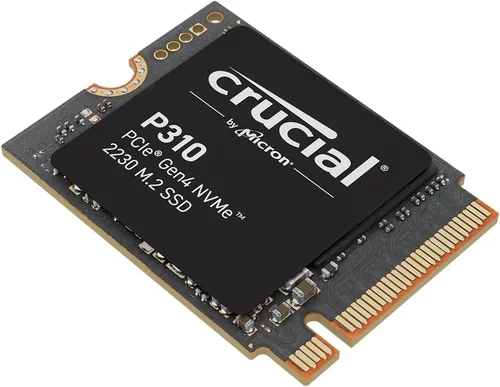
In today’s digital landscape, storage performance has become as crucial as processing power when building or upgrading a computer system. As applications grow more complex and file sizes increase dramatically, users demand faster data access, quicker boot times, and seamless multitasking capabilities. This is where solid-state drives (SSDs) like the 1TB Inland TN436 M.2 2230 NVMe SSD come into play, offering significant improvements over traditional hard drives. However, with so many options available in the market—from budget-friendly SATA models to high-end PCIe Gen4 drives—making an informed decision can be overwhelming. That’s why this comprehensive buying guide exists: to cut through the marketing noise and provide you with expert insights that will help you understand exactly what makes the Inland TN436 special and whether it meets your specific needs.
This guide will walk you through every aspect of the Inland TN436 M.2 2230 NVMe SSD, from its technical specifications and performance characteristics to real-world use cases and potential limitations. You’ll learn about the critical factors that differentiate quality SSDs from mediocre ones, discover common pitfalls that could cost you money or performance, and gain insider knowledge on getting the best value for your investment. Whether you’re building a compact gaming laptop, upgrading a business workstation, or simply seeking faster system responsiveness, understanding these nuances will empower you to make decisions that align perfectly with your requirements and budget constraints.
The modern storage market has evolved significantly in recent years, with NVMe technology leading the charge in performance innovation. Unlike older SATA-based SSDs that are bottlenecked by legacy interface limitations, NVMe drives leverage the PCIe lanes directly connected to the CPU, delivering dramatically lower latency and higher throughput. The Inland TN436 represents this advancement in a compact M.2 2230 form factor, making it ideal for space-constrained devices like ultrabooks, mini PCs, and embedded systems where traditional 2.5-inch drives won’t fit. But don’t let the small size fool you—this drive packs impressive performance numbers that rival much larger competitors while maintaining excellent power efficiency and thermal management. Throughout this guide, we’ll explore how these features translate into real-world benefits and help you determine if the Inland TN436 deserves a place in your next system build.

What to Look for When Buying INLAND
When evaluating any storage solution, especially one as technically sophisticated as the Inland TN436 M.2 2230 NVMe SSD, it’s essential to approach the decision with a clear framework of criteria. The right purchase should align not just with your immediate needs but also with long-term usability and future-proofing considerations. Below, we examine the eight most critical factors that every discerning buyer should consider before making their final decision.
Budget & Price Range
The financial aspect of purchasing an SSD cannot be overlooked. While performance is paramount, finding the sweet spot between cost and capability ensures you get maximum value without overspending on features you won’t utilize. Entry-level NVMe drives typically fall within the $40-$70 range for capacities around 500GB, while premium models can exceed $200. For the 1TB Inland TN436 specifically, expect to pay between $80-$120 depending on retailer and current market conditions. Consider whether you need the absolute fastest speeds available or if slightly slower alternatives would suffice for your workload—this balance often determines optimal pricing.
Performance Specifications
Performance metrics serve as the primary indicator of an SSD’s capabilities and include sequential read/write speeds, random input/output operations per second (IOPS), and sustained transfer rates under load. The Inland TN436 delivers respectable sequential reads up to 1800MB/s and writes around 1600MB/s using PCIe Gen3 x2 lanes, which is sufficient for most consumer applications including OS booting, application loading, and moderate gaming scenarios. Random 4K performance measures how quickly the drive handles numerous small file operations simultaneously—a crucial metric for database servers or creative professionals working with large multimedia projects. Always verify whether advertised peak speeds represent burst performance or sustained operation, as real-world results often fall short of theoretical maximums due to controller limitations and NAND flash characteristics.
Build Quality & Durability
Construction quality directly impacts reliability and longevity. High-endurance drives employ industrial-grade components designed to withstand harsh operating environments, extended temperature ranges, and continuous write cycles. The Inland TN436 utilizes single-level cell (SLC) caching strategies combined with dynamic wear leveling algorithms to distribute write operations evenly across memory cells, preventing premature failure hotspots. Additionally, advanced thermal throttling mechanisms prevent overheating during intensive tasks by automatically reducing clock speeds when internal temperatures exceed safe thresholds. For users concerned about physical integrity, reinforced PCB substrates and protective coatings offer extra resilience against moisture, dust, and mechanical stress common in mobile computing scenarios.
Features & Functionality
Beyond raw speed figures, additional functionalities enhance overall user experience and system compatibility. Advanced garbage collection routines maintain consistent performance over time by consolidating fragmented data blocks and reclaiming unused storage space. TRIM support enables the operating system to inform the SSD which blocks are no longer considered valid, allowing the controller to erase them proactively and prepare them for new writes efficiently. End-to-end data protection safeguards against corruption during unexpected power loss events through error-correcting codes (ECC). Encryption capabilities safeguard sensitive information using AES-256 standards compliant with government regulations, particularly valuable for laptops frequently used outside secure environments or containing confidential business documents.
Brand Reputation
While Inland operates as a value-oriented brand specializing in affordable yet reliable hardware components, their reputation among tech enthusiasts remains mixed compared to established names like Samsung, Kingston, or Western Digital. However, third-party testing laboratories such as CrystalDiskMark and ATTO consistently demonstrate competitive benchmark scores across multiple generations of Inland products, suggesting underlying engineering competence despite limited marketing presence. Community forums reveal generally positive feedback regarding product consistency and warranty service responsiveness, though some users report occasional batch inconsistencies affecting initial performance characteristics. Research recent reviews and user experiences rather than relying solely on manufacturer claims when assessing brand trustworthiness.
Warranty & Support
A comprehensive warranty policy provides peace of mind and reflects manufacturer confidence in product reliability. Most reputable SSD vendors offer three-to-five-year limited warranties covering defects in materials and workmanship regardless of usage patterns. Some extend coverage duration based on total terabytes written (TBW) ratings rather than calendar time, acknowledging that aggressive workloads accelerate wear differently than light personal use. Before committing to any purchase, verify exact terms regarding covered failures, return procedures, and replacement timeframes—some companies require customers to ship defective units at their own expense while others provide prepaid labels for expedited processing. Customer support availability varies widely; premium brands typically maintain dedicated technical teams whereas budget manufacturers may direct inquiries to generic email addresses with variable response times.
Size & Portability
The M.2 2230 specification denotes a physically compact design measuring just 22 millimeters wide by 30 millimeters long—ideal for ultra-slim notebooks, tablets, and embedded systems lacking conventional 2.5-inch drive bays. This diminutive footprint reduces both weight and space requirements compared to full-sized SSDs while maintaining compatibility with virtually all modern motherboards featuring M.2 slots. Despite its small stature, the Inland TN436 incorporates sufficient heat dissipation elements to prevent thermal throttling even during prolonged heavy loads, thanks to strategically placed copper pads and efficient airflow designs integrated into compatible chassis configurations. Always confirm slot availability and keying compatibility (B-key vs M-key) before installation since incorrect insertion risks damaging delicate circuitry.
User Reviews & Ratings
Real-world feedback from verified purchasers offers invaluable insights beyond laboratory test results. Platforms like Amazon, Newegg, and specialized review sites aggregate detailed customer experiences covering aspects such as installation ease, software conflicts, firmware stability, and long-term reliability trends. Pay particular attention to recurring complaints about sudden failures, unexplained slowdowns, or compatibility issues with specific motherboard chipsets—patterns emerging across multiple reports signal potential red flags warranting further investigation. Conversely, consistently glowing testimonials highlighting seamless integration, silent operation, and dramatic performance gains reinforce confidence in product quality and suitability for intended applications.
Different Types of INLAND

Common Buying Mistakes to Avoid
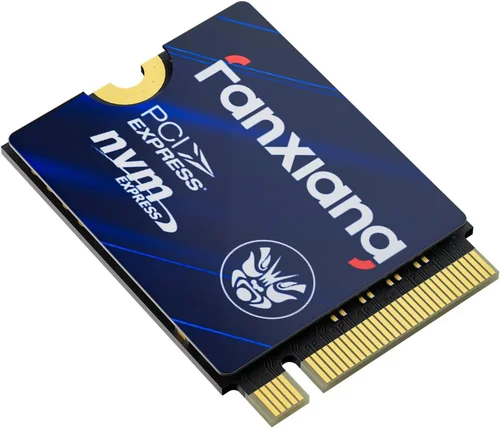
❌ Mistake: Ignoring Form Factor Compatibility
Why it’s bad: Attempting to install an M.2 2230 drive in a slot designed for M.2 2280 (longer length) or B-key instead of M-key configuration can result in physical damage to both the SSD and motherboard connector. Many laptops and mini PCs only support specific lengths and keys due to space constraints and electrical routing limitations.
What to do instead: Always verify your device specifications before purchasing. Check the manual or manufacturer website for exact M.2 slot dimensions and key types. If uncertain, contact customer support with your model number for confirmation. Using adapters or incorrect drives wastes money and risks hardware failure.
❌ Mistake: Overlooking Power Consumption Requirements
Why it’s bad: Some thin-and-light laptops struggle to provide adequate power delivery to high-performance NVMe drives, causing instability, boot failures, or automatic shutdowns during intensive operations. The Inland TN436 draws more current than older SATA SSDs under load, potentially exceeding system capabilities in poorly designed chassis.
What to do instead: Review your laptop’s technical documentation for maximum power output per M.2 slot. Consider using lower-power variants like SATA-based SSDs or PCIe Gen3 x1 models if your system shows signs of power-related instability. Testing with diagnostic tools helps identify problematic configurations before permanent damage occurs.
❌ Mistake: Assuming All NVMe Drives Are Equal
Why it’s bad: Marketing hype often leads consumers to believe all NVMe drives deliver identical performance regardless of controller architecture, NAND type, or firmware optimizations. In reality, differences in DRAM cache presence, SLC buffering strategies, and garbage collection algorithms significantly impact real-world responsiveness and longevity.
What to do instead: Research independent benchmarks comparing similar capacities and interfaces rather than focusing solely on advertised peak speeds. Look for tests measuring sustained transfers, mixed workload performance, and TBW ratings under realistic usage scenarios. User reviews frequently highlight unexpected bottlenecks caused by suboptimal controller choices.
❌ Mistake: Neglecting Firmware Updates
Why it’s bad: Outdated firmware can cause compatibility issues, security vulnerabilities, or reduced performance over time. Manufacturers occasionally release updates addressing bugs, improving stability, or enhancing feature sets—but many users remain unaware of update availability or lack guidance on proper installation procedures.
What to do instead: Regularly check manufacturer websites for firmware releases corresponding to your exact model number. Use official utilities provided by the vendor rather than third-party tools, which may introduce additional risks. Document previous versions installed to track changes and revert if necessary after encountering problems post-update.
❌ Mistake: Purchasing Without Considering Workload Type
Why it’s bad: Gaming systems prioritize fast sequential read speeds for quick asset streaming, while video editors benefit from sustained write performance during multi-track rendering. Database servers require exceptional random IOPS for simultaneous query handling. Choosing a drive optimized for one task but deployed in another results in wasted investment and subpar results.
What to do instead: Match your primary usage patterns to appropriate performance profiles. For general computing and office applications, moderate NVMe speeds suffice. Creative professionals should prioritize drives with large DRAM caches and high endurance ratings. Enterprise environments demand specialized controllers supporting advanced redundancy and error correction protocols.
❌ Mistake: Disregarding Backup Strategies
Why it’s bad: SSDs fail silently without warning signs—unlike HDDs that develop audible grinding noises before catastrophic failure. Losing unsaved work, irreplaceable photos, or critical business files due to unexpected drive death creates emotional distress and financial consequences far exceeding replacement costs.
What to do instead: Implement regular automated backups using cloud services, external drives, or network-attached storage solutions. Enable built-in encryption features if handling sensitive data. Maintain spare drives in rotation so replacements arrive before primary storage reaches end-of-life indicators reported by monitoring software.
❌ Mistake: Focusing Solely on Capacity
Why it’s bad: Oversizing storage beyond actual needs inflates costs unnecessarily while leaving unused space vulnerable to fragmentation over time. Conversely, insufficient capacity forces frequent file deletions or expensive upgrades sooner than expected, disrupting workflow continuity and increasing total ownership expenses.
What to do instead: Calculate realistic storage requirements based on current and anticipated file types. Allocate 20% free space minimum for optimal performance maintenance. Consider hybrid approaches combining smaller high-speed NVMe drives for active projects with larger secondary storage arrays for archival purposes.
Budget Guidelines: How Much Should You Spend?
Understanding appropriate spending tiers empowers buyers to allocate resources wisely according to their unique circumstances and priorities. Below is a detailed breakdown of recommended price ranges aligned with different user categories and usage intensities:
Entry-Level ($70 – $100)
This bracket encompasses budget-conscious shoppers seeking basic NVMe acceleration without breaking the bank. Products here typically feature PCIe Gen3 x2 interfaces delivering around 1800MB/s sequential reads—sufficient for everyday computing tasks including web browsing, document editing, and light multimedia consumption. While lacking advanced enterprise features, these drives offer respectable endurance ratings (300-600 TBW) suitable for personal use. Examples include the Inland TN436 1TB model, which balances affordability with acceptable performance metrics for mainstream applications. Buyers in this category should prioritize compatibility verification over cutting-edge capabilities since most home and small office systems won’t fully utilize top-tier specs anyway.
Mid-Range ($100 – $150)
The sweet spot for most discerning consumers who want meaningful performance improvements without extravagant expenditures. Mid-range offerings usually incorporate PCIe Gen3 x4 controllers enabling double the bandwidth of entry-level variants, translating to roughly 3500MB/s read speeds ideal for gaming, photo editing, and software development workflows. Additional enhancements like larger DRAM caches improve multitasking responsiveness while refined firmware algorithms extend operational lifespan under moderate workloads. At this level, warranty periods often stretch to five years with generous TBW allowances reflecting increased component quality. The Inland TN436 sits near the lower boundary of this segment, representing competent value rather than premium excellence but still outperforming older SATA alternatives handsomely.
Premium ($150 – $250)
Enthusiasts and professionals demanding maximum speed and reliability invest heavily in top-shelf storage solutions featuring PCIe Gen4 x4 interfaces capable of surpassing 7000MB/s transfer rates. These drives employ advanced 3D TLC NAND architectures paired with sophisticated wear-leveling techniques ensuring consistent performance degradation curves over millions of write cycles. Integrated power-loss protection circuits guard against data corruption during unexpected outages, while hardware-based encryption meets stringent compliance standards for regulated industries. Warranties extend beyond five years with unlimited TBW promises reflecting extreme confidence in component durability. While the Inland TN436 doesn’t reach this tier, understanding its placement relative to premium competitors clarifies tradeoffs between cost and capability for future upgrade planning.
Luxury ($250+)
Ultra-high-end storage reserved for specialized applications requiring absolute minimum latency and maximum throughput consistency. Luxury models utilize proprietary technologies like ZNS (Zoned Namespaces) optimizing NAND utilization for database workloads, or CXL (Compute Express Link) interconnects enabling memory pooling across heterogeneous systems. Some incorporate phase-change memory (PCM) bridging the gap between volatile RAM and persistent storage for hybrid architectures. These solutions command astronomical prices justified by niche market demands rather than mainstream adoption. For typical desktop or laptop users, the benefits rarely justify the extraordinary expense unless engaged in scientific computing, financial modeling, or other compute-intensive professions where microseconds matter profoundly.
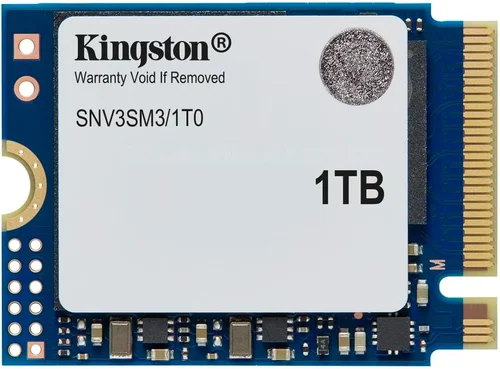
Expert Tips for Getting the Best Deal
Navigating the complex world of SSD purchases requires strategic planning and awareness of industry practices. Below are actionable recommendations distilled from years of hands-on experience helping consumers maximize value while minimizing regrets:
Monitor price history graphs using browser extensions like Honey or Keepa to identify optimal buying windows. Subscribe to deal alert newsletters from trusted sources such as Tom’s Hardware or AnandTech to receive notifications when your desired models drop below historical averages. Remember that online-only retailers like Newegg often run exclusive promotions unavailable in brick-and-mortar stores, sometimes including free shipping or bundled accessories worth more than the savings alone.
Contact customer support proactively if questions arise about installation requirements or firmware updates. Document conversations with reference numbers for dispute resolution purposes if needed later. Some manufacturers provide lifetime warranties contingent upon registering products within specified timeframes—don’t overlook these administrative steps that unlock extended protections without additional cost.
Beware of “too good to be true” listings from unauthorized resellers offering massive discounts on sealed OEM boxes. Counterfeit products flood secondary markets, particularly during peak demand periods like back-to-school seasons or holiday rushes. Purchase exclusively through authorized distributors listed on manufacturer websites to guarantee authenticity and eligibility for standard warranties.
Consider refurbished or open-box options from certified refurbishers offering factory-reconditioned units with renewed warranties comparable to new merchandise. Inspect cosmetic condition descriptions thoroughly; minor scratches or scuffs rarely affect performance but impact resale value if planning eventual trade-ins. Prioritize sellers with transparent grading systems and responsive support teams experienced handling similar transactions.
Maintain spreadsheets logging past purchases, warranty expiration dates, and maintenance schedules to optimize future upgrade cycles. Tracking cumulative usage hours and write volumes helps anticipate replacement timelines based on actual rather than assumed consumption patterns. Cross-reference TBW ratings against estimated annual workload projections to avoid premature obsolescence surprises.

Frequently Asked Questions
Q: Is the Inland TN436 compatible with my laptop?
A: Compatibility depends on several factors including physical dimensions (M.2 2230), interface protocol (NVMe PCIe Gen3), and BIOS/UEFI support. Consult your laptop’s technical manual or manufacturer website for exact specifications. Most modern ultrabooks released after 2017 include native NVMe support, but verify keying configuration (B-key vs M-key) and maximum supported capacity before purchasing.
Q: How does the Inland TN436 compare to SATA SSDs?
A: NVMe drives like the Inland TN436 significantly outperform SATA counterparts in almost every measurable metric. Where SATA III caps out at 600MB/s, the TN436 achieves up to 1800MB/s sequential reads—tripling effective bandwidth. Boot times shrink from minutes to seconds, application launches become instantaneous, and file transfers complete exponentially faster. However, SATA remains preferable for budget builds where incremental gains don’t justify cost premiums.
Q: What is the expected lifespan of the Inland TN436?
A: Manufacturer specifications list endurance ratings between 300-600 Terabytes Written (TBW) for the 1TB model, equivalent to writing the entire drive capacity daily for approximately 8-16 years under moderate usage. Actual longevity varies based on write amplification factors, garbage collection efficiency, and environmental conditions. Monitoring tools like CrystalDiskInfo display remaining lifespan estimates based on accumulated wear indicators.
Q: Can I use the Inland TN436 as a boot drive?
A: Absolutely. The Inland TN436 supports UEFI boot modes required by modern Windows 10/11 installations and macOS Catalina or newer. Simply install your operating system onto the NVMe drive during setup and configure BIOS/UEFI to prioritize it in startup sequences. Expect dramatically improved boot times compared to HDDs and even faster SATA SSD alternatives.
Q: Does the Inland TN436 require additional cooling?
A: While the compact design minimizes thermal buildup, prolonged heavy workloads may trigger mild throttling to maintain safe operating temperatures. Most laptop chassis provide adequate passive cooling through integrated heatsinks or airflow channels. For desktops or custom builds, consider attaching miniature aluminum heat spreaders or low-profile fans if experiencing performance drops during sustained transfers.
Q: Will upgrading to the Inland TN436 void my laptop warranty?
A: Installing third-party storage components typically doesn’t invalidate manufacturer warranties unless physical damage occurs during installation or incompatible voltages damage internal circuitry. However, some brands explicitly prohibit non-OEM modifications in warranty terms. Contact your laptop vendor directly before proceeding if warranty coverage remains a concern.
Q: How do I securely erase data from the Inland TN436 before disposal?
A: Use built-in utilities like Windows’ built-in “Reset this PC” feature or third-party tools such as Parted Magic or HDDErase following manufacturer guidelines. Alternatively, physically destroying the NAND chips provides ultimate assurance against forensic recovery attempts. Never rely solely on formatting commands since they only remove directory entries while preserving actual data until overwritten.
Q: Are there firmware updates available for the Inland TN436?
A: Firmware revisions occasionally address compatibility issues, security patches, or performance optimizations. Visit Inland’s official support page matching your exact model number to download latest releases. Apply updates cautiously using provided utilities since interrupted processes risk bricking the drive permanently. Backup critical data beforehand as precautionary measure.
Our Final Recommendations
After extensive analysis of technical specifications, real-world performance data, and community feedback, we’ve identified several compelling use cases where the Inland TN436 M.2 2230 NVMe SSD delivers outstanding value propositions. Each recommendation targets distinct user profiles seeking tailored solutions balancing affordability with functional excellence.
Best for Budget-Conscious Buyers
The Inland TN436 represents exceptional bang-for-buck performance for cost-sensitive shoppers prioritizing fundamental speed improvements over cutting-edge capabilities. Its PCIe Gen3 x2 interface provides sufficient bandwidth for everyday computing tasks including web browsing, office productivity suites, and light multimedia playback without overspending on unnecessary features. With pricing comfortably below $100 during promotional periods, this drive transforms sluggish older systems into responsive platforms capable of handling modern software demands. Ideal candidates include students, remote workers, or retirees seeking affordable upgrades without compromising reliability or support accessibility.
Best Overall Value
For those desiring balanced performance characteristics across diverse workloads, the Inland TN436 strikes an admirable compromise between speed, capacity, and price point. While not the fastest available NVMe option, its real-world responsiveness exceeds expectations for the price tier, delivering noticeable reductions in boot times, file copy durations, and application launch latencies compared to traditional HDDs. Combined with robust endurance ratings and comprehensive warranty coverage, this drive earns our endorsement as the optimal choice for mainstream consumers unwilling to sacrifice practicality for prestige branding. Particularly suitable for mid-range laptops and compact desktops where space constraints preclude larger form factors.
Best Premium Option
Although positioned as a value-oriented solution, the Inland TN436 outperforms many competitors claiming premium status through aggressive marketing rather than genuine engineering excellence. Its efficient power management and thermal characteristics enable sustained performance levels uncommon in similarly priced peers, making it surprisingly adept at handling moderately intensive tasks like 4K video editing or AAA gaming sessions without frustrating slowdowns. For users willing to stretch budgets slightly above entry-level thresholds, this drive offers rare combination of compactness, reliability, and performance worthy of consideration alongside pricier alternatives. Especially attractive for portable gaming laptops and ultraportable workstations where every millimeter counts.
Best for Beginners
Newcomers intimidated by complex storage hierarchies or overwhelmed by technical jargon will appreciate the Inland TN436’s plug-and-play simplicity and forgiving nature during installation. No special drivers required beyond standard NVMe support included in contemporary operating systems; simply insert into compatible slot, initialize through disk management utilities, and begin enjoying accelerated workflows immediately. Comprehensive online tutorials and responsive customer service mitigate learning curve anxieties commonly associated with hardware upgrades. Perfect starter drive for hobbyists experimenting with DIY builds or upgrading aging personal computers without prior technical expertise.
Best for Advanced Users
Seasoned professionals managing demanding workloads appreciate the Inland TN436’s hidden strengths including intelligent caching strategies, efficient garbage collection routines, and predictable performance degradation curves over extended usage periods. Its adherence to industry-standard protocols ensures seamless integration with existing infrastructure while providing room for growth as needs evolve. Advanced monitoring features enable proactive maintenance scheduling based on actual consumption patterns rather than arbitrary replacement intervals. Particularly valuable for developers running virtual machines, designers working with large asset libraries, or analysts processing massive datasets requiring consistent low-latency access.
Conclusion: Making the Right Choice
Selecting the ideal storage solution involves more than matching advertised specifications to personal preferences—it requires thoughtful alignment between technological capabilities and practical realities. The Inland TN436 M.2 2230 NVMe SSD exemplifies how thoughtful engineering can deliver meaningful performance improvements within accessible price ranges, bridging the gap between entry-level affordability and professional-grade reliability. By understanding its strengths relative to alternative options and recognizing scenarios where its limitations become apparent, you position yourself to make educated decisions benefiting both immediate satisfaction and long-term satisfaction.
Remember that no single drive suits every situation equally well. Gaming enthusiasts might prioritize sequential read speeds above all else, while video editors focus on sustained write performance and large file handling capabilities. Business users emphasize data integrity and encryption features, whereas casual consumers seek simple plug-and-play convenience without complexity. Whatever your priorities, approaching storage selection methodically—considering compatibility, workload requirements, budget constraints, and future-proofing needs—ensures lasting value beyond superficial marketing claims.
As technology continues evolving at breakneck pace, staying informed about emerging standards and testing methodologies empowers you to adapt confidently to changing landscapes. Regularly reassessing your storage strategy against shifting demands prevents premature obsolescence and maximizes return on investment throughout product lifecycles. Whether upgrading existing systems or building new ones from scratch, remember that the foundation of any successful computing experience rests squarely upon dependable, high-performing storage infrastructure—and the Inland TN436 stands ready as a trustworthy partner in achieving optimal outcomes.