
Hey there, Steam Deck warriors! Are you tired of constantly deleting games to make space, or staring at loading screens longer than you’re playing? If your Steam Deck’s storage is feeling a bit cramped, you’re not alone. The solution? A high-performance NVMe SSD upgrade. And when it comes to reliable, speedy storage, Sabrent is often a name that comes up in conversations among tech enthusiasts.
In this comprehensive guide, we’re diving deep into the Sabrent best SSD for Steam Deck options, alongside other top-tier, compatible M.2 2230 NVMe drives that can transform your handheld gaming experience. We’ll explore internal SSDs that fit perfectly, as well as Sabrent accessories that can enhance your storage and connectivity. Get ready to supercharge your game library, slash load times, and take your portable gaming to the next level. Let’s find the perfect Steam Deck upgrade for you!
Why Upgrade Your Steam Deck’s SSD?
The Steam Deck is a marvel of portable gaming, but its base storage options can be a bottleneck. Upgrading to a faster, larger capacity NVMe SSD offers several significant advantages:
- Massive Game Library: Store more of your favorite titles without constant juggling or relying on slower microSD cards.
- Blazing-Fast Load Times: NVMe SSDs, especially PCIe Gen4, offer vastly superior read/write speeds compared to eMMC or even older SATA SSDs, meaning quicker boot-ups and game loading.
- Smoother Performance: Some games stream assets directly from storage, and a faster SSD can lead to a more consistent and fluid gaming experience.
- Future-Proofing: With game sizes constantly growing, a larger and faster internal drive ensures your Steam Deck stays relevant longer.
When considering the Sabrent best SSD for Steam Deck, you’re looking for M.2 2230 NVMe drives – a specific, compact form factor essential for fitting inside the device.
Our Top Picks: Sabrent & Compatible SSDs for Your Steam Deck
Let’s break down the best options available to give your Steam Deck the storage boost it deserves.
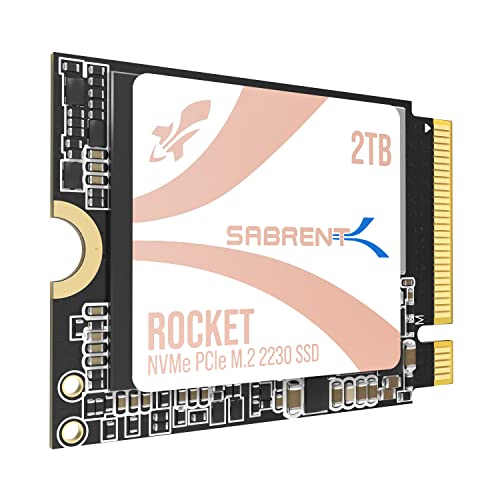
SABRENT Rocket Q4 2230 NVMe SSD 2TB – PCIe Gen4

This Sabrent Rocket Q4 is a serious contender for the Sabrent best SSD for Steam Deck, offering a massive 2TB capacity in the crucial 2230 form factor. Designed for devices with tight spaces like the Steam Deck, it delivers PCIe Gen4 performance, ensuring you have ample room for your entire game collection and blazing-fast access speeds. It’s a true internal upgrade that eliminates the need for external drives or constant microSD card swapping.
- Designed for Tight Spaces: Fits Steam Deck, ASUS ROG Ally (with adapter), Surface Pro, and other space-constrained devices with true M.2 2230 form factor.
- Powerful Performance: Achieve up to 5GB/s read and 800K IOPS with a Gen4 PCIe interface and Phison E21T controller—designed for smooth gaming and rapid file access.
- Massive 2TB Capacity: Eliminate the need for microSD cards or external drives. Store your full game library and files internally with high-speed QLC flash.
- Efficient and Reliable: DRAM-less with Host Memory Buffer (HMB) support for low power draw, responsive performance, and excellent thermal behavior.
- Retail Quality You Can Trust: New, fully supported SSD with downloadable Sabrent Acronis cloning software—no OEM pulls, no uncertainty, just plug-and-play reliability.
Pros:
– Huge 2TB capacity for extensive game libraries.
– Excellent PCIe Gen4 speeds for quick loading.
– Perfect 2230 form factor compatibility for Steam Deck.
– Includes cloning software for easy migration.
– Efficient power consumption and thermal performance.
Cons:
– QLC NAND might have slightly lower endurance than TLC over extreme long-term heavy use (though still very high for consumer use).
– Premium price point for the 2TB capacity.
User Impressions: Gamers love the sheer storage capacity and how it transforms their Steam Deck into a true portable powerhouse. Installation is straightforward for those comfortable with opening their device, and the speed boost is immediately noticeable.
SABRENT Rocket 2230 1TB NVMe SSD – PCIe Gen4 M.2
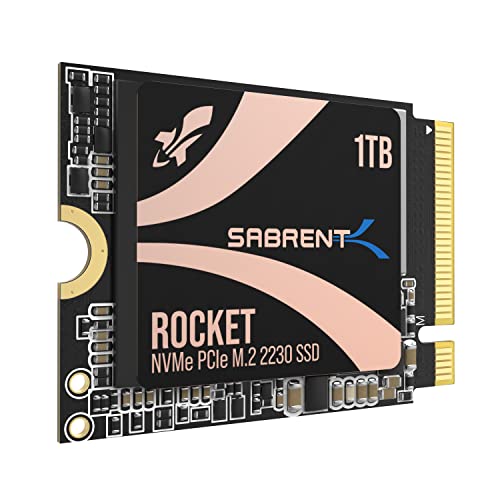
If 2TB is a bit overkill or out of budget, the 1TB Sabrent Rocket 2230 is an equally fantastic choice for your Steam Deck upgrade. It still delivers the high-speed Gen4 performance you crave, ensuring your games load quickly and your system remains responsive. This drive offers a perfect balance of capacity, speed, and Sabrent’s renowned reliability, making it an incredibly popular option for handheld enthusiasts.
- Compact Compatibility: Designed for Steam Deck, Surface Pro, ultrabooks, and other small devices that require M.2 2230 – the perfect upgrade where space is limited.
- High-Speed Gen4 Performance: Achieve speeds up to 5GB/s and 800K IOPS for faster game loading, seamless multitasking, and better overall responsiveness.
- 1TB Capacity: Store more games, apps, and files without relying on slow microSD cards. Perfect for expanding internal storage on handhelds and laptops.
- Reliable and Efficient: Built with a new Gen4 NVMe controller and premium 3D TLC NAND. DRAM-less with HMB support for low power usage and cool operation.
- Retail-Grade Quality: Avoid second-hand OEM drives. Includes full warranty, Sabrent Acronis True Image cloning software, and firmware update support.
Pros:
– Ideal 1TB capacity for most users.
– Fast PCIe Gen4 speeds.
– Reliable TLC NAND flash.
– Excellent power efficiency and thermal management.
– Includes useful cloning software and warranty.
Cons:
– Still requires opening the Steam Deck for installation.
– Not the absolute cheapest 1TB option, but offers premium quality.
User Impressions: Users praise its solid performance and the noticeable difference it makes to game load times. Many find 1TB to be the sweet spot for their portable gaming needs, and the installation process is well-documented online for DIYers.
SABRENT Docking Station Compatible with Steam Deck, 7-in-1

While not an internal SSD itself, this Sabrent Docking Station is an ingenious way to expand your Steam Deck’s capabilities, including storage! It features an internal M.2 slot for either an NVMe or SATA SSD, letting you add extra file and game storage without even touching the internal drive. Plus, it turns your Steam Deck into a full-fledged desktop replacement with HDMI, Ethernet, and multiple USB ports.
- Dock and Play: Your new everything dock is here. The Sabrent USB Type-C 6-Port Docking Station with M.2 Port (DS-SDNV) upgrades your Steam Deck or ROG Ally docking experience with more options, including gigabit Ethernet and additional M.2 solid state storage.
- More Is Better: This Docking Station includes an RJ45 Ethernet port for network and Internet connectivity at up to 1000Mbps (GbE). An internal M.2 slot lets you add an NVMe or SATA SSD for more file and game storage. Together, get around wireless and storage limitations.
- Display Away: Exceed the capabilities of your native screen for a bigger, better experience with more screen real estate. An HDMI 2.0 port provides mirror and extend display output capabilities at up to 4K@60Hz with HDCP 1.4 support.
- Home Port: Don’t limit yourself. Add accessories such as keyboards, mice, external storage, and more with three USB ports – one USB 2.0 for keyboard/mouse and two USB 3.2 Gen 1×1 (5Gbps) for more powerful devices like USB flash drives.
- It’s Sabrent: This dock is compatible with Windows, macOS, and Linux devices as well as many other USB-C devices that have DisplayPort Alternate (DP Alt) Mode support.
Pros:
– Adds an M.2 slot for external SSD storage expansion.
– Converts Steam Deck into a desktop with HDMI output.
– Includes Gigabit Ethernet for stable online gaming.
– Multiple USB ports for peripherals.
– Broad compatibility with other USB-C devices.
Cons:
– Does not replace the internal SSD, only provides external expansion.
– Requires an additional M.2 SSD to utilize the storage feature.
User Impressions: This dock is a hit for users who want to use their Steam Deck like a mini-PC at home. The added M.2 slot for storage is a huge bonus, allowing for a vast library without internal modification, and the connectivity options are robust.
SABRENT USB Type-C 3-Port Gaming Hub for Steam Deck |

This compact Sabrent USB-C Gaming Hub isn’t an SSD itself, but it’s an excellent accessory for your Steam Deck, especially if you need more USB ports and reliable power delivery. While it doesn’t have an M.2 slot like the docking station, it’s perfect for connecting external drives (like an NVMe enclosure with a Sabrent SSD inside!) or other peripherals while ensuring your Steam Deck stays charged.
- The Deck’s Best Friend: Designed specifically for Valve’s Steam Deck and Steam Deck OLED, this form-fitted USB-C hub offers seamless integration and easy plug-and-play functionality for your gaming system.
- Sleek and Portable: This lightweight hub boasts a sleek design that fits the Steam Deck perfectly while occupying minimal space. Game on the go with ease, wherever and whenever you want.
- USB and PD: Featuring a 5Gbps (USB 3.2 Gen 1×1) upstream Type-C connection, dual downstream USB-A ports, and a Type-C port supporting (PD3.0) power delivery, this hub ensures versatile connectivity and charging options.
- Forget Plug and Pray: Compatible with Windows, macOS, Linux, and SteamOS, this hub supports non-stock OSes, multi-boot setups, and non-Deck USB-C host devices, providing reliable plug-and-play functionality.
- It’s Sabrent: Enjoy intense portable gaming with peace of mind. Register your product on our website for technical support and assistance.
Pros:
– Specifically designed for Steam Deck, ensuring a snug fit.
– Adds two USB-A ports for accessories.
– Supports Power Delivery (PD3.0) to charge while using.
– Highly portable and sleek design.
– Broad OS compatibility.
Cons:
– Doesn’t offer direct storage expansion (no M.2 slot).
– No HDMI or Ethernet ports.
User Impressions: Reviewers love how seamlessly this hub integrates with the Steam Deck, making it easy to connect a keyboard, mouse, or an external hard drive. Its portability makes it a perfect travel companion for gamers.
fanxiang 1TB M.2 2230 NVMe SSD, PCIe Gen 4×4 Speed…

Moving beyond Sabrent, the fanxiang S630 offers a compelling 1TB NVMe SSD solution for your Steam Deck. With blazing-fast PCIe Gen4 speeds up to 5000 MB/s, it’s a formidable alternative for those seeking a high-performance internal upgrade. Its compact 2230 form factor and graphene heat dissipation sticker make it well-suited for the thermal constraints of handheld devices.
- Blazing-Fast Performance: Experience ultra-fast read speeds up to 5000 MB/s and write speeds up to 3600MB/s with the fanxiang S630 PCIe 4.0 1TB NVMe SSD, ensuring smooth gaming, quick boot times, and efficient multitasking. Backward compatible with PCIe 3.0.
- Compact M.2 2230 Form Factor: Designed for space-constrained devices, the S630 500GB M.2 2230 SSD fits perfectly in Steam Deck, Microsoft Surface, laptops, ultrabooks, and mini PCs, providing a seamless storage upgrade.
- Advanced Thermal Management: Features a graphene heat dissipation sticker, acting as an ultra-thin heat sink to reduce heat and improve performance stability.
- Premium Flash Technology: Equipped with high-quality 3D NAND Flash chips and a robust controller for higher reliability and durability.
- 5 Years of Reliable After-Sales Support: Backed by long-term after-sales service and a 5-year quality service or 320TBW.
Pros:
– Very fast PCIe Gen4 speeds.
– Excellent 1TB capacity.
– Graphene heat sink for improved thermals.
– Strong 5-year warranty.
– Specifically designed for compact devices like the Steam Deck.
Cons:
– Less established brand reputation compared to Sabrent for some users.
– Performance may be limited to PCIe 3.0 on older devices.
User Impressions: Users report excellent performance gains in their Steam Decks, with games loading noticeably faster. The included graphene sticker is a welcome touch for thermal management, offering peace of mind during extended gaming sessions.
fanxiang 2TB M.2 2230 NVMe SSD, PCIe Gen 4×4 Speed…
If you loved the sound of the fanxiang 1TB, but crave even more storage, their 2TB M.2 2230 NVMe SSD is the answer. Offering an immense 2TB capacity and even slightly higher read/write speeds, this drive ensures you’ll rarely, if ever, run out of space for your digital game library. It maintains the same compact design and advanced thermal management, making it a powerful internal storage solution for the discerning Steam Deck user.
- Blazing-Fast Performance: Experience ultra-fast read speeds up to 5200 MB/s and write speeds up to 4500MB/s with the fanxiang S630 PCIe 4.0 2TB NVMe SSD, ensuring smooth gaming, quick boot times, and efficient multitasking. Backward compatible with PCIe 3.0.
- Compact M.2 2230 Form Factor: Designed for space-constrained devices, the S630 2TB M.2 2230 SSD fits perfectly in Steam Deck, Microsoft Surface, laptops, ultrabooks, and mini PCs, providing a seamless storage upgrade.
- Advanced Thermal Management: Features a graphene heat dissipation sticker, acting as an ultra-thin heat sink to effectively reduce heat generated during use.
- Premium Flash Technology: Equipped with high-quality 3D NAND Flash chips and a robust controller for higher reliability and durability.
- 5 Years of Reliable After-Sales Support: Backed by long-term after-sales service and a 5-year quality service or 640TBW.
Pros:
– Massive 2TB capacity for an unparalleled game library.
– Excellent PCIe Gen4 speeds.
– Effective graphene heat dissipation.
– Robust 5-year warranty with high TBW.
– Perfectly suited for Steam Deck’s M.2 2230 slot.
Cons:
– Higher price point due to the large capacity.
– Installation requires opening the Steam Deck.
User Impressions: This 2TB drive is praised for its huge capacity and impressive speeds, allowing users to install virtually every game they own. The thermal sticker is a frequently mentioned positive, contributing to stable performance even under heavy loads.
SABRENT USB-C Hub & SSD Enclosure, 6-Port Dock with M.2…

This versatile Sabrent hub combines the best of both worlds: a travel-friendly USB-C hub and an M.2 SSD enclosure. While not an internal upgrade for your Steam Deck, it’s a phenomenal way to add external, high-speed storage (by installing an M.2 SATA or NVMe SSD of your choice) while simultaneously expanding your device’s connectivity. Perfect for on-the-go storage and connecting to external displays or networks.
- USB-C Travel Hub: Your essential USB-C travel hub is here. The Sabrent USB-C 6-Port Hub with M.2 SSD Slot (HB-6PNV) has everything you need beneath its sleek but rugged aluminum exterior.
- Connect & Charge: Connects through an integrated USB-C cable at 10Gbps (USB 3.2 Gen 2×1) with up to 90W bypass charging power delivery (PD3.0). Includes three USB Type-A ports.
- Network & Display: Comes with an HDMI 2.0 port for extended or mirror mode to an external display at up to 4K@60Hz and Gigabit Ethernet (1GbE).
- Now With An M.2: Includes an internal M.2 slot with thermal pad cooling for either an M.2 SATA or NVMe SSD (M.2 2242 / 2260 / 2280 form factors). SSD connects at up to 5Gbps.
- It’s Sabrent: Designed for use with Windows, macOS, and Linux systems, including MacBooks, laptops, tablets, smartphones, and portable devices like the Steam Deck and ASUS ROG Ally.
Pros:
– Integrated M.2 SSD enclosure for external storage expansion.
– Adds HDMI, Gigabit Ethernet, and multiple USB ports.
– Supports Power Delivery for charging while in use.
– Rugged aluminum exterior and thermal pad cooling for SSD.
– Highly versatile for travel and multi-device use.
Cons:
– External storage, not an internal upgrade.
– Requires purchasing an additional M.2 SSD to use the enclosure.
User Impressions: This hub is a favorite among those who travel frequently and need a compact solution for both connectivity and external storage. The ability to add your own M.2 SSD and connect it to a Steam Deck for extra game storage is a major selling point.
Addlink New S91 2TB 2230 NVMe High Performance PCIe…

The Addlink S91 offers a robust 2TB NVMe SSD solution in the highly sought-after 2230 form factor, making it an excellent candidate for expanding your Steam Deck’s storage. With PCIe Gen4x4 interface and read/write speeds up to 5000/3200MB/s, it promises a significant performance boost for your gaming experience. Its focus on compatibility and performance for handhelds positions it as a strong alternative to the Sabrent best SSD for Steam Deck.
- [Interface/Form Factor] PCIe Gen4x4. Backwards compatible with Gen3x4 Interface. 3D NANG SLC Cache support (HMB) host memory buffer/M.2 2230.
- [Speed] Read/Write up to 5000/3200MB/s. Designed for Steam gamers, Laptop/Table user.
- [Compatibility] Designed for M.2 2230 form Factor space, *including select models from Valve Steam Deck, ROG Ally, and popular Intel& AMD laptop/tablet Platform.
- [Features] Supports SLC Caching & (HMB) host memory buffer, SMART, TRIM, Thermal Throttling, SmartECC, Dimensions (mm): 30(L) x 22 (W) x 2.15 (Max. H); Key Type: M Key.
- [Warranty] Backed by a 5-year limited warranty.
Pros:
– Large 2TB capacity for extensive game collections.
– Fast PCIe Gen4 speeds for quick loading and transfers.
– Perfect M.2 2230 form factor for Steam Deck.
– Features like SLC Caching and Thermal Throttling for optimal performance.
– Solid 5-year limited warranty.
Cons:
– Write speeds are slightly lower than some competitors (though still very fast).
– Actual performance can vary based on the host device.
User Impressions: Users highly recommend the Addlink S91 for its direct compatibility and impressive capacity, especially for devices like the Steam Deck. The speed gains are reported as significant, making the upgrade a worthwhile investment for serious handheld gamers.
SABRENT Rocket V30 A2 1TB MicroSDXC Memory Card R100MB/s…

Sometimes, an internal SSD upgrade isn’t for everyone, or perhaps you just need even more storage. That’s where a high-quality microSD card like the Sabrent Rocket V30 A2 1TB comes in handy. While not an NVMe SSD, it’s a fantastic Sabrent storage solution for Steam Deck users who want easy, plug-and-play capacity expansion. Its A2 and V30 ratings ensure good performance for games and 4K video, making it a versatile choice.
- MORE FOR YOU: Up to 1TB of storage in a package the size of your thumb nail? What’s not to love? Stop carrying around a dozen, easy to lose microSDs cards: get one to rule them all.
- 4K, EVERY DAY: Meets both the A2 and V30 performance standards for SD cards, ensuring plenty of IOPS for demanding applications and smooth 4K video recording.
- FULLY COMPLIANT: SDXC compliant and meets UHS-I criteria, with reads up to 100 MB/s, offering broad compatibility.
- NEWEST HARDWARE: Uses newest 3D flash for reliability and sustained performance, along with a reliable controller with ECC.
- WARRANTY & SUPPORT: Enjoy up to two years of coverage when you register the product with us.
Pros:
– Easy plug-and-play storage expansion (no opening the Steam Deck).
– Large 1TB capacity for many games.
– A2 rating for good app and game performance.
– V30 rating suitable for 4K video.
– Versatile for other devices like cameras or drones.
Cons:
– Significantly slower than NVMe SSDs for game loading.
– Can’t be used as the primary boot drive for SteamOS.
User Impressions: This microSD card is highly valued by users who want quick, convenient storage expansion without the hassle of an internal SSD swap. It’s particularly useful for less demanding games or as overflow storage for a large library.
Silicon Power 2TB UD90 2230 NVMe 4.0 Gen4 PCIe M.2…

Rounding out our list of top compatible SSDs, the Silicon Power 2TB UD90 is another strong contender for Steam Deck owners seeking maximum internal storage. Delivering lightning-fast PCIe Gen4 speeds and a colossal 2TB capacity, this M.2 2230 NVMe SSD ensures you’ll have ample space and swift access for even the largest game files. Its direct compatibility and robust performance make it an appealing choice for a significant upgrade.
- Compatible with Steam Deck, Gaming Handhelds and other small form factor devices.
- Capacity: 2TB / Interface: M.2 2230 Gen4 PCIe 4.0 NVME SSD; TBW: 1200.
- Lightning-fast performance with read speeds up to 5,000MB/s and write speeds up to 3,200MB/s.
- Dimension: 22mm x 30mm x 2.38mm / Key Type: M Key.
- 5-year limited warranty *The SSD warranty is based on the TBW or Warranty period.
Pros:
– Huge 2TB capacity.
– Excellent PCIe Gen4 speeds (up to 5,000MB/s read).
– Perfect 2230 form factor for Steam Deck.
– High TBW rating for long-term durability.
– Backed by a 5-year limited warranty.
Cons:
– Write speeds are slightly lower compared to some high-end Gen4 drives.
– Requires an internal installation.
User Impressions: Steam Deck users who have installed the Silicon Power UD90 praise its seamless compatibility and the dramatic improvement in storage space. The fast speeds contribute to a much more enjoyable gaming experience, and the 2TB capacity means rarely worrying about deleting games.
FAQ: Everything You Need to Know About Steam Deck SSD Upgrades
Got questions about upgrading your Steam Deck’s storage? We’ve got answers!
Q1: What type of SSD does the Steam Deck use?
A1: The Steam Deck uses M.2 2230 NVMe PCIe SSDs. The “2230” refers to its physical size (22mm wide, 30mm long), which is crucial for it to fit inside the device.
Q2: Is upgrading the Steam Deck SSD difficult?
A2: Upgrading the internal SSD requires opening the Steam Deck, which involves removing screws and carefully detaching components. While not overly complex for experienced users, it does carry a risk of damaging your device if not done carefully. There are many excellent video guides available online to walk you through the process.
Q3: Will upgrading my Steam Deck’s SSD void the warranty?
A3: Valve’s official stance is that user-replaceable components won’t void the warranty unless the damage is caused by the upgrade itself. However, proceed with caution, and if you’re uncomfortable, consider external storage solutions or professional installation.
Q4: Can I use a regular M.2 2280 NVMe SSD with my Steam Deck?
A4: No, standard M.2 2280 (22mm wide, 80mm long) NVMe SSDs are too large to fit inside the Steam Deck. You must use an M.2 2230 form factor SSD.
Q5: What’s the difference between PCIe Gen3 and Gen4 SSDs for the Steam Deck?
A5: PCIe Gen4 offers significantly faster theoretical speeds than Gen3. While the Steam Deck’s internal bus might not fully utilize the absolute maximum speeds of a Gen4 drive, opting for a Gen4 SSD like the Sabrent best SSD for Steam Deck options ensures you’re getting the best possible performance and future-proofing your storage. You’ll still see a noticeable speed increase over the stock eMMC or older SATA SSDs.
Q6: Can I use a microSD card instead of an internal SSD?
A6: Yes, the Steam Deck has a microSD card slot for expandable storage. While convenient and easy to use, even the fastest microSD cards are significantly slower than NVMe SSDs. They are great for overflow storage or less demanding games, but an internal NVMe SSD will always provide the best performance for your primary game library.
Q7: How do I transfer my old data to the new SSD?
A7: You’ll typically need to create a recovery drive (USB drive) for SteamOS, install the new SSD, and then reinstall SteamOS. Some SSDs, like the Sabrent ones, come with cloning software (e.g., Acronis True Image) which can help transfer your existing OS and data if you have an external enclosure or adapter to clone directly.
Q8: What are LSI keywords and why are they important for an article like this?
A8: LSI (Latent Semantic Indexing) keywords are words and phrases that are semantically related to your main keyword, even if they aren’t direct synonyms. For “Sabrent best ssd for steam deck,” LSI keywords would include terms like “Steam Deck upgrade,” “NVMe SSD,” “M.2 2230,” “handheld gaming,” “storage expansion,” “load times,” “installation guide,” and “portable gaming.” They help search engines understand the full context and topic of your content, boosting its relevance and ranking potential for a wider range of related searches.
Ready to Upgrade Your Steam Deck?
Choosing the Sabrent best SSD for Steam Deck (or a high-quality compatible alternative) is one of the most impactful upgrades you can make to your portable gaming device. Whether you go for a massive 2TB internal drive, a reliable 1TB workhorse, or enhance your setup with a Sabrent docking station that allows for external SSDs, you’re set to enjoy faster load times, smoother gameplay, and a game library that knows no bounds.
Remember to consider your budget, technical comfort level for installation, and how much storage you truly need. Whichever option you pick, you’re on your way to unlocking the full potential of your Steam Deck! Happy gaming!