
Is your MacBook Pro running out of space? Are you constantly battling slow file transfers or needing reliable portable storage for your creative projects? If you’re a MacBook Pro user, you know how crucial fast, dependable external storage can be. Whether you’re a videographer editing 4K footage, a photographer managing massive photo libraries, or just someone who needs a solid backup solution, investing in the best external SSD for MacBook Pro is a game-changer.
Unlike traditional hard drives (HDDs), Solid State Drives (SSDs) offer superior speed, durability, and a compact form factor, making them the perfect companion for your sleek Apple laptop. And when it comes to trusted brands, Crucial stands out with its range of high-performance portable SSDs. In this guide, we’ll dive deep into 10 of the top Crucial external SSDs, helping you find the perfect match to boost your MacBook Pro’s capabilities.
Why an External SSD is a Must-Have for Your MacBook Pro
Your MacBook Pro’s internal storage, while fast, can fill up surprisingly quickly. This is especially true if you’re working with large media files, installing numerous applications, or simply accumulating years of digital memories. Here’s why an external SSD is incredibly beneficial:
- Expand Storage Instantly: Get more room for all your files without having to upgrade your MacBook’s internal drive.
- Blazing Fast Data Transfer: SSDs dramatically reduce transfer times for large files, saving you precious minutes (or hours!) compared to HDDs.
- Enhanced Performance: Run applications directly from your external SSD, or edit videos with much smoother playback and rendering.
- Portability & Durability: Most portable SSDs are small, lightweight, and built to withstand drops and spills, perfect for life on the go.
- Reliable Backups: Create fast and secure backups of your entire system or critical data, giving you peace of mind.
Key Considerations When Choosing Your Crucial External SSD
Before picking one of these fantastic drives, keep these points in mind:
- Speed: Look at read and write speeds. Higher numbers mean faster transfers.
- Capacity: How much space do you need? 1TB, 2TB, 4TB? Factor in future needs.
- Durability: IP ratings (water/dust resistance) and drop ratings are important if you’ll be using it in rough environments.
- Compatibility: Ensure it works seamlessly with your MacBook Pro’s USB-C or Thunderbolt ports. All Crucial drives listed here offer broad compatibility.
- Specific Features: Mac optimization, password protection, or included software can add value.
Now, let’s explore the 10 top Crucial external SSDs that could be the perfect storage solution for your MacBook Pro!
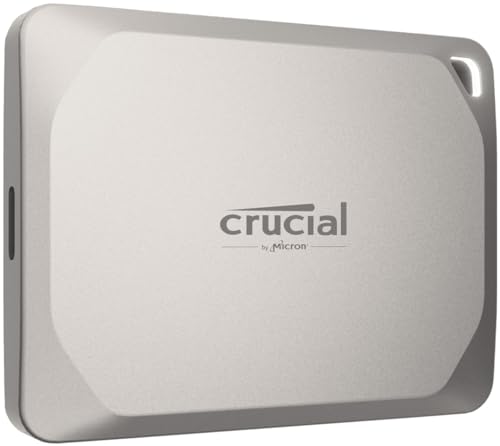
1. Crucial X9 Pro for Mac 2TB Portable SSD

This isn’t just an SSD; it’s a productivity powerhouse specifically tuned for the Apple ecosystem. The Crucial X9 Pro for Mac 2TB is designed with professional creators in mind, offering a seamless workflow experience for those who demand speed and reliability. Its optimization for Apple’s file system (APFS) ensures it works flawlessly with your MacBook Pro, iMac, iPad Pro, and even the latest iPhones, making it a true plug-and-play solution.
-
Key Features:
- High-speed Performance: Up to 1050MB/s read and 1050MB/s write speeds.
- Built to Last: IP55 water and dust resistance, drop-resistant up to 7.5 ft (2 meters).
- Broad Compatibility: Optimized for Apple’s APFS, compatible with Mac, iPad Pro, iPhone 16, and other devices via USB-C/USB-A.
- Security: Includes a lanyard loop, activity light, and SSD password protection.
- Bonus Software: Three months of Mylio Photos+ and Acronis True Image.
-
Pros:
- Mac-specific optimization for superior performance.
- Excellent balance of speed and rugged durability.
- Password protection adds an extra layer of security.
- Compact and portable design with a useful lanyard loop.
-
Cons:
- Not the absolute fastest Crucial SSD available (X10 series is faster).
- “For Mac” might imply limited compatibility, though it’s still broad.
User Impressions: Users rave about its effortless integration with their Apple devices and appreciate the robust build quality. Many found it to be a reliable workhorse for backing up large projects and significantly speeding up their creative workflows.
2. Crucial X10 4TB Portable SSD
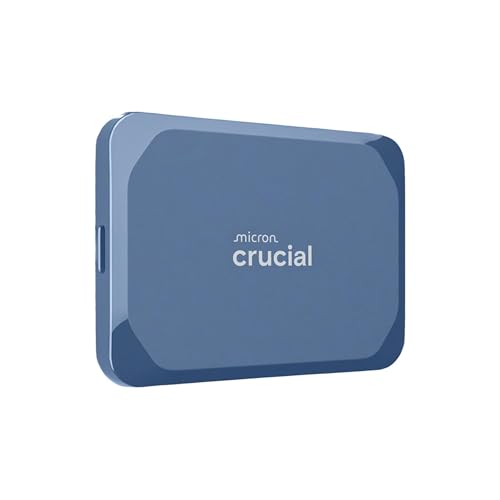
When speed meets massive capacity, you get the Crucial X10 4TB Portable SSD. This drive is a beast for anyone needing both lightning-fast transfers and ample space for everything from game libraries to extensive video archives. With read speeds up to 2,100MB/s, it’s perfect for creators, students, and PC gamers who can’t afford to wait around for files to transfer. Its striking matte blue finish and enhanced durability also make it a standout choice.
-
Key Features:
- Ultra-fast Speeds: Up to 2,100MB/s read speeds.
- Built to Last: IP65 dust and water resistance, drop-resistant up to 9.8 ft (3 meters).
- Broad Compatibility: Works with Windows, Mac, iPad Pro, Chromebooks, Android, Linux, PS4, PS5, and Xbox via USB-C/USB-A.
- Ultimate Storage Capacity: A generous 4TB for all your files.
- Bonus Software: Three months of Mylio Photos+ and Acronis True Image.
-
Pros:
- Extremely high read speeds for rapid data access.
- Superior durability with IP65 rating and higher drop resistance.
- Massive 4TB storage capacity.
- Versatile compatibility across multiple platforms.
-
Cons:
- Write speeds aren’t specified but typically slightly lower than read.
- The ultra-high speeds might be overkill for everyday users without Thunderbolt 3/4 ports.
User Impressions: Reviewers consistently praise its incredible speed and the sheer volume of data it can hold. Many users highlight its ruggedness as a key advantage for travel and field use, making it a favorite for outdoor photographers and videographers.
3. Crucial X9 Pro 2TB Portable SSD

The Crucial X9 Pro 2TB is the non-“for Mac” version of our first entry, offering the same stellar performance and rugged design but without the explicit APFS optimization. This makes it a highly flexible option if you frequently switch between Mac and Windows machines, or need a powerful drive that works perfectly across a range of devices. It’s still a top-tier choice for professional creators who need reliable, high-speed storage.
-
Key Features:
- High-speed Performance: Up to 1050MB/s read and 1050MB/s write speeds.
- Built to Last: IP55 water and dust resistance, drop-resistant up to 7.5 ft (2 meters).
- Broad Compatibility: Connects effortlessly with Windows, Mac, iPad Pro, Chromebooks, Android, Linux, PS4, PS5, and Xbox via USB-C/USB-A.
- Security: Includes a lanyard loop, activity light, and SSD password protection.
- Bonus Software: Three months of Mylio Photos+ and Acronis True Image.
-
Pros:
- Excellent read/write speeds for demanding tasks.
- Robust build with IP55 and drop resistance.
- Wide compatibility, great for mixed-OS environments.
- Password protection for data security.
-
Cons:
- Lacks specific APFS optimization of the “for Mac” version.
- Speed, while fast, is not at the peak of the X10 series.
User Impressions: Customers find this SSD to be extremely reliable and fast enough for most professional applications, from photo editing to transferring large project files. Its compact size and solid build are frequently mentioned as highlights.
4. Crucial X9 2TB Portable SSD
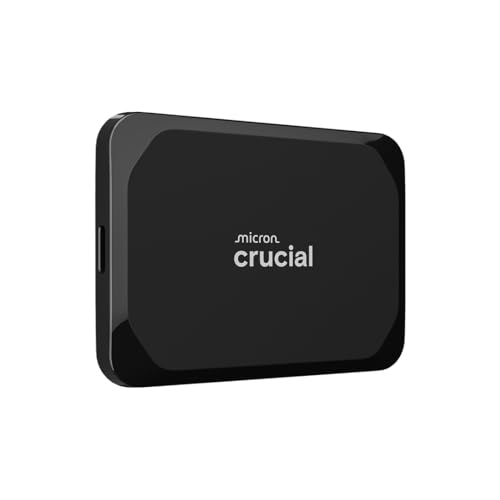
For the casual gamer, student, or everyday user who needs a significant upgrade from a traditional hard drive without breaking the bank, the Crucial X9 2TB Portable SSD is an excellent choice. It offers impressive speeds of up to 1050MB/s, accelerating large file transfers and media editing with ease. Its robust build ensures your data stays safe, whether you’re commuting to class or traveling the world.
-
Key Features:
- High-speed Performance: Up to 1050MB/s for fast transfers and backups.
- Built to Last: IP55 water and dust resistance, drop-resistant up to 7.5 ft (2 meters).
- Broad Compatibility: Works seamlessly with Windows, Mac, iPad Pro, Chromebooks, Android, Linux, PS4, PS5, and Xbox via USB-C/USB-A.
- High-Capacity Storage: Reliable 2TB storage for photos, videos, and backups.
- Bonus Software: Three months of Mylio Photos+ and Acronis True Image.
-
Pros:
- Excellent value for its speed and capacity.
- Durable and travel-friendly design.
- Significantly faster than traditional HDDs.
- Compact size makes it easy to carry.
-
Cons:
- Lacks the password protection and specific Mac optimization of the ‘Pro’ models.
- Not as fast as the X10 series for professional-grade tasks.
User Impressions: Everyday users love the X9 for its noticeable speed improvement over older storage devices and its convenient, compact form factor. It’s often recommended for students and anyone needing reliable, affordable, and speedy external storage.
5. Crucial X9 Pro 4TB Portable SSD
If you’re a professional creator who works with massive files but prioritizes proven reliability and a slightly more attainable price point than the X10 Pro, the Crucial X9 Pro 4TB is a stellar option. Combining the Pro series’ robust features like IP55 resistance and password protection with a substantial 4TB capacity, this SSD ensures you have plenty of space and speed for your most demanding projects. It’s a fantastic Crucial best external SSD for MacBook Pro if high capacity and a balanced performance are your main goals.
-
Key Features:
- High-speed Performance: Up to 1050MB/s read and 1050MB/s write speeds.
- Built to Last: IP55 water and dust resistance, drop-resistant up to 7.5 ft (2 meters).
- Broad Compatibility: Connects effortlessly with Windows, Mac, iPad Pro, Chromebooks, Android, Linux, PS4, PS5, and Xbox via USB-C/USB-A.
- Massive Storage Capacity: 4TB for extensive media libraries and projects.
- Security: Includes a lanyard loop, activity light, and SSD password protection.
- Bonus Software: Three months of Mylio Photos+ and Acronis True Image.
-
Pros:
- Huge 4TB capacity for extensive professional libraries.
- Reliable 1050MB/s speeds for most creative tasks.
- Enhanced durability and security features.
- Excellent for users needing both space and resilience.
-
Cons:
- Not the fastest option in Crucial’s lineup (X10 Pro series offers 2100MB/s).
- May still be a significant investment for some users.
User Impressions: Professionals consistently praise the 4TB X9 Pro for its dependable performance and impressive storage capacity. It’s a go-to for those who need to carry large datasets, such as raw video footage or extensive photo catalogs, securely and quickly.
6. Crucial X9 1TB Portable SSD
Sometimes, you just need a reliable, fast, and compact boost to your storage, and the Crucial X9 1TB Portable SSD delivers exactly that. It offers the same great 1050MB/s speeds as its larger siblings but in a more budget-friendly 1TB package. Perfect for students, everyday backups, or expanding your MacBook Pro’s storage for documents and a moderate media library, this SSD is both practical and durable for daily use.
-
Key Features:
- High-speed Performance: Up to 1050MB/s for efficient file handling.
- Built to Last: IP55 water and dust resistance, drop-resistant up to 7.5 ft (2 meters).
- Broad Compatibility: Seamlessly connects with Windows, Mac, iPad Pro, Chromebooks, Android, Linux, PS4, PS5, and Xbox via USB-C/USB-A.
- High-Capacity Storage: Compact 1TB SSD for essential files and backups.
- Bonus Software: Three months of Mylio Photos+ and Acronis True Image.
-
Pros:
- Affordable entry into high-speed portable SSDs.
- Compact and highly portable for everyday carry.
- Durable design protects against everyday mishaps.
- Significant speed upgrade from HDDs.
-
Cons:
- 1TB might be limiting for heavy media users.
- Lacks Pro features like password protection.
User Impressions: Customers love the X9 1TB for its portability and excellent performance-to-price ratio. It’s a popular choice for anyone needing a quick, reliable storage solution without needing vast amounts of space.
7. Crucial X10 Pro 2TB Portable SSD
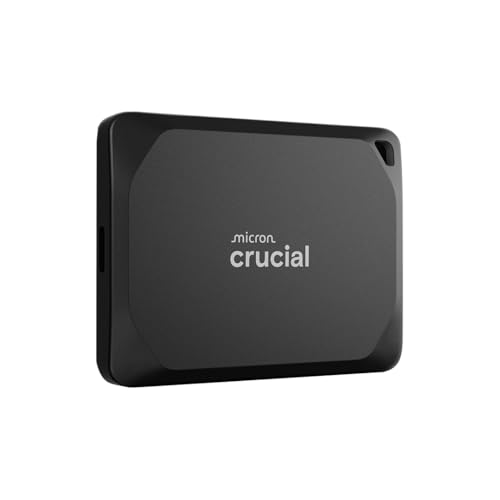
Step into the realm of extreme speed with the Crucial X10 Pro 2TB Portable SSD. This drive is engineered for professional creators who absolutely demand the fastest possible data transfer rates, boasting an astonishing 2,100MB/s read and 2,000MB/s write speeds. Handling high-resolution photos, 4K/8K videos, and large project files becomes effortless. Combine that with its Pro-level durability and security, and you have one of the most capable portable SSDs on the market.
-
Key Features:
- Ultra-fast Speeds: Up to 2,100MB/s read and 2,000MB/s write speeds for seamless workflow.
- Built to Last: IP55 water and dust resistance, drop-resistant up to 7.5 ft (2 meters).
- Broad Compatibility: Works with Windows, Mac, iPad Pro, Chromebooks, Android, Linux, PS4, PS5, and Xbox via USB-C/USB-A.
- Massive Storage Capacity: 2TB for demanding high-resolution media.
- Security: Includes a lanyard loop, activity light, and SSD password protection.
- Bonus Software: Three months of Mylio Photos+ and Acronis True Image.
-
Pros:
- Class-leading read and write speeds for professionals.
- Robust IP55 rating and drop resistance.
- Excellent for 4K/8K video editing and large file transfers.
- Includes password protection for sensitive data.
-
Cons:
- Premium price point due to extreme performance.
- Requires a compatible USB 3.2 Gen2x2 or Thunderbolt port on your MacBook Pro to achieve full speeds.
User Impressions: Users are consistently blown away by the speed of the X10 Pro, noting how it transforms their workflow, especially for video production and large data backups. Its professional-grade build and features are highly valued by the creative community.
8. Crucial X10 Pro 1TB Portable SSD
If you crave the unparalleled speed of the X10 Pro series but don’t require 2TB or 4TB of storage, the Crucial X10 Pro 1TB is your ideal companion. This compact powerhouse offers the same blistering 2,100MB/s read and 2,000MB/s write speeds, making it perfect for swiftly moving large project files, installing portable applications, or gaming on the go. It’s an ideal Crucial best external SSD for MacBook Pro users who prioritize peak performance in a smaller capacity.
-
Key Features:
- Ultra-fast Speeds: Up to 2,100MB/s read and 2,000MB/s write speeds.
- Built to Last: IP55 water and dust resistance, drop-resistant up to 7.5 ft (2 meters).
- Broad Compatibility: Connects effortlessly with Windows, Mac, iPad Pro, Chromebooks, Android, Linux, PS4, PS5, and Xbox via USB-C/USB-A.
- Massive Storage Capacity: 1TB for critical projects and high-resolution media.
- Security: Includes a lanyard loop, activity light, and SSD password protection.
- Bonus Software: Three months of Mylio Photos+ and Acronis True Image.
-
Pros:
- Top-tier speed in a more compact and affordable capacity.
- Professional-grade durability and data security.
- Ideal for portable use where speed is paramount.
- Excellent for running demanding applications directly from the drive.
-
Cons:
- 1TB might be too small for some professionals, requiring more frequent data management.
- Still a premium price for 1TB compared to slower alternatives.
User Impressions: Reviewers love that they can get the maximum speed performance of the X10 Pro in a more manageable 1TB size, perfect for active projects or ultra-fast boot drives. Its small footprint and robust build also receive high marks.
9. Crucial X10 1TB Portable SSD

The Crucial X10 1TB Portable SSD is another excellent entry point into the super-fast X10 series, offering 2,100MB/s read speeds in a durable, matte blue finish. While it lacks the “Pro” features like specific write speeds and password protection, it retains the X10’s enhanced IP65 dust and water resistance and superior 9.8 ft (3 meter) drop resistance. It’s a fantastic option for students, gamers, and everyday users who want extreme speed and ruggedness at a more accessible price.
-
Key Features:
- Ultra-fast Speeds: Up to 2,100MB/s read speeds.
- Built to Last: IP65 dust and water resistance, drop-resistant up to 9.8 ft (3 metres).
- Broad Compatibility: Works with Windows, Mac, iPad Pro, Chromebooks, Android, Linux, PS4, PS5, and Xbox via USB-C/USB-A.
- Ultimate Storage Capacity: Compact 1TB SSD for games, media, and backups.
- Bonus Software: Three months of Mylio Photos+ and Acronis True Image.
-
Pros:
- Exceptionally fast read speeds for quick access.
- Very high durability with IP65 rating and greater drop resistance.
- More affordable than the X10 Pro while offering similar read speeds.
- Ideal for demanding casual use and gaming.
-
Cons:
- Write speeds aren’t specified (typically lower than Pro models).
- Lacks password protection.
User Impressions: Customers are thrilled with the speed and ruggedness of the X10 1TB, especially for gaming and quick file transfers. Its ability to withstand a bit more abuse than standard drives is a major plus for those who are hard on their tech.
10. Crucial X10 Pro 2TB Portable SSD (with Adobe Acrobat Pro)
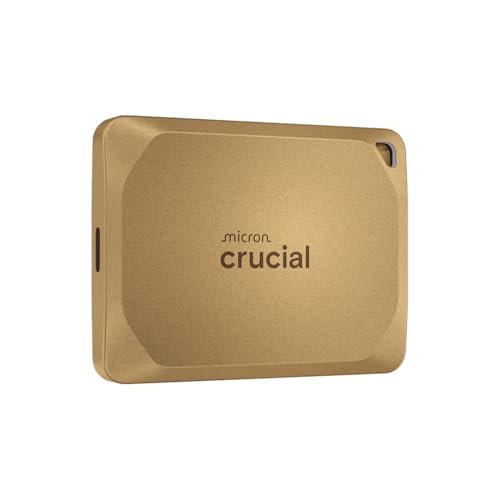
This particular variant of the Crucial X10 Pro 2TB Portable SSD offers an enticing bonus for creative professionals: an additional month of Adobe Acrobat Pro, alongside Mylio Photos+ and Acronis True Image. Beyond the software, it carries all the high-performance hallmarks of the X10 Pro series – blistering 2,100MB/s read and 2,000MB/s write speeds, robust IP55 durability, and advanced security features. If you’re looking for the absolute best external SSD for MacBook Pro for demanding creative workflows and appreciate valuable software bundles, this could be your top pick.
-
Key Features:
- Ultra-fast Speeds: Up to 2,100MB/s read and 2,000MB/s write speeds for a seamless workflow.
- Built to Last: IP55 water and dust resistance, drop-resistant up to 7.5 ft (2 meters).
- Broad Compatibility: Connects effortlessly with Windows, Mac, iPad Pro, Chromebooks, Android, Linux, PS4, PS5, and Xbox via USB-C/USB-A.
- Massive Storage Capacity: 2TB for high-resolution photos, 4K/8K videos, and current projects.
- Security: Includes a lanyard loop, activity light, and SSD password protection.
- Bonus Software: Three months of Mylio Photos+, one month of Adobe Acrobat Pro, and Acronis True Image.
-
Pros:
- Unmatched speed for professional content creation.
- Excellent durability and robust security features.
- Valuable software bundle including Adobe Acrobat Pro.
- Ideal for power users who leverage creative suites.
-
Cons:
- Premium price tag.
- Full speed potential requires compatible hardware (USB 3.2 Gen2x2 or Thunderbolt).
User Impressions: This specific bundle is a hit with creative professionals who use Adobe products, finding the included software a great added value on top of the already stellar performance of the X10 Pro. The speed and reliability are consistently lauded.
Conclusion
Choosing the Crucial best external SSD for MacBook Pro really boils down to your specific needs for speed, capacity, and durability. Whether you’re a professional creative requiring the top-tier performance of the X10 Pro, a student needing reliable and speedy everyday storage with an X9, or someone in between, Crucial offers an excellent range of portable SSDs.
All these drives provide a significant upgrade over traditional hard drives, ensuring your data is transferred faster, stored more securely, and accessible whenever you need it. Think about your workflow, your budget, and how much protection you need, and you’re sure to find a Crucial SSD that’s the perfect external storage companion for your MacBook Pro.
FAQ Section
Q: Why do I need an external SSD for my MacBook Pro if it already has fast internal storage?
A: While MacBook Pro internal storage is fast, it can quickly fill up, especially with large media files and applications. An external SSD provides additional high-speed storage, allowing you to offload files, run applications, or edit projects directly from the external drive without impacting your MacBook’s performance or storage capacity. It’s also ideal for fast, secure backups and portability.
Q: What’s the difference between Crucial’s X9, X9 Pro, X10, and X10 Pro series?
A: The main differences lie in speed, durability ratings, and features:
* X9: Offers good speeds (up to 1050MB/s), IP55 durability, targeted at everyday users.
* X9 Pro: Same speed (up to 1050MB/s) as X9, but adds features like password protection, lanyard loop, and sometimes Mac-specific optimization, targeting professional creators.
* X10: Faster speeds (up to 2100MB/s read), enhanced durability (IP65), aimed at power users and gamers who need ultra-fast access.
* X10 Pro: Top-tier speeds (up to 2100MB/s read, 2000MB/s write), IP55 durability, password protection, designed for the most demanding professional creative workflows.
Q: How do I format an external SSD for my MacBook Pro?
A: When you first connect your Crucial SSD to your MacBook Pro, you’ll likely want to format it for optimal performance within the Apple ecosystem.
1. Open Disk Utility (Applications > Utilities).
2. Select your external SSD from the sidebar (make sure to select the drive itself, not just a volume under it).
3. Click Erase.
4. Choose a Name for your drive.
5. For Format, select APFS (Apple File System) for macOS 10.13 High Sierra and newer, or Mac OS Extended (Journaled) for older macOS versions or if you need compatibility with older Macs.
6. For Scheme, choose GUID Partition Map.
7. Click Erase again to confirm. Warning: This will erase all data on the drive.
Q: Are Crucial external SSDs compatible with older MacBook Pro models?
A: Yes, all Crucial external SSDs listed here come with both USB-C and USB-A compatibility (often via an included adapter or cable). This means they will work with older MacBook Pros that only have USB-A ports, as well as newer models with USB-C (Thunderbolt 3/4) ports. However, to achieve the maximum advertised speeds (especially for the X10/X10 Pro series), your MacBook Pro will need a compatible USB 3.2 Gen2x2 or Thunderbolt port.
Q: What does IP55 or IP65 resistance mean, and why is it important?
A: IP ratings (Ingress Protection) indicate a device’s resistance to dust and water.
* IP55: The first ‘5’ means it’s protected against most dust ingress (not totally dust-tight but sufficient to prevent harm). The second ‘5’ means it’s protected against low-pressure jets of water from any direction. It’s great for splashes, light rain, and dusty environments.
* IP65: The ‘6’ means it’s totally dust-tight. The ‘5’ means the same water protection as IP55. This offers superior protection against dust and the same water jet protection, making it even more robust for outdoor or harsh environments.
These ratings are crucial if you travel frequently, work in the field, or just want extra peace of mind against accidental spills and environmental factors.
Q: Can I run my operating system (e.g., macOS) from a Crucial external SSD?
A: Yes, you can install macOS on an external SSD and boot your MacBook Pro from it. This can be a great way to have a clean, fast macOS installation or even multiple macOS versions. Just ensure your external SSD is formatted correctly (APFS or Mac OS Extended (Journaled) with GUID Partition Map) and then follow Apple’s instructions for installing macOS on an external drive. The high speeds of Crucial SSDs make this a very viable option, offering a near-native experience.