
Ever found yourself staring at a loading screen while editing a massive 4K video project, wishing your storage could just keep up? You’re not alone! Video editing, especially with high-resolution footage like 4K or 8K, demands serious horsepower from every component in your system, and perhaps none more so than your storage drive. Slow storage leads to frustrating bottlenecks, lagging timelines, and endless rendering times. That’s where a top-tier SSD comes into play, and when it comes to performance and reliability, Sabrent SSDs are often among the first choices for professionals.
Choosing the Sabrent best SSD for editing video means investing in drives designed for blistering speeds, robust endurance, and ample capacity – all crucial for smooth workflows. Sabrent has carved out a strong reputation for offering high-performance NVMe SSDs across various form factors and PCIe generations, making them a fantastic option for creators, filmmakers, and anyone dealing with large media files.
In this comprehensive guide, we’ll dive into 10 of Sabrent’s best SSDs, dissecting their features, pros, and cons to help you find the perfect storage solution to unleash your creative potential. Let’s get those timelines scrubbing smoothly!
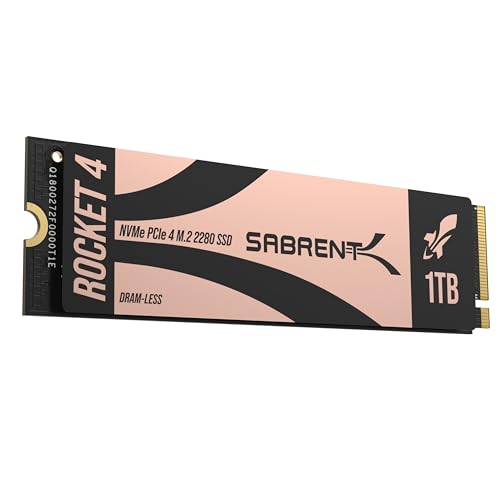
1. SABRENT Rocket 4 1TB NVMe SSD PCIe Gen4 M.2 2280

The Sabrent Rocket 4 1TB is a fantastic entry point into the world of PCIe Gen4 storage, offering a significant leap in performance over older Gen3 drives. For video editors, this means much faster transfer speeds for large files, quicker project loading, and a more responsive overall system. It’s built for those who demand speed but also need a drive that runs cool and efficiently within typical desktop or laptop setups. If you’re tackling demanding workloads and need a reliable, high-speed internal drive, this is a solid contender for the Sabrent best SSD for editing video.
-
Key Features:
- Blazing Gen4 Speed: Up to 7450MB/s read, 6100MB/s write.
- High IOPS, Efficient Design: Up to 850K/800K random IOPS with low heat/power.
- Broad System Compatibility: Single-sided M.2 2280 form factor.
- Made for Pros and Gamers: Ideal for high-performance systems.
- Trusted Sabrent Support: Supports Windows, macOS, Linux, with online registration for firmware.
-
Pros:
- Excellent sequential and random performance for Gen4.
- Efficient operation helps maintain stable performance.
- Wide compatibility, including PS5, due to single-sided design.
- Robust build quality and strong Sabrent support.
-
Cons:
- 1TB might be limiting for very large 8K projects.
- Requires a PCIe Gen4 compatible motherboard to achieve full speeds.
-
User Impressions: Users frequently praise this drive for its noticeable speed boost in everyday tasks and demanding applications like video editing. Many highlight its ease of installation and reliable performance, often exceeding expectations for its price point.
2. SABRENT Rocket Q4 2230 NVMe SSD 2TB – PCIe Gen4

Sometimes, space is the ultimate luxury – especially inside compact devices like portable gaming consoles or certain laptops. The Sabrent Rocket Q4 2230 NVMe SSD, with its tiny 2230 form factor, addresses this perfectly. Don’t let its size fool you; this 2TB drive still packs a powerful Gen4 punch, making it incredibly appealing for editors who use devices like the Steam Deck or ASUS ROG Ally for on-the-go media management or proxy editing. It’s a niche pick but certainly a contender for the Sabrent best SSD for editing video for specific, space-constrained workflows.
-
Key Features:
- Designed for Tight Spaces: True M.2 2230 form factor for compact devices.
- Powerful Performance: Up to 5GB/s read, 800K IOPS with Gen4 PCIe.
- Massive 2TB Capacity: Eliminate external drives for game libraries and files.
- Efficient and Reliable: DRAM-less with HMB support for low power/heat.
- Retail Quality You Can Trust: Includes Sabrent Acronis cloning software.
-
Pros:
- Incredible capacity in a tiny form factor.
- Solid Gen4 speeds for its size, great for portable editing setups.
- Low power consumption, ideal for battery-powered devices.
- Includes cloning software, making upgrades easy.
-
Cons:
- QLC flash might have slightly lower endurance compared to TLC for extremely heavy, constant writes (though still very high).
- Slower than full-sized Gen4 drives.
- Specific 2230 form factor means limited general compatibility.
-
User Impressions: Owners are thrilled with the ability to significantly expand storage in devices like the Steam Deck without performance compromises. They appreciate the plug-and-play reliability and the sheer convenience of having 2TB internally.
3. SABRENT Rocket 4 2TB NVMe SSD PCIe Gen4 M.2 2280

Stepping up in capacity, the Sabrent Rocket 4 2TB offers all the blazing speed of its 1TB sibling but with double the space. This is often the sweet spot for many video editors, providing ample room for several large projects or a substantial library of frequently accessed assets without constantly juggling files. Its excellent IOPS and sustained performance make it a strong candidate for your primary drive, ensuring your operating system, applications, and current projects all benefit from top-tier speed. It’s truly a strong contender for the Sabrent best SSD for editing video for its balance of speed and storage.
-
Key Features:
- Next-Gen Gen4 Performance: Up to 7450MB/s read, 6400MB/s write speeds.
- High IOPS, Low Heat: Up to 1000K/950K random IOPS with minimal thermal output.
- Universal Compatibility: Compatible with desktops, laptops, and PS5.
- Power for Pros and Gamers: Fast, reliable storage for intensive applications.
- Sabrent Quality and Support: Premium components, broad OS support.
-
Pros:
- Impressive sequential and random performance.
- Excellent thermal management, even under load.
- Generous 2TB capacity for demanding video projects.
- Reliable for sustained heavy use.
-
Cons:
- Still requires a Gen4 compatible motherboard.
- Premium price compared to Gen3 alternatives.
-
User Impressions: Editors commend this drive for its consistent high speeds and stability during intensive tasks like 4K scrubbing and rendering. Many find the 2TB capacity perfect for their active projects, reducing the need for constant file transfers.
4. SABRENT Rocket XTRM 5 4TB Thunderbolt 5 Portable SSD

For the ultimate in portable performance, the Sabrent Rocket XTRM 5 4TB takes the crown. Leveraging the cutting-edge Thunderbolt 5 interface, this external SSD offers mind-boggling transfer speeds up to 64Gbps, making it perfect for professionals who need to work with huge datasets on the go. Imagine editing 8K footage directly from an external drive without a hitch! Its rugged design and massive 4TB capacity solidify its position as a powerhouse for mobile creative workflows, easily making it the Sabrent best SSD for editing video when portability and raw speed are paramount.
-
Key Features:
- Ultra-Fast Thunderbolt 5 Performance: Up to 64Gbps transfer with 80Gbps connection.
- Broad Compatibility with Older Devices: Backward compatible with Thunderbolt 3/4 and USB4.
- Rugged and Durable Construction: Aluminum body, silicone sleeve for protection.
- Plug and Play, No External Power Needed: Bus-powered, includes premium Thunderbolt cable.
- Reliable, Future-Proof Storage Solution: Ideal for creators, professionals, and gamers.
-
Pros:
- Unparalleled speeds for an external drive.
- Excellent backward compatibility ensures broad use.
- Extremely durable and portable design.
- Bus-powered convenience.
- Massive 4TB capacity for large projects.
-
Cons:
- Requires a Thunderbolt 5 port for maximum performance (though still fast on older ports).
- High price due to cutting-edge technology and capacity.
-
User Impressions: Professionals rave about the incredible speed, allowing them to edit complex projects directly from the drive without compromise. The ruggedness and bus-powered operation are also frequently cited as major benefits for field use.
5. SABRENT Rocket 5 1TB Gen5 NVMe SSD – PCIe 5.0

Welcome to the future of storage! The Sabrent Rocket 5 1TB Gen5 NVMe SSD pushes the boundaries with mind-blowing speeds of up to 14,000 MB/s. This drive is built for systems featuring PCIe 5.0, offering performance levels previously unimaginable. For video editors working with uncompressed 8K footage, complex VFX projects, or those seeking minimal load times for next-gen games with DirectStorage, the Rocket 5 is a game-changer. It’s an investment in bleeding-edge technology, and if your system can handle it, it’s arguably the Sabrent best SSD for editing video for absolute, uncompromised speed.
-
Key Features:
- Blazing Gen5 Speed: Up to 14,000 MB/s sequential read, 2.3M IOPS.
- DirectStorage & Gaming Optimized: Maximize performance in next-gen applications.
- Cool Under Pressure: Heatsink Ready (requires motherboard heatsink or Sabrent’s).
- Power Efficient at Only 7W: High efficiency gains over Gen4.
- Built for Builders: Compatible with Windows, macOS, Linux; includes Acronis True Image.
-
Pros:
- Unmatched sequential read/write speeds for internal SSDs.
- Future-proof performance with PCIe 5.0.
- Optimized for demanding workflows and DirectStorage.
- Remarkably power-efficient for its performance level.
-
Cons:
- Requires a PCIe 5.0 compatible motherboard and CPU.
- Requires a robust heatsink for sustained peak performance.
- 1TB capacity might be quickly filled with professional video files.
- Premium price for cutting-edge technology.
-
User Impressions: Early adopters are astonished by the raw speed, reporting instantaneous application launches and incredibly fast file transfers. The need for adequate cooling is a common discussion point, but the performance gains are consistently highlighted.
6. SABRENT Rocket 4 4TB NVMe SSD PCIe Gen4 M.2 2280

When 2TB just isn’t enough, the Sabrent Rocket 4 4TB steps in to provide truly massive storage alongside its impressive Gen4 performance. This drive is a dream for video editors who juggle multiple large projects, work with high-bitrate footage, or manage extensive asset libraries. You get the same reliable, fast performance as other Rocket 4 drives, but with the freedom to store a huge amount of data directly on your primary workstation. This blend of substantial capacity and top-tier speed firmly makes it a strong contender for the Sabrent best SSD for editing video for high-volume users.
-
Key Features:
- Massive Gen4 Performance: Up to 7450MB/s read, 6400MB/s write speeds.
- Built for Speed and Stability: Up to 1000K/950K random IOPS with consistent low-heat output.
- Broad Compatibility: Slim, single-sided M.2 2280 design works in desktops, laptops, and PS5.
- For Demanding Users: Ideal for gamers, media editors, engineers, and power users.
- Sabrent Reliability & Support: Premium hardware, OS compatibility.
-
Pros:
- Exceptional 4TB capacity for extensive media libraries.
- Consistent high-speed Gen4 performance.
- Reliable for sustained heavy read/write cycles typical in video editing.
- Good thermal management for stable operation.
-
Cons:
- Higher price point due to capacity.
- Requires a PCIe Gen4 motherboard.
-
User Impressions: Editors often praise the sheer convenience of having 4TB of blazing-fast storage available, eliminating constant file management. They report smooth editing experiences even with large, multi-camera projects, appreciating the drive’s stability.
7. SABRENT Rocket XTRM 5 2TB Thunderbolt 5 Portable SSD
The Sabrent Rocket XTRM 5 2TB offers the same cutting-edge Thunderbolt 5 performance as its 4TB sibling but in a slightly more accessible capacity. For video editors who need the absolute fastest external drive but don’t require 4TB of storage, this 2TB option is a perfect fit. It’s ideal for quickly offloading footage on set, transferring massive project files between workstations, or even running a portable editing setup directly off the drive. Its rugged build and bus-powered design make it an indispensable tool for mobile creative professionals, solidifying its place as a strong choice for the Sabrent best SSD for editing video on the go.
-
Key Features:
- Ultra-Fast Thunderbolt 5 Performance: Up to 64Gbps transfer speeds with 80Gbps connection.
- Broad Compatibility with Older Devices: Backward compatible with Thunderbolt 3/4 and USB4.
- Rugged and Durable Construction: Aluminum body, silicone sleeve for protection.
- Plug and Play, No External Power Needed: Bus-powered, includes premium Thunderbolt cable.
- Reliable, Future-Proof Storage Solution: Ideal for creators, professionals, and gamers.
-
Pros:
- Blazing fast external drive, perfect for high-resolution video.
- Excellent backward compatibility with older Thunderbolt and USB ports.
- Robust and portable design for field work.
- Bus-powered convenience, no external power brick.
-
Cons:
- Requires a Thunderbolt 5 port for maximum speeds.
- Premium price compared to USB-C portable SSDs.
-
User Impressions: Similar to the 4TB version, users are blown away by the speed, enabling seamless external editing. The compact, durable design is highly valued by those who travel or work in various locations.
8. SABRENT Rocket XTRM Plus 2TB Thunderbolt 3 Portable SSD

If you don’t have Thunderbolt 5 yet but still crave high-speed external storage, the Sabrent Rocket XTRM Plus 2TB with Thunderbolt 3 is an excellent choice. It delivers impressive speeds up to 2,700 MB/s via its 40Gbps Thunderbolt 3 interface, which is more than enough for most 4K video editing workflows. Its robust aluminum build and included silicone sleeve ensure your data is protected, and the flexible connectivity with both Thunderbolt and USB cables makes it incredibly versatile. This reliable workhorse is a very strong contender for the Sabrent best SSD for editing video if you need high-performance portable storage.
-
Key Features:
- Upgraded TB3/USB SSD: Improved Thunderbolt 3 portable SSD with sleek, durable design.
- Flexible High-Speed Performance: Up to 2,700 MB/s with TB3, 900 MB/s with USB 3.2 Gen 2×1.
- Built To Last: Aluminum shell for ruggedness and heat dissipation, removable silicone sleeve.
- Complete Package: Includes premium Thunderbolt 3 and USB-A to USB-C cables.
- Universal Compatibility: Compatible with Windows, macOS, Linux, and bus-powered.
-
Pros:
- Excellent sustained speeds via Thunderbolt 3 for 4K video editing.
- Strong backward compatibility with USB ports.
- Very durable and well-protected for portable use.
- Bus-powered and includes all necessary cables.
- Generous 2TB capacity.
-
Cons:
- Slower than Thunderbolt 5 drives (understandably).
- Still a premium price compared to slower USB-only drives.
-
User Impressions: Many users migrating from slower external drives report a night-and-day difference in performance. The build quality and the inclusion of both Thunderbolt and USB cables are frequently highlighted as major pluses for versatility.
9. SABRENT 2TB External Aluminum SSD, Rocket Nano V2, USB

For those who prioritize portability and don’t have a Thunderbolt port, the Sabrent Rocket Nano V2 2TB is an outstanding USB-based external SSD. Capable of burst transfers over 1500 MB/s via USB 3.2 Gen 2×2, it’s fast enough for smooth 8K video recording and general editing tasks. Its incredibly compact, lightweight aluminum design with a silicone sleeve makes it highly durable and professional-looking for fieldwork. If you need a small, robust, and impressively fast external drive that connects via widely available USB, this is a top-tier option. This is easily a Sabrent best SSD for editing video for its blend of portability and USB speed.
-
Key Features:
- Burst transfers over 1500 MB/s: Smooth 8K video recording via USB 3.2 Gen 2×2.
- Constructed of aluminum with an external silicone sleeve: Ruggedness and heat dissipation.
- Available at up to 4TB (this review is for 2TB): High-endurance flash and wear management.
- Includes both Type-C to Type-A and Type-C to Type-C cables: Wide device compatibility.
- Register your nano V2: Warranty support and technical assistance.
-
Pros:
- Impressive speeds for a USB-based external drive.
- Extremely compact, lightweight, and durable design.
- Great for on-location recording and portable editing.
- Broad compatibility with various devices via included cables.
- Ample 2TB capacity for media files.
-
Cons:
- Requires a USB 3.2 Gen 2×2 port for maximum speeds (will be slower on older USB ports).
- Not as fast as Thunderbolt drives.
-
User Impressions: Users are consistently impressed by the Nano V2’s tiny footprint and robust performance. It’s frequently cited as a go-to for photographers and videographers who need to offload data quickly and reliably on the go.
10. SABRENT 8TB Rocket 4 Plus NVMe 4.0 Gen4 PCIe M.2

For the ultimate internal storage solution in a Gen4 system, the Sabrent 8TB Rocket 4 Plus offers unparalleled capacity coupled with top-tier performance. This is the drive for professional video editors who need immense storage for their entire archive of high-resolution footage, project files, and asset libraries, all within their main workstation. With PCIe 4.0 speeds, advanced wear leveling, and error correction, it’s designed for sustained heavy use without compromising reliability. If you need vast, fast, and dependable internal storage, this 8TB beast is the undisputed Sabrent best SSD for editing video for those with colossal storage needs.
-
Key Features:
- NVMe M.2 PCIe Gen4 x4 Interface: PCIe 4.0 Compliant / NVMe 1.3 Compliant.
- Compatible with PS5.
- Power Management Support: APST / ASPM / L1.2.
- Supports SMART and TRIM commands.
- Advanced Wear Leveling, Bad Block Management, Error Correction Code, and Over-Provision.
- FREE Sabrent Acronis True Image: For easy Cloning, with a utility for sector size customization.
-
Pros:
- Massive 8TB capacity – a game-changer for large-scale video projects.
- Excellent Gen4 performance (though specific speeds aren’t listed, Rocket 4 Plus is known for top-tier Gen4).
- Advanced data management features ensure longevity and reliability.
- Includes cloning software and sector size utility for flexibility.
- Compatible with PS5, making it versatile for media and gaming.
-
Cons:
- Premium price point for such high capacity.
- Requires a PCIe Gen4 motherboard.
- May require additional cooling solutions depending on system airflow.
-
User Impressions: This drive is a favorite among power users who need “set it and forget it” storage for huge media libraries. The peace of mind from having so much fast storage internally is often highlighted, along with Sabrent’s reliability.
Why Sabrent for Your Video Editing Workflow?
Sabrent has consistently delivered high-performance storage solutions that cater directly to the demanding needs of video editors. Whether it’s the raw internal speed of their Rocket series NVMe drives for your workstation, or the unparalleled external performance of their Thunderbolt XTRM lines for on-the-go professionals, Sabrent offers reliability, speed, and innovation. They understand that every second counts in post-production, and their drives are engineered to minimize bottlenecks, allowing you to focus on your creative vision. When considering the Sabrent best SSD for editing video, you’re choosing a brand dedicated to pushing the boundaries of storage performance.
FAQ: Sabrent SSDs for Video Editing
Q1: What is the most important factor for an SSD used in video editing?
A1: For video editing, sequential read and write speeds are paramount, especially when dealing with large 4K or 8K video files. High IOPS (Input/Output Operations Per Second) are also beneficial for responsiveness and multitasking. Ample capacity is another critical factor to store large project files and assets.
Q2: Do I need a PCIe Gen4 or Gen5 SSD for video editing?
A2: For most 4K video editing, a high-quality PCIe Gen3 NVMe SSD is sufficient, but PCIe Gen4 drives offer a significant performance boost (up to 7,000 MB/s), greatly improving load times and scrubbing for 4K and even some 6K workflows. PCIe Gen5 (up to 14,000 MB/s) is cutting-edge and ideal for uncompressed 8K footage, advanced VFX, and future-proofing, but requires a compatible motherboard and CPU.
Q3: How much capacity do I need in a Sabrent SSD for video editing?
A3: This depends on your typical project size and how much footage you keep active.
* 1TB: Good for smaller 4K projects or as a dedicated scratch disk.
* 2TB: A great sweet spot for many 4K editors, allowing multiple active projects.
* 4TB and above: Essential for professional 6K/8K workflows, large project archives, or extensive asset libraries. Always aim for more than you think you need!
Q4: Is an internal or external Sabrent SSD better for video editing?
A4: Internal NVMe SSDs (like the Rocket series) generally offer the highest sustained speeds and are ideal for your primary operating system, applications, and current active projects. External SSDs (like the Rocket XTRM series) provide portability and can be incredibly fast (especially Thunderbolt models), making them excellent for on-location work, transferring footage, or expanding storage for less active projects.
Q5: What are LSI keywords and why are they important for SEO in this context?
A5: LSI (Latent Semantic Indexing) keywords are words and phrases that are semantically related to your main keyword (“Sabrent best SSD for editing video”). They help search engines understand the broader context and topic of your article. For example, “4K video,” “rendering,” “file transfers,” “data workflow,” and “post-production” are LSI keywords that signal to Google that this article is truly about video editing storage, not just general SSDs, thereby improving its ranking for relevant searches.
Q6: Do Sabrent NVMe SSDs require a heatsink?
A6: While many modern motherboards come with integrated heatsinks for M.2 slots, high-performance NVMe SSDs (especially PCIe Gen4 and Gen5 drives like the Sabrent Rocket series) can generate significant heat under sustained heavy loads. For intensive video editing, using a good heatsink is highly recommended to prevent thermal throttling and ensure consistent, peak performance over long sessions.
Q7: What’s the difference between TLC and QLC NAND flash, and does it matter for video editing?
A7: TLC (Triple-Level Cell) stores 3 bits per cell, offering a good balance of speed, endurance, and cost. QLC (Quad-Level Cell) stores 4 bits per cell, allowing for higher capacity at a lower cost, but generally has slightly lower endurance and can see a drop in write speed after its SLC cache is filled. For professional video editing with very frequent, large writes, TLC is generally preferred for its better sustained performance and longevity, but modern QLC drives with large caches (like some Sabrent Rocket Q series) can still perform admirably for many editing tasks, especially at higher capacities.