
Video editing is an art form that demands not just skill, but also a powerhouse of a workstation. One of the unsung heroes in a high-performance editing rig is the storage drive. If you’re tired of agonizingly slow renders, choppy playback, and endless load times, then it’s time to upgrade to an NVMe SSD. And when it comes to speed, reliability, and innovation, Sabrent is a brand that consistently stands out.
In this comprehensive guide, we’re diving deep into why a Sabrent best NVMe SSD for video editing is a game-changer for content creators. We’ll explore their top offerings, from blistering Gen4 drives to revolutionary Gen5 speeds, as well as handy accessories that enhance your workflow. Get ready to supercharge your productivity and unleash your creative potential!
Why Sabrent NVMe SSDs Are Perfect for Video Editing
When you’re dealing with massive 4K or even 8K video files, complex timelines, and demanding rendering tasks, traditional SATA SSDs or HDDs just won’t cut it. NVMe (Non-Volatile Memory Express) technology, especially when paired with PCIe Gen4 or Gen5, offers significantly faster read and write speeds, dramatically reducing bottlenecks. Sabrent has made a name for itself by producing high-quality NVMe drives that are built for these exact challenges.
Here’s what makes a Sabrent best NVMe SSD for video editing such a smart choice:
- Blazing-Fast Data Transfer: Crucial for loading large project files, scrubbing through footage, and exporting final edits.
- Improved Responsiveness: Say goodbye to lag and stutter, even with multiple applications running simultaneously.
- High Endurance: Designed to handle constant read/write cycles, essential for prolonged editing sessions.
- Reliable Performance: Sabrent builds drives with quality components, ensuring stability under heavy workloads.
- Innovative Solutions: From compact drives for handhelds to multi-drive adapters for professional workstations, Sabrent offers a wide ecosystem.
Now, let’s dive into our top 10 picks for Sabrent NVMe SSDs and related accessories that can elevate your video editing experience.
Our Top 10 Sabrent Picks for Video Editing
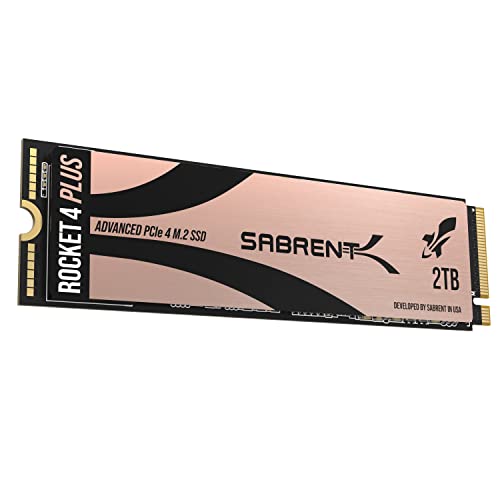
1. SABRENT 2TB Rocket 4 Plus NVMe 4.0 Gen4 PCIe M.2 SSD
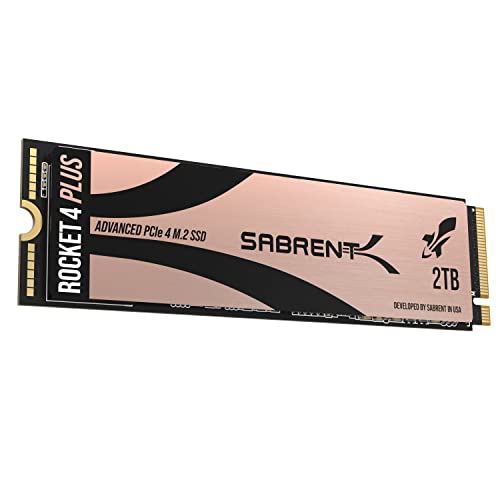
The Sabrent Rocket 4 Plus is a true workhorse, offering incredible performance that’s a perfect match for professional video editors. With its PCIe Gen4 interface, it delivers eye-watering speeds that drastically cut down on load times and accelerate complex rendering tasks, making it one of the top contenders for the Sabrent best NVMe SSD for video editing. Its robust endurance and advanced thermal management ensure consistent, high-speed performance even under intense, sustained workloads common in content creation.
- Key Features:
- Up to 7100MB/s read, 6600MB/s write speeds (PCIe Gen4).
- NVMe 1.4 and PCIe Gen4 x4 interface, backward compatible with PCIe Gen3.
- High-Endurance 3D TLC NAND for stability and long life.
- Requires heatsink for optimal Gen4 performance.
- Includes Acronis True Image for Sabrent for easy cloning and custom 512e/4K formatting.
- Pros:
- Exceptional speeds for 4K/8K video editing and large file transfers.
- High endurance suitable for heavy daily use.
- Reliable performance under sustained load.
- Acronis software adds value for system migration.
- Cons:
- Requires a heatsink for peak performance, which might be an extra purchase or relies on motherboard’s.
- Gen4 speeds are only realized on compatible motherboards.
- User Impressions: Users consistently praise the Rocket 4 Plus for its mind-blowing speed and solid reliability. Many note a significant improvement in project load times and rendering speeds, making their video editing workflow much smoother. Customers appreciate the included cloning software for hassle-free upgrades.
- See it on Amazon here
2. SABRENT Rocket 4 1TB NVMe SSD PCIe Gen4 M.2 2280

For those seeking a fantastic balance of speed and value, the Sabrent Rocket 4 is an excellent choice. This 1TB Gen4 drive delivers serious performance that will make a noticeable difference in your video editing tasks, from quick boots to seamless handling of large media files. Its efficient design and broad compatibility mean it’s ready to integrate into almost any modern editing setup, offering professional-grade storage without breaking the bank.
- Key Features:
- Up to 7450MB/s read, 6100MB/s write speeds (PCIe 4.0 NVMe).
- High IOPS (up to 850K/800K random IOPS) for responsive performance.
- Low heat and power draw, designed for stable, long-term operation.
- Single-sided M.2 2280 form factor for broad compatibility (desktops, laptops, PS5).
- Trusted Sabrent support and firmware updates.
- Pros:
- Excellent Gen4 speeds for demanding creative workloads.
- Efficient design helps prevent throttling.
- Wide compatibility, including many laptops and PS5.
- Reliable performance for pros and gamers alike.
- Cons:
- 1TB might be limiting for very large project archives over time.
- Still benefits from good airflow or a motherboard heatsink.
- User Impressions: Customers love the Rocket 4 for its consistent fast performance and ease of installation. Laptop users particularly appreciate its single-sided design and efficient thermal profile. Many report a dramatic improvement in application loading and file transfer speeds for their video projects.
- See it on Amazon here
3. SABRENT USB 3.2 Type-C Tool-Free Enclosure for M.2 PCIe NVMe and SATA SSDs

While not an SSD itself, this Sabrent enclosure is an indispensable tool for any video editor. It transforms your internal NVMe or SATA M.2 SSDs into blazing-fast external drives. This is perfect for transferring large project files between workstations, backing up footage on location, or even running portable applications. Its tool-free design makes swapping drives a breeze, emphasizing convenience and speed for on-the-go professionals.
- Key Features:
- 100% Tool-Free installation for M.2 SSDs (NVMe and SATA).
- Ultra-slim aluminum case with ABS frame for durability and portability.
- Compatible with M.2 2242/2260/2280 form factors.
- USB 3.2 Type-C supports up to 10Gbps data transmission (1000MB/s).
- Plug & Play, bus-powered, no external power supply needed.
- Pros:
- Extremely convenient for quick drive swaps and portability.
- Supports both NVMe and SATA M.2 drives, offering versatility.
- Fast USB 3.2 speeds for rapid file transfers.
- Durable and sleek design, ideal for travel.
- Cons:
- Speed is limited by the USB 3.2 interface (10Gbps), not the NVMe’s full internal potential.
- Only supports one M.2 drive at a time.
- User Impressions: Editors and tech enthusiasts rave about the enclosure’s ease of use and solid build quality. They find it invaluable for creating super-fast external storage for backups, project transfers, and even booting operating systems. The tool-free aspect is a significant highlight for users who frequently swap drives.
- See it on Amazon here
4. SABRENT Rocket Q4 2230 NVMe SSD 2TB – PCIe Gen4 M.2 2230

For video editors using compact devices like the Steam Deck, ASUS ROG Ally, or certain Microsoft Surface models, the Sabrent Rocket Q4 2230 is a dream come true. This tiny yet mighty 2TB NVMe SSD delivers Gen4 performance in a form factor previously dominated by slower storage. It’s an excellent choice for expanding storage for project files or applications on portable editing setups, offering significant speed and capacity in a remarkably small package.
- Key Features:
- M.2 2230 form factor, designed for tight spaces (Steam Deck, ROG Ally, Surface Pro).
- Up to 5GB/s read speeds and 800K IOPS with a Gen4 PCIe interface.
- Massive 2TB capacity using QLC flash.
- DRAM-less with Host Memory Buffer (HMB) for efficiency and low power draw.
- Retail quality with Sabrent Acronis cloning software included.
- Pros:
- Massive capacity in a highly compact form factor.
- Gen4 speeds significantly upgrade performance in compatible small devices.
- Efficient design for low power consumption and good thermals.
- Perfect for mobile content creators needing internal storage expansion.
- Cons:
- QLC NAND, while offering high capacity, may have lower sustained write speeds than TLC for extremely long transfers.
- Limited to devices supporting the 2230 size.
- User Impressions: Users of handheld gaming PCs and compact ultrabooks are thrilled with this drive. They report easy installation and a dramatic boost in game loading and overall system responsiveness. The 2TB capacity is a huge selling point, allowing users to keep their entire media library or project files accessible on their portable devices.
- See it on Amazon here
5. SABRENT 4-Drive NVMe SSD to PCIe 4.0 X 16 Adapter Card

For the ultimate video editing workstation, a single NVMe SSD might not be enough. This Sabrent adapter card allows you to add up to four high-performance NVMe SSDs to a single PCIe 4.0 x16 slot, vastly expanding your high-speed storage potential. Imagine a RAID array of Gen4 NVMe drives for insane read/write speeds, perfect for multi-stream 8K editing or colossal project files. This adapter is a powerhouse solution for serious creative professionals.
- Key Features:
- Adds up to four NVMe SSDs to a physical x16 PCIe slot.
- PCIe 4.0 compliant, supporting the fastest NVMe SSDs.
- Compatible with M.2 2230/2242/2260/2280 form factors.
- Built with quality aluminum for cooling, includes thermal padding and optional active cooling.
- Supports Intel VROC and AMD Ryzen NVMe RAID (requires PCIe bifurcation).
- Pros:
- Massive NVMe storage expansion for workstations.
- Leverages full PCIe 4.0 bandwidth for multiple drives.
- Excellent thermal management with passive and optional active cooling.
- Supports RAID configurations for extreme performance or data redundancy.
- Cons:
- Requires PCIe bifurcation support from the motherboard and CPU.
- Occupies a full x16 PCIe slot.
- The cost of four high-end NVMe drives can be significant.
- User Impressions: Professional editors and system builders consider this adapter a game-changer for building extreme performance workstations. They frequently highlight the excellent build quality, effective cooling, and the ability to create incredibly fast storage arrays for tackling the most demanding video projects.
- See it on Amazon here
6. SABRENT Rocket 5 1TB Gen5 NVMe SSD – PCIe 5.0

If you’re building a future-proof video editing rig or already have a cutting-edge system, the Sabrent Rocket 5 is a revelation. This 1TB Gen5 NVMe SSD pushes the boundaries of speed, offering up to 14,000 MB/s sequential read speeds. This isn’t just fast; it’s groundbreaking. For anyone working with the largest files, highest resolutions, or next-gen game assets, the Rocket 5 provides unparalleled performance, making it arguably the Sabrent best NVMe SSD for video editing on the bleeding edge of technology.
- Key Features:
- Blazing Gen5 speeds: Up to 14,000 MB/s sequential read, 2.3M IOPS.
- Engineered for PCIe 5.0 systems, backward compatible with Gen4/Gen3.
- DirectStorage & gaming optimized for ultra-fast asset streaming.
- Heatsink ready (requires motherboard heatsink or Sabrent’s separate solution).
- Power efficient at only ~7W under load.
- Pros:
- Absolutely unparalleled speeds for ultimate performance.
- Future-proof for upcoming hardware and software demanding extreme I/O.
- Efficient power consumption despite immense speed.
- DirectStorage support is beneficial for future workflows.
- Cons:
- Requires a PCIe 5.0 compatible motherboard and CPU to reach full speeds.
- Generates significant heat, requiring a robust heatsink solution.
- Higher price point due to bleeding-edge technology.
- User Impressions: Early adopters are blown away by the Rocket 5’s performance. They report instantaneous load times for massive applications and project files, with rendering times cut dramatically. Users emphasize the necessity of a good heatsink but confirm the drive maintains incredible speeds when adequately cooled.
- See it on Amazon here
7. SABRENT USB-C Lay Flat Docking Station – NVMe M.2 + 2.5”/3.5” SATA

This versatile docking station is another must-have accessory for video editors who frequently juggle multiple drives. It offers dual-format support, allowing you to quickly access both M.2 NVMe SSDs and larger 2.5”/3.5” SATA drives. Whether you’re cloning a system drive, backing up archived footage from an old HDD, or quickly transferring files from an NVMe, this tool-free dock makes it incredibly easy. The offline clone function is a lifesaver for system upgrades and disaster recovery.
- Key Features:
- Dual format support: M.2 PCIe NVMe SSDs (2242, 2260, 2280) and 2.5”/3.5” SATA SSDs/HDDs.
- 10Gbps High-Speed USB 3.2 Gen 2 Type-C port.
- Tool-Free installation with a secure hinged lid.
- Smart Offline Cloning (no PC needed) with progress LEDs.
- Cross-platform compatible (Windows, macOS, Linux), powered by included 12V adapter.
- Pros:
- Extremely versatile, handling both M.2 NVMe and SATA drives.
- Tool-free design for rapid drive swaps.
- Offline cloning feature is incredibly convenient.
- Fast USB-C connectivity for quick data transfers.
- Cons:
- Only one NVMe and one SATA drive can be used simultaneously.
- Requires an external power adapter for 3.5” drives.
- User Impressions: Users love the flexibility of this docking station. Many editors find it indispensable for managing their collection of SSDs and HDDs, praising the easy drive swapping and the highly useful offline cloning feature for upgrading their primary drives. The 10Gbps USB-C speed is appreciated for moving large video files.
- See it on Amazon here
8. SABRENT M.2 NVMe SSD to PCIe X16/X8/X4 Adapter Card with Heatsink

If your motherboard lacks an M.2 slot or you simply need to add another NVMe drive to your desktop, this adapter card is a straightforward and effective solution. It allows you to utilize any M.2 NVMe SSD in a standard PCIe x4, x8, or x16 slot. Crucially, it comes with a robust aluminum heatsink and thermal pad, ensuring that your NVMe SSD performs optimally without throttling, which is vital for sustained video editing tasks.
- Key Features:
- Supports M.2 NVMe SSDs in sizes 2230, 2242, 2260, 2280.
- Requires PCIe x16/x8/x4 physical slot.
- Delivers ultra-fast transfer speeds over PCIe lanes.
- Durable aluminum heatsink and thermal pad included.
- Simple, tool-free setup (screws and screwdriver included).
- Wide system compatibility (Windows, Linux, modern BIOS).
- Pros:
- Adds NVMe capability to older motherboards or expands existing M.2 slots.
- Effective heatsink ensures optimal performance and drive longevity.
- Simple to install with included tools.
- Maintains high NVMe speeds.
- Cons:
- Occupies a PCIe slot that could be used for other components (e.g., capture card).
- Not compatible with SATA M.2 drives or PCIe x1 slots.
- User Impressions: Customers find this adapter card to be a reliable and affordable way to add or expand NVMe storage. The included heatsink is a big plus, with users reporting stable temperatures even under heavy loads. Installation is frequently described as quick and easy, making it a popular choice for desktop upgrades.
- See it on Amazon here
9. SABRENT 4-Drive NVMe M.2 SSD to PCIe 3.0 x4 Adapter Card
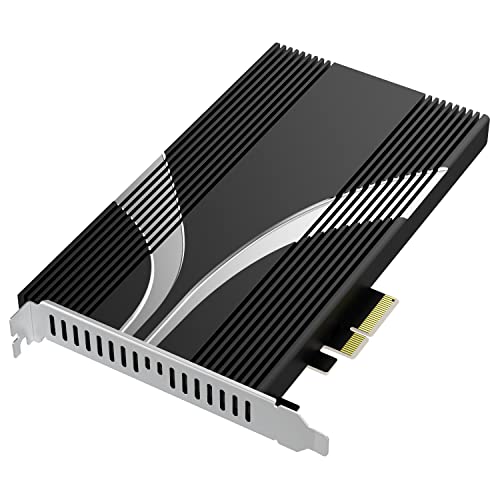
For those with PCIe 3.0 systems who still need massive NVMe storage expansion, this adapter card offers an excellent solution. It enables you to connect up to four NVMe SSDs to a single PCIe 3.0 x4 slot, making it a cost-effective way to create a high-capacity, high-speed storage pool for your video projects. While not PCIe 4.0, a RAID 0 array of four PCIe 3.0 NVMe drives can still deliver incredible performance that far surpasses any single drive, perfect for budget-conscious workstation builders.
- Key Features:
- Adds up to four NVMe SSDs to a single x4 PCIe 3.0 adapter card.
- Included aluminum heatsink and silicone thermal padding for cooling.
- Compatible with x4, x8, and x16 PCIe slots (backward compatible to PCIe 1.0).
- Supports M-Key NVMe SSDs only.
- Wide power protocol support for efficiency.
- Includes M.2 screws and screwdriver for easy installation.
- Pros:
- Massive NVMe storage expansion for PCIe 3.0 systems.
- Excellent cooling solution prevents throttling.
- Can enable extremely fast RAID arrays with four drives.
- Cost-effective way to boost older systems’ storage performance.
- Cons:
- Limited to PCIe 3.0 speeds (though still very fast with multiple drives).
- Requires PCIe bifurcation support from the motherboard/CPU to utilize all four drives.
- Occupies a PCIe slot.
- User Impressions: Users with older high-end systems appreciate this card for breathing new life into their setups. They report significant performance gains when configuring multiple NVMe drives in RAID, especially for demanding applications like video editing. The included cooling solution is a standout feature, ensuring drives run smoothly.
- See it on Amazon here
10. SABRENT Rocket 2230 1TB NVMe SSD – PCIe Gen4 M.2 2230
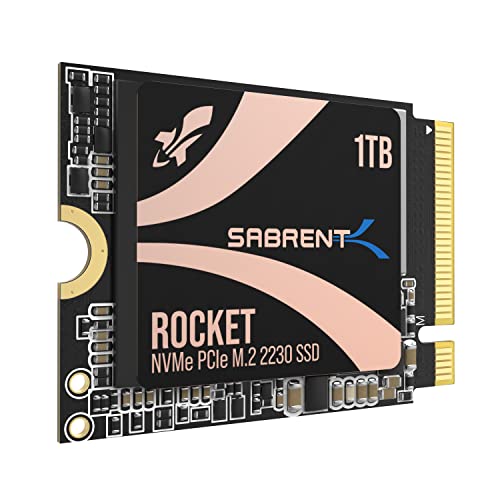
Another excellent option for compact devices, the Sabrent Rocket 2230 1TB offers a premium Gen4 experience for users of handhelds, ultrabooks, and other space-constrained systems. At 1TB, it provides ample space for a substantial game library or a collection of active video projects. Its focus on efficiency and reliability, combined with impressive Gen4 speeds, makes it a top contender for those needing high-performance internal storage in a tiny footprint. This truly stands out as a strong candidate for the Sabrent best NVMe SSD for video editing on the go.
- Key Features:
- Compact M.2 2230 form factor for Steam Deck, Surface Pro, ultrabooks.
- High-Speed Gen4 performance: up to 5GB/s read and 800K IOPS.
- 1TB capacity, perfect for expanding internal storage.
- Reliable 3D TLC NAND with DRAM-less HMB support for cool and efficient operation.
- Retail-grade quality with full warranty and Sabrent Acronis software.
- Pros:
- Significant speed and capacity upgrade for small devices.
- Efficient and cool operation, ideal for portable electronics.
- Premium TLC NAND for better endurance than QLC alternatives.
- Full retail support and warranty.
- Cons:
- Only compatible with devices supporting the 2230 M.2 size.
- 1TB might still be insufficient for extensive, long-term video project storage for some users.
- User Impressions: Customers frequently commend this drive for its perfect fit and easy installation in devices like the Steam Deck and ROG Ally. They notice a considerable improvement in loading times and overall system snappiness. The 1TB capacity is a sweet spot for many, allowing them to install more software and keep more project files locally.
- See it on Amazon here
Frequently Asked Questions (FAQ)
Q1: Why are NVMe SSDs considered superior for video editing compared to SATA SSDs or HDDs?
A1: NVMe SSDs utilize the PCIe interface, which offers significantly higher bandwidth and lower latency than SATA. This translates to vastly faster read and write speeds (often 5-20 times faster than SATA SSDs), which is crucial for loading large 4K/8K video files, scrubbing through timelines, and accelerating render and export times. HDDs are even slower, making them unsuitable for active video editing.
Q2: What specific Sabrent features should I prioritize when choosing an NVMe SSD for video editing?
A2: Look for high sequential read and write speeds (especially important for large media files), robust endurance (often indicated by TLC NAND), and good thermal management (built-in heatsink or heatsink compatibility). For cutting-edge performance, consider PCIe Gen4 or even Gen5 drives. Adequate capacity is also key – 1TB is a good starting point, but 2TB or more is better for sustained work.
Q3: Do I need a heatsink for my Sabrent NVMe SSD, especially for video editing?
A3: For PCIe Gen4 and especially Gen5 NVMe SSDs, a heatsink is highly recommended, if not essential. Sustained video editing workloads generate a lot of heat, and without proper cooling, the drive might “throttle” its performance to prevent overheating, negating its speed advantage. Many motherboards come with integrated M.2 heatsinks, or you can purchase one separately.
Q4: Can I use Sabrent NVMe SSDs with my laptop for video editing?
A4: Yes, many Sabrent NVMe SSDs, particularly the standard M.2 2280 form factor (like the Rocket 4), are compatible with laptops that have an available M.2 slot. For ultra-compact devices or gaming handhelds, Sabrent also offers smaller 2230 form factor drives. Always check your laptop’s specifications for M.2 slot compatibility and supported sizes.
Q5: What’s the difference between PCIe Gen4 and Gen5, and how does it impact video editing?
A5: PCIe Gen5 is the latest standard, offering double the bandwidth of PCIe Gen4. While Gen4 already provides incredible speeds (up to ~7,000 MB/s), Gen5 pushes this to ~14,000 MB/s. For video editing, this means even faster project loading, rendering, and handling of increasingly larger and higher-resolution footage. However, Gen5 drives require a compatible motherboard and CPU, which are typically found in the newest, high-end systems.
Q6: How much storage capacity do I really need for professional video editing?
A6: This depends heavily on your workflow and the resolution of your footage. For 4K editing, 1TB can be a bare minimum for active projects, but 2TB or 4TB is often more comfortable for holding multiple projects, cache files, and applications. For 8K footage or very large projects, 4TB, 8TB, or even multiple NVMe drives in a RAID configuration become necessary. It’s common to use one fast NVMe for your OS and active projects, and larger, slightly slower drives or external solutions for archiving.
Q7: Can Sabrent NVMe SSDs be used for external storage, and is it fast enough for editing?
A7: Yes, with a suitable external enclosure (like the Sabrent USB 3.2 Type-C Tool-Free Enclosure reviewed above), you can turn an internal Sabrent NVMe SSD into a very fast external drive. While the external interface (e.g., USB 3.2 Gen 2 at 10Gbps or Thunderbolt) will cap the speed below the drive’s internal potential, it’s still significantly faster than traditional external HDDs and often sufficient for working with smaller 4K projects directly from the external drive or for rapid data transfers.
Conclusion
Choosing the right storage is a critical decision for any video editor looking to maximize their productivity and creative flow. Sabrent has consistently delivered innovative and high-performance solutions, making a Sabrent best NVMe SSD for video editing a smart investment.
Whether you’re building a cutting-edge workstation with a Gen5 drive, upgrading a desktop with a multi-drive adapter, or enhancing a portable setup with a compact 2230 NVMe, Sabrent offers a robust product for every need. By leveraging the blistering speeds and reliability of these NVMe SSDs, you’ll spend less time waiting and more time creating. So go ahead, upgrade your storage, and watch your video editing workflow transform!